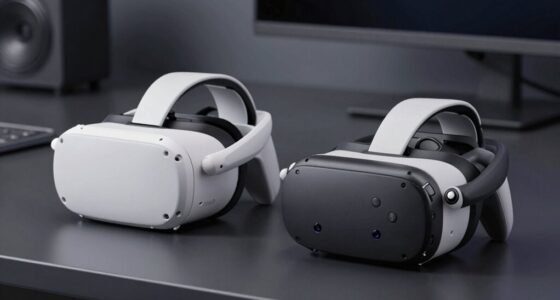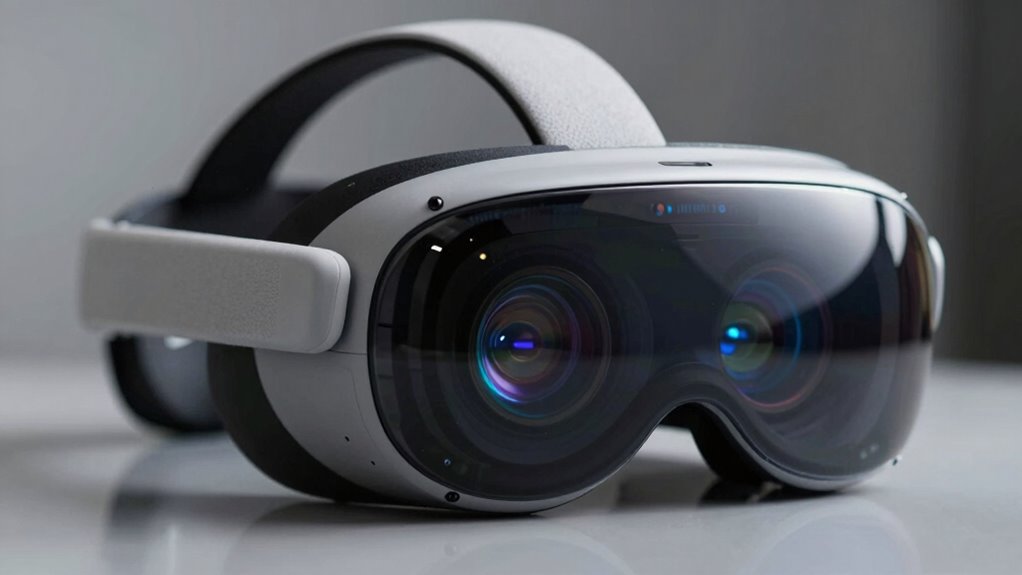

FOV, refresh rate, and resolution are the key specs that truly shape your VR experience. A wider FOV boosts immersion by mimicking natural vision, while higher resolution guarantees sharp, detailed visuals. A faster refresh rate makes motion smoother and helps prevent motion sickness. Balancing these factors is essential for comfort and realism. Focusing on these specs can transform your VR sessions—if you want to explore how each impacts your experience, keep going.
Key Takeaways
- High resolution enhances visual detail and realism, but must be balanced with hardware capabilities for optimal clarity.
- A wide FOV increases immersion by mimicking human vision but can cause distortion if not well-designed.
- A minimum refresh rate of 90Hz is essential to reduce motion sickness and ensure smooth, responsive visuals.
- FOV, resolution, and refresh rate collectively impact comfort, immersion, and visual fidelity; neglecting one can diminish experience.
- Prioritize hardware that balances all three specs to achieve a comfortable, immersive, and high-quality VR experience.
Understanding Field of View (FOV) and Its Impact on Immersion
Understanding Field of View (FOV) is essential because it directly influences how immersive your VR experience feels. FOV refers to how much of the virtual environment you can see at once, measured in degrees. A wider FOV mimics human vision more closely, making you feel more present in the virtual world. If your headset has a narrow FOV, you might notice a tunnel vision effect, breaking immersion. Conversely, a broader FOV enhances peripheral awareness, making interactions feel natural and seamless. Most high-quality VR headsets offer around 110 to 130 degrees, striking a balance between immersion and practical design. Additionally, visual fidelity benefits from a wider FOV, as it allows for more comprehensive image rendering across your entire field of view, enhancing realism. Research shows that increasing the FOV can significantly improve overall immersion in virtual environments. By choosing a device with a wider FOV, you’ll experience a more engaging and realistic virtual environment, pulling you deeper into the digital landscape. Free Floating
How Refresh Rate Affects VR Smoothness and Comfort
A higher refresh rate makes your VR experience look smoother and more responsive, reducing lag between your movements and what you see. This can help prevent motion sickness and discomfort during extended use. When your VR visuals are fluid, you’ll feel more natural and less fatigued, even during intense sessions. Additionally, a higher refresh rate can enhance overall comfort, encouraging longer, more enjoyable VR sessions. Proper ventilation considerations can also improve comfort by preventing overheating during extended use, ensuring a safer and more pleasant experience. Implementing adequate cooling solutions can further improve comfort and prevent overheating during prolonged use. Moreover, understanding the biography of influential figures in entertainment and sports can give insights into resilience and dedication that inspire technological innovations.
Motion Sickness Reduction
Have you ever experienced discomfort or dizziness while using a VR headset? That’s often linked to low refresh rates, which cause choppy visuals and lag between your movements and what you see. When the refresh rate is high, the images update smoothly and quickly, reducing the chances of motion sickness. A higher refresh rate minimizes motion blur and latency, making your virtual environment feel more natural and stable. This stability helps your brain reconcile what you see with your body’s movements, decreasing disorientation. If your headset has a low refresh rate, you’re more likely to feel nausea or dizziness during extended use. To reduce motion sickness, opt for a device with a refresh rate of at least 90Hz, ensuring a smoother, more comfortable experience. Understanding refresh rates can help you choose the right VR hardware for comfort and safety. Additionally, being aware of visual processing can further enhance your overall VR experience by reducing discomfort.
Visual Fluidity and Response
The refresh rate directly impacts how smoothly your VR visuals move, making the experience feel more natural and responsive. When your headset has a higher refresh rate, your visuals update more frequently, reducing motion blur and stuttering. This creates a seamless flow, so actions like turning or moving feel immediate and fluid. Lower refresh rates can cause choppiness, making it harder to track fast movements and increasing discomfort. A high refresh rate also helps your brain interpret motion more accurately, which enhances comfort and reduces eyestrain. In fast-paced games or immersive experiences, a smoother image keeps you engaged without distraction. Ultimately, a higher refresh rate makes VR feel more responsive, improving both realism and your overall comfort during extended use. Additionally, refresh rate can influence how well your VR system handles rapid head movements, contributing to overall performance and immersion.
The Importance of Resolution for Visual Clarity in VR

Your VR experience relies heavily on resolution, which determines how sharp and detailed the images appear. Higher pixel density enhances immersion by making visuals more realistic and less pixelated. When resolution improves, your virtual environment feels more convincing and engaging. Additionally, choosing the right sizing and load‑planning tools ensures your VR setup is both safe and reliable, much like selecting a dependable backup power system.
Pixel Density and Detail
Pixel density plays a critical role in determining how sharp and detailed VR visuals appear, directly affecting your immersion and comfort. Higher pixel density means more pixels per inch, resulting in images that are crisper and closer to real life. When pixels are densely packed, you notice fewer pixelated edges and less screen door effect, making virtual environments feel more natural. This clarity allows you to pick up on subtle textures and fine details that enhance realism. Conversely, low pixel density leads to blurry visuals and distracts you from the experience. To truly enjoy immersive VR, you need a high pixel density that delivers sharp, detailed images without straining your eyes or breaking immersion. It’s a crucial factor in creating a convincing virtual world.
Impact on Immersion
High pixel density directly influences how immersive a VR experience feels by ensuring images are sharp and lifelike. When your headset has high resolution, you see fine details clearly, making virtual environments more convincing. Blurry or pixelated visuals break immersion, reminding you you’re in a simulation. Sharp visuals allow you to focus fully on the experience without distraction. This clarity enhances depth perception, making objects feel real and tangible. It also reduces eye strain, enabling longer, more comfortable sessions. Ultimately, resolution determines how convincingly the virtual world blends with reality, pulling you in completely. If you want to lose yourself in VR, prioritizing high-resolution displays is essential for deep immersion and a more authentic experience. Additionally, resolution quality can be affected by factors like display technology and hardware capabilities, which are also critical for optimal VR performance.
Balancing FOV, Refresh Rate, and Resolution for the Best Experience
Balancing FOV, refresh rate, and resolution is essential for creating an immersive and comfortable VR experience. If one factor dominates, it can cause discomfort or break immersion. For example, a wide FOV enhances peripheral vision but may strain your graphics card if paired with low refresh rates, leading to motion sickness. Conversely, a high refresh rate ensures smooth visuals but won’t help if resolution is too low, resulting in pixelation. To optimize, prioritize your main use—gaming, design, or media consumption—and find a balance that suits your hardware and comfort level. Adjusting settings gradually helps you identify what feels best. Ultimately, the goal is harmony: a wide FOV, high refresh rate, and sharp resolution working together without overtaxing your system or causing discomfort. Paying attention to hardware specifications and how they influence each component can help in achieving the optimal setup.
Common Misconceptions About VR Specifications

Many people assume that simply increasing FOV, refresh rate, or resolution automatically leads to a better VR experience. While higher specs can improve visuals and immersion, they’re not the only factors that matter. For example, a high refresh rate won’t help if your headset’s tracking is poor or latency is high. Similarly, a large FOV doesn’t guarantee comfort if the hardware causes motion sickness. People often think more pixels mean better clarity, but without balanced hardware and optimized software, you won’t notice much difference. It’s a misconception that bigger numbers always equate to a superior experience. Instead, you should focus on how these specs work together and how well the overall system performs, rather than chasing the highest individual numbers. Proper system performance is crucial to truly enhancing your VR experience, especially considering the importance of hardware-software integration for seamless operation.
How to Evaluate VR Headsets Based on These Key Specs
When evaluating VR headsets, it is vital to look beyond just the raw specs like FOV, refresh rate, and resolution. Instead, consider how these specs translate into real-world experience. For example, a wider FOV can make you feel more immersed, but only if the headset’s optics don’t cause distortion. Check the refresh rate to guarantee smooth visuals; higher rates reduce motion blur and discomfort. Resolution matters, but also evaluate pixel density and panel quality for clarity. Additionally, consider how these specs work together— a high refresh rate on a low-resolution display might still feel lacking. Ultimately, balance these specs based on your usage—gaming, simulations, or watching content—to find a headset that offers a comfortable, realistic experience.
The Relationship Between Hardware Power and VR Performance
The performance of a VR headset heavily depends on the hardware powering it, as stronger components directly influence visual quality and responsiveness. A powerful GPU handles rendering high-resolution images smoothly, reducing lag and motion sickness. A fast CPU ensures quick processing of tracking data and game logic, providing a seamless experience. RAM supports multitasking and quick data access, preventing stutters. The quality of the headset’s internal sensors and controllers also relies on hardware capabilities, affecting tracking accuracy. Upgrading these components improves overall performance, allowing higher FOVs, faster refresh rates, and better resolution without sacrificing smoothness. Essentially, better hardware means you’ll experience more immersive, responsive VR with fewer visual artifacts and latency issues. Your hardware choices directly shape the quality and enjoyment of your VR sessions. Hardware capabilities play a key role in optimizing VR performance and user experience. Additionally, hardware compatibility ensures that all components work together efficiently, preventing bottlenecks that could limit performance. A well-designed system architecture further enhances the overall VR experience by balancing power consumption and thermal management.
Future Trends in VR Technology and Specifications
Advancements in hardware are paving the way for exciting future developments in VR technology. You can expect higher resolutions that deliver more lifelike visuals, making immersion seamless. FOVs will likely expand, providing a wider, more natural field of view that enhances realism. Refresh rates will increase, reducing motion sickness and improving comfort during extended use. Additionally, lighter, more ergonomic headsets will become standard, making long sessions more comfortable. Emerging trends also include wireless connectivity for greater freedom of movement and eye-tracking technology for improved interactivity and realism.
- Higher resolution displays for sharper visuals
- Broader FOVs for immersive experiences
- Faster refresh rates to reduce lag and sickness
- Wireless headsets for mobility
- Eye-tracking for enhanced interaction
Tips for Choosing the Right VR Headset Based on Your Priorities
Choosing the right VR headset depends on what matters most to you, whether it’s visual clarity, comfort, or mobility. To make an informed choice, consider your priorities carefully. If crisp visuals are key, prioritize high resolution and refresh rate. For extended use, comfort features like adjustable straps and lightweight design matter most. If mobility is your focus, opt for standalone headsets with wireless capabilities. Here’s a quick comparison:
| Priority | Features to Look For | Recommended Options |
|---|---|---|
| Visual Quality | High resolution, high refresh rate | Oculus Quest 2, Valve Index |
| Comfort | Adjustable straps, weight distribution | HTC Vive, Oculus Quest 2 |
| Mobility | Wireless, standalone design | Oculus Quest 2, Pico Neo 3 |
Assess your needs, and choose accordingly to maximize your VR experience.
Frequently Asked Questions
How Do FOV, Refresh Rate, and Resolution Interact in VR?
FOV, refresh rate, and resolution work together to create a smooth, immersive VR experience. A wider FOV makes you feel more present, while a higher refresh rate reduces motion blur and lag, preventing discomfort. Resolution details how clear images are, so higher resolution means sharper visuals. When these elements are balanced, you get seamless visuals that feel natural, minimizing eye strain and enhancing your overall enjoyment in VR.
Can a High FOV Compensate for Lower Resolution?
Certainly, a higher FOV can distract from lower resolution by creating a more immersive, expansive environment. When your field of view widens, your brain focuses more on the overall experience rather than pixel-perfect clarity. Though it doesn’t replace sharpness, a broad FOV can mask some resolution shortcomings, making visuals feel more natural and less noticeable. So yes, expanding your view can help compensate for less detail.
What Is the Ideal Refresh Rate for Prolonged VR Sessions?
For prolonged VR sessions, aim for a refresh rate of at least 90Hz, ideally 120Hz or higher. Higher refresh rates reduce motion blur and latency, making extended use more comfortable and less tiring for your eyes. When you choose a headset with a fast refresh rate, you’ll experience smoother visuals and less fatigue, helping you stay immersed and comfortable during long gaming or virtual reality experiences.
How Do Hardware Limitations Affect VR Spec Choices?
Think of hardware limitations like a car engine; they set the speed you can reach. When choosing VR specs, your hardware’s power dictates what’s feasible without lag or crashes. For example, a high-end PC can handle smoother, more detailed VR, while a lower-end system might struggle, causing discomfort. You need to balance your hardware’s capabilities with your VR goals to get the best experience without overloading your setup.
Are There Trade-Offs Between FOV, Refresh Rate, and Resolution?
Yes, there are trade-offs. When you prioritize a wider field of view, you might need to compromise on resolution or refresh rate because higher specs demand more processing power. If you want a smoother experience with a higher refresh rate, you may have to settle for a narrower FOV or lower resolution. Balancing these factors depends on your gaming preferences and your hardware capabilities.
Conclusion
To get the best VR experience, focus on the specs that matter—FOV for immersion, refresh rate for smoothness, and resolution for clarity. Prioritize what matters most to you, whether it’s a wider view, faster responsiveness, or sharper visuals. Balance these elements like a well-tuned engine, and you’ll enjoy a seamless, immersive, and comfortable VR journey. Remember, understanding these key specs helps you choose the headset that fits your needs perfectly.