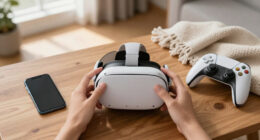
Welcome to VRGearGuide.com — a U.S.-focused resource built to help everyday people use virtual reality more comfortably, safely, and confidently.
VR can be incredible… and also frustrating. Foggy lenses, face pressure, motion sickness, confusing settings, messy cables, noisy Wi‑Fi, and a million accessories that claim to “fix everything.” Our job is to cut through the noise and give you clear, practical guidance you can trust.
Our mission
Make VR easier to enjoy by publishing:
- straightforward setup guides
- comfort and ergonomics tips
- safety and hygiene best practices
- troubleshooting walkthroughs
- plain‑English explanations of VR specs and features
We focus on the real-world questions people ask after buying (or thinking about buying) VR gear — especially in typical U.S. homes and apartments.
Who this site is for
VRGearGuide is for:
- new VR owners who want a smooth first week (and fewer headaches)
- families sharing a headset who need sane hygiene and privacy routines
- fitness players trying to stay comfortable and keep gear clean
- PCVR users who want stable wireless streaming and fewer stutters
- anyone who wants simple answers without the hype
What you’ll find here
We publish information-first content, including:
- Setup & calibration: boundaries, room layout, casting, tracking basics
- Comfort & ergonomics: fit, pressure points, glasses comfort, fog prevention
- Health & safety: motion sickness, breaks, safe play spaces, hearing/eye comfort
- Cleaning & maintenance: lens care, disinfecting, storage, travel protection
- PCVR & connectivity: Wi‑Fi basics, router placement, lag troubleshooting
- Privacy & accessibility: household setups, guest sessions, safer social VR habits
As the site grows, we’ll also publish product guides and buying resources to help readers choose gear that fits their needs—without turning the site into a sales pitch.
How we create content (and what “trust” means to us)
We aim to be useful first and monetized second.
Our process typically includes:
- starting from the problem (“why do lenses fog?” “why does tracking fail in dim rooms?”)
- compiling manufacturer documentation, standards, and best practices where relevant
- evaluating real-world constraints (small rooms, shared homes, apartments, typical Wi‑Fi)
- writing steps that prioritize safety, comfort, and repeatability
- updating pages as settings, terminology, and common issues change
We also keep content structured so it’s easy to skim:
- quick answers up top
- clear steps and checklists
- definitions without jargon
- common mistakes and how to avoid them
Editorial independence
We do not publish “recommendations” that are dictated by brands.
If we ever publish sponsored content in the future, it will be clearly labeled (for example: “Sponsored” or “Paid Partnership”) so you can tell the difference instantly.
Affiliate disclosure (how we make money)
Some pages may include affiliate links. If you click a link and buy something, we may earn a commission at no extra cost to you.
As an Amazon Associate I earn from qualifying purchases.
Affiliate revenue helps support the time it takes to research, write, and maintain this site. It does not change what we publish or the way we explain trade-offs—we’re building VRGearGuide for long-term trust.
Important notes
- Not medical advice: We share general comfort and safety information, but nothing on this site is medical advice. If you have a health condition (migraines, seizures, vertigo, etc.), consult a qualified professional.
- Trademarks: VRGearGuide is an independent publication and is not affiliated with Meta, Sony, Valve, or any other VR brand. Brand names are used for identification only.
Updates, corrections, and feedback
We want this site to be accurate and helpful. If you spot an issue, have a suggestion, or want to request an article topic, please reach out via our Contact page.
We appreciate detailed reports (screenshots, device model, and what you were trying to do) — they help us fix things faster.
Thanks for visiting
If you’re new to VR, start with our Start Here section and the beginner setup articles. If you’re troubleshooting something specific, head to Troubleshooting & Fixes.
We’re glad you’re here — and we hope your next VR session is more comfortable than your last.