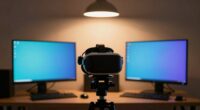
To find the safest spot for VR in your home, pick a large, open area free of furniture and fragile objects. Place sensors at opposite ends, roughly eye level, and keep the space well-lit with diffuse lighting. Use boundary markers to define safe zones and guarantee enough room to move freely without bumping into walls or obstacles. Avoid reflective surfaces and electrical interference sources. For more tips on creating a safe, comfortable VR setup, keep exploring.

Play games on Amazon Luna for your next adventure, included with Prime
- A rotating selection of games, no download needed
- Play on TV, laptop or phone
- Fast, free delivery for your gear, too
Key Takeaways
- Select a spacious, clutter-free area with minimal furniture and fragile objects for unobstructed movement.
- Position sensors at opposite ends of the space, eye level, and angled downward for optimal tracking.
- Ensure consistent, diffuse lighting without direct sunlight or flickering lights to prevent sensor interference.
- Mark safe boundaries to prevent accidental bumps into walls or furniture during gameplay.
- Maintain good airflow and ventilation to keep the environment comfortable and prevent overheating.

When setting up your VR space, choosing the safest spot in your home is essential to prevent accidents and guarantee an enjoyable experience. The location you select will influence how well your sensors work, how safe you are, and how immersive your VR sessions become. First, think about sensor placement. Proper sensor positioning is crucial for accurate tracking and minimizing blind spots. Place sensors at opposite ends of your play area, roughly eye level, angling them downward slightly to cover the entire space evenly. Avoid placing sensors near reflective surfaces like mirrors or glass, as these can interfere with tracking. Keep sensors at a consistent height and angle to ensure smooth, reliable motion detection. If your VR system allows multiple sensors, position them to overlap their fields of view, reducing dead zones where movements might not register. Ensuring consistent placement helps maintain optimal tracking accuracy and reduces the need for frequent adjustments.
Proper sensor placement at opposite ends, angled downward, ensures accurate tracking and minimizes blind spots for a safe VR experience
Lighting conditions also play a vital role in safe VR setup. Bright or inconsistent lighting can disrupt sensor tracking, causing jittery or lost signals. Aim for a well-lit room with steady, diffuse lighting that doesn’t create glare or shadows. Natural light is ideal, but if that’s not possible, use soft, evenly distributed artificial lighting. Avoid direct sunlight, which can cause sensor confusion, and steer clear of harsh, flickering lights that may interfere with tracking accuracy. Maintaining consistent lighting throughout your play area helps your sensors function excellently and reduces the risk of unexpected tracking errors. Additionally, sensor interference can occur if other electronic devices are placed too close to your VR setup, so keep such devices at a safe distance. Being aware of potential sources of electromagnetic interference can help maintain optimal tracking quality. Positioning your devices thoughtfully prevents disruptions and ensures a smoother experience.
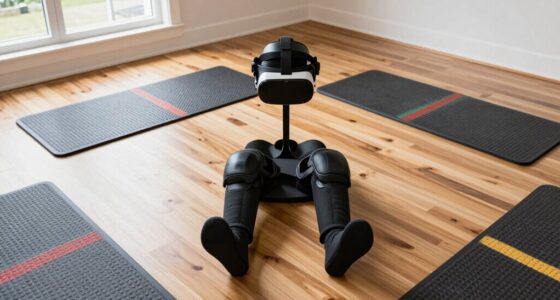
Beyond sensor placement and lighting, consider the physical layout of your space. Clear a wide, unobstructed area free of furniture, cords, or fragile objects. Make sure there’s enough room for you to move freely in all directions without knocking over lamps, bumping into walls, or tripping over cables. Use tape or markers to define boundaries and remind yourself to stay within the safe zone. It’s also helpful to set up in a space with soft flooring or mats to cushion any accidental falls, especially if you’re new to VR. Incorporating safety measures, such as padding or clear boundaries, can further reduce the risk of injury during active gameplay. Paying attention to air quality can also improve comfort during long sessions, making sure you don’t experience dizziness or fatigue from poor ventilation. Additionally, good airflow can help prevent overheating and maintain a comfortable environment during extended play sessions.
Finally, think about ventilation and overall comfort. A well-ventilated room prevents overheating during extended VR sessions, which can be distracting or uncomfortable. Keep any pets or children away from the play area to avoid interruptions or accidents. By carefully selecting a spot with proper sensor placement, ideal lighting conditions, and a clutter-free environment, you guarantee your VR experience is both safe and immersive. Proper setup not only prevents injuries but also enhances your enjoyment, allowing you to focus on the experience rather than safety concerns.
As an affiliate, we earn on qualifying purchases.
Frequently Asked Questions
How Much Space Is Ideal for a Safe VR Experience?
You should aim for a space of at least 6.5 feet by 6.5 feet, providing ample room for movement. Make sure your room dimensions allow for obstacle clearance, so you avoid bumping into furniture or walls. Clear the area of any objects that could cause injury or damage. A larger, open space gives you more freedom and safety, making your VR experience enjoyable without the risk of accidents.
Should I Consider Lighting Conditions When Choosing a Spot?
Yes, consider lighting conditions when choosing your VR spot. Imagine trying to navigate a dark room with a flashlight—it’s frustrating and unsafe. Ambient lighting helps you see your surroundings clearly, while glare reduction prevents reflections on screens that can strain your eyes. Ensuring balanced, soft lighting creates a comfortable environment, reducing eye fatigue and enhancing your overall VR experience. Proper lighting keeps you safe and immersed.
Are There Specific Flooring Types Better for VR Safety?
Hard surfaces like wood or tile are better for VR safety because they offer stable flooring materials. You want a surface with good surface stability that prevents slips or falls. Avoid carpet or uneven flooring, which can be unstable during active movements. Make certain the area is flat, level, and free of loose rugs or mats. This way, you minimize the risk of accidents and enjoy a safer VR experience.
How Do I Prevent Furniture From Becoming Hazards?
Imagine your space as a clear, open canvas. To prevent furniture hazards, you’ll want to declutter and rearrange items to create a safe zone. Move furniture away from your play area, ensuring no sharp corners or unstable pieces are nearby. Use cable management to keep cords out of the way. Regularly check for hidden clutter, and always clear your space of any obstacles before VR sessions for a safe, immersive experience.
Can Pets Influence the Safest VR Area in My Home?
Yes, pets can influence the safest VR area in your home. Their behavior might lead them to dart unexpectedly, so you should keep furniture placement clear of high-traffic pet zones. Make sure pets are calm and out of the room during VR sessions, and consider using barriers or gates to control their movement. This way, you minimize the risk of accidental collisions or distractions, keeping your VR experience safe and enjoyable.
As an affiliate, we earn on qualifying purchases.
Conclusion
By selecting a clear, open, and obstacle-free space, you guarantee safety, comfort, and confidence in your VR experience. By clearing clutter, marking boundaries, and staying aware of your surroundings, you protect yourself from accidents. By setting up your VR area thoughtfully, maintaining it regularly, and respecting your limits, you create a safer environment for every session. Remember, a safe space leads to a more immersive, enjoyable, and worry-free VR adventure.
As an affiliate, we earn on qualifying purchases.
As an affiliate, we earn on qualifying purchases.
Evergreen bestsellers Picks
bestsellers
As an affiliate, we earn on qualifying purchases.