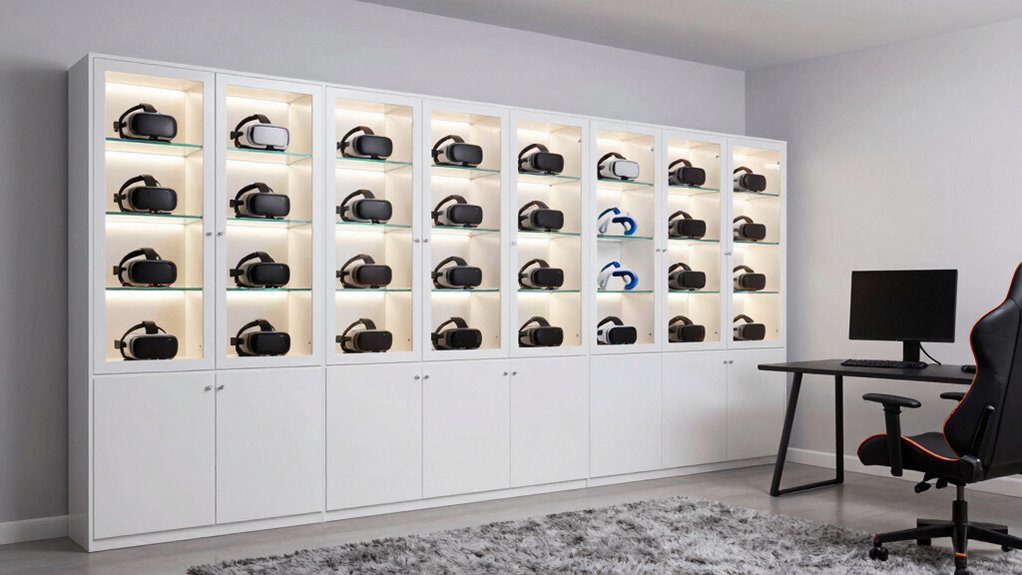

To keep your VR room functional, use storage cabinets to organize accessories, controllers, and headsets in designated spots. Incorporate adjustable shelves, labeled bins, and small drawers for easy access and tidy containment. Position cabinets thoughtfully — accessible yet unobtrusive — and add lighting inside or around them to improve visibility. Focus on space-saving designs and cable management for safety and efficiency. If you want to learn how to maximize your setup, keep exploring for more ideas.

Play games on Amazon Luna for your next adventure, included with Prime
- A rotating selection of games, no download needed
- Play on TV, laptop or phone
- Fast, free delivery for your gear, too
Key Takeaways
- Organize controllers, headsets, and accessories in designated compartments for quick access and reduced clutter.
- Incorporate adjustable shelves and labeled bins to customize storage for different VR equipment.
- Position cabinets in accessible areas, keeping frequently used items at eye level for convenience.
- Use built-in or added lighting to improve visibility and enhance the room’s ambiance during use.
- Implement cable management solutions within cabinets to prevent tripping hazards and maintain a tidy space.
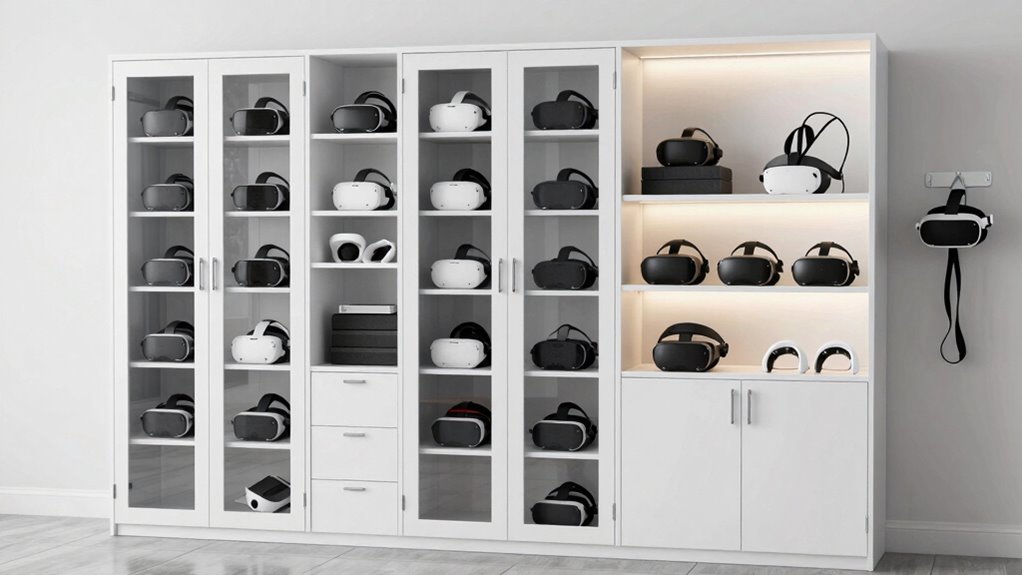
Keeping a VR room organized can be a challenge, especially when you have multiple accessories, controllers, and headsets scattered around. Storage cabinets become your best allies in creating a space that’s both functional and inviting. By thoughtfully selecting cabinets that suit your needs, you can keep everything in its place while enhancing the room’s aesthetic. Incorporating decorative accents into your storage solutions adds personality and style, making organization feel less like a chore. For example, choosing cabinets with sleek finishes or unique hardware can transform practical storage into a design feature.
Smart storage cabinets blend practicality with style, transforming organization into an inviting design feature.
Lighting solutions also play an essential role in your VR room setup. Proper lighting not only improves visibility but can set the mood and ambiance, making your experience more immersive. When selecting storage cabinets, consider options that include built-in lighting or are compatible with ambient lighting fixtures. LED strips inside or around the cabinets can highlight your collection of accessories or controllers, making it easier to find what you need without clutter. Additionally, well-lit cabinets prevent you from rummaging through piles of equipment, saving time and reducing frustration during setup or breaks. Understanding storage organization techniques helps optimize space and improve accessibility. Incorporating ergonomic storage solutions can further enhance ease of use, especially during quick access needs. To better support your setup, exploring space-saving designs can ensure your VR room remains spacious and comfortable. Paying attention to cable management techniques can also help keep cords tidy and prevent tripping hazards, creating a safer environment. Moreover, considering modular storage options allows for flexible configurations that can adapt as your collection grows or changes.
To maximize organization, use the interior space of your cabinets efficiently. Adjustable shelves allow you to customize compartments for different items, whether it’s a neatly arranged collection of controllers or spare cables. Smaller drawers or bins within the cabinet can keep tiny accessories, like batteries or VR lens cleaners, from getting lost. Labeling shelves and bins makes it even easier to locate items quickly, especially during busy gaming sessions. When combined with decorative accents such as stylish knobs or decorative trim, your storage becomes more than just functional—it elevates the overall look of your VR room.
Positioning your cabinets thoughtfully is just as important as choosing the right style. Placing them in accessible yet unobtrusive spots helps maintain an open, inviting space. Keep frequently used accessories at eye level or within reach, while less-used items can be stored higher up or in less prominent areas. This organization not only improves efficiency but also keeps your room looking tidy and welcoming. Proper placement also ensures that safety is maintained, reducing the risk of tripping over cables or knocking over equipment. Strategically arranging your storage units also allows for easier cleaning and maintenance of your VR environment.
In the end, a well-designed storage cabinet setup guarantees your VR room remains a comfortable, immersive space. By blending functional storage with decorative accents and smart lighting solutions, you create a room that’s as stylish as it is practical. This approach keeps your equipment protected, your space uncluttered, and your gaming or virtual experiences seamless and enjoyable.
As an affiliate, we earn on qualifying purchases.
Frequently Asked Questions
What Materials Are Best for VR Room Storage Cabinets?
You should choose storage cabinets made from durable materials like high-quality wood, metal, or reinforced plastic, ensuring they withstand frequent use and movement in your VR room. Look for options offering a variety of aesthetic styles to match your decor, such as sleek metal finishes or warm wood tones. These materials balance durability and style, helping you keep your VR gear organized while maintaining an appealing look.
How Do I Prevent Dust Accumulation Inside Cabinets?
Like a fortress guarding its treasures, you prevent dust buildup by ensuring proper cabinet sealing. Regularly check and tighten seals, and consider adding magnetic or weatherstripping gaskets to block dust entry. Keep the inside clean with gentle wipes, and use silica gel packs to absorb moisture. Dust prevention becomes easier when you maintain a tight seal, protecting your VR gear from dust and prolonging its lifespan.
Can Storage Cabinets Be Customized for Specific VR Equipment?
Yes, storage cabinets can be customized for specific VR equipment. You can incorporate modular shelving and adjustable compartments to fit various devices, cables, and accessories perfectly. By customizing your cabinets, you guarantee everything stays organized and easily accessible, reducing clutter and damage. This tailored approach helps maintain a functional VR room, making setup and clean-up more efficient while protecting your equipment from dust and accidental bumps.
What Are the Safety Considerations When Installing Cabinets?
Are you aware of the safety protocols when installing storage cabinets? You should always follow installation guidelines carefully to prevent accidents. Make sure cabinets are securely anchored to walls to avoid tipping, especially with heavy VR equipment inside. Keep pathways clear to prevent trips and falls. Use non-slip mats if needed. Following these safety considerations protects everyone and keeps your VR room a safe, functional space for all users.
How Often Should I Organize or Declutter VR Storage Cabinets?
You should organize and declutter your VR storage cabinets at least once every three to six months. Use organizational techniques like labeled bins and designated spots for each item to keep everything tidy. Establish a cleaning schedule to regularly review and remove outdated or unused equipment. This helps maintain efficiency, guarantees safety, and keeps your VR room ready for use without unnecessary clutter.
adjustable shelving storage cabinet for gaming equipment
As an affiliate, we earn on qualifying purchases.
As an affiliate, we earn on qualifying purchases.
Conclusion
So, next time you step into your VR room, remember that a well-organized storage cabinet isn’t just about tidiness—it’s about revealing your full immersive experience. You might find that the very cabinet you overlooked holds the key to smoother gameplay or easier setup, turning chaos into clarity. It’s funny how a simple storage trick can unexpectedly elevate your entire VR adventure—sometimes, the smallest details make the biggest difference.
LED lighting cabinet for gaming room
As an affiliate, we earn on qualifying purchases.
As an affiliate, we earn on qualifying purchases.
cable management storage cabinet
As an affiliate, we earn on qualifying purchases.
As an affiliate, we earn on qualifying purchases.
Fall Picks
fall essentials
As an affiliate, we earn on qualifying purchases.