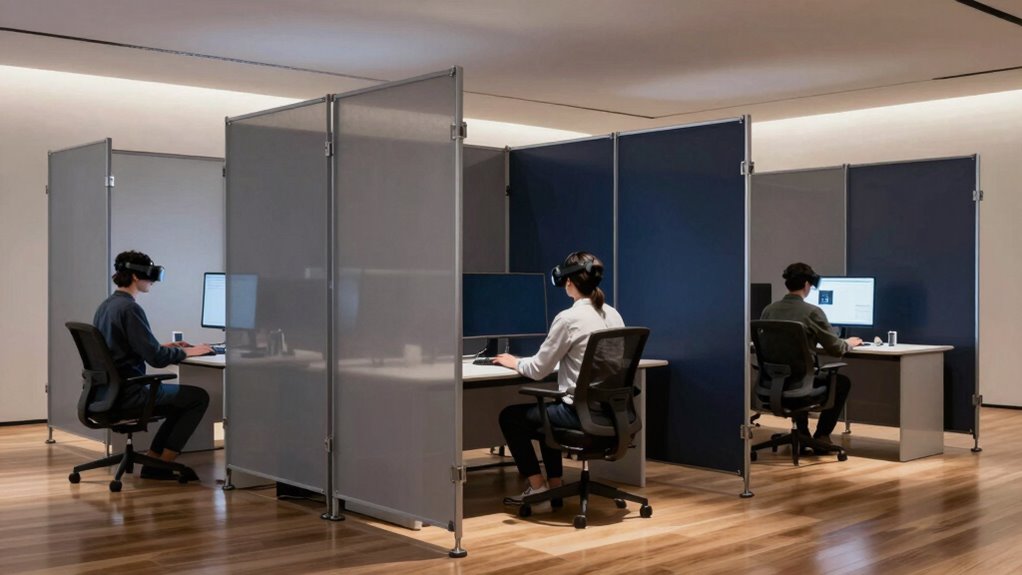
In shared VR workspaces, you can use room dividers and panels to define work zones, improve privacy, and reduce distractions. Position panels around specific areas to create semi-private spaces, and adjust their transparency and size to suit your needs. Use interactive features like notes and data displays to enhance collaboration. Proper placement and customization help you manage flow and meet your team’s evolving needs—keep exploring to learn more effective setup strategies.
Key Takeaways
- Position panels strategically around work zones to create semi-private, organized spaces for focused tasks.
- Customize transparency, color, and size to balance openness and privacy based on team needs.
- Use panels to define clear boundaries and guide user movement within the virtual environment.
- Incorporate interactive features like notes and data displays to enhance collaboration.
- Adjust panel placement and size dynamically to adapt to changing workflows and team dynamics.
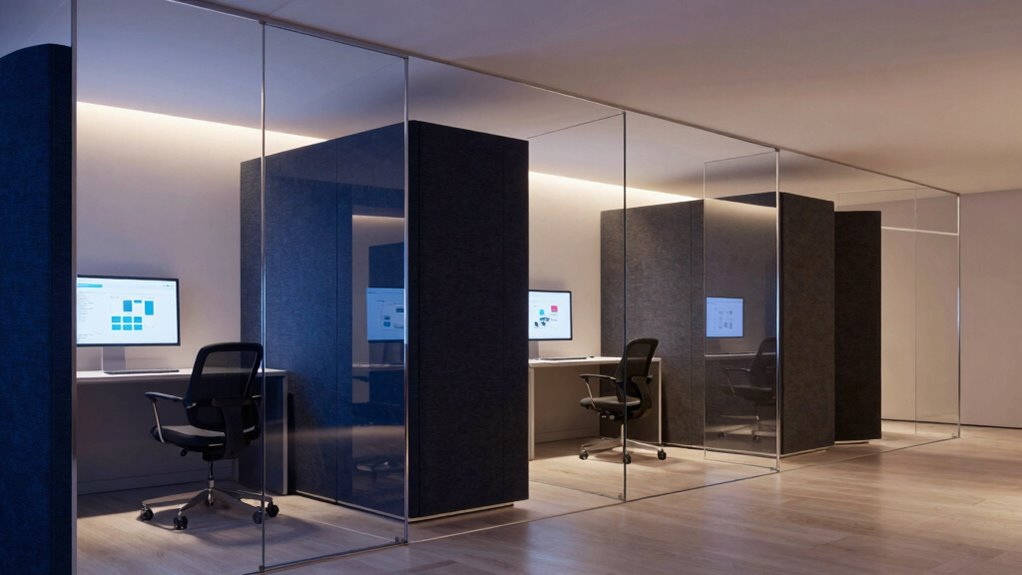
Ever wondered how to create a more organized and private environment within shared VR workspaces? Using room dividers and panels effectively can transform your virtual environment, making virtual collaboration smoother and more secure. These tools serve as digital partitions that help define individual work zones, reducing distractions and promoting focus. When you incorporate room dividers and panels, you enhance privacy by visually and functionally separating different areas, which is essential when multiple users share the same space. This setup allows you to isolate sensitive discussions or tasks, guaranteeing that conversations remain confidential and reducing the risk of eavesdropping.
In a shared VR workspace, the strategic placement of panels can also help manage the flow of movement and interaction, guiding users seamlessly through their tasks. For example, positioning panels around a specific work zone creates a semi-private enclave where team members can collaborate closely without interference from others. This setup not only boosts privacy but also improves overall virtual collaboration by establishing clear boundaries, so everyone knows where their designated workspace begins and ends. The customization options available for virtual panels often include adjustable transparency, color, and size, allowing you to tailor the environment to your needs. You can make panels semi-transparent to maintain a sense of openness while still providing separation or choose solid ones for complete privacy.
Furthermore, these panels can often be moved or resized with ease, giving you flexibility to adapt the workspace as projects evolve or as team dynamics change. This adaptability ensures your virtual environment remains efficient and tailored to your workflow. Some VR platforms also offer interactive features for panels, such as the ability to pin notes, share information, or even display relevant data, making them functional tools that go beyond mere visual separation. When used thoughtfully, room dividers and panels become essential elements in optimizing your virtual collaboration experience, fostering a sense of organization and control. They help maintain a professional atmosphere even in a digital setting, encouraging productivity and clear communication. Knowing how to leverage virtual environment customization can significantly improve your workspace management, especially when considering the importance of digital partitions in creating an effective shared VR space. This, in turn, can lead to better workspace organization, ensuring that your virtual environment remains efficient and user-friendly. Ultimately, mastering the use of these virtual partitions allows you to create a workspace that’s not only efficient and organized but also secure and private, making your shared VR environment more effective and user-friendly.
As an affiliate, we earn on qualifying purchases.
Frequently Asked Questions
Can Room Dividers Be Customized With Branding or Artwork?
Yes, room dividers can be customized with branding or artwork. You can add custom branding, like logos or company colors, to create a professional look. Additionally, artistic designs allow you to personalize the space with creative visuals that reflect your style or message. This customization helps make your shared VR workspace more engaging and aligned with your brand identity, enhancing the overall experience for everyone involved.
How Do Room Dividers Affect VR Hardware Performance?
Room dividers can impact your VR hardware performance by causing hardware interference, which may disrupt signals between your headset and sensors. This interference can lead to tracking issues, affecting spatial tracking accuracy and overall immersion. To minimize these effects, choose dividers made from materials that don’t block signals, and position sensors carefully away from the dividers. Regularly test your setup to guarantee peak performance and clear spatial tracking.
Are There Safety Concerns With Physical VR Room Dividers?
Think of physical barriers as the safekeeping gates of your VR universe, but they do come with safety concerns. You should guarantee they’re stable and don’t create tripping hazards or block exits. Follow safety protocols like clear signage and regular inspections. These measures protect everyone, preventing accidents and keeping your VR environment safe and enjoyable. Properly managed, room dividers become allies, not obstacles, in your shared workspace.
How Do Room Dividers Influence User Privacy in Shared Spaces?
Room dividers greatly enhance your privacy in shared VR spaces by creating clear spatial boundaries. They help you focus on your tasks without distractions and prevent others from viewing your screen or movements, boosting your privacy. By establishing these boundaries, you feel more secure and comfortable, allowing you to work more effectively. Overall, dividers play an essential role in maintaining privacy, making shared VR environments safer and more personalized.
Can Room Panels Be Moved Easily Within Virtual Environments?
Imagine sliding a glass panel effortlessly across a virtual room, where virtual mobility makes this simple. You’ll find divider flexibility allows you to move room panels easily within environments, adapting spaces on the fly. With intuitive controls, repositioning panels becomes seamless, letting you customize your workspace swiftly. This virtual mobility empowers you to create private zones or open areas instantly, enhancing collaboration and privacy without any hassle.
virtual workspace privacy screens
As an affiliate, we earn on qualifying purchases.
As an affiliate, we earn on qualifying purchases.
Conclusion
By using room dividers and panels, you create a flexible, private haven amid the chaos of collaborative VR workspaces. They’re like quiet islands in a bustling digital ocean—offering focus without isolation. As you navigate these virtual boundaries, remember they’re not just barriers but bridges to better productivity and teamwork. Embrace their versatility, and watch your shared workspace transform from cluttered to cohesive, turning virtual chaos into calm clarity.
interactive VR data display panels
As an affiliate, we earn on qualifying purchases.
As an affiliate, we earn on qualifying purchases.
As an affiliate, we earn on qualifying purchases.