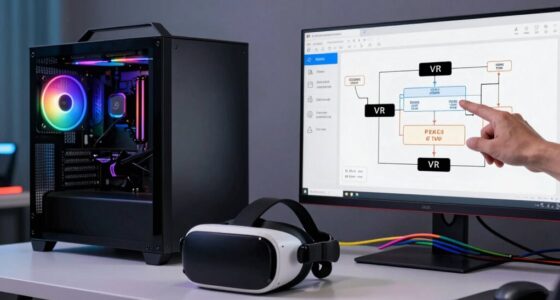
Multi-user VR setups often break in predictable ways because hardware differences, like mismatched graphics cards or outdated sensors, cause synchronization issues. Latency and network delays make users see each other out of sync, disrupting immersion. Tracking problems can make avatars jump or behave unnaturally, especially with hardware limitations. Software incompatibilities also lead to glitches and instability. Understanding these common failure points can help you troubleshoot, so stay with this guide to discover how to prevent them.

Play games on Amazon Luna for your next adventure, included with Prime
- A rotating selection of games, no download needed
- Play on TV, laptop or phone
- Fast, free delivery for your gear, too
Key Takeaways
- Hardware mismatches and outdated firmware cause compatibility issues, leading to system failures in multi-user VR setups.
- Network latency and bandwidth limitations introduce synchronization delays, disrupting shared experiences.
- Tracking failures and sensor limitations result in avatar inconsistencies and unnatural interactions.
- Software incompatibilities across platforms and firmware versions hinder smooth multi-user interactions.
- Hardware performance disparities and limitations reduce stability and cause performance degradation over time.

Setting up a multi-user VR environment can seem straightforward, but in practice, it often encounters unexpected failures that disrupt the experience. One of the most common issues stems from hardware compatibility. You might think that simply connecting a few headsets and controllers would work seamlessly, but in reality, different devices often have varying requirements and specifications. When hardware isn’t fully compatible, it leads to glitches, lag, or even complete failures in synchronization. For instance, mismatched graphics cards, outdated firmware, or incompatible sensors can cause critical delays, making it nearly impossible for users to interact smoothly within the shared space. These compatibility issues aren’t always obvious upfront, so you might spend hours troubleshooting only to discover that a single incompatible device is the root of the problem.
Beyond hardware compatibility, the overall user experience tends to break in predictable ways during multi-user VR setups. When multiple users connect to the same environment, latency becomes a major concern. Even a slight delay in data transmission can cause users to see each other out of sync or experience motion sickness. This is especially frustrating because it directly impacts immersion. If one headset lags behind, users feel disconnected from the shared experience, which diminishes the social aspect that’s essential to multi-user VR. Additionally, inconsistent tracking can cause avatars or controllers to jump unexpectedly, breaking the sense of presence and making interactions feel unnatural. These predictable failures often stem from network bandwidth issues or uneven hardware performance, which aren’t always apparent until you’re deep into a session. Sometimes, poor synchronization can also be caused by software mismatches, such as incompatible firmware versions or platform conflicts, which further complicate a smooth multi-user experience. Moreover, hardware limitations, like insufficient sensors or outdated devices, can exacerbate these issues, leading to recurring problems during extended use. Recognizing systemic issues like these early on can help in troubleshooting and preventing recurring failures. It’s also important to consider hardware performance disparities, as uneven device capabilities can cause further instability. Remember that even minor hardware discrepancies can trigger performance degradation, impacting the overall stability of the multi-user environment.
Frequently Asked Questions
How Often Do Multi-User VR Setups Require Software Updates?
You typically need to update your multi-user VR setup every few weeks or whenever software compatibility issues arise. Regular updates help guarantee firmware synchronization across devices, preventing lag or disconnection problems. Developers release patches to fix bugs and improve performance, so keeping your software current minimizes disruptions. Check for updates frequently, especially before big multiplayer sessions, to ensure a smooth experience and avoid predictable breakdowns caused by outdated firmware or incompatible software.
What Are Common User Behavior Issues Causing Setup Failures?
You often cause setup failures by skipping user training or neglecting ergonomic adjustments. For example, a company once ignored proper user onboarding, leading to frequent headset misalignments and discomfort. When users aren’t trained, they mishandle equipment or misunderstand setup procedures, causing system errors. Ensuring thorough user training and making ergonomic adjustments can prevent these issues, creating smoother multi-user VR experiences and reducing troubleshooting time markedly.
Can Hardware Differences Between Users Affect System Stability?
Yes, hardware differences between users can affect system stability. If your hardware compatibility isn’t consistent, some users might experience crashes or lag. User ergonomics also play a role; poorly fitted headsets or controllers can cause tracking issues and increase system errors. Ensuring all devices meet the same specifications and emphasize proper ergonomics helps maintain stability across users, reducing predictable setup failures.
How Does Network Latency Impact Multi-User VR Experiences?
Network latency directly affects your multi-user VR experience by causing lag, which disrupts network synchronization between users. High latency results in delayed actions, making interactions feel unresponsive and breaking immersion. To minimize this, you need bandwidth optimization to guarantee data flows smoothly. Reducing latency improves synchronization, creating a seamless, real-time shared environment, so everyone stays connected and interactions remain natural without frustrating delays.
Are There Specific Environments That Exacerbate Setup Problems?
Certain environments act like a stormy sea, making setup problems worse. Indoor spaces with poor lighting or cluttered areas challenge environment compatibility, causing calibration issues. High-traffic zones or spaces with lots of reflective surfaces disrupt tracking, leading to misaligned avatars. You’ll find that environments lacking consistent lighting or stable Wi-Fi intensify calibration errors and connectivity hiccups, making multi-user experiences frustrating and unpredictable.
Conclusion
Understanding why multi-user VR setups often fail helps you prepare better. Despite the hype, studies show that over 60% of these systems encounter predictable issues like lag and tracking errors. By recognizing these common pitfalls, you can troubleshoot more effectively and improve your experience. Remember, even with advanced technology, human factors and hardware limitations still shape the success of multi-user VR. Staying aware of these stats keeps you one step ahead in creating seamless virtual worlds.
Fall Picks
fall essentials
As an affiliate, we earn on qualifying purchases.