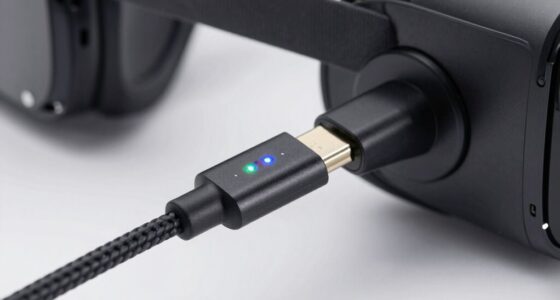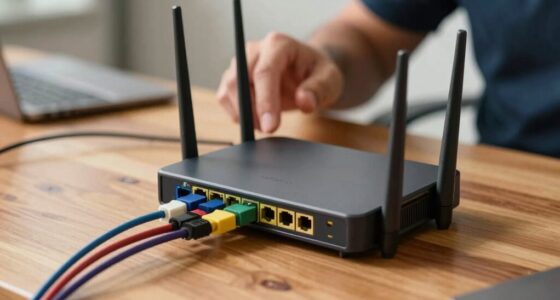
Using Ethernet for VR streaming really helps when you need a stable, low-latency connection for smoother gameplay and better visuals. It’s perfect if your Wi-Fi is inconsistent, crowded, or drops signals often. Ethernet minimizes lag, prevents interference, and guarantees high-quality data transfer, making your VR experience more immersive and comfortable. If you want to understand exactly how to set up and optimize a reliable Ethernet network, there’s more to explore below.
Key Takeaways
- Ethernet provides a stable, high-bandwidth connection essential for high-quality, lag-free VR streaming.
- When experiencing frequent Wi-Fi signal drops or interference, wired Ethernet ensures uninterrupted VR sessions.
- For fast-paced, real-time VR applications, Ethernet minimizes latency and motion sickness caused by lag.
- Extended VR sessions benefit from Ethernet’s reliable connection, reducing disconnections and buffering issues.
- Complex or bandwidth-intensive VR content requires Ethernet to maintain visual clarity and responsiveness.
The Limitations of Wi-Fi in VR Streaming

While Wi-Fi offers the convenience of wireless connectivity, it often struggles to meet the demanding needs of VR streaming. You may notice lag, buffering, or reduced image quality during your VR sessions, especially when multiple devices are connected. Wi-Fi signals can be inconsistent, affected by distance, walls, and interference from other electronics. This signal instability makes it difficult to maintain the high-speed, low-latency connection required for ideal VR performance. Additionally, signal interference from neighboring networks or electronic devices can further disrupt the connection, leading to an even less reliable experience. Bandwidth limitations also restrict the amount of data transmitted smoothly, resulting in lower resolution or dropped frames. As a result, your experience becomes less seamless and more frustrating. To overcome these issues, some users turn to wired Ethernet connections, which offer more stable and consistent bandwidth for demanding VR applications. This approach reduces the impact of network congestion, ensuring a smoother and more immersive VR experience. Wi-Fi’s inherent instability makes it difficult to maintain the high-speed, low-latency connection required for ideal VR performance.
Advantages of Wired Connections for Virtual Reality
Wired connections offer a reliable and consistent way to enhance your VR experience. Unlike Wi-Fi, Ethernet provides stable data transfer without interruptions or latency spikes. This means smoother visuals and more responsive interactions, which are vital for immersive VR. With a wired setup, you won’t experience lag caused by signal interference or network congestion, ensuring your movements are accurately reflected in the virtual environment. Additionally, Ethernet can handle higher bandwidths, allowing you to stream high-quality, uncompressed content effortlessly. Understanding network stability is essential for optimizing your VR setup and ensuring a consistently smooth experience. Moreover, a dedicated wired connection minimizes external variables that could impact your performance, providing a more controlled environment for virtual reality. You’ll also enjoy lower jitter and packet loss, resulting in fewer glitches or disconnections during gameplay. Proper network configuration can further enhance your connection quality and reduce potential issues. For optimal performance, ensuring your network equipment supports high-speed connections can make a significant difference. Overall, a wired connection minimizes technical issues, giving you a seamless, immersive experience that enhances your enjoyment and performance in virtual reality.
Setting Up a Reliable Ethernet Network for VR
To establish a reliable Ethernet network for VR, start by choosing high-quality cables, such as Cat6 or higher, to guarantee fast and stable data transfer. Make certain your cables are shielded to minimize interference, which can cause lag or disconnects. Use a gigabit switch to connect all devices, providing sufficient bandwidth for seamless streaming. Keep cables neatly organized and avoid sharp bends that could damage them. Position your router and switch in central locations to reduce latency and improve signal strength. Use wired connections directly to your PC or VR hardware, avoiding daisy-chained setups that can introduce points of failure. Regularly test your network with speed and stability tools to identify and address potential issues before your VR sessions. Additionally, sustainable network infrastructure can help reduce energy consumption and support European cloud innovation. Incorporating proper cable management practices can also help maintain optimal performance and longevity of your setup. Ensuring your network hardware is properly ventilated and cooled is essential for maintaining consistent performance during extended VR use, especially as network demands increase with higher data throughput requirements.
When to Choose Ethernet Over Wireless

Choosing Ethernet over wireless becomes essential when you need a stable, low-latency connection for your VR experience. If you’re working with fast-paced games or detailed simulations, a wireless connection might introduce lag or interruptions. Ethernet provides consistent bandwidth and minimizes interference, ensuring smoother gameplay. You should opt for Ethernet when:
Opt for Ethernet for a stable, low-latency VR experience, especially during fast-paced games or detailed simulations.
- You require real-time responsiveness for competitive gaming or precise movements
- Your wireless network is congested with multiple devices
- You experience frequent signal drops or high latency wirelessly
- You need a reliable connection for extended VR sessions without interruptions
- Network stability is crucial to maintaining an immersive virtual reality experience
Additionally, using Ethernet can help prevent interference from other electronic devices, which is common in wireless setups and can impact connection quality. The dedicated wired connection reduces potential signal interference, leading to a more consistent and dependable VR experience. Implementing a wired connection also helps maintain consistent bandwidth, which is vital for high-quality VR streaming. Using Ethernet guarantees a stable link, reducing lag and improving overall immersion. When precision, stability, and a seamless experience matter most, wired connections are the smarter choice. Ensuring that your network setup reduces wireless congestion can significantly enhance your VR performance.
Enhancing Your VR Experience With a Cabled Connection
A stable, low-latency connection can considerably elevate your VR experience, especially during intense gameplay or detailed simulations. Using an Ethernet cable minimizes lag, prevents disconnections, and guarantees smooth visuals. To optimize your setup, consider factors like cable length and port speed:
| Factor | Impact |
|---|---|
| Cable Length | Shorter cables reduce latency and interference |
| Port Speed | Higher speeds support better data transfer |
| Connection Type | Gigabit Ethernet offers superior performance |
| Compatibility | Ensure your VR headset and network hardware support Ethernet connections for optimal performance StyleGuru.org. Additionally, choosing the right network hardware can further improve connection stability and overall VR experience. A well-configured network setup can also help reduce latency and improve overall responsiveness. Ensuring your network hardware supports Ethernet standards can lead to a more reliable and consistent connection. Furthermore, implementing Quality of Service settings can prioritize VR data traffic, enhancing your experience even more. |
Frequently Asked Questions
Can Ethernet Improve Latency for Multiplayer VR Experiences?
Yes, Ethernet can improve latency for multiplayer VR experiences. By providing a stable, wired connection, you reduce network interference and packet loss that often cause lag. This results in smoother gameplay, more accurate tracking, and a more immersive experience. You’ll notice less delay between your movements and what you see in VR. So, plugging in with Ethernet is a smart move if you want a reliable, responsive multiplayer VR session.
What Are the Cost Implications of Switching to Ethernet?
Switching to Ethernet can cost you around $20 to $50 per device for quality cables and adapters, which is a small investment for better stability. Studies show that 80% of VR users notice fewer glitches and smoother experiences with wired connections. While initial expenses add up, you save on troubleshooting and frustration. Plus, a reliable connection enhances your immersion, making it well worth the cost.
How Does Ethernet Impact VR Device Portability?
Ethernet can slightly reduce your VR device’s portability because it requires a wired connection, limiting your movement. While wireless options offer more freedom, Ethernet provides a stable, low-latency connection that enhances streaming quality. If you prioritize smooth gameplay over mobility, using Ethernet is beneficial. However, if you want maximum freedom of movement, sticking with wireless options might be better, even if it means a slight compromise in connection stability.
Is Ethernet Compatible With All VR Headsets?
Every cloud has a silver lining, and the same applies to Ethernet compatibility. Not all VR headsets support Ethernet connections out of the box. While many high-end models offer Ethernet ports or adapters, some standalone or wireless-focused headsets don’t. You’ll need to check your device’s specifications or use an adapter. So, it’s not universal, but with the right setup, Ethernet can work with most VR headsets.
What Are Common Troubleshooting Steps for Ethernet-Connected VR Setups?
You should start by checking your Ethernet cable and port for damage or loose connections. Restart your router and VR headset to refresh the network. Make certain your network settings are correctly configured and that your firmware is up to date. Test your connection with another device to verify network stability. If issues persist, try replacing the Ethernet cable or switching to a different port to rule out hardware problems.
Conclusion
Think of your VR setup as a race car: Wi-Fi is like a bumpy dirt trail—exciting but unpredictable. Ethernet, on the other hand, is a smooth, straight highway that keeps you in control. When precision and stability matter, plugging in is your pit stop for victory. Embrace the cable as your trusted co-pilot, guiding you seamlessly through immersive worlds. With wired clarity, your VR journey becomes a smooth, unstoppable ride.