To prevent VR lenses from fogging, keep your face and head dry before use by wiping sweat and using absorbent headbands. Adjust the headset for a snug yet breathable fit to improve ventilation, and regularly clean lenses with a microfiber cloth and appropriate solutions. Maintain a cool, dry environment by controlling humidity with dehumidifiers and proper ventilation. Proper wearing techniques and routine maintenance will help keep your lenses clear—continue exploring for even more tips.
Key Takeaways
- Regularly clean lenses with a microfiber cloth and use manufacturer-approved lens cleaners to prevent smudges and fog buildup.
- Ensure proper headset fit and ventilation by adjusting straps for a snug yet breathable fit to improve airflow.
- Maintain room humidity between 40-60% and improve ventilation with fans or vents to reduce lens condensation.
- Wipe your face thoroughly before use to eliminate sweat and moisture that cause fogging.
- Store your headset in a cool, dry environment and avoid exposing lenses to high humidity or direct moisture.
Keep Your Face and Head Dry Before Using VR

Before putting on your VR headset, make sure your face and head are dry. Excess moisture from sweat or damp skin can cause fogging on the lenses, so it’s essential to wipe your face thoroughly before use. Use a clean, dry towel or cloth to remove sweat, especially around your forehead and cheeks. If you tend to sweat heavily, consider washing your face beforehand or using an absorbent headband to reduce moisture. Dry hair helps prevent additional humidity around the headset. Keep in mind that any moisture on your skin or hair can transfer to the lenses once you wear the headset, increasing fogging risk. Staying dry ensures the lenses stay clear, providing a better VR experience without interruptions. Additionally, maintaining a sustainable environment by managing moisture can contribute to the longevity and efficiency of your equipment. Paying attention to air quality considerations in your environment can also help minimize fogging issues over time. Proper ventilation helps reduce humidity levels, further decreasing the chance of lens fogging during VR use. Incorporating humidity control measures like dehumidifiers can further aid in maintaining optimal conditions for clear lenses.
Adjust the Fit for Better Ventilation
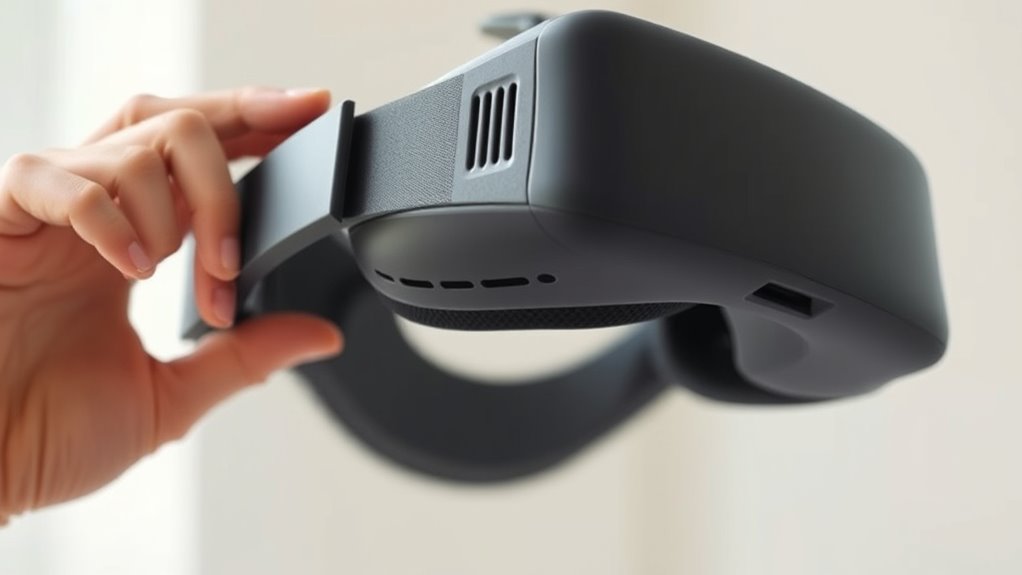
Adjusting the fit of your VR headset can substantially improve ventilation and reduce lens fogging. Ensure the headset sits snugly but not too tight, as excessive pressure can trap heat and moisture. Loosen straps slightly to increase airflow around your face and forehead. Check that the padding isn’t pressing directly against your skin, which can block ventilation channels. Proper fit allows air to circulate more freely, preventing warm, moist air from accumulating inside. Adjust the nose bridge and side straps for a secure yet comfortable fit that promotes better airflow. Keep in mind, a well-fitted headset reduces hot spots and helps maintain a consistent temperature around your lenses. This simple step can make a noticeable difference in minimizing fog and enhancing your VR experience. Additionally, choosing a headset with ventilation features or removable padding can further improve airflow and reduce the chances of fogging. Ensuring your headset has adequate airflow channels can also significantly enhance ventilation and keep your lenses clear. Using proper fit adjustments can optimize your headset’s ventilation capabilities and prevent fogging issues.
Use Anti-Fog Cleaning Solutions Safely
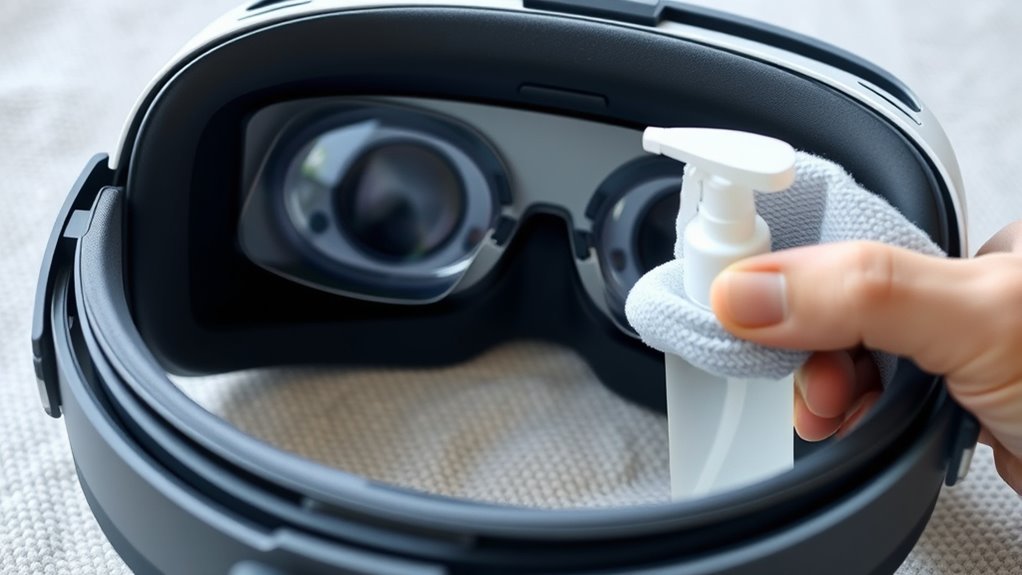
Using anti-fog cleaning solutions can effectively keep your VR lenses clear during extended use, but it’s essential to apply them safely. Always read the manufacturer’s instructions before use. Apply a small amount of the solution to a soft, microfiber cloth—never directly on the lenses. Gently wipe the lenses in a circular motion, avoiding excessive pressure or contact with other headset parts. Make sure the lenses are completely dry before wearing your headset again. Using too much solution or applying it improperly can cause damage or residue buildup, which may worsen fogging. Store the solution in a cool, dry place away from children. To prevent damage, always consider the durability trade-offs of your cleaning products and methods. Additionally, choosing appropriate cleaning solutions helps ensure the longevity of your lenses. Proper storage and handling can also extend your device’s lifespan, ensuring your VR experience remains clear and safe. By handling anti-fog solutions carefully, you protect your lenses and ensure they stay clear without risking damage or irritation. A thorough understanding of lens material compatibility can further help prevent potential damage during cleaning.
Maintain Your VR Headset Regularly

Regularly cleaning your lenses prevents buildup that can cause fogging, and proper storage helps protect your headset from moisture. Make it a habit to clean and store your device carefully after each use. Taking these simple steps keeps your VR experience clear and fog-free. Incorporating seasonal maintenance tips can also inspire you to develop a regular cleaning routine that keeps your equipment in top condition. Additionally, paying attention to environmental conditions like temperature and humidity can further reduce fogging issues. Understanding how contrast ratio affects image clarity can help you optimize your VR visuals under different lighting environments.
Clean Lenses Frequently
Keeping your VR lenses clean is essential for clear visuals and to prevent fogging. Dust, fingerprints, and smudges can reduce image clarity and trap moisture, increasing fogging chances. Regularly wipe your lenses with a microfiber cloth designed for optics; avoid using rough materials or sprays that could damage the coating. Make it a habit to clean the lenses after each use or if you notice any smudges. For stubborn spots, lightly dampen the cloth with lens cleaner or distilled water. Never spray liquids directly onto the lenses. Keeping the lenses free of debris not only sharpens your visuals but also minimizes the buildup of moisture that causes fogging. Consistent cleaning guarantees an ideal VR experience every time you put on your headset. Additionally, understanding the importance of spirituality and positive intentions can help foster a calm mindset, reducing stress that might contribute to fogging issues. Incorporating proper backyard transformation essentials, such as creating relaxing outdoor spaces, can also promote a peaceful environment that indirectly supports clear visual focus. Maintaining a regular cleaning routine can further prevent the accumulation of dust and moisture, ensuring your headset remains in optimal condition.
Store Properly When Not Used
Proper storage is key to maintaining clean, fog-free VR lenses over time. When you’re not using your headset, keep it in a cool, dry place away from direct sunlight. Use a soft, microfiber cloth to wipe down the lenses before storing to remove any dust or moisture. Consider keeping your VR headset in a dedicated case or on a shelf to prevent accidental scratches or impacts. Avoid leaving it in humid environments, which can promote mold and fogging. If possible, store the headset in a dust-free, ventilated container to protect it from dirt and humidity. Regularly check your storage setup to ensure your VR lenses stay clear and your device remains in good condition for future use. Additionally, paying attention to battery reconditioning can help prolong the overall lifespan of your device, ensuring optimal performance over time. Proper maintenance of the device’s sensor calibration also contributes to clearer visuals and better fog prevention. Incorporating regular cleaning routines can further reduce the buildup of dust or moisture that might cause fogging during use. Maintaining a consistent climate control environment can further prevent moisture buildup that leads to fogging on lenses.
Optimize Your Environment to Reduce Humidity
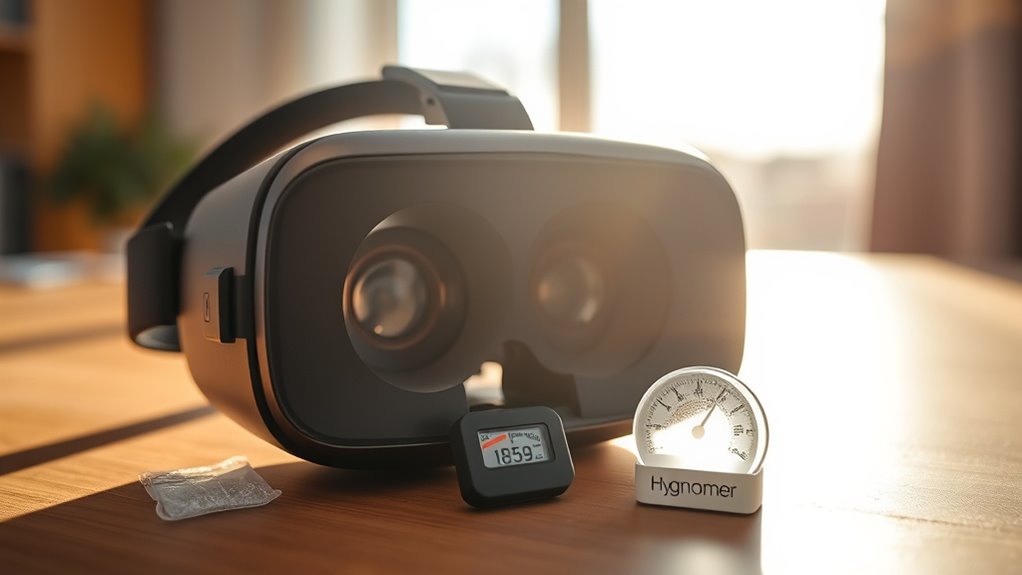
Keeping your environment’s humidity in check helps prevent lens fogging. You can do this by controlling room humidity levels, using dehumidifiers effectively, and ensuring proper ventilation. These steps create a drier space that keeps your VR lenses clear.
Control Room Humidity
Since high humidity levels can cause VR lenses to fog more easily, controlling the environment of your room is essential. Keep the humidity levels between 40-60% using a hygrometer to monitor the air. Avoid adding excess moisture by venting your room regularly or opening windows when weather permits. If you notice humidity spikes, consider using air conditioning or fans to circulate air and maintain consistent conditions. Keep your room well-ventilated, especially during intense gaming sessions or hot days. Maintaining a stable, moderate humidity level helps prevent condensation on your lenses and ensures clearer VR experiences. By regulating your room’s humidity, you reduce the likelihood of fog forming on your lenses, making your VR sessions more comfortable and immersive.
Use Dehumidifiers Effectively
Using dehumidifiers is an effective way to maintain ideal humidity levels in your VR gaming space. Place the dehumidifier in a central location, away from walls and obstructions, to guarantee even airflow. Set the device to target a humidity level around 40-50%, which helps prevent lens fogging without making the room uncomfortably dry. Keep doors and windows closed when the dehumidifier is running to maximize its efficiency. Regularly empty the water tank or check the drainage system to ensure continuous operation. Consider using a hygrometer to monitor humidity levels and adjust the dehumidifier settings accordingly. Consistently controlling moisture in your environment makes it less likely for lenses to fog up during intense VR sessions.
Improve Ventilation Systems
Improving your ventilation system is essential for reducing humidity and preventing VR lens fogging. Good airflow helps remove moist air that accumulates in your space, making it less likely for lenses to fog up during use. Start by ensuring your room has proper exhaust fans or vents that circulate fresh air efficiently. Opening windows or using ceiling fans can also help maintain a steady airflow. Consider installing an air exchange system that actively reduces humidity levels. Keep vents clear of dust and obstructions so air moves freely. Maintaining consistent, good ventilation creates a drier environment, which minimizes condensation on your VR lenses. With improved airflow, you’ll enjoy clearer visuals and a more comfortable VR experience overall.
Practice Proper Wearing Techniques for Less Fogging

To reduce fogging, it’s essential to wear your VR headset correctly. Proper fit guarantees better airflow and minimizes sweat buildup, which contributes to fogging. Make sure the straps are snug but not too tight, maintaining comfort and a secure fit. Position the headset properly on your face so your nose and cheeks aren’t pressing against the lenses. Keep your facial hair trimmed to avoid excess moisture around the area. Additionally, consider adjusting the interpupillary distance (IPD) for a clearer view, reducing eye strain and fogging.
- Ensure the headset sits comfortably without gaps
- Adjust straps for a snug fit without discomfort
- Keep your face clean and dry before use
- Check and set the correct IPD for your eyes
Frequently Asked Questions
Can Using a Fan Prevent VR Lens Fogging?
Yes, using a fan can help prevent VR lens fogging. When you turn on a fan, it increases airflow around your face and the headset, reducing humidity and moisture buildup. This helps keep the lenses clear during use. Make sure the fan isn’t blowing directly on the lenses to avoid smudges or damage. Proper ventilation is a simple, effective way to minimize fogging and enjoy clearer VR experiences.
Do Different VR Headsets Have Varying Fogging Issues?
Yes, different VR headsets can have varying fogging issues. You’ll notice that some models, especially those with better ventilation or anti-fog coatings, tend to fog less. Cheaper or older headsets might fog more frequently because of poorer airflow or materials. To minimize fogging, choose a headset with good ventilation, ensure a proper fit, and consider using anti-fog sprays or wipes. This way, you’ll enjoy clearer visuals during your VR sessions.
Is There a Recommended Cleaning Frequency for Anti-Fog Solutions?
You might think anti-fog solutions are a one-and-done deal, but surprisingly, they need regular attention. For best results, reapply every few days or whenever you notice fog creeping back in. Clean your lenses gently beforehand to maximize effectiveness. Don’t skip this—otherwise, you’ll find yourself tearing through your VR experience, frustrated and foggy, while your headset sits unused. Consistent maintenance keeps your virtual adventures crystal clear.
How Does Breathing Technique Affect Lens Fogging?
Your breathing technique directly impacts lens fogging. If you breathe gently and avoid quick, forceful breaths, you’re less likely to introduce moisture near the lenses. Try to breathe through your nose steadily, which helps reduce the amount of warm, moist air escaping toward the lenses. Controlling your breathing minimizes condensation buildup, keeping your VR experience clear and fog-free for longer periods.
Can Humidity Levels in a Room Impact Fogging Severity?
Did you know that high humidity levels, over 60%, considerably increase lens fogging chances? Yes, room humidity directly impacts fogging severity. When the air is moist, your breath and sweat add to the moisture on your lenses, making fog more likely. To prevent this, keep the room dry using dehumidifiers or air conditioning, and avoid sudden temperature changes. Staying in a low-humidity environment helps keep your VR lenses clear and fog-free.
Conclusion
Don’t let foggy lenses ruin your VR experience. By keeping your face dry, adjusting the fit, and maintaining your headset, you can enjoy clearer visuals without weird tricks. Some worry these tips won’t work long-term, but consistent care and proper ventilation make a real difference. With a little effort, you’ll stay immersed without the distraction of fog. So, give these simple steps a try—your VR sessions will be smoother and more enjoyable every time.