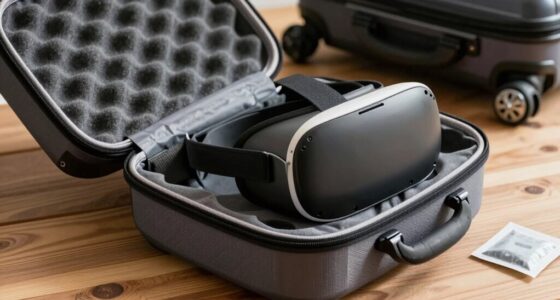
If you don’t store your VR gear properly, you accelerate its aging process. Dust, humidity, and extreme temperatures cause physical wear, clog ventilation ports, and damage internal parts. Leaving batteries drained or overcharged damages their capacity, while improper handling can lead to damage. Neglecting environmental controls makes your device more prone to corrosion and overheating. Continuing to care for your VR gear the right way helps maintain its performance and lifespan longer—discover more tips to keep your gear in top shape.

Play games on Amazon Luna for your next adventure, included with Prime
- A rotating selection of games, no download needed
- Play on TV, laptop or phone
- Fast, free delivery for your gear, too
Key Takeaways
- Dust buildup from improper storage clogs ventilation and sensors, accelerating device wear.
- Exposure to humidity and temperature fluctuations causes internal corrosion and component degradation.
- Storing batteries improperly or at full drain reduces their lifespan and damages internal cells.
- Environmental extremes speed up aging of internal components and compromise device durability.
- Handling devices roughly or neglecting protective covers increases physical damage and internal stress.
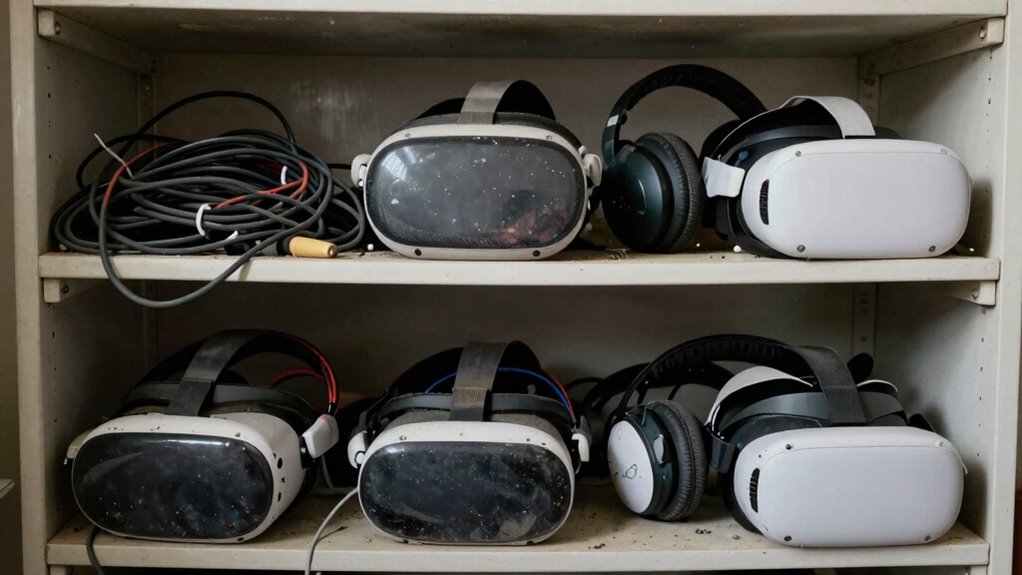
Storing your VR gear improperly can considerably shorten its lifespan, even if you use it regularly and handle it carefully. One of the biggest mistakes you can make is neglecting proper storage practices that protect the device’s delicate components. Over time, exposure to environmental factors like dust, humidity, and extreme temperatures accelerates wear and tear, making your gear age faster than it should. To keep your VR headset in top shape, you need to focus on two key aspects: battery preservation and dust prevention.
When you’re not using your VR headset for an extended period, it’s tempting to leave it plugged in or fully charged, but this can harm the battery. Lithium-ion batteries, common in VR devices, degrade faster if kept at 100% charge or completely drained for long stretches. To preserve the battery, store your headset with a partial charge—around 50%—and avoid leaving it plugged in for days. If your device has a removable battery, consider taking it out and storing it separately in a cool, dry place. Proper battery care ensures your device retains its power capacity longer and prevents sudden failures. Additionally, storing your device in a suitable environment can help maintain its overall health.
Dust is another enemy that ages VR gear prematurely. Accumulated dust can clog ventilation ports, interfere with sensors, and cause overheating. When you store your headset in a dusty environment, you risk damaging sensitive internal components. To prevent this, always keep your VR gear in a clean, dust-free space, ideally in a dedicated storage case or bag. If you don’t have a case, cover the device with a clean cloth or plastic cover to block dust particles. Regularly inspecting and gently cleaning your headset with a soft cloth helps keep dust at bay, maintaining optimal performance and extending the device’s lifespan. Ensuring proper ventilation and airflow can also help prevent overheating and internal damage. Additionally, understanding environmental factors that contribute to aging can help you choose the best storage conditions. Being aware of proper storage practices can significantly reduce the risk of damage and extend the life of your device. Proper environmental control, such as avoiding temperature fluctuations, is equally important to prevent accelerated aging.
Keeping your VR gear in a stable environment not only preserves its physical condition but also helps prevent issues related to humidity and temperature extremes that can damage internal components.
Products Worth Considering

DJI Mic 3 Wireless Microphone System (2 Transmitters, 1 Receiver, Charging Case)

Bose QuietComfort Wireless Bluetooth Headphones with Active Noise Cancellation, Mic, USB‑C Charging, Deep Bass, 24‑Hour Battery – White Smok

Bose QuietComfort True Wireless Earbuds with Active Noise Cancellation, Black
As an affiliate, we earn on qualifying purchases.
Frequently Asked Questions
Can Temperature Fluctuations Damage VR Gear During Storage?
Yes, temperature fluctuations can damage your VR gear during storage. When temperatures vary, it can cause material corrosion and compromise temperature stability, leading to potential harm to internal components. Repeated changes might cause parts to expand and contract, increasing wear over time. To protect your VR gear, store it in a cool, stable environment, avoiding extreme or fluctuating temperatures that could accelerate aging and damage.
Does Using Generic Storage Cases Affect VR Headset Longevity?
Using generic storage cases can negatively impact your VR headset’s longevity. A proper storage container or protective case is designed to cushion against shocks, prevent dust buildup, and shield from moisture, all of which generic cases might lack. By investing in a quality protective case, you guarantee your VR gear remains in prime condition longer, avoiding unnecessary damage caused by improper storage.
How Often Should I Clean My VR Equipment During Storage?
Think of your VR gear as a delicate garden that needs regular tending. You should clean your equipment after every few uses, especially before storage, to prevent dust and grime from settling in. Following proper storage tips, like keeping it in a dry, cool place, helps maintain its lifespan. Regular cleaning frequency keeps your gear fresh and ready for action, ensuring it ages gracefully without unnecessary wear.
Are There Specific Materials That Cause Faster Degradation?
Certain materials, like rubber or non-archival plastics, can cause faster degradation of your VR gear due to poor material compatibility. These materials may emit chemicals that break down delicate components over time. Additionally, shelf life limitations of some plastics and adhesives can lead to brittleness or cracking. To extend your VR gear’s lifespan, store it in a cool, dry place, away from materials that might accelerate deterioration.
Is It Better to Store VR Gear in a Humid or Dry Environment?
You should store your VR gear in a dry environment. Humidity control is vital because excess moisture can cause corrosion and material degradation over time. A dry space helps preserve the device’s components and prolongs its lifespan. Make sure your storage area is compatible with the materials used in your gear, as some plastics and electronics are sensitive to humidity. Proper storage minimizes aging and keeps your VR gear functioning at its best longer.
Conclusion
If you ignore how you store your VR gear, you’re like a gardener neglecting to water delicate plants—you risk withering your investment before its time. Proper storage isn’t just about safety; it’s about preserving the vibrant, youthful glow of your equipment. Treat your gear with care, keep it in a cool, dry place, and avoid unnecessary stress. When you do, your VR gear will remain lively and ready to transport you to new worlds for years to come.