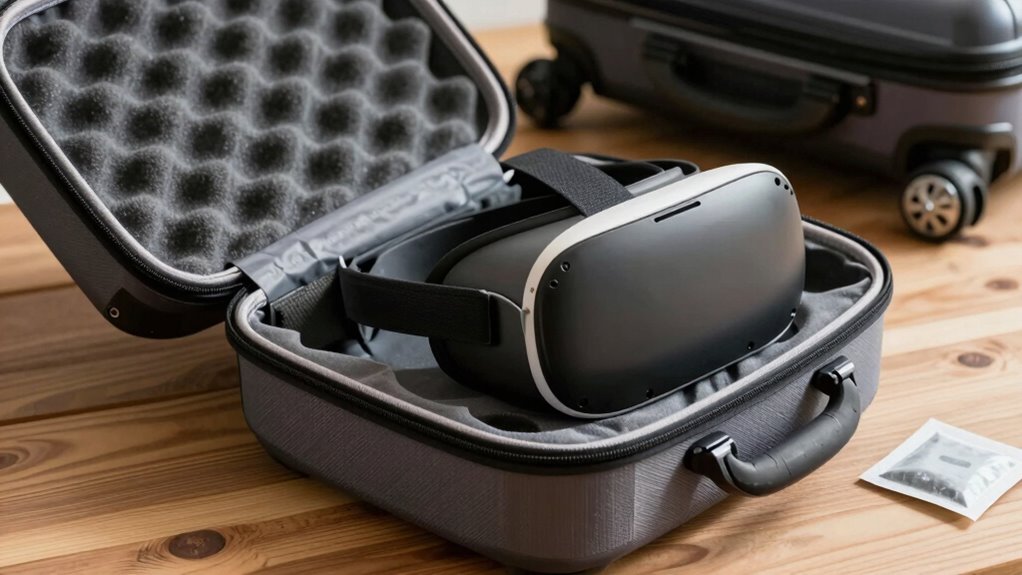

To safeguard your VR gear from humidity during travel, store it in airtight, moisture-resistant cases with desiccant packs like silica gel. Keep the equipment in a dry, dedicated compartment and monitor humidity levels with small indicators placed inside the case. Avoid exposing your gear to direct sunlight or damp environments. Regularly check and replace desiccants to guarantee ongoing protection. If you want to learn more about maximizing your gear’s safety, continue exploring helpful tips below.

Get VR and gaming gear delivered free — and shop member deals
- Fast, free delivery on millions of items
- Access to Prime Big Deal Days deals on October 6–7
- Prime Video, Amazon Music and more included
Key Takeaways
- Use airtight, moisture-resistant cases with padded compartments for organized, protected storage during travel.
- Incorporate silica gel or desiccant packs inside cases and monitor with humidity indicators.
- Allow VR gear to acclimate in a dry environment before use after arriving in humid areas.
- Keep equipment away from direct sunlight, damp environments, and moisture-prone areas during transit.
- Regularly check humidity indicators and replace desiccants to maintain optimal moisture protection.
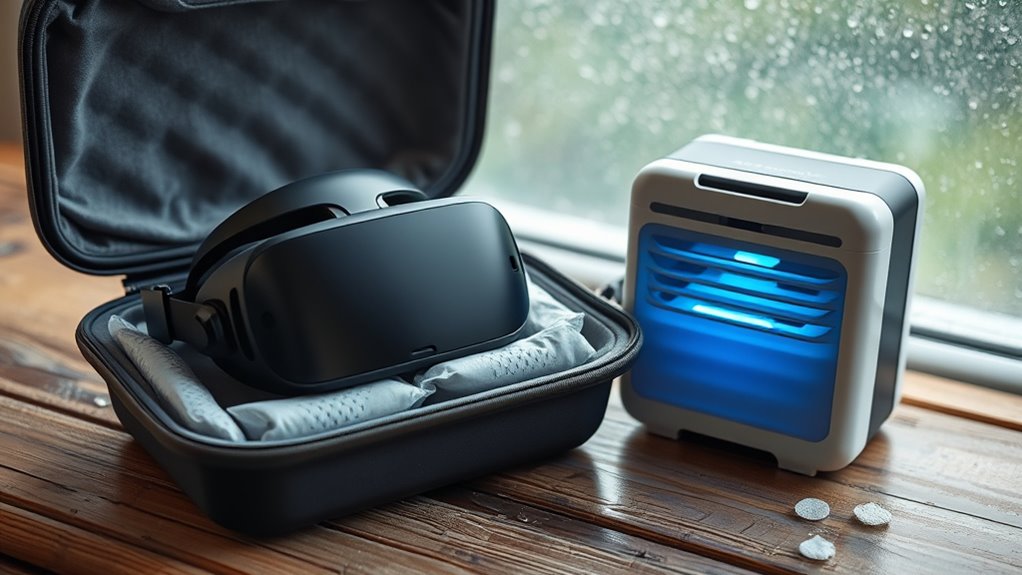
If you want your VR gear to stay in top condition, protecting it from humidity is essential. Traveling exposes your equipment to varying environmental conditions, and high humidity can cause damage over time. To prevent this, you need to adopt effective storage tips that keep your VR gear dry and functional. Start by choosing a storage container that’s airtight and moisture-resistant. Hard-shell cases designed for electronics are ideal, as they provide a physical barrier against moisture and dust. When packing, make sure to keep all components, like headsets, controllers, and cables, in separate, padded compartments to avoid scratches and impacts that could worsen with humidity exposure.
Using humidity indicators is a smart way to monitor moisture levels inside your storage container. These small, inexpensive devices change color when humidity reaches a certain level, alerting you to potential issues before damage occurs. Place a humidity indicator inside your case or bag, especially if you’re traveling to humid climates. This simple step helps you stay aware of the environment and take action if necessary. If the indicator shows high humidity, you can add desiccant packs—small packets filled with silica gel or other moisture-absorbing materials—inside your storage container. These packs help absorb excess moisture, keeping your gear dry and preventing mold or corrosion.
Another essential storage tip is to allow your VR equipment to acclimate to its new environment gradually. Avoid rushing to use your gear immediately after arriving in a humid area. Instead, let it sit in its protective case for a few hours to stabilize with the surrounding air. This reduces the risk of condensation forming on or inside your devices, which can be damaging. When storing your VR gear during travel, always keep it away from direct sunlight or damp areas, such as bathroom bags or outdoor backpacks exposed to rain. A dedicated, dry compartment in your luggage not only safeguards your gear but also minimizes exposure to humidity spikes.
Lastly, consider investing in a portable dehumidifier or silica gel packs designed specifically for electronics. These can be placed in your carrying case or backpack to actively reduce moisture levels during transit. Regularly check your humidity indicators and replace desiccants as needed to ensure ongoing protection. Staying vigilant about storage tips and moisture monitoring helps you avoid costly repairs and prolongs the life of your VR gear. Properly managing humidity while traveling might take a little extra effort, but it’s a small price to pay for keeping your immersive experience intact and your equipment functioning flawlessly across all your adventures.
As an affiliate, we earn on qualifying purchases.
Frequently Asked Questions
Can Humidity Damage VR Lenses Over Time?
Yes, humidity can damage your VR lenses over time, causing fogging or mold. To prevent this, you should store your lenses with desiccant packs in airtight containers when not in use. These packs absorb moisture, keeping humidity levels low. Always verify your gear is completely dry before storing, and avoid leaving it in damp environments. Proper storage helps preserve your lenses and extends their lifespan.
What Are Signs of Humidity-Related Damage in VR Equipment?
You might notice foggy lenses or a hazy display, signaling moisture condensation inside your VR gear. You could also see corrosion risk developing on metal parts or connections, which leads to malfunction. Screen flickering, unresponsive controls, or strange audio issues might be subtle signs of internal damage. Keep an eye out for these clues to catch humidity-related problems early, preventing further deterioration and ensuring your equipment stays in top shape.
Is It Safe to Store VR Gear in a Humid Environment Temporarily?
Storing your VR gear temporarily in a humid environment isn’t ideal, but if necessary, take precautions. Use protective cases that provide moisture barriers and store your equipment in a cool, dry place whenever possible. Avoid direct contact with humid surfaces, and consider adding silica gel packs to absorb excess moisture. These storage precautions help prevent damage and keep your VR gear safe until you can store it properly.
How Does Temperature Fluctuation Affect VR Device Humidity Levels?
Temperature fluctuations can cause your VR device’s humidity levels to change unexpectedly. As temperatures rise and fall, your gear absorbs or releases moisture, risking damage. Without proper temperature control, moisture absorption becomes a silent threat—leading to corrosion or mold. Stay vigilant by maintaining stable conditions, using desiccants, and avoiding rapid temperature shifts. This way, you protect your investment from hidden humidity hazards that lurk in every temperature change.
Are There Specific Cases Recommended for Humid Climates?
Yes, you should choose humid climate cases designed for travel storage solutions. These cases often feature airtight seals and moisture-absorbing materials to prevent humidity buildup. Look for rugged, water-resistant options with desiccant packs or silica gel to keep your VR gear dry. Using these specialized cases guarantees your equipment remains protected from excessive moisture, even in challenging humid climates, so you can enjoy your VR experience without worry.
silica gel desiccant packs for electronics
As an affiliate, we earn on qualifying purchases.
As an affiliate, we earn on qualifying purchases.
Conclusion
Think of your VR gear as a delicate flower that blooms best in stable conditions. By keeping it dry and avoiding sudden humidity shifts, you guarantee it stays vibrant and functional. Remember, traveling with your tech is like steering through a storm—stay prepared and shielded from the elements. With these simple tips, your VR gear will stay safe and ready to transport you to new worlds whenever you want. Safe travels, and enjoy your immersive adventures!
humidity indicator for electronics
As an affiliate, we earn on qualifying purchases.
As an affiliate, we earn on qualifying purchases.
portable dehumidifier for travel
As an affiliate, we earn on qualifying purchases.
As an affiliate, we earn on qualifying purchases.
Fall Picks
fall essentials
As an affiliate, we earn on qualifying purchases.