
Cloud saves in VR typically back up your game progress, settings, and preferences to online servers, making it easy to pick up across devices. However, they usually don’t include custom content, local profiles, or in-game assets stored on your device. To guarantee your data stays safe, it’s wise to back up important files locally. Want to learn more about what’s covered and what’s not? Keep going for detailed insights.
Key Takeaways
- Cloud saves typically back up game progress, settings, and preferences, but may not include custom content or local assets.
- VR cloud backups primarily focus on core game data; unique in-game assets or user profiles often remain stored locally.
- Manual backups of save files are recommended as some data, especially custom content, isn’t automatically stored online.
- Data encryption and privacy policies protect your information, but users should review platform specifics before uploading saves.
- Cloud server location and traffic can affect sync speed, potentially impacting real-time VR gameplay and data restoration.
As virtual reality becomes more popular, cloud saves are transforming how you experience and manage your VR games. Instead of worrying about losing progress due to hardware failures or accidental deletions, you can store your game data securely online, allowing for seamless access across devices. However, this convenience comes with important considerations, especially around data privacy and server latency. When you upload your save data to the cloud, you entrust your personal gaming information to a third-party server, raising questions about how securely that data is stored and who can access it. Reputable cloud services implement encryption and strict privacy policies to protect your data, but you should always be aware of the potential risks involved. Additionally, server latency can impact your gaming experience. If the cloud servers are located far from your physical location or are experiencing high traffic, you might encounter delays when syncing your save files. This lag can disrupt immersion, especially during fast-paced VR sessions where real-time responsiveness is critical. To minimize these issues, choose cloud services with servers closer to your region and verify their performance metrics. Not all data related to your VR experience is automatically backed up to the cloud. Game progress, settings, and preferences are typically stored, but some data—like custom content, local user profiles, or certain in-game assets—may remain on your device. This means that if you switch devices or experience a technical failure, you might need to manually transfer or reconfigure certain elements. It’s essential to understand what gets backed up automatically and what requires manual intervention. Moreover, some VR platforms offer integrated cloud backup options, but others may require third-party solutions, which can vary in reliability and security. Make sure to review each platform’s policies before entrusting them with your data. Although cloud saves provide convenience and flexibility, they’re not a complete substitute for local backups. Regularly exporting your save data locally can help prevent potential loss due to server issues or account problems. Additionally, local storage options can serve as a backup method to safeguard your data. Keep your account credentials secure and use strong, unique passwords to prevent unauthorized access. Remember, no system is entirely foolproof, but understanding how cloud saves work in VR can help you make smarter choices about your data privacy and minimize the impact of server latency. By staying informed and proactive, you can enjoy immersive VR experiences with confidence, knowing your progress is protected and accessible whenever you want to dive back into your favorite worlds.
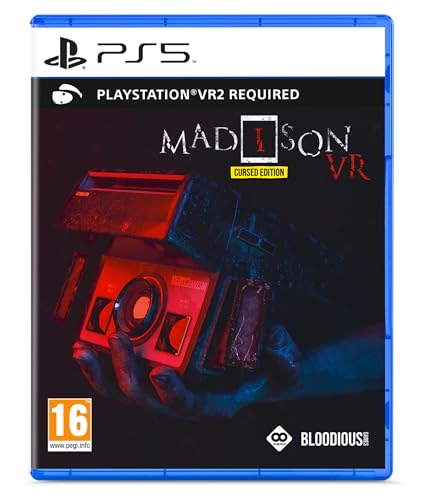
Perp Games MADiSON VR (PSVR2)
MADiSON VR now plunges you even deeper into its immersive and terrifying world. With the utilization of an…
As an affiliate, we earn on qualifying purchases.
As an affiliate, we earn on qualifying purchases.
Frequently Asked Questions
Can Cloud Saves Transfer Between Different VR Headsets?
No, cloud saves generally don’t transfer seamlessly between different VR headsets due to limited cross-platform compatibility. Your data recovery options depend on the game or platform; some allow manual export or syncing, while others don’t. If you switch headsets, check if the game supports cross-platform cloud saves. Otherwise, you might need to start fresh or look for third-party solutions, but compatibility isn’t guaranteed.
Are In-Game Settings Also Stored in Cloud Saves?
In-game settings like console settings and graphics preferences are often stored in cloud saves, but it depends on the game and platform. You might find that your customizations, such as control mappings or display options, sync across devices, but some games only save specific data locally. To guarantee your preferences are backed up, check your platform’s cloud save settings and verify whether in-game settings are included in the backup.
How Secure Are My Cloud-Stored VR Data?
Your cloud-stored VR data is generally secure thanks to data encryption, which protects it from unauthorized access. However, your user privacy depends on the service provider’s policies and security measures. Always review their privacy settings and encryption standards. While most reputable platforms prioritize data security, staying vigilant and using strong, unique passwords further helps safeguard your VR data from potential breaches.
Do All VR Platforms Support Automatic Cloud Backups?
Ever wonder if your VR platform automatically backs up your progress? Not all support this feature. Some offer seamless, automatic cloud backups, while others require you to enable cross-platform compatibility or use local backup options manually. You might find that certain VR systems prioritize local storage, leaving cloud backups as an optional feature. Check your platform’s settings to guarantee your data stays safe, whether through automatic cloud saves or manual local backups.
What Happens if Cloud Save Synchronization Fails?
If cloud save synchronization fails, you might face data recovery issues or sync conflicts. You could lose recent progress or have conflicting save files, making it tricky to restore your game state. To prevent this, regularly back up your data manually or check your internet connection. If sync conflicts occur, follow platform prompts to resolve them, ensuring your saved data stays secure and up-to-date.

Seagate Expansion 12TB External Hard Drive HDD – USB 3.0, with Rescue Data Recovery Services (STKP12000400)
Easy-to-use desktop hard drive—simply plug in the power adapter and USB cable
As an affiliate, we earn on qualifying purchases.
As an affiliate, we earn on qualifying purchases.
Conclusion
So, now you know what’s safely stored in the cloud and what’s left behind. But as VR technology evolves, new questions arise—what will become backup-worthy tomorrow? Will future updates fill those gaps? The truth is, you’re still holding your breath, waiting to see what’s next. One thing’s certain: staying informed keeps you one step ahead. Because in the world of cloud saves and VR, the story’s far from over.
VR cloud save management software
As an affiliate, we earn on qualifying purchases.
As an affiliate, we earn on qualifying purchases.
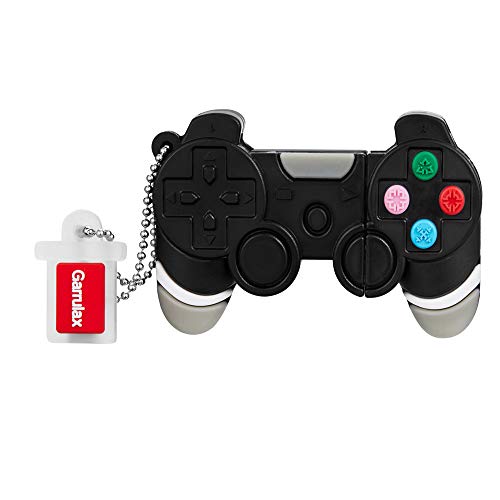
GARRULAX USB Flash Drive, 8GB / 16GB / 32GB USB2.0 Cute Shape USB Memory Stick Date Storage Pendrive Thumb Drives (32GB, Gamepad)
♥Best Gift:Catoon shape design different from traditional USB Flash Drive,cute and novelty,cheer up the working day.Cute outside but…
As an affiliate, we earn on qualifying purchases.
As an affiliate, we earn on qualifying purchases.