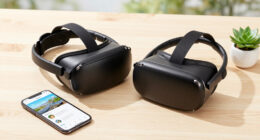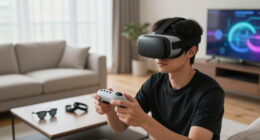
To sleep better after VR use, adjust your device’s blue light settings by enabling blue light filters or night modes, which reduce eye strain and blue light exposure. Also, lower the brightness and contrast to comfortable levels, and take regular breaks following the 20-20-20 rule to relax your eyes. Ensuring your headset fits properly and uses high refresh rates can further minimize fatigue. Keep exploring to discover more tips for better sleep and eye health.
Key Takeaways
- Enable blue light filters or night modes on your VR headset to reduce blue light exposure before sleep.
- Lower the display brightness and adjust contrast settings for a warmer, less stimulating visual environment.
- Take regular breaks during VR sessions to minimize eye strain and reduce blue light impact.
- Use high refresh rate settings to ensure smoother visuals, decreasing flickering that can affect sleep quality.
- Avoid VR use at least 30-60 minutes before bedtime to allow blue light effects to diminish and promote better sleep.

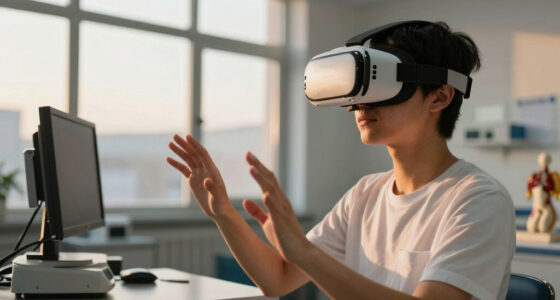
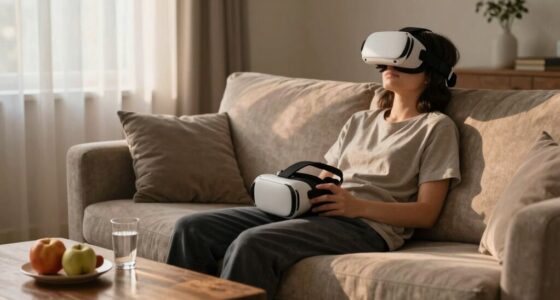
Have you ever wondered how virtual reality (VR) might affect your eyes? If you spend a lot of time immersed in VR experiences, you might notice feelings of eye strain or discomfort afterward. That’s because VR headsets often put your eyes under significant visual demand, especially if the display isn’t optimized for comfort or if you’re exposed to blue light for extended periods. Managing your VR settings can make a huge difference in maintaining visual comfort and reducing fatigue.
Extended VR use can cause eye strain; adjusting settings helps maintain comfort and reduce fatigue.
One of the main concerns with VR and blue light is how it impacts your eyes’ health and comfort. Blue light, which is emitted by screens, can cause digital eye strain, leading to symptoms like dryness, blurred vision, or headaches. In VR, where your eyes focus on close-up screens for prolonged periods, this effect can be intensified. To combat this, many VR devices now include settings that reduce blue light emission, often called “blue light filters” or “night modes.” Activating these features can help minimize eye strain and make your VR sessions more comfortable. They work by decreasing the intensity of blue light, easing the burden on your eyes and promoting better visual comfort.
Adjusting the brightness and contrast of your VR headset is also essential. Too bright, and you risk causing glare and eye fatigue; too dim, and you may strain to see details clearly. Finding a balance tailored to your environment helps your eyes relax and reduces visual discomfort. Many VR headsets offer customizable display settings, so take a moment to fine-tune them to fit your lighting conditions. Additionally, some devices have “comfort modes” designed to lessen eye fatigue during prolonged use by optimizing display parameters for extended viewing.
Another useful tip is to take regular breaks during your VR sessions. The 20-20-20 rule applies here: every 20 minutes, look at something 20 feet away for at least 20 seconds. This simple habit allows your eyes to rest and recover from continuous focus on close-up screens, reducing eye strain and aiding your visual comfort. Also, ensure your VR headset fits properly; a snug but comfortable fit prevents unnecessary strain around your eyes and face. Proper alignment helps your eyes focus naturally, decreasing the likelihood of discomfort. Incorporating high refresh rates into your VR setup can also significantly improve your experience by providing smoother visuals that reduce flickering and eye fatigue.

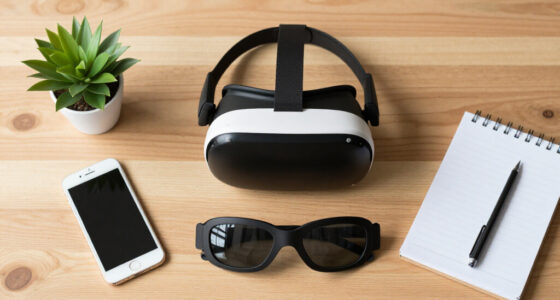
Stylish Blue Light Blocking Glasses for Women or Men – Ease Computer and Digital Eye Strain, Dry Eyes, Headaches and Blurry Vision – Instantly Blocks Glare from Computers and Phone Screens w/Case
- Eye Protection: Blocks harmful blue light from screens
- Improves Sleep: Encourages melatonin production for better rest
- Stylish & Durable: Classic design suitable for work and leisure
As an affiliate, we earn on qualifying purchases.
As an affiliate, we earn on qualifying purchases.
Frequently Asked Questions
Can Using VR Before Bed Cause Long-Term Sleep Issues?
Using VR before bed can cause long-term sleep issues because it increases blue light exposure, which leads to blue light fatigue and sleep disruption. When you use VR late in the day, it interferes with your melatonin production, making it harder to fall asleep and stay asleep. To avoid this, limit VR use in the evening and enable blue light filters or night mode settings to protect your sleep quality.
Are There Specific VR Devices With Built-In Blue Light Filters?
Your quest for perfect sleep isn’t a myth; some VR devices now feature built-in VR blue light settings that can substantially reduce eye strain before bed. Devices like Oculus Quest 2 and HTC Vive offer VR device blue light filters, helping you unwind without sacrificing immersion. These built-in settings are easy to activate, allowing you to enjoy VR without the harsh blue light disrupting your sleep cycle.
How Does Blue Light Exposure From VR Compare to Screens?
Blue light from VR can be just as disruptive to your sleep as that from screens. It suppresses melatonin, making it harder to fall asleep and disrupting your sleep cycle. While VR devices with built-in filters help, exposure duration and timing matter most. To protect your sleep, limit VR use before bed and use blue light filters, especially if you’re sensitive to sleep disruption caused by blue light.
Is It Safe to Use VR in a Dark Room at Night?
Did you know that using virtual reality in a dark room at night can disrupt your sleep hygiene? It’s generally safe if you limit exposure and take breaks, but prolonged use may cause eye strain and interfere with melatonin production. To protect your sleep, keep the room dim, avoid intense visuals, and set time limits. Prioritizing these habits helps you enjoy virtual reality without negatively impacting your sleep.
What Are the Best Practices for Reducing Blue Light Exposure in VR?
To reduce blue light exposure in VR, you should prioritize blue light mitigation through headset settings. Enable built-in blue light filters or night mode features if available, and adjust brightness levels to lower the strain on your eyes. Taking regular breaks and reducing screen time before bed also helps. By customizing these settings, you can enjoy VR while protecting your sleep and eye health effectively.

3D VR Headset, Virtual Reality 3D VR Glasses, Anti-Blue Light Adjustable 3D Headset Helmets for iPhone or Android Compatible with 4.5” to 6.7” inch with Controller(Black)
- Remote Control for Media: Control music and volume easily
- Comfortable Wear: Soft, breathable PU leather mask
- High-Definition HD Lenses: Double spherical optical lenses for clarity
As an affiliate, we earn on qualifying purchases.
As an affiliate, we earn on qualifying purchases.
Conclusion
To sleep better, you should be mindful of VR and blue light exposure before bed. Adjust your device settings to reduce blue light and limit VR use at least an hour before sleeping. Think of these habits like a gentle lullaby for your mind, helping you unwind and prepare for restful sleep. By making small changes, you can create a bedtime routine that’s as calming as a quiet night sky, leading to sweeter dreams and more refreshed mornings.

Compatible with Oculus Quest 2 Face Bracket Replacement
- Air Ventilation Design: Improves airflow and reduces fogging
- Light Leak Prevention: Includes nose pads for a wider view
- Comfortable Fit: Relieves face pressure and fits glasses
As an affiliate, we earn on qualifying purchases.
As an affiliate, we earn on qualifying purchases.

Cuymoap Car Heads Up Display, HUD GPS Speedometer, Large Font Brightness Adjustment Speed Projection, Plug and Play Cigarette Lighter Powered Accessory for Most Car Models (White)
- Real-time GPS Speed Display: Accurate speed projection in driver’s line of sight
- Enhanced Performance: Supports multi-satellite signals for stable, fast updates
- High-Definition Display: Large, bright screen with glare protection for clear visibility
As an affiliate, we earn on qualifying purchases.
As an affiliate, we earn on qualifying purchases.