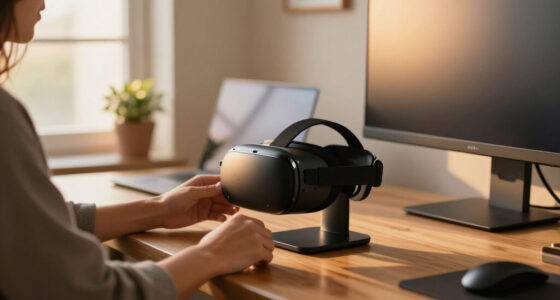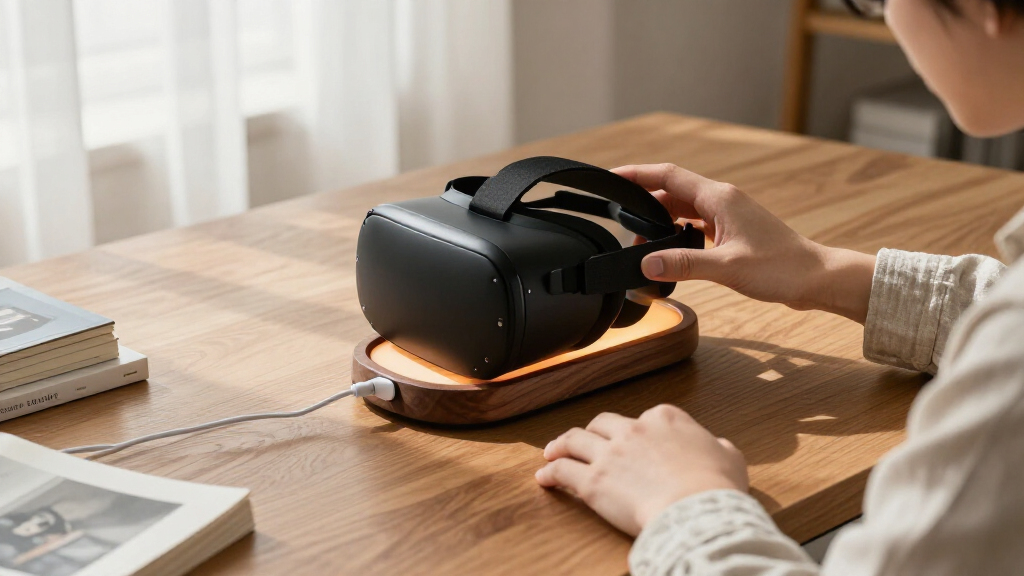
The best overall pick is the NexiGo Enhanced Charging Dock for Quest 3 and 3S owners seeking a dedicated charging setup, while the YOGES dock with rechargeable controller batteries suits households that want to charge the headset and controllers together. For a broader fit across Quest generations, the Hagibis magnetic dock stands out for its listed Quest 2, Quest 3, and Quest 3S compatibility. The main tradeoffs are magnetic convenience versus precise headset fit, built-in controller charging versus replaceable batteries, and a compact footprint versus extra storage or display features. Compatibility and the included charging components matter more than lighting or appearance. Read on for the full comparison and guidance on choosing a dock that suits your headset and play space.

Play games on Amazon Luna for your next adventure, included with Prime
- A rotating selection of games, no download needed
- Play on TV, laptop or phone
- Fast, free delivery for your gear, too
Complete the kit

Key Takeaways
Compatibility is the first dividing line: most listed docks target Quest 3 and 3S, while only some explicitly include Quest 2 support.
Magnetic charging prioritizes easy placement, but buyers should check whether the required charging contacts or accessories are included.
Rechargeable controller batteries add convenience but can tie ongoing controller use to the dock’s battery design and charging method.
Display and storage stands serve a different purpose from charging-first docks: they organize gear, but their charging setup may be less central.
RGB lighting is a style feature, not a charging advantage; the Kinwin RGB model and AodoT RGB dock should be compared by fit and included charging parts first.
| Magnetic Charging Dock for Meta Quest 3 and Quest 3S |  | Best for a Quiet Bedroom Setup | Compatibility: Meta Quest 3 and Quest 3S | Charging method: Magnetic | Connector: USB Type-C | VIEW LATEST PRICE | See Our Full Breakdown |
| KINWIN 18W Magnetic Charging Dock for Meta Quest 3S and Quest 3 |  | Best for Charging Status at a Glance | Compatibility: Meta Quest 3S and Meta Quest 3 | Power: 18 W; adapter included | Charging connector: Magnetic USB-C | VIEW LATEST PRICE | See Our Full Breakdown |
| YOGES Charging Dock for Meta Quest 3 and Quest 3S with Rechargeable Controller Batteries |  | Best for Elite Strap Compatibility | Compatible headsets: Meta Quest 3 and Quest 3S | Charging connector: USB Type-C | Headset charging time: About 2.5 hours | VIEW LATEST PRICE | See Our Full Breakdown |
| Hagibis Magnetic Charging Dock for Meta Quest 3S, Quest 3, and Quest 2 |  | Best for Quest 2 and Quest 3 Families | Compatibility: Meta Quest 3S, Quest 3, and Quest 2 | Charging power: 20 W PD | Charging interface: Magnetic USB-C | VIEW LATEST PRICE | See Our Full Breakdown |
| YOGES Charging Dock for Meta Quest 3 and Quest 3S with Rechargeable Controller Batteries |  | Best for a Simple, Low-Glare Routine | Compatibility: Meta Quest 3 and Quest 3S; not compatible with Quest 2 | Headset charging time: Approximately 2–3 hours | Controller charging time: Approximately 3 hours | VIEW LATEST PRICE | See Our Full Breakdown |
| ZahoTse Charging Dock for Oculus Quest 2 with Two Rechargeable Batteries |  | Best for Quest 2 Owners | Compatibility: Oculus Quest 2 | Included batteries: 2 rechargeable batteries | Charging method: Magnetic headset charging; magnetic positioning contacts for controllers | VIEW LATEST PRICE | See Our Full Breakdown |
| Charging Dock and Display Stand for Meta Quest 3, 3S, and 2 |  | Best for Multi-Generation Households | Compatible devices: Meta Quest 3, Quest 3S, and Quest 2 | Included batteries: 4 x 1100mAh rechargeable batteries | Battery charging capacity: Up to 2 batteries at a time | VIEW LATEST PRICE | See Our Full Breakdown |
| BOBOVR D3 Charging Dock for Meta Quest 3 |  | Best for BOBOVR B100 Battery Setups | Compatibility: Meta Quest 3, B100 battery, and BOBOVR G3 Plus covers | Charging: Headset, controllers, and B100 battery | Controller charging: Wireless; rechargeable lithium batteries included | VIEW LATEST PRICE | See Our Full Breakdown |
| CBDYWVR Charging Dock and Vertical Stand for Meta Quest 3S, Quest 3, and Quest 2 |  | Best for Display-First Storage | Compatible devices: Meta Quest 3S, Quest 3, and Quest 2 | Mounting type: Tabletop | Material: Plastic | VIEW LATEST PRICE | See Our Full Breakdown |
| VR Charging Dock and Storage Stand for Meta Quest 3, Quest 3S, and Quest 2 |  | Best for Compact Headset-Only Charging | Compatible devices: Meta Quest 3, Quest 3S, and Quest 2 | Charging: Headset only | Controller storage: Storage only; controllers cannot be charged | VIEW LATEST PRICE | See Our Full Breakdown |
| AodoT Charging Dock with RGB Lights for Meta Quest 3S, Quest 3, and Quest 2 |  | Best for Multi-Generation Quest Owners | Compatible headsets: Meta Quest 2, Quest 3, and Quest 3S | Charging: Headset only; controllers are not charged | Lighting: Adjustable RGB ambient lights with 14 colors | VIEW LATEST PRICE | See Our Full Breakdown |
| NexiGo Enhanced Charging Dock for Meta Quest 3 and 3S | 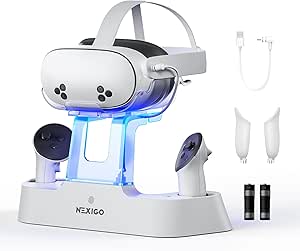 | Best for Elite Strap Owners | Compatible devices: Meta Quest 3, Quest 3S, and Elite Strap with Battery | Charging: Headset and controllers | Headset charging time: About 4.4 hours with an 18 W adapter | VIEW LATEST PRICE | See Our Full Breakdown |
| Kinwin Magnetic Charging Dock for Meta Quest 3S and Quest 3 with RGB Lighting and Rechargeable Batteries, White |  | Best for Fast, Full-Setup Charging | Compatible headsets: Meta Quest 3 and Quest 3S | Charging capacity: Headset and two controllers simultaneously | Headset charging time: About 3 hours | VIEW LATEST PRICE | See Our Full Breakdown |
| VR Headset Charging and Display Stand for Meta Quest 3, Quest 3S, and Quest 2 |  | Best Simple Storage Stand | Compatibility: Meta Quest 2, Quest 3S, Quest 3, and most VR headsets with USB-C charging ports | Charging: Headset only; controllers are not charged | Estimated charging time: About 3–5 hours | VIEW LATEST PRICE | See Our Full Breakdown |
| VR headset charging dock | Headset charging time | Compatibility | Controller charging time |
|---|---|---|---|
| Magnetic Charging Dock for Met | 3 hours | Meta Quest 3 and Quest 3S | 2.5 hours |
| KINWIN 18W Magnetic Charging D | Approximately 2–2.5 hours | Meta Quest 3S and Meta Quest 3 | Approximately 4 hours |
| YOGES Charging Dock for Meta Q | About 2.5 hours | — | About 3–3.5 hours |
| Hagibis Magnetic Charging Dock | About 2.5 hours | Meta Quest 3S, Quest 3, and Quest 2 | Around 4 hours |
| YOGES Charging Dock for Meta Q | Approximately 2–3 hours | Meta Quest 3 and Quest 3S; not compatible with Quest 2 | Approximately 3 hours |
| ZahoTse Charging Dock for Ocul | — | Oculus Quest 2 | — |
| Charging Dock and Display Stan | About 3 hours | — | — |
| BOBOVR D3 Charging Dock for Me | — | Meta Quest 3, B100 battery, and BOBOVR G3 Plus covers | — |
| CBDYWVR Charging Dock and Vert | — | — | — |
| VR Charging Dock and Storage S | — | — | — |
| AodoT Charging Dock with RGB L | — | — | — |
| NexiGo Enhanced Charging Dock | About 4.4 hours with an 18 W adapter | — | About 3 hours |
| Kinwin Magnetic Charging Dock | About 3 hours | — | About 4 hours |
| VR Headset Charging and Displa | — | Meta Quest 2, Quest 3S, Quest 3, and most VR headsets with USB-C charging ports | — |
More Details on Our Top Picks
Magnetic Charging Dock for Meta Quest 3 and Quest 3S
Magnetic placement, a display stand, and a light-off button make this a good fit for buyers who want the headset and controllers stored together without a bright dock light at night. It includes a 20 W adapter and two rechargeable controller batteries, so the bundle has fewer add-on requirements than the YOGES dock model B0D8XX1CCL, which does not include a power adapter. Stated charging times are also comparatively quick: three hours for the headset and 2.5 hours for the controllers.
The tradeoff is the controller batteries’ 600 mAh capacity, which may be a limiting factor for buyers prioritizing battery capacity. Controller contacts also need to line up correctly, so magnetic placement does not remove every setup check. I’d choose this over the RGB-focused KINWIN dock if reducing nighttime light matters more than ambient effects.
Pros:- Magnetic charging reduces repeated plugging and unplugging.
- Combines headset charging with organized display storage.
- Includes two rechargeable controller batteries, covers, and a 20 W adapter.
- Rear light-off button helps limit glow in a shared or sleeping space.
Cons:- The included controller batteries are rated at 600 mAh each.
- Controller battery contacts must be aligned for charging.
Best for: Quest 3 or Quest 3S owners who keep their headset in a bedroom and want an included adapter, controller batteries, and a way to turn off the dock lighting.
Not ideal for: Buyers who prioritize higher-capacity controller batteries or want a dock that avoids checking controller contact alignment.
- Compatibility:Meta Quest 3 and Quest 3S
- Charging method:Magnetic
- Connector:USB Type-C
- Headset charging time:3 hours
- Controller charging time:2.5 hours
- Controller batteries:2 × 600 mAh rechargeable batteries
- Included adapter:20 W
- Indicators:Purple breathing light while charging; blue when fully charged
Our verdict“Choose this dock for a tidy Quest 3 or 3S bedroom setup with included power and controllable lighting, but not for buyers seeking higher-capacity controller batteries.”
KINWIN 18W Magnetic Charging Dock for Meta Quest 3S and Quest 3
RGB status lighting and magnetic USB-C connections give this KINWIN dock a clear role for buyers who want to see charging progress from across a room. Orange indicates charging, while green marks a full charge or standby, and the included 18 W adapter keeps the basic setup in the box. Compared with the Magnetic Charging Dock B0H1HV6JJ8, this model specifies overcharge and short-circuit protection, though its listed headset charging time of about 2–2.5 hours is faster than the other dock’s stated three-hour figure.
That status-focused design has tradeoffs: RGB lighting may be unwelcome beside a bed, and controller charging depends on correct pin positioning. The listing also cautions that the headset may need repositioning if the cable does not reach comfortably. I’d pick it over the YOGES B0D8XX1CCL when visible status and an included adapter matter more than adjustable, switchable ambient lighting.
Pros:- Magnetic USB-C connections simplify headset placement.
- Orange and green lights distinguish charging from full or standby status.
- Includes two rechargeable controller batteries and covers.
- Lists overcharge and short-circuit protection.
Cons:- RGB lighting may be distracting in a dark room.
- Controller charging requires correct pin positioning.
- Headset placement may need adjustment if the cable does not reach comfortably.
Best for: Quest 3 and Quest 3S owners who want clear charging-versus-standby indicators, a supplied adapter, and listed charging protections.
Not ideal for: Bedroom users sensitive to ambient lighting, or buyers who want a setup that does not depend on precise controller pin placement.
- Compatibility:Meta Quest 3S and Meta Quest 3
- Power:18 W; adapter included
- Charging connector:Magnetic USB-C
- Headset charging time:Approximately 2–2.5 hours
- Controller charging time:Approximately 4 hours
- Included controller batteries:2 rechargeable batteries with 2 covers
- Lighting:RGB; orange while charging, green when fully charged or in standby
- Safety features:Overcharge and short-circuit protection
Our verdict“Pick the KINWIN when visible status lights and specified charging protections matter more than a dark-room-friendly design.”
YOGES Charging Dock for Meta Quest 3 and Quest 3S with Rechargeable Controller Batteries
Broad strap compatibility is the reason to choose this YOGES dock: it supports original, Elite, Elite with battery, and compatible third-party straps. That gives it an advantage over the Magnetic Charging Dock B0H1HV6JJ8, whose listed details focus on the dock and charging bundle rather than multiple strap styles. It also includes two rechargeable controller batteries and uses a vertical stand to keep the headset and controllers together. The stated headset charge time is about 2.5 hours, with controllers taking about 3–3.5 hours.
The main catch is practical: an 18 W adapter is recommended but not included, so buyers may need to supply one. It also does not support Quest 2. Its adjustable ambient light can be switched off, making it a more flexible room fit than the RGB-lit KINWIN, though controller charging is not as quick as the KINWIN’s stated headset charge suggests for its overall setup. I’d choose this for strap fit, not for the most complete power bundle.
Pros:- Supports original, Elite, Elite with battery, and compatible third-party straps.
- Includes two rechargeable controller batteries and covers.
- Stores the headset and controllers together in a vertical stand.
- Adjustable ambient light and charging indicators can be switched off.
Cons:- Recommended 18 W power adapter is not included.
- Not compatible with Quest 2.
- Controller charging takes about 3–3.5 hours.
Best for: Quest 3 or Quest 3S owners using an Elite, battery-equipped Elite, or compatible third-party strap who already have a suitable adapter.
Not ideal for: Quest 2 owners or buyers who want a power adapter included and ready to use out of the box.
- Compatible headsets:Meta Quest 3 and Quest 3S
- Charging connector:USB Type-C
- Headset charging time:About 2.5 hours
- Controller charging time:About 3–3.5 hours
- Controller batteries:2 rechargeable batteries with covers
- Recommended adapter:18 W; not included
- Strap compatibility:Original, Elite, Elite with battery, and compatible third-party straps
- Lighting:Adjustable blue ambient light; orange while charging and white when fully charged
Our verdict“Choose this YOGES dock when your Quest 3 or 3S strap fit is the deciding factor and you already have an 18 W adapter.”
Hagibis Magnetic Charging Dock for Meta Quest 3S, Quest 3, and Quest 2
Compatibility across Quest 2, Quest 3, and Quest 3S makes the Hagibis the most flexible choice here for a household with different headset generations. The other four docks in this batch are listed for Quest 3 and Quest 3S, so this is the one to favor when Quest 2 support is a requirement. It pairs 20 W PD charging with magnetic USB-C connectors and includes battery covers for both Quest 2 and Quest 3S/3 controllers. The dock also charges a headset and controllers simultaneously.
That extra compatibility brings a setup with more parts: the package lists four magnetic headset connectors, and controller battery polarity and contact orientation must be correct. Controller charging takes around four hours, slower than the YOGES B0D8XX1CCL’s stated 3–3.5 hours. The RGB lighting and orange/green indicators help show status, but this is a larger, heavier stand than a minimal charging arrangement. I’d choose it for mixed-generation households, not for the fastest controller turnaround.
Pros:- Supports Quest 2, Quest 3, and Quest 3S.
- Magnetic USB-C connections support simultaneous headset and controller charging.
- Includes rechargeable batteries and controller covers for Quest 2 and Quest 3S/3.
- 20 W PD adapter and clear orange/green charging indicators are included.
Cons:- Controller charging takes around four hours.
- Battery polarity and contact orientation must be checked.
- Headset position may need adjustment if the cable feels short.
Best for: Households with Quest 2 and Quest 3 or Quest 3S headsets that want one dock system with matching controller covers across generations.
Not ideal for: Quest 3 or 3S-only buyers seeking a simpler setup, or users who prioritize shorter controller charging times and minimal lighting.
- Compatibility:Meta Quest 3S, Quest 3, and Quest 2
- Charging power:20 W PD
- Charging interface:Magnetic USB-C
- Headset charging time:About 2.5 hours
- Controller charging time:Around 4 hours
- Included batteries:2 rechargeable batteries
- Dimensions:13 × 3.6 × 2.5 inches
- Weight:1.46 pounds
Our verdict“Choose the Hagibis when Quest 2 compatibility across a mixed-generation household matters more than a simpler or quicker-charging setup.”
YOGES Charging Dock for Meta Quest 3 and Quest 3S with Rechargeable Controller Batteries
Sleep mode, rechargeable controller batteries, and broad strap fit give this YOGES model a practical focus: keeping a Quest 3 or 3S ready and stored without a persistent indicator light. The light can be turned off, while its indicators distinguish charging from a full charge. Compared with the YOGES B0D8XX1CCL, it specifies overcharge and short-circuit protection and lists roughly three-hour controller charging; the earlier YOGES model gives a 3–3.5-hour estimate and explicitly lists adjustable ambient lighting.
This dock fits the original head strap and various third-party Elite-style battery straps, but it does not support Quest 2. The package includes a USB-C cable and batteries, while the supplied details do not list a power adapter, so buyers should check their charging setup before purchase. Its 1.73-pound weight and package dimensions also make it less compelling for someone seeking a small travel stand. I’d pick it over the Hagibis for a Quest 3/3S-only space where low-glare operation matters more than multi-generation support.
Pros:- Fits the original strap and various third-party Elite-style battery straps.
- Includes two rechargeable controller batteries and two covers.
- Sleep mode turns off the indicator light.
- Lists overcharge and short-circuit protection.
Cons:- Not compatible with Quest 2.
- The listed package includes a USB-C cable but no power adapter.
- At 1.73 pounds, it is not the lightest option for moving between rooms.
Best for: Quest 3 or Quest 3S owners with an original or compatible Elite-style battery strap who want a stand light they can switch off.
Not ideal for: Quest 2 households, travelers seeking a lightweight dock, or buyers who need a power adapter included in the listed package.
- Compatibility:Meta Quest 3 and Quest 3S; not compatible with Quest 2
- Headset charging time:Approximately 2–3 hours
- Controller charging time:Approximately 3 hours
- Included batteries:2 rechargeable controller batteries
- Battery recharge cycles:Over 1,000
- Charging cable:USB-C
- Strap compatibility:Original head strap and various third-party Elite-style battery straps
- Item weight:1.73 pounds
Our verdict“Choose this YOGES dock for a strap-compatible Quest 3 or 3S setup with switchable lighting, provided you have a power adapter and do not need Quest 2 support.”
ZahoTse Charging Dock for Oculus Quest 2 with Two Rechargeable Batteries
The ZahoTse dock makes the most sense for Quest 2 owners who want one place to park and recharge the headset and both controllers. Its two included rechargeable batteries, labeled L/R controller positions, and three charging indicators make the routine more straightforward than a storage-only stand such as the CBDYWVR vertical stand. Magnetic headset charging also avoids repeatedly plugging a cable into the headset.
The tradeoff is its narrow compatibility: it is designed for the Oculus Quest 2, while the Charging Dock and Display Stand supports Quest 3, 3S, and 2. ZahoTse also has just one USB port, so it is not a hub for charging other gear. Pick it for an all-in-one Quest 2 setup, not for a mixed or newer-headset household.
Pros:- Charges and stores the headset and both controllers at once.
- Includes two rechargeable batteries for the controllers.
- Labeled left and right positions help guide controller placement.
- Three LED indicators and electrical protection features provide useful charging feedback and safeguards.
Cons:- Compatibility is limited to Oculus Quest 2.
- One USB port offers little flexibility for other charging needs.
Best for: Quest 2 owners who want to charge and store the headset and both controllers together, with status indicators and rechargeable controller batteries.
Not ideal for: People with a Quest 3 or 3S, or households that need a dock to serve multiple headset generations; this model is specified for Quest 2 only.
- Compatibility:Oculus Quest 2
- Included batteries:2 rechargeable batteries
- Charging method:Magnetic headset charging; magnetic positioning contacts for controllers
- Connector:USB Type-C
- Wattage:12 watts
- Indicators:3 LED indicators
- Protection:Temperature, short circuit, reverse connection, and timeout protection
- Model:ZVTE-009
Our verdict“Choose this dock if your setup is built around a Quest 2 and you want the headset and both controllers charged together.”
Charging Dock and Display Stand for Meta Quest 3, 3S, and 2
For homes with more than one Quest generation, this dock offers the broadest fit among these five picks: it supports Quest 3, Quest 3S, and Quest 2. The clear acrylic display stand keeps the headset and controllers together, while charging indicators and switchable ambient lighting add visibility without requiring the lights to stay on. Compared with the Quest 2-only ZahoTse dock, its wider compatibility makes it a better shared station.
It also includes four 1100mAh rechargeable batteries, but its slots charge only two at a time. That means a spare pair is available, not that four controllers can be replenished simultaneously. The headset is not included, and the stated headset charging time is about three hours. This is a capable organizer and charger, though the battery-slot limit matters for households cycling through several controllers.
Pros:- Compatible with Quest 3, Quest 3S, and Quest 2.
- Includes four 1100mAh rechargeable batteries, with capacity to charge two at a time.
- Charges a compatible headset and controller batteries simultaneously.
- Ambient lighting can be switched off, and indicators show charging status.
Cons:- Only two controller batteries can charge at a time.
- The headset is not included.
- The acrylic display stand takes more space than a simple charging base.
Best for: Families or shared gaming spaces with Quest 2, Quest 3, or Quest 3S headsets that want a display stand and spare controller batteries.
Not ideal for: People who need to charge more than two controller batteries at once or want a dock bundled with a headset.
- Compatible devices:Meta Quest 3, Quest 3S, and Quest 2
- Included batteries:4 x 1100mAh rechargeable batteries
- Battery charging capacity:Up to 2 batteries at a time
- Headset charging time:About 3 hours
- Battery charging time:About 4 hours
- Connector:USB Type-C
- Wattage:15W
- Materials:Charging base and transparent acrylic
Our verdict“Pick this stand if your household uses different Quest generations and values broad compatibility plus spare controller batteries.”
BOBOVR D3 Charging Dock for Meta Quest 3
The BOBOVR D3 is the specialized choice here for Quest 3 owners who use the B100 battery system. It brings the headset, controllers, and B100 battery to one tabletop station, and its included rechargeable controller batteries support wireless charging. Unlike the Charging Dock and Display Stand, which covers three Quest generations, the D3 is focused on Quest 3 and BOBOVR accessories rather than being a general multi-generation stand.
Charging speed depends heavily on the power adapter: a 45W-or-higher PD charger is recommended, but none is included. With an 18W charger, B100 charging is listed at four to five hours; a 45W charger can reach at least 80% in about 1.5 hours. Buyers who want a ready-to-use package may prefer the display stand’s included adapter, while BOBOVR owners gain a more tailored charging arrangement.
Pros:- Charges the Quest 3 headset, controllers, and B100 battery in one place.
- Includes rechargeable controller batteries with wireless charging.
- Supports BOBOVR G3 Plus covers.
- Can charge the B100 battery to 80% or more in about 1.5 hours with a 45W-or-higher charger.
Cons:- Power adapter is sold separately.
- An 18W charger takes about four to five hours to charge the B100 battery.
- Compatibility is focused on Quest 3 and specified BOBOVR accessories.
Best for: Quest 3 owners using a BOBOVR B100 battery and G3 Plus covers who want the headset, controllers, and battery stored at one charging point.
Not ideal for: Quest 2 or Quest 3S owners, and buyers who do not want to supply their own USB-C PD adapter.
- Compatibility:Meta Quest 3, B100 battery, and BOBOVR G3 Plus covers
- Charging:Headset, controllers, and B100 battery
- Controller charging:Wireless; rechargeable lithium batteries included
- Recommended charger:45W or higher USB-C PD charger
- B100 charging with 45W charger:80% or more in about 1.5 hours
- B100 charging with 18W charger:About 4–5 hours
- Input:USB-C PD, 18W or higher
- Weight:529 g
Our verdict“Choose the D3 if your Quest 3 setup includes a B100 battery and you are willing to provide a suitable PD charger.”
CBDYWVR Charging Dock and Vertical Stand for Meta Quest 3S, Quest 3, and Quest 2
The CBDYWVR is the simplest pick for buyers who mainly want their headset and controllers displayed and easy to grab. Its open vertical layout and three touch-controlled lighting modes make it more of an organizer than a charging dock. That distinction matters: unlike the ZahoTse and BOBOVR D3, it does not charge controllers, and the supplied description does not specify headset charging either.
Its broader compatibility with Quest 3S, Quest 3, and Quest 2 is useful for shared spaces, while the sturdy base and open access make putting gear away less fussy than arranging batteries in charging slots. The compromise is substantial for a charging roundup: the lighting is decorative, not a substitute for power delivery. Choose this when tidy display and quick access matter more than charging convenience.
Pros:- Fits Quest 3S, Quest 3, and Quest 2.
- Open design makes the headset and controllers easy to pick up and replace.
- Three LED lighting modes with touch-switch control.
- Sturdy base helps keep stored equipment stable.
Cons:- Does not charge controllers.
- The product data does not specify headset charging, so it should not be treated as a complete charging dock.
- Compatibility is limited to the listed Quest models.
Best for: Quest owners who want a stable, illuminated place to display and organize a headset and controllers, and already have separate charging solutions.
Not ideal for: Buyers looking for a true charging station, especially anyone who expects controller batteries to recharge on the stand.
- Compatible devices:Meta Quest 3S, Quest 3, and Quest 2
- Mounting type:Tabletop
- Material:Plastic
- Lighting modes:3
- Controller charging:Not supported
- Included components:Vertical stand, top tray, 2 handle brackets, base, and charging cable
- Style:Minimalistic
Our verdict“Choose this stand for visible, accessible storage, but skip it if charging the headset and controllers is the main goal.”
VR Charging Dock and Storage Stand for Meta Quest 3, Quest 3S, and Quest 2
This Lampelc stand suits buyers who want a vertical home for a Quest headset and controllers but only need the headset itself charged. Its Type-C charger powers the headset, while controllers and cables have designated storage rather than charging contacts. That makes it a more functional charging option than the CBDYWVR display stand, whose supplied details do not specify headset charging, but less complete than the ZahoTse dock, which charges both controllers too.
The snap-on assembly, non-slip pads, and compact vertical layout favor a tidy desk setup, and compatibility spans Quest 3, 3S, and 2. The limits are clear: controllers remain uncharged, and the plastic construction is less suited to buyers seeking a premium display piece. It also occupies a defined footprint of 6.77 x 8.03 x 11.1 inches, so check the available shelf or desk space.
Pros:- Charges the headset while storing controllers and cables.
- Compatible with Quest 3, Quest 3S, and Quest 2.
- Non-slip pads and a stable base help keep the stand in place.
- Snap-on assembly is designed to be quick.
Cons:- Controllers are stored but not charged.
- Plastic enclosure may not suit buyers seeking a more premium display material.
- The listed dimensions require a dedicated tabletop footprint.
Best for: Quest 2, Quest 3, or Quest 3S owners who want a compact vertical organizer and a charging point for the headset, while charging controllers elsewhere.
Not ideal for: Players who want one station to recharge headset and controllers together or prefer a metal or acrylic display stand.
- Compatible devices:Meta Quest 3, Quest 3S, and Quest 2
- Charging:Headset only
- Controller storage:Storage only; controllers cannot be charged
- Dimensions:6.77 x 8.03 x 11.1 inches
- Mounting type:Tabletop
- Material:Plastic
- Assembly:Snap-on
- Warranty:1 year
Our verdict“Pick this stand if headset-only charging and organized controller storage are enough for your Quest setup.”
AodoT Charging Dock with RGB Lights for Meta Quest 3S, Quest 3, and Quest 2
I’d choose the AodoT when compatibility across Quest generations and a tidy place to park the headset matter more than charging a full setup. It supports Quest 2, Quest 3, and Quest 3S, a wider headset range than the NexiGo and Kinwin docks, which focus on Quest 3 and 3S. Its 14-color lighting adds a customizable accent, while anti-slip pads help keep the stationary stand in place. The tradeoff is significant for players who want a ready-to-use setup: it charges only the headset, so controllers need separate charging or fresh batteries. Its Micro-B charging connection is also less convenient than the USB-C connections on the NexiGo and Kinwin. I’d treat the RGB lighting as a bonus, not a reason to choose it over a dock that charges controllers.
Pros:- Works with Quest 2, Quest 3, and Quest 3S.
- Stores the headset while charging it.
- Offers 14 adjustable ambient-light colors.
- Anti-slip pads help stabilize the stand.
Cons:- Does not charge controllers.
- Uses a Micro-B charging connector rather than USB-C.
- A single USB port limits its usefulness as a broader charging hub.
Best for: Households with a Quest 2 and a newer Quest headset that want one simple charging and storage spot.
Not ideal for: Quest 3 or 3S owners who want the headset and both controllers charging together, or buyers who prefer a USB-C dock connection.
- Compatible headsets:Meta Quest 2, Quest 3, and Quest 3S
- Charging:Headset only; controllers are not charged
- Lighting:Adjustable RGB ambient lights with 14 colors
- Charging connector:USB 2.0 Micro-B
- Output voltage:5 V
- USB ports:1
- Stability:Anti-slip pads
- Material and color:Plastic; white
Our verdict“Choose the AodoT for cross-generation Quest headset storage and charging, but skip it if you want controller charging built in.”
NexiGo Enhanced Charging Dock for Meta Quest 3 and 3S
The NexiGo stands out for buyers whose headset setup includes an Elite Strap with Battery. It charges Quest 3 or 3S and both controllers on the dock, and its support for that strap gives it a more specialized fit than the Kinwin magnetic dock. Included rechargeable batteries and controller covers also make the package more complete than the AodoT, which charges only the headset. LED indicators provide a clear charging state, with orange for charging and blue when full. The tradeoff is time and power: the headset takes about 4.4 hours with an 18 W adapter, and a compatible adapter is not listed as included. At 1.15 kg, it is a substantial stationary setup rather than a particularly light stand. I’d favor it when strap compatibility matters more than a faster stated charge time.
Pros:- Charges the headset and controllers together with a wireless drop-in design.
- Supports Meta Quest 3 and 3S with an Elite Strap with Battery.
- Includes rechargeable batteries and controller covers.
- LEDs show charging and full-charge status.
Cons:- The headset takes about 4.4 hours to charge with an 18 W adapter.
- A compatible 18 W USB-C adapter is not listed as included.
- Its 1.15 kg weight makes it less suited to frequent relocation.
Best for: Quest 3 or 3S owners using an Elite Strap with Battery who want a dock for the headset and controllers.
Not ideal for: Buyers seeking a compact stand, a supplied power adapter, or the shorter stated headset charging time listed for the Kinwin.
- Compatible devices:Meta Quest 3, Quest 3S, and Elite Strap with Battery
- Charging:Headset and controllers
- Headset charging time:About 4.4 hours with an 18 W adapter
- Controller charging time:About 3 hours
- Interface:USB Type-C
- Wattage:18 W
- Charging indicators:Orange while charging; blue when fully charged
- Included accessories:Rechargeable batteries and controller covers
- Item weight:1.15 kg
Our verdict“Pick the NexiGo if you use an Elite Strap with Battery and want one dock for the headset and controllers.”
Kinwin Magnetic Charging Dock for Meta Quest 3S and Quest 3 with RGB Lighting and Rechargeable Batteries, White
Among these four, the Kinwin makes the strongest case for a complete charging station with a short stated headset charge time: about 3 hours for the headset and 4 hours for the controllers. It charges a Quest 3 or 3S and both controllers at once, and includes two rechargeable controller batteries and covers. Its magnetic USB-C connection is designed to make alignment easier than using a stand that requires a separate cable connection, such as the VR Headset Charging and Display Stand. RGB indicators also show charging and standby or full status. Those advantages come with setup caveats: the power adapter is separate, and the instructions note that headset position or controller contact alignment may need adjustment. Compared with NexiGo, Kinwin lists a shorter headset charge time, but it doesn’t claim support for an Elite Strap with Battery.
Pros:- Charges the headset and two controllers at the same time.
- Magnetic USB-C connection helps align the headset for charging.
- Includes two rechargeable batteries and two controller covers.
- RGB indicators distinguish charging from standby or full status.
Cons:- Requires a separate power adapter; an 18 W adapter is recommended.
- Headset placement may need adjustment if the cable is too short.
- Controller charging may require checking pin and battery-contact alignment.
Best for: Quest 3 or 3S owners who want simultaneous headset and controller charging, rechargeable controller batteries, and magnetic alignment.
Not ideal for: Elite Strap with Battery users or buyers who want a power adapter included and a setup that needs little positioning adjustment.
- Compatible headsets:Meta Quest 3 and Quest 3S
- Charging capacity:Headset and two controllers simultaneously
- Headset charging time:About 3 hours
- Controller charging time:About 4 hours
- Connector:USB Type-C with magnetic charging
- Power:15 W; 10 V input and 2 A input current
- Batteries and covers:Two rechargeable batteries and two covers included
- Lighting:RGB; orange indicates charging, green indicates fully charged or standby
- Protection:Short-circuit protection
Our verdict“Choose the Kinwin for its stated three-hour headset charge time and all-at-once charging, provided you’re willing to supply an adapter and fine-tune alignment.”
VR Headset Charging and Display Stand for Meta Quest 3, Quest 3S, and Quest 2
I’d pick this stand for a straightforward display-and-storage setup that can charge a headset without adding a dedicated controller charging system. It accommodates Quest 2, Quest 3, and Quest 3S, as well as most USB-C-charging VR headsets, so it suits mixed-generation households better than the Kinwin, which is limited to Quest 3 and 3S. Unlike the AodoT, it lists an included USB-C cable and a charging-time estimate of about 3–5 hours; charging speed still depends on the adapter used. The tool-free assembly and disassembly make it easier to put away than a heavier dock like the NexiGo. But this is a stand first: it does not charge controllers, and the headset charging connection relies on a cable rather than the Kinwin’s magnetic dock arrangement.
Pros:- Fits Quest 2, Quest 3, Quest 3S, and most USB-C-charging VR headsets.
- Includes a USB-C cable for headset charging.
- Tool-free assembly and disassembly make storage easier.
- Four non-slip pads and an angled tray support stable tabletop storage.
Cons:- Does not charge controllers.
- Charging speed can be slow with a lower-voltage power adapter.
- Requires connecting the headset with a USB-C cable rather than magnetic drop-in charging.
Best for: Quest households that want a simple, storable tabletop stand for several headset generations and charge the headset by USB-C.
Not ideal for: Players who want automatic drop-in charging for both controllers and headset, or a magnetic connection that avoids handling a cable.
- Compatibility:Meta Quest 2, Quest 3S, Quest 3, and most VR headsets with USB-C charging ports
- Charging:Headset only; controllers are not charged
- Estimated charging time:About 3–5 hours
- Recommended power adapters:5 V/3 A, 9 V/3 A, or 12 V/3 A
- Included cable:USB-C cable
- Mounting type:Tabletop
- Material and color:ABS plastic; white
- Stability:Four non-slip pads and an angled tray
Our verdict“Choose this stand for broad headset compatibility and easy storage, but not if you want controller charging or a cable-free docking routine.”
How We Picked
I ranked these VR headset charging docks by how clearly their stated design addresses everyday charging and storage needs. I gave priority to explicit headset compatibility, the charging approach, whether controller batteries or charging features are included, and how much extra setup the design appears to require. I also separated charging-focused products from display or storage stands, since those serve different priorities.
The NexiGo Enhanced Charging Dock leads as the broadest straightforward recommendation for the Quest 3 and 3S audience named in its product title. The YOGES options earn attention for bundled rechargeable controller batteries, while the Hagibis dock stands out for its stated cross-generation compatibility. Magnetic, RGB, and stand-focused models rank according to their specific benefits and tradeoffs; product titles alone do not confirm charging speed, exact included accessories, or fit with every headset configuration, so I avoid treating those details as guaranteed.
Factors to Consider When Choosing VR Headset Charging Docks
Choosing among these docks is less about adding features and more about matching the charging method to your headset, controllers, and available space. I would check the following details before deciding, especially where a product name leaves accessories or fit requirements unclear.
Match the Dock to Your Exact Quest Generation
Start with the headset model you own, not the broad label “Meta Quest.” The product names in this roundup vary: some list Quest 3 and 3S, while the Hagibis, ZahoTse, and several stand-style models also name Quest 2. A dock that physically accommodates one headset generation may not use the same charging connection or included parts for another. If your household has more than one headset, check whether the dock supports each model individually rather than assuming cross-generation compatibility. Also look for notes about headset accessories, since a facial interface, strap, or other add-on can affect how a headset sits on a cradle. When the listing does not spell out those details, verify them before buying.
Understand What Magnetic Charging Requires
Magnetic connectors can make docking simpler because they reduce the need to line up a conventional cable each time. That convenience depends on the charging contacts meeting cleanly, so placement and the shape of the headset’s charging port matter. Check whether magnetic tips or other connection pieces are supplied, and whether they need to stay attached to the headset. A loose or missing adapter can turn a quick dock-in routine into another small accessory to manage. Magnetic charging is a strong fit for a shared play area where the headset is put away often, but a simple cable may be more flexible if you frequently charge in different locations. Compare what is included, not just the word “magnetic” in a product title.
Decide How You Want to Power the Controllers
Docks with rechargeable controller batteries can reduce the need to keep buying or swapping disposable cells. They may also make it easier to return controllers to a predictable charging spot after play. The tradeoff is that you should check the battery type, replacement process, and whether the dock charges both controllers as expected. A bundled battery system may be less convenient if you already use rechargeable cells or prefer to keep spare batteries ready. For households with multiple players, controller charging can matter as much as headset charging, but it should not outweigh headset fit or compatibility. Read the included-components list closely so you know whether batteries and any required covers are part of the package.
Choose Between Charging and Display-First Designs
A charging dock is most useful when it makes the headset easy to power up and put away; a display stand may prioritize presentation and organization instead. Combined designs can be appealing in a small room, yet their larger footprint may compete with desk space. Consider where the stand will live and whether controllers, cables, and accessories will have dedicated places. If you mostly want a tidy display, a stand-focused option may suit you better than a charging-first design with bundled controller batteries. If you want a reliable daily charging routine, prioritize connection details and stable placement over a sculptural shape. Do not assume that a product called a “stand” includes every charging component you need.
Treat RGB Lighting as a Secondary Feature
RGB lighting can help a dock fit a gaming setup, but it does not tell you how well the headset charges or how securely it sits. The Kinwin RGB model and AodoT RGB dock make lighting part of their appeal, while other picks focus more directly on magnetic charging, batteries, or storage. Decide whether illumination will be visible and useful in the place where you plan to keep the dock. Lighting can also add visual clutter in a bedroom or shared living area, so check whether it can be turned off if that matters to you. Compare the charging method, compatibility, and included accessories first, then use lighting as a tie-breaker. That keeps decorative features from taking the place of practical fit.
Check the Whole Setup, Not Just the Dock
A dock works as part of a charging setup that includes its power source, cables, adapters, and the location where it will sit. Confirm whether the required power adapter is included or whether you need to supply one; product names do not settle that question. Think about cable routing and whether the dock will sit near an outlet without creating a snagging hazard. A compact dock may be easier to place, while a wider storage or display stand can keep more equipment together. If more than one person uses the headset, a clear return spot can reduce misplaced controllers and charging interruptions. These practical details often matter more day to day than extra lighting or a more elaborate stand shape.
Frequently Asked Questions
Can one charging dock work with Quest 2, Quest 3, and Quest 3S?
Not automatically; compatibility is model-specific, even when a product is described as a VR headset dock. In this roundup, the Hagibis magnetic dock and several storage or display stands explicitly list Quest 2 alongside Quest 3 and 3S, while other models name only Quest 3 and 3S. Check the exact supported headset models and whether the dock needs different connection pieces for each one. If you plan to share a dock across generations, confirm that the required parts are included rather than assuming a fit from the stand’s shape. A model-specific dock may be the simpler choice if your household uses only one headset generation.
Do magnetic docks charge the headset without an extra adapter?
That depends on the particular dock and what comes in its box. A magnetic design may rely on a small connector or charging contact that must be attached to the headset, and product names do not confirm whether that piece is included. Check the included-accessories list and setup instructions before choosing one. Also confirm whether the charging contact works with your headset model and any case or accessory you use. If the listing is unclear, treat the adapter as an open question rather than assuming magnetic charging is ready to use out of the box.
Are docks with rechargeable controller batteries a better choice than magnetic headset-only docks?
They are better for buyers who want to keep headset and controller charging in one place, but they are not automatically the better fit for everyone. The YOGES options and some Kinwin variants emphasize rechargeable controller batteries, while magnetic headset docks focus more on convenient headset placement. Consider whether you want to replace or recharge controller batteries separately and whether the dock’s battery system suits your existing routine. Also verify the number and type of batteries included. If controller charging is already handled, a simpler headset dock may take up less space and involve fewer components.
Should I choose a charging dock or a display stand?
Choose based on the job you need the product to do most often. A charging-focused dock makes sense when your main goal is to recharge the headset and, on some models, controllers. A display or storage stand may be a better match if you want a dedicated place for the headset and accessories, even if charging is not its main selling point. Combined designs can serve both needs, but check the connection method and included power accessories rather than inferring charging capability from the word “charging” in a title. Measure your desk space as well, since a stand designed to hold more gear may occupy more room than a compact dock.
Is an RGB charging dock worth choosing over a simpler model?
RGB lighting is worth paying attention to only if it fits your setup and does not come at the expense of the features you need. In this roundup, the Kinwin RGB model and AodoT RGB dock add visual styling, but lighting does not establish charging speed, headset fit, or controller battery support. Compare their compatibility and included charging components with a simpler magnetic or battery-equipped option. If the dock will sit in a shared room or bedroom, check whether the lights can be switched off. Choose RGB as a preference, not as evidence that the dock charges better.
Conclusion
For most Quest 3 and 3S owners, I would start with the NexiGo Enhanced Charging Dock as the best overall choice in this lineup. For a value-minded buyer who wants a headset-and-controller setup, the YOGES dock with rechargeable controller batteries is the clearest fit, provided its battery design matches your needs. Beginners may prefer a straightforward dock with explicit compatibility and fewer extra parts; the NexiGo is my starting point, while those with a Quest 2 should check the Hagibis or a clearly cross-generation stand. For a premium-feeling display setup, look at the storage and display stands, then confirm how charging is handled before choosing. For specific needs, pick the Hagibis for listed Quest 2, Quest 3, and 3S support, or an RGB model if appearance is a priority. The best fit comes down to verified compatibility and the charging routine you actually want, not the longest feature list.