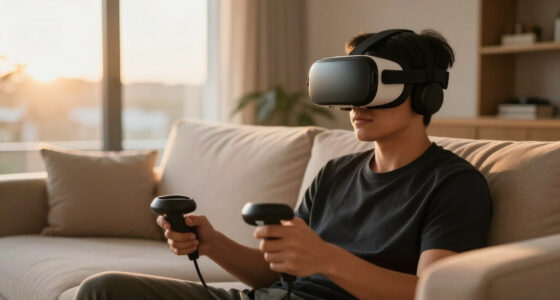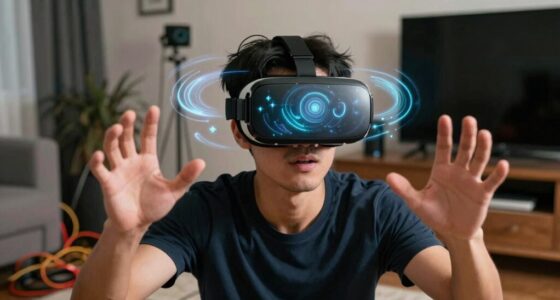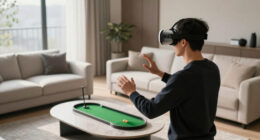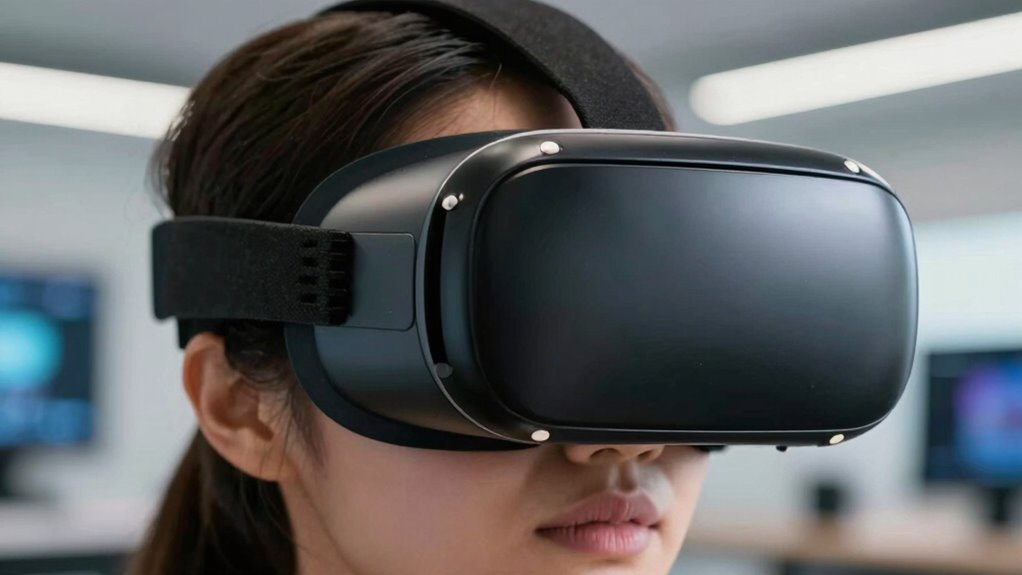

VR can cause temporary eye strain, headaches, dryness, and discomfort during or after use, especially if sessions are long or settings aren’t ideal. It stresses your eyes due to close screen proximity and focus shifts, but current evidence doesn’t show long-term damage. Proper breaks, lighting, and fit help reduce risks. If you want to understand the science behind these effects and how to use VR safely, there’s more to explore below.
Key Takeaways
- Short-term VR use can cause eye strain, headaches, blurred vision, and dryness, but these effects typically resolve with rest.
- Proper headset fit, environmental lighting, and regular breaks reduce eye discomfort during VR sessions.
- Long-term impacts on vision, such as myopia risk, remain uncertain due to limited research and inconclusive evidence.
- Extended VR sessions should be limited to prevent fatigue; following the 20-20-20 rule helps maintain eye health.
- More research is needed to understand potential structural eye changes and long-term effects of VR on eye health.
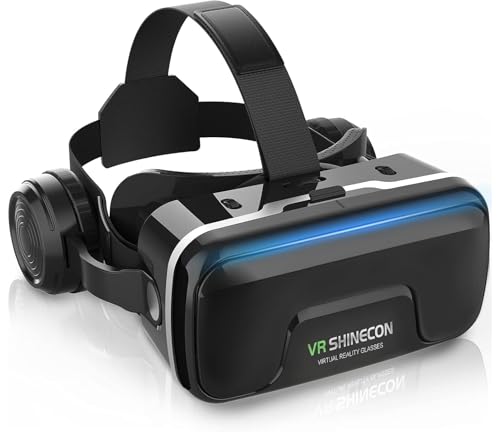
COCERKET VR Headset with Built-in Headphones, 120° FOV Aspheric Lenses for 4.7-7" Smartphones, 3D VR Glasses Adjustable Focus/IPD, Compatible iPhone Android
- Latest Comfortable Design: Enhanced comfort and focus accuracy
- Cost-effective for Beginners: Affordable VR headset compatible with many models
- Universal Smartphone Compatibility: Fits 4.7 to 7.2-inch screens
As an affiliate, we earn on qualifying purchases.
How VR Affects Focus and Eye Strain

When you use virtual reality, your eyes are forced to focus on screens that are very close to your face, which can lead to increased eye strain. Your eyes work harder to maintain clarity and focus on the virtual environment, especially during prolonged sessions. This constant effort can cause discomfort, headaches, and blurred vision. VR devices often require your eyes to switch focus between different depths quickly, which can tire your eye muscles. Over time, this strain might contribute to temporary visual fatigue or discomfort. While your eyes are adapting to the virtual environment, they don’t get the same rest they normally would during regular viewing. This continuous focusing effort can make your eyes feel tired and sensitive after extended VR use. Additionally, visual fatigue can be exacerbated by insufficient blinking during immersive experiences, leading to dryness and irritation. Prolonged use without breaks can also increase the risk of developing digital eye strain, which affects many users of digital screens. Maintaining proper eye rest techniques and taking regular breaks can help mitigate some of these issues.

HTC Vive Focus Vision — Mixed Reality and PC VR Headset + Controllers — Consumer Edition
- All-In-One VR Solution: Standalone and PC VR experiences
- High-Resolution Displays: Immersive visual quality
- Versatile Tracking Features: Precise motion tracking
As an affiliate, we earn on qualifying purchases.
The Role of Screen Distance and Lighting

The distance between your eyes and the VR screen, along with the quality of ambient lighting, plays a crucial role in minimizing eye strain. If the screen is too close, your eyes work harder to focus, increasing fatigue over time. Maintaining a comfortable distance helps reduce this effort and supports natural eye movement. Additionally, proper ambient lighting prevents your eyes from constantly adjusting between bright and dark areas, which can cause discomfort. Avoid overly bright or dim environments while using VR; moderate, soft lighting is ideal. Adjusting the brightness and contrast settings on your device can also lessen eye fatigue. Ensuring these factors are optimized helps protect your eyes during extended VR sessions and promotes a more comfortable experience. Proper lighting conditions are essential for maintaining eye comfort and reducing strain during prolonged use. Incorporating practices like appropriate screen distance and managing ambient lighting effectively can further enhance comfort and safeguard eye health. Maintaining a consistent ambient lighting level can also help prevent unnecessary eye strain caused by fluctuating light conditions. Using ambient lighting that minimizes glare and reflections can further support eye comfort during VR use. Moreover, choosing lighting with the right color temperature can reduce visual stress and improve overall viewing comfort.
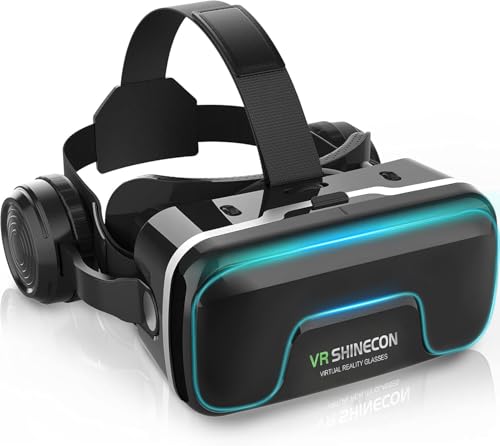
CoCerKet VR Headset with Built-in Headphones, 120° FOV & Aspherical Lenses for Smartphones - Immersive 3D Movies and Gaming Glasses
- Latest Comfortable VR Design: Enhanced comfort and focus accuracy
- Universal Smartphone Compatibility: Fits 4.7 to 7.2 inch screens
- High-Quality Built-in Headphones: Immersive stereo sound with adjustable angle
As an affiliate, we earn on qualifying purchases.
Short-Term vs. Long-Term Visual Effects
While short-term visual discomfort from VR use is common, it’s important to understand how these effects differ from potential long-term consequences. In the short term, you might experience eye strain, headaches, blurred vision, or dryness after a VR session. These symptoms usually resolve quickly with rest and proper breaks. Long-term effects, however, are less clear and could involve more persistent issues like changes in eye focusing ability or increased risk of myopia if VR is used excessively over years. Unlike the temporary discomfort, these potential long-term effects may develop gradually and aren’t guaranteed. It’s essential to monitor your eyes’ response to prolonged use and give your eyes regular breaks to minimize both short-term discomfort and any possible long-term impacts. Additionally, understanding projector technology can help you optimize your visual experience and reduce eye strain during extended use. Being aware of visual ergonomics can further help you set up your VR environment to lessen eye fatigue and promote healthier viewing habits. Properly adjusting display settings can also significantly impact your eye comfort during VR sessions, especially when combined with proper lighting to reduce glare and reflections. Incorporating eye exercises into your routine may also support overall eye health and resilience against strain.
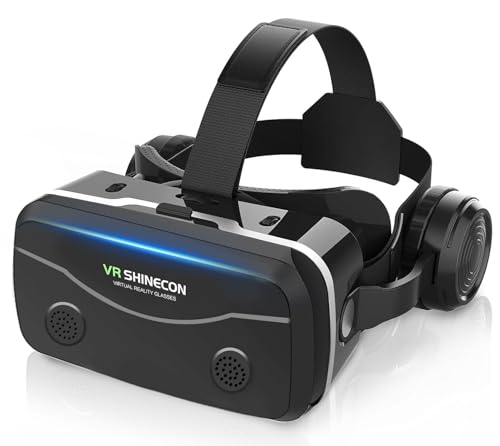
COCERKET Smartphone VR Headset with Built‑in Headphones, Immersive 3D for 4.7-7.2" iPhone/Android, HD Aspheric Lenses, Adjustable Focus & Pupil Distance, Advanced Heat Dissipation for Comfort
- Latest Comfortable Design: Enhanced comfort and focus accuracy
- Universal Smartphone Compatibility: Fits 4.7-7.2 inch smartphones
- Built-in High-Quality Headphones: Stereo sound with 42mm drivers
As an affiliate, we earn on qualifying purchases.
Current Scientific Findings and Limitations
Recent scientific studies have begun to explore how VR use impacts eye health, but findings remain mixed due to methodological limitations. Some research suggests that prolonged VR exposure may cause eye strain, discomfort, or temporary vision issues, while others find minimal effects. However, many studies face challenges like small sample sizes, short durations, and lack of standardized testing protocols. Variability in VR hardware and user behaviors also complicate results. Additionally, most research focuses on short-term effects, leaving long-term impacts largely unknown. While current evidence hints at possible risks, it’s insufficient to draw definitive conclusions. You should interpret these findings cautiously, recognizing that ongoing research is needed to better understand how VR use affects your eyes over time. Moreover, the diverse hardware configurations used in VR devices can influence user experience and potential eye strain. The technological evolution of VR equipment may also alter the nature and degree of these effects as new features are introduced. Future studies incorporating standardized testing methods and larger sample sizes are essential to clarify these uncertainties.
Practical Tips for Safe VR Usage

To protect your eyes during VR sessions, make sure you take breaks regularly to reduce strain. Adjust the headset for a comfortable fit so it doesn’t put unnecessary pressure on your face and eyes. Also, keep your sessions brief and avoid prolonged use to prevent discomfort and potential eye health issues. Incorporating proper usage techniques can further help in minimizing eye fatigue and enhancing your overall VR experience. Additionally, being mindful of vintage-inspired design elements can create a more immersive and comfortable environment while using VR devices. Implementing home backup power tips can ensure your VR setup remains functional during outages, allowing you to enjoy your sessions without interruptions. Being aware of environmental factors can also contribute to more comfortable and safer VR use.
Take Breaks Regularly
Taking regular breaks is essential to prevent eye strain and fatigue during VR sessions. When you use VR headsets for extended periods, your eyes work harder to focus on virtual images, which can cause discomfort or headaches. To reduce this risk, follow the 20-20-20 rule: every 20 minutes, take a 20-second break and look at something 20 feet away. During breaks, remove the headset, blink often, and relax your eye muscles. These pauses help reset your eyes and prevent overexertion. Remember, consistent breaks also improve overall comfort and immersion, making your VR experiences more enjoyable. Additionally, being aware of Free Floating can help you understand how your eyes are affected during prolonged VR use. By staying mindful of your eye health and taking regular pauses, you can enjoy VR safely without risking unnecessary strain. Incorporating proper lighting in your environment can also help reduce eye fatigue during extended VR sessions.
Adjust Fit Properly
Ensuring your VR headset fits properly is essential for both comfort and safety. If it’s too tight, it may cause pressure around your eyes and head, leading to discomfort or headaches. If it’s too loose, the image may become blurry or cause eye strain because the lenses aren’t aligned correctly with your eyes. Adjust the straps so the headset sits snugly but comfortably on your face, with minimal movement. Make sure the lenses are aligned with your eyes and that you can see a clear, focused image without excessive effort. Proper fit also helps reduce eye fatigue and prevents unnecessary strain. Take a moment to fine-tune the fit before starting your session, ensuring comfort and maximum visual clarity.
Limit Session Duration
Limiting your VR session duration is crucial for protecting your eye health. Extended use can cause eye strain, fatigue, and discomfort. To minimize risks, set clear time limits for each session. Take regular breaks to rest your eyes and gaze at distant objects. Be mindful of how your eyes feel—if you notice soreness or blurred vision, end your session early. Consider the following tips:
- Use a timer to track session length
- Take a 10-15 minute break every 30 minutes
- Avoid continuous VR use for more than an hour
- Switch to a different activity during breaks
- Listen to your body and stop if you feel discomfort
- Adjust your headset properly to reduce strain and ensure comfort
These practices help prevent strain and keep your eyes comfortable during VR adventures.
Unanswered Questions and Future Research Directions
Despite the growing use of VR technology, many questions about its long-term effects on eye health remain unanswered. Researchers need to explore how prolonged exposure impacts vision, eye strain, and development, especially in children. Future studies might examine variables like display distance, session length, and visual fatigue. You can imagine a future where these questions are mapped out in a table:
| Aspect | Current Knowledge | Future Research Focus |
|---|---|---|
| Eye Strain | Short-term effects known | Long-term impacts |
| Visual Development | Limited data in children | Developmental risks |
| Focusing Mechanisms | Basic understanding | Adaptive responses |
| Structural Changes | Lacking evidence | Potential tissue effects |
| User Variability | Individual differences unclear | Personalized guidelines |
These gaps motivate targeted research to guarantee safe VR use for everyone. Understanding eye physiology remains crucial for developing comprehensive safety standards.
Frequently Asked Questions
Can VR Cause Permanent Damage to My Eyesight?
VR generally won’t cause permanent damage to your eyesight, but it can lead to temporary discomfort like eye strain or headaches if you use it excessively or improperly. Your eyes work hard to focus on virtual images, which might cause fatigue. To protect your vision, take regular breaks, adjust the headset properly, and limit prolonged use. If you experience persistent issues, consult an eye care professional.
How Does VR Impact Children’s Developing Eyesight?
You should be cautious about VR use for children’s developing eyesight. It can cause eye strain, discomfort, and potentially affect vision development if used excessively or improperly. Kids’ eyes are still maturing, so prolonged exposure might lead to focusing issues or digital eye strain. Encourage regular breaks, limit screen time, and supervise their usage to help protect their eyesight while enjoying VR experiences.
Are Certain Eye Conditions Worsened by VR Use?
They say “prevention is better than cure,” and certain eye conditions can worsen with VR use. If you have existing issues like astigmatism or dry eyes, prolonged VR sessions might intensify discomfort or strain. Always listen to your body, take regular breaks, and consult an eye care professional if you notice worsening symptoms. Staying cautious helps protect your vision while enjoying immersive experiences.
What Are the Long-Term Effects of Frequent VR Exposure?
Frequent VR exposure may cause eye strain, headaches, and discomfort over time. Your eyes might become fatigued from prolonged focusing on near objects and limited blinking, which can lead to dryness. While research is ongoing, some users report persistent visual discomfort after extended use. To minimize risks, take regular breaks, adjust headset settings, and listen to your body’s signals. Long-term effects remain unclear, so moderation is key.
Does VR Use Increase the Risk of Developing Myopia?
Research suggests VR use might slightly increase your risk of developing myopia, especially if you spend over two hours daily immersed. A recent study found that prolonged close-up focus can accelerate eye elongation, leading to nearsightedness. While VR isn’t definitively proven to cause myopia, limiting continuous use and taking regular breaks can help protect your eye health. Stay mindful of your screen time to keep your vision clear.
Conclusion
As you plunge into the virtual world, remember it’s a delicate dance between wonder and weariness. While current research offers glimpses, the full story remains hidden in shadows, like a mystery waiting to unfold. With mindful pauses and proper lighting, you can navigate this digital landscape safely. Think of VR as a mesmerizing river—enjoy the flow, but don’t forget to step back and catch your breath. Your eyes will thank you for it.