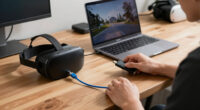
XREAL 1S is my best overall pick among AR smart glasses with displays, thanks to its X1 chip and native 3DoF for a more spatial viewing experience. For a larger-feeling virtual screen, the RayNeo GT stands out with its advertised 201-inch display, while the VITURE Luma Ultra brings 6DoF positioning and high brightness for buyers seeking more advanced AR. The main tradeoffs are display size and spatial features versus comfort, device compatibility, and whether you need glasses for viewing media or for AI-assisted tasks. Screen specs alone do not tell you how well a pair will fit your face or work with your devices. Read on for my comparison, buying advice, and recommendations by use case.

Play games on Amazon Luna for your next adventure, included with Prime
- A rotating selection of games, no download needed
- Play on TV, laptop or phone
- Fast, free delivery for your gear, too
Key Takeaways
- XREAL 1S ranks first because it pairs a dedicated X1 chip with native 3DoF, balancing spatial viewing features with a straightforward glasses-first use case.
- Field of view and virtual screen claims vary: RayNeo GT advertises a 201-inch virtual display, while VITURE Beast lists a 58° field of view; these figures describe different aspects of the viewing experience and are not direct substitutes.
- Spatial capability is a major dividing line: VITURE Luma Ultra offers 6DoF, while several other display-focused picks emphasize 3DoF or large virtual screens instead.
- Prescription support can shape the shortlist: VITURE Luma lists -6.0D adjustment and VITURE Pro 2 lists -5.00D, but buyers should check their own prescription and the maker’s fit guidance before choosing.
- Not every product here is a display-first headset: INMO GO3, TOZO AIVU, and the translation-and-teleprompter glasses focus on AI and information overlays, so their role differs from media-centered models such as VITURE Beast or RayNeo Air 4 Pro.
| XREAL 1S AR Glasses with X1 Chip and Native 3DoF |  | Best Overall for Spatial Viewing | Display: OLED | Maximum resolution: 1920 × 1200 | Refresh rate: Up to 120Hz | VIEW LATEST PRICE | See Our Full Breakdown |
| XREAL a01+ AR Glasses with 147-Inch Virtual Display |  | Best for Beginners | Display type: Micro-OLED | Resolution: 1920 × 1080 per eye | Display size: 147 inches | VIEW LATEST PRICE | See Our Full Breakdown |
| RayNeo GT AR/XR Glasses with 201-Inch Virtual Display and Native 3DoF |  | Best for Large, Smooth Spatial Viewing | Display: Tandem MicroOLED | Virtual screen size: 201 inches | Refresh rate: Up to 120Hz | VIEW LATEST PRICE | See Our Full Breakdown |
| VITURE Luma XR/AR Glasses with -6.0D Myopia Adjustment |  | Best for Nearsighted Buyers | Display resolution: 1200p | Virtual screen size: 146 inches | Field of view: 50 degrees | VIEW LATEST PRICE | See Our Full Breakdown |
| VITURE Pro 2 XR Glasses with -5.00D Myopia Adjustment and 120Hz Display |  | Best for Adjustable Fit and Optics | Display: Sony Micro-OLED | Resolution: 1080p | Display size: 146 inches | VIEW LATEST PRICE | See Our Full Breakdown |
| VITURE Beast XR Glasses, 1200p Micro-OLED, 58° FOV |  | Best for Adjustable Screen Positioning | Display: Sony Micro-OLED | Resolution: 1200p per eye | Field of view: 58° | VIEW LATEST PRICE | See Our Full Breakdown |
| AR Smart Glasses with Translation, Teleprompter, and Voice Assistant |  | Best for Prompts and Translation | Display: 1.5-inch AMOLED | Weight: 40 g | Battery capacity: 183 mAh | VIEW LATEST PRICE | See Our Full Breakdown |
| VITURE Luma Ultra XR Glasses 152″ 1500 Nits 6DoF AR Glasses |  | Best for Full 6DoF XR | Virtual screen: 152 inches | Display resolution: 1200p | Brightness: Up to 1500 nits | VIEW LATEST PRICE | See Our Full Breakdown |
| Rokid AR Spatial Video Glasses – Max2 Black & Station2 Spatial Computer |  | Best for Standalone Multitasking | Display: Micro-OLED, 1920 × 1200 | Refresh rate: 120 Hz | Maximum brightness: 600 nits | VIEW LATEST PRICE | See Our Full Breakdown |
| RayNeo GT Max AR/XR Glasses with 59° Field of View and Native 3DoF |  | Best for a Wide Virtual Screen | Display type: MicroOLED | Field of view: 59° | Refresh rate: 120 Hz | VIEW LATEST PRICE | See Our Full Breakdown |
| INMO GO3 Smart Glasses with AI Translation and Teleprompter |  | Best for Multilingual Communication | Display: Dual-eye monochrome LED | Maximum display brightness: 1500 nit | Translation languages: 98 | VIEW LATEST PRICE | See Our Full Breakdown |
| TOZO AIVU AI Glasses with Object Recognition and Teleprompter |  | Best for Lightweight Everyday Assistance | Weight: 45 g | Display screen size: 0.6 in | Battery life: 10+ hours of typical use | VIEW LATEST PRICE | See Our Full Breakdown |
| RayNeo Air 4 Pro AR/XR Glasses |  | Best for Entertainment and Gaming | Virtual display size: 201 inches | Display: HDR10 | Refresh rate: 120 Hz | VIEW LATEST PRICE | See Our Full Breakdown |
| AR smart glasses with display | Refresh rate | Connectivity | Weight | Display |
|---|---|---|---|---|
| XREAL 1S AR Glasses with X1 Ch | Up to 120Hz | USB-C DP | — | OLED |
| XREAL a01+ AR Glasses with 147 | — | USB-C DisplayPort | 62 g | — |
| RayNeo GT AR/XR Glasses with 2 | Up to 120Hz | USB Type-C | 68 g | Tandem MicroOLED |
| VITURE Luma XR/AR Glasses with | 120Hz | USB-C | 2.72 ounces | — |
| VITURE Pro 2 XR Glasses with – | 120Hz | USB-C video output | 63 g | Sony Micro-OLED |
| VITURE Beast XR Glasses | 120 Hz | — | 88 g | Sony Micro-OLED |
| AR Smart Glasses with Translat | — | Bluetooth; online, weak-signal, and offline modes | 40 g | 1.5-inch AMOLED |
| VITURE Luma Ultra XR Glasses 1 | 120 Hz | — | — | — |
| Rokid AR Spatial Video Glasses | 120 Hz | — | — | Micro-OLED, 1920 × 1200 |
| RayNeo GT Max AR/XR Glasses wi | 120 Hz | USB Type-C | — | — |
| INMO GO3 Smart Glasses with AI | — | — | 53 g | Dual-eye monochrome LED |
| TOZO AIVU AI Glasses with Obje | — | Bluetooth | 45 g | — |
| RayNeo Air 4 Pro AR/XR Glasses | 120 Hz | USB Type-C | 2.72 ounces | HDR10 |
More Details on Our Top Picks
XREAL 1S AR Glasses with X1 Chip and Native 3DoF
The XREAL 1S is the most versatile pick here for buyers who want a display that can do more than follow their gaze. Its native 3DoF tracking supports anchored, ultrawide, and side-view modes, while the X1 chip handles on-glasses 3D conversion. That gives it a broader spatial toolkit than the simpler stabilized screen on the XREAL a01+. The 120Hz OLED refresh rate also suits fast games and scrolling, and adjustable viewing controls help tailor the image. The tradeoff is setup: plug-and-play use depends on a device with USB-C DisplayPort, and full 6DoF anchoring needs the separate XREAL Eye accessory. I’d choose it for flexible spatial viewing, not for buyers seeking a self-contained headset or the easiest compatibility.
Pros:- Native 3DoF enables anchored, ultrawide, and side-view screen modes
- Up to 120Hz OLED refresh rate supports smoother gaming and motion
- On-glasses controls and X1 chip add display adjustment and 3D conversion
- Bose-tuned open-ear audio avoids requiring earbuds
Cons:- Plug-and-play use requires a compatible USB-C DisplayPort device
- 6DoF anchoring requires the separately mentioned XREAL Eye accessory
Best for: USB-C DisplayPort device owners who want native 3DoF modes for gaming, video, and spatial screen layouts
Not ideal for: Buyers whose devices lack USB-C DisplayPort or who expect 6DoF anchoring without an additional accessory
- Display:OLED
- Maximum resolution:1920 × 1200
- Refresh rate:Up to 120Hz
- Field of view:52 degrees
- Virtual screen size:Up to 500 inches
- Connectivity:USB-C DP
- Spatial viewing:Native 3DoF; 6DoF anchoring available with XREAL Eye
- Audio:Bose-tuned open-ear audio
Our verdict“Choose the XREAL 1S if you want the most varied built-in spatial viewing modes and can meet its USB-C and accessory requirements.”
XREAL a01+ AR Glasses with 147-Inch Virtual Display
The XREAL a01+ keeps the display-glasses experience straightforward: connect a compatible USB-C DisplayPort device and watch a stabilized 147-inch screen that stays centered as you move your head. Its dual 1080p-per-eye Micro-OLED panels, HDR10, and stated brightness up to 1600 nits make it a clear choice for personal viewing without the extra spatial modes found on the XREAL 1S. At 62 g, with flexible temples and three nose-pad sizes, it also offers practical fit adjustments. That simplicity has limits: it lacks the 1S’s native 3DoF options, and some devices—including Nintendo Switch and older Lightning iPhones—need an adapter. Prescription inserts are sold separately, too. I’d pick it for a first pair of display glasses, not for buyers focused on spatial anchoring or broad out-of-box compatibility.
Pros:- Stabilized virtual display stays centered while the wearer looks around
- Dual 1080p-per-eye Micro-OLED panels support HDR10
- 62 g frame includes flexible temples and three nose-pad sizes
- Built-in directional speakers offer four audio modes
Cons:- Lacks the native 3DoF viewing modes offered by the XREAL 1S
- Some devices require an adapter, and prescription inserts are sold separately
- Not water resistant
Best for: First-time display-glasses buyers who want a centered personal screen for a compatible USB-C DisplayPort phone, tablet, or computer
Not ideal for: Spatial-computing users who want native 3DoF modes, or owners of devices that need an adapter and want a direct connection
- Display type:Micro-OLED
- Resolution:1920 × 1080 per eye
- Display size:147 inches
- Maximum brightness:Up to 1600 nits
- Connectivity:USB-C DisplayPort
- Weight:62 g
- Audio:Built-in directional speakers
- Water resistance:Not water resistant
Our verdict“Choose the XREAL a01+ for a simple, centered viewing screen if your device connects directly and you do not need advanced spatial modes.”
RayNeo GT AR/XR Glasses with 201-Inch Virtual Display and Native 3DoF
The RayNeo GT pairs a large claimed 201-inch virtual screen with native 3DoF, making it a strong match for viewers who want a screen that can stay steady, follow, or pin into place. Its 120Hz Tandem MicroOLED display and stated 1200-nit perceived brightness are geared toward smooth, vivid viewing; the XREAL a01+ offers a simpler stabilized screen but no comparable native 3DoF modes in its listed features. Bang & Olufsen-tuned spatial audio is another distinction for buyers who prefer not to wear earbuds. The compromises are device and feature dependencies: compatible USB-C video output is needed, and Dolby Vision works only with the RayNeo Pocket TV Pro. I’d favor the GT for spatial video and gaming, while buyers seeking the wider mode variety and on-device 3D conversion of the XREAL 1S should compare that model closely.
Pros:- Native 3DoF supports Steady, Pinned, and Follow screen modes
- Tandem MicroOLED display refreshes at up to 120Hz
- Bang & Olufsen-tuned quad speakers provide spatial audio
- Wide stated color gamut supports vivid image presentation
Cons:- Devices without USB-C DisplayPort output may require an adapter
- Dolby Vision requires pairing with the RayNeo Pocket TV Pro
Best for: Viewers and handheld gamers who want native 3DoF screen modes, a high-refresh display, and built-in spatial audio
Not ideal for: Buyers without USB-C video output or those who expect Dolby Vision without the RayNeo Pocket TV Pro
- Display:Tandem MicroOLED
- Virtual screen size:201 inches
- Refresh rate:Up to 120Hz
- Spatial tracking:Native 3DoF
- Perceived brightness:Up to 1200 nits
- Color gamut:145% sRGB, 98% DCI-P3
- Connectivity:USB Type-C
- Weight:68 g
- Dolby Vision:Supported when paired with RayNeo Pocket TV Pro
Our verdict“Choose the RayNeo GT for a large, high-refresh spatial screen with native 3DoF, provided your source device and Dolby Vision expectations match its requirements.”
VITURE Luma XR/AR Glasses with -6.0D Myopia Adjustment
The VITURE Luma stands apart for its built-in myopia adjustment up to -6.0D, which can spare many nearsighted buyers the extra step of ordering prescription inserts. Its 1200p image, 120Hz refresh rate, and 50-degree field of view make it a capable display for games, movies, and work screens. Compared with the XREAL a01+, the Luma’s standout benefit is its adjustable optics rather than HDR10 or a stabilized 147-inch screen. USB-C offers a direct connection to compatible devices, and the listed IPD range is broader than some options here. However, this is still a display-glasses product, not a water-resistant device; prescription needs beyond its adjustment range or astigmatism may call for additional magnetic lenses. Multi-screen productivity also depends on the separate SpaceWalker app.
Pros:- Built-in myopia adjustment reaches -6.0D
- 1200p display with a 120Hz refresh rate
- USB-C connection supports compatible phones, laptops, and consoles
- 50-degree field of view and 56–72 mm IPD range
Cons:- Stronger prescriptions or astigmatism may require additional magnetic lenses
- Multi-screen productivity features require the separate SpaceWalker app
- Not water resistant
Best for: Nearsighted phone, laptop, and gaming-device users with prescriptions within the built-in -6.0D adjustment range
Not ideal for: People with stronger prescriptions or astigmatism who want correction without extra lenses, or users needing water resistance
- Display resolution:1200p
- Virtual screen size:146 inches
- Field of view:50 degrees
- Brightness:1000 nits
- Refresh rate:120Hz
- Myopia adjustment:Up to -6.0D
- IPD range:56–72 mm
- Connectivity:USB-C
- Weight:2.72 ounces
Our verdict“Choose the VITURE Luma if its built-in myopia range matches your prescription and you want a sharp, high-refresh display without prescription inserts.”
VITURE Pro 2 XR Glasses with -5.00D Myopia Adjustment and 120Hz Display
The VITURE Pro 2 brings together Sony Micro-OLED panels, a 1080p virtual display, and independently adjustable myopia correction for each eye. That per-eye control makes it a more tailored fit for users whose eyes need different correction, while seven included nose-pad sizes offer more fit options than the three supplied with the XREAL a01+. Its 120Hz refresh rate suits gaming and fast-moving video, and compatible software can add virtual screens and 2D-to-3D conversion. The listed myopia adjustment tops out at -5.00D, below the VITURE Luma’s -6.0D range, so stronger prescriptions may favor the Luma. The Pro 2 also needs USB-C video output, with separately sold accessories for some setups, and it may feel warm during use. This is a fit-and-adjustability pick, not a universal source-device solution.
Pros:- Independent myopia adjustment from 0 to -5.00D per eye
- Seven nose-pad sizes help tailor the fit
- Sony Micro-OLED panels with 1080p resolution and 120Hz refresh
- Compatible software adds virtual screens and 2D-to-3D conversion
Cons:- Some consoles, HDMI devices, and other setups require separately sold accessories
- May feel warm during use
- Myopia adjustment reaches -5.00D, less than the VITURE Luma’s -6.0D range
Best for: USB-C video-device owners who want per-eye myopia adjustment and multiple fit options for extended viewing
Not ideal for: People needing more than -5.00D of correction or buyers whose console or source device requires an adapter they do not want to purchase separately
- Display:Sony Micro-OLED
- Resolution:1080p
- Display size:146 inches
- Refresh rate:120Hz
- Peak brightness:1600 nits
- Field of view:50 degrees
- Myopia adjustment:0 to -5.00D, independently adjustable per eye
- Weight:63 g
- Connectivity:USB-C video output
Our verdict“Choose the VITURE Pro 2 if per-eye optical adjustment and flexible fit matter more than a higher myopia range or direct compatibility with every device.”
VITURE Beast XR Glasses, 1200p Micro-OLED, 58° FOV
The VITURE Beast is a strong fit for people who want a crisp personal display with more control over where it sits. Its 1200p-per-eye Micro-OLED panels and 120 Hz refresh rate suit both films and fast-moving games, while built-in 3DoF tracking and positioning modes let you pin or reposition the virtual screen instead of simply following a fixed view. Compared with the RayNeo GT Max, it offers a slightly narrower 58° field of view, but pairs its display with adjustable arms, interchangeable nose pads, and prescription-ready support. The tradeoff is that multi-screen features and 2D-to-3D conversion rely on compatible software, and the advertised 174-inch screen is a virtual image, not a physical display. I’d choose it for flexible viewing, not standalone AR computing.
Pros:- 1200p-per-eye Micro-OLED display with a 120 Hz refresh rate
- Built-in 3DoF tracking and multiple screen-positioning modes
- Adjustable arms, interchangeable nose pads, and prescription-ready support
- Lightweight metal frame with HARMAN-tuned audio
Cons:- Multi-screen use and 2D-to-3D conversion depend on compatible software
- The 174-inch figure describes a virtual screen, not a physical display
Best for: Viewers who want a high-resolution, positionable screen for compatible phones, computers, or gaming devices, with fit adjustments for longer sessions.
Not ideal for: Buyers seeking standalone apps or effortless multi-screen use without installing compatible software.
- Display:Sony Micro-OLED
- Resolution:1200p per eye
- Field of view:58°
- Refresh rate:120 Hz
- Peak brightness:1250 nits
- Tracking:Built-in 3DoF
- Weight:88 g
- Compatibility:SpaceWalker for iOS, Android, macOS, and Windows
Our verdict“Choose the VITURE Beast if you want sharp, repositionable viewing and fit adjustments matter more than standalone features.”
AR Smart Glasses with Translation, Teleprompter, and Voice Assistant
Unlike the VITURE Beast, which is built around a large entertainment screen, these glasses put short text in your line of sight: translations, teleprompter scripts, notifications, and navigation cues. That makes them a more practical match for speaking, travel, or quick phone-assisted tasks than for watching films or playing games. They combine a 1.5-inch AMOLED display with voice control, GPS, open-ear speakers, and online, weak-signal, and offline modes. At 40 g, the frame is lighter than the Beast, but the average battery life is only 2.5 hours, which limits use on long outings. Connected features also depend on a compatible phone and the INMO Go app. I’d favor this specialized prompt display when discreet information matters more than a wide virtual screen.
Pros:- Displays translations, teleprompter scripts, and prompts in the user’s line of sight
- Voice control and built-in GPS support hands-free tasks
- Online, weak-signal, and offline modes offer flexibility
- 40 g frame with open-ear speakers
Cons:- Average battery life is 2.5 hours
- Connected features require a compatible phone and the INMO Go app
Best for: Presenters, language learners, and travelers who need brief scripts, translations, or navigation cues visible without checking a phone.
Not ideal for: Buyers who want an immersive cinema-sized display, extended battery life, or a device that works independently of a phone.
- Display:1.5-inch AMOLED
- Weight:40 g
- Battery capacity:183 mAh
- Average battery life:2.5 hours
- Connectivity:Bluetooth; online, weak-signal, and offline modes
- Navigation:Built-in GPS
- Compatibility:Android Wear 8.1; iOS 10 and above
- App:INMO Go
Our verdict“Pick these glasses for short, glanceable prompts and translations rather than immersive video or gaming.”
VITURE Luma Ultra XR Glasses 152″ 1500 Nits 6DoF AR Glasses
The VITURE Luma Ultra takes spatial interaction further than the Beast: its 6DoF tracking and hand-gesture control can support movement through a virtual space, but those features require the Pro Neckband. Its 1200p Sony Micro-OLED display reaches 1500 nits and refreshes at 120 Hz, making it the brighter choice on paper compared with the Beast’s 1250-nit peak. The 52° field of view is narrower, though, so buyers focused on a broad cinematic view may prefer the RayNeo GT Max at 59°. Open-ear HARMAN-tuned audio leaves ambient sound audible, and compatibility spans gaming handhelds, consoles, and select iPhones. The added accessories and limited iOS support make this a more involved setup than straightforward display glasses.
Pros:- 1200p Sony Micro-OLED display with up to 1500 nits brightness
- 120 Hz refresh rate for smooth motion
- Full 6DoF tracking and hand-gesture control with the Pro Neckband
- Open-ear HARMAN-tuned audio and support for major gaming devices
Cons:- 6DoF tracking and gesture control require the separate Pro Neckband
- Adapters may be needed, and iOS support is limited
- 52° field of view is narrower than the RayNeo GT Max’s 59°
Best for: XR enthusiasts who want spatial tracking and gesture interaction for supported games and devices, and are willing to add the Pro Neckband and adapters.
Not ideal for: Buyers who want the widest viewing angle, broad iPhone compatibility, or full tracking features without extra accessories.
- Virtual screen:152 inches
- Display resolution:1200p
- Brightness:Up to 1500 nits
- Refresh rate:120 Hz
- Field of view:52°
- Tracking:Full 6DoF with Pro Neckband
- Audio:HARMAN-tuned open-ear
- Compatibility:iPhone 15/16/17 series, Steam Deck, ROG Ally, Legion Go, Switch, and PS5/Xbox
Our verdict“Choose the Luma Ultra if spatial movement and gestures justify the added accessories and narrower field of view.”
Rokid AR Spatial Video Glasses – Max2 Black & Station2 Spatial Computer
The Rokid Max2 and Station2 bundle stands apart from the VITURE and RayNeo display glasses because it includes a spatial computer with its own operating system, memory, and storage. That makes its three-screen multitasking feature more central to the experience than on glasses primarily used as an external screen. The 1920 × 1200 Micro-OLED display runs at 120 Hz, while adjustable IPD and built-in myopia correction up to 600° give some buyers more ways to tune fit and focus than the VITURE Beast. The Station2 adds a 5000 mAh battery, but also means carrying a separate 0.31 kg device. Multi-screen Android use is limited to DLNA, and support for astigmatism is absent; some apps also do not work with every smart mode. This bundle suits app multitasking better than a minimal glasses-only setup.
Pros:- Three-screen multitasking through the Station2 spatial computer
- 1920 × 1200 Micro-OLED display with a 120 Hz refresh rate
- Adjustable IPD from 55–72 mm and myopia correction up to 600°
- Station2 includes 8 GB RAM, 128 GB storage, and a 5000 mAh battery
Cons:- Station2 adds a separate 0.31 kg device to carry
- Android multi-screen mode is limited to DLNA; Miracast and Chromecast are single-screen
- No astigmatism support, and some apps are incompatible with certain smart modes
Best for: Users who want a bundled spatial computer for app-based multitasking and need adjustable IPD or myopia correction up to 600°.
Not ideal for: Buyers who want the lightest, simplest glasses-only setup, have astigmatism, or need myopia correction beyond 600° without separate lenses.
- Display:Micro-OLED, 1920 × 1200
- Refresh rate:120 Hz
- Maximum brightness:600 nits
- Operating system:YodaOS-Master
- RAM and storage:8 GB RAM; 128 GB storage
- Station2 battery:5000 mAh
- Glasses weight:75 g
- IPD adjustment:55–72 mm
- Myopia correction:Up to 600°
Our verdict“Choose the Rokid bundle if you value built-in app multitasking and vision adjustments more than a compact glasses-only kit.”
RayNeo GT Max AR/XR Glasses with 59° Field of View and Native 3DoF
The RayNeo GT Max is the widest-view option in this group at 59°, with virtual screen settings reaching 307 inches equivalent. That gives it a broader, more cinema-like presentation than the 52° VITURE Luma Ultra, while native 3DoF tracking adds screen-positioning modes without the Ultra’s Pro Neckband requirement. Its 120 Hz MicroOLED display, selectable IPD sizes, and hybrid dimming round out a package aimed at long viewing sessions. The large screen figure is still a virtual-display estimate, not a physical panel, and the glasses need USB-C DisplayPort output; some devices may require an adapter. Dolby Vision also depends on pairing with the RayNeo Pocket TV Pro. Compared with the VITURE Beast, the GT Max emphasizes width and native tracking over adjustable arms and prescription-ready fit.
Pros:- 59° field of view and virtual screen settings up to 307 inches equivalent
- Native 3DoF tracking with Steady, Pinned, and Follow modes
- 120 Hz MicroOLED display with native 3D playback and 2D-to-3D conversion
- Selectable IPD sizes and 3840 Hz hybrid dimming
Cons:- Devices without USB-C DisplayPort output may need an adapter
- Dolby Vision requires the RayNeo Pocket TV Pro
- The 307-inch figure describes a virtual display, not a physical screen
Best for: Movie and gaming viewers who want a wide virtual display with native 3DoF tracking and have a compatible USB-C DisplayPort device.
Not ideal for: People whose devices lack USB-C DisplayPort output, or buyers who want Dolby Vision without adding the Pocket TV Pro.
- Display type:MicroOLED
- Field of view:59°
- Refresh rate:120 Hz
- Equivalent screen sizes:227, 267, and up to 307 inches
- Tracking:Native 3DoF
- Perceived brightness:Up to 1200 nits
- IPD options:S under 64 mm; M 64–67 mm; L over 67 mm
- Connectivity:USB Type-C
- Audio:Racetrack Quad-Speaker system co-tuned by Bang & Olufsen
Our verdict“Pick the RayNeo GT Max for a broad virtual viewing area and native screen positioning, provided your source device supports its connection.”
INMO GO3 Smart Glasses with AI Translation and Teleprompter
The INMO GO3 is the communication-focused pick here: its dual-eye monochrome display can show translations, captions, navigation prompts, and teleprompter text without turning the glasses into a cinema screen. Support for 98 translation languages makes it a stronger fit for multilingual conversations than the display-first RayNeo Air 4 Pro, which centers on HDR video and gaming. Two magnetic-swap batteries, rated for up to eight hours of use, offer a practical backup option when one pack runs down. The tradeoff is a 53 g frame that weighs more than TOZO AIVU’s 45 g design, and the INMO is not water resistant. Its navigation features also do not include GPS geotagging, so buyers seeking a video-first wearable or location-tagged captures should look elsewhere.
Pros:- Displays translations across 98 languages, along with captions and teleprompter text.
- Built-in HERE Maps navigation puts directions in the display.
- 8 MP camera supports POV photos, videos, and photo translation.
- Includes two magnetic-swap batteries, with up to eight hours of stated use.
Cons:- At 53 g, it is heavier than TOZO AIVU’s 45 g frame.
- Not water resistant.
- Navigation is available, but GPS geotagging is not supported.
Best for: Travelers, interpreters, and presenters who want translations, captions, directions, or prompts in their line of sight.
Not ideal for: Buyers seeking an immersive, high-refresh virtual screen for films or games, or anyone who needs water-resistant glasses or GPS-geotagged camera footage.
- Display:Dual-eye monochrome LED
- Maximum display brightness:1500 nit
- Translation languages:98
- Camera:8 MP
- Battery life:Up to 8 hours
- Batteries included:2 magnetic-swap batteries
- Weight:53 g
- Water resistance:Not water resistant
Our verdict“Choose the INMO GO3 for language support and practical in-lens prompts, not for an immersive entertainment display.”
TOZO AIVU AI Glasses with Object Recognition and Teleprompter
TOZO AIVU suits buyers who want a lighter pair for daily prompts and visual assistance rather than a large virtual screen. Its 45 g frame is lighter than the INMO GO3, while on-device object recognition is a distinctive privacy-minded feature: the product description says visual processing happens on-device, with no photos stored or uploaded. A private teleprompter, sign translation, navigation, and open-ear stereo audio add hands-free utility while leaving users more aware of surrounding sound than closed headphones would. Unlike the RayNeo Air 4 Pro, AIVU is not positioned around HDR, 120 Hz video viewing, or gaming. Its main compromise is that the listed 10+ hours are typical-use estimates, not a guaranteed runtime; open-ear speakers also offer less isolation when a quiet listening experience matters.
Pros:- On-device visual processing is specified without photos being stored or uploaded.
- At 45 g, the frame is lighter than the INMO GO3.
- Combines object recognition, sign translation, navigation, and a teleprompter.
- Open-ear stereo speakers let users hear surrounding sounds.
Cons:- Open-ear speakers provide less audio isolation than closed headphones.
- The 10+ hour battery figure is for typical use, so runtime may vary.
- Its feature set is aimed at assistance and prompts, not a large entertainment display like the RayNeo Air 4 Pro.
Best for: Commuters and mobile users who want a lightweight display for teleprompter text, sign translation, and on-device visual assistance.
Not ideal for: Movie and gaming viewers who want a large, high-refresh virtual display, or listeners who need strong audio isolation in noisy places.
- Weight:45 g
- Display screen size:0.6 in
- Battery life:10+ hours of typical use
- Lens material:Impact-resistant resin
- Audio:Open-ear stereo speakers
- Connectivity:Bluetooth
- Operating systems:Android, Windows, iOS
- Charging:Magnetic charging
Our verdict“Pick TOZO AIVU for lightweight, privacy-minded everyday prompts and visual assistance, rather than immersive screen viewing.”
RayNeo Air 4 Pro AR/XR Glasses
For buyers who define AR glasses by the screen they can watch, the RayNeo Air 4 Pro is the clearest match in this group. Its claimed 201-inch virtual display, HDR10 support, and 120 Hz refresh rate target films and games, while the Vision 4000 chip is specified to upscale SDR content. Four Bang & Olufsen-tuned speakers add spatial audio without requiring headphones. That makes it a very different choice from the INMO GO3 and TOZO AIVU, whose displays serve translations, prompts, and assistance instead of large-screen entertainment. The tradeoff is that RayNeo has no internal battery: it draws power from a connected device, so a compatible phone, computer, or gaming system is part of the setup. Its 2D-to-3D conversion is also specified for compatible iPhones, limiting that feature for other users.
Pros:- Claimed 201-inch virtual display with HDR10 support.
- 120 Hz refresh rate and Vision 4000 SDR upscaling target smoother, enhanced viewing.
- Four Bang & Olufsen-tuned speakers provide open-ear spatial audio.
- USB-C plug-and-play support covers a range of compatible phones, computers, and gaming devices.
Cons:- No internal battery; the glasses rely on a connected device for power.
- 2D-to-3D conversion is specified for compatible iPhones.
- The optional Sound Tube is sold separately.
Best for: Phone, laptop, and handheld-console users who want a high-refresh virtual screen for video and games over USB-C.
Not ideal for: Buyers who want standalone, battery-powered glasses, or who mainly need in-lens translation, object recognition, and teleprompter tools.
- Virtual display size:201 inches
- Display:HDR10
- Refresh rate:120 Hz
- Processor:Vision 4000
- Audio:Four Bang & Olufsen-tuned speakers
- Connectivity:USB Type-C
- Compatible devices:iPhone 15/16/17, Android devices, MacBook, iPad, Steam Deck, PS5, Switch 2
- Weight:2.72 ounces
- Power:No internal battery
Our verdict“Choose the RayNeo Air 4 Pro for device-powered virtual-screen entertainment, but choose INMO GO3 or TOZO AIVU for practical daily prompts and translation.”

How We Picked
I ranked these options by how well their stated features serve someone specifically seeking AR glasses with a visible display. I gave more weight to screen-related capabilities, spatial tracking, field of view, and display resolution or refresh-rate claims than to AI functions that do not make the viewing experience better. I also considered practical buyer questions: whether prescription adjustment is listed, whether a model appears aimed at media viewing or hands-free prompts, and how much setup or companion hardware its intended use may involve.
The ranking reflects distinct use cases rather than treating every spec as interchangeable. XREAL 1S leads for its mix of a dedicated chip and native 3DoF; models with 6DoF, higher refresh rates, large virtual-screen claims, or broader viewing angles earn attention for more specialized needs. Products centered on translation, object recognition, or teleprompter features rank lower for this title unless their display role is clear. Manufacturer claims do not guarantee the same perceived screen size, comfort, or compatibility for every wearer, so I call out fit and device checks as part of the decision.
Factors to Consider When Choosing AR Smart Glasses With Displays
Choosing AR smart glasses with displays is less about picking the biggest advertised screen and more about matching the display to your routine. Before comparing models, decide what you want to see, where the image should stay as you move, and which devices must connect. These broader checks can prevent a feature-rich pair from becoming the wrong tool for your everyday use.
Decide Whether You Need a Screen or Spatial Anchoring
A virtual screen that follows your gaze and a screen anchored in space solve different problems. For watching a film or mirroring a device, a stable, clear image may matter more than advanced tracking. If you want windows to stay positioned around a room as you move your head, look for explicit spatial tracking support and check whether the glasses alone provide it or require an accessory. Do not assume that a large virtual-screen figure means the image stays fixed in space. Match the tracking mode to the task before paying extra for spatial features. Buyers who mainly want prompts or translation should also ask whether a small overlay is enough, rather than expecting a cinema-style display.
Treat Screen Size, Field of View, and Resolution as Separate Measures
Advertised virtual-screen size is an estimate of how large the image can appear, not a guarantee that every wearer will perceive that exact size. Field of view describes how much of your sightline the image occupies, while resolution affects visible detail. A wide field of view can make content feel more immersive, but it does not automatically make text sharper. Likewise, a high-resolution panel can look crisp while showing a comparatively narrow image. Compare like with like, and look for explanations of how each figure was measured. If you read subtitles, spreadsheets, or small interface text, clarity and edge visibility may matter more than the headline screen-size claim.
Check Compatibility Before You Buy
AR glasses can depend on the phone, computer, console, cable, or companion device that supplies video and power. A pair that suits a laptop-based setup may not work the same way with a phone, and some spatial features may depend on a separate computing accessory. Check the maker’s compatibility information for your exact device and operating system, not just a general claim that the glasses connect to USB-C. Think through where you will use them and whether you are willing to carry extra hardware. Confirm how audio is handled, too, if you plan to watch in shared spaces. Compatibility is a better reason to rule out a model than a spec-sheet advantage is to choose one.
Fit and Prescription Support Can Matter More Than a Spec Upgrade
Display alignment depends on how the glasses sit on your face, so nose fit, temple pressure, and lens positioning can affect the experience. Prescription diopter adjustment may help some nearsighted users, but it is not a universal replacement for prescription inserts or ordinary glasses. Compare the stated adjustment range with your prescription and ask whether astigmatism or other vision needs require a different solution. A model with a strong display can still be uncomfortable during a long session if the frame does not suit you. Check return terms and fit guidance before committing, especially if you cannot try the glasses in person. Treat comfort as part of display performance, not as a separate bonus.
Choose Refresh Rate and Brightness for Your Actual Setting
Higher refresh rates can make motion look smoother, which may benefit fast-moving video or interactive content, but the source device and content also need to support the mode. Brightness claims are useful only when read alongside where you plan to wear the glasses and whether the lenses manage outside light. A bright display may help in a well-lit environment, while darker surroundings can make image contrast easier to appreciate. Do not treat a single brightness figure as a promise of outdoor readability under every condition. Check whether the glasses offer a way to reduce glare or adjust perceived brightness. For mostly stationary viewing indoors, comfort and text clarity may be more useful priorities than the highest available refresh rate.
Separate Media Glasses From AI and Teleprompter Glasses
Products marketed around translation, object recognition, voice assistants, and teleprompters may display information without aiming to replace a large virtual monitor. That distinction affects what you should expect from the image area, interaction style, and software. A speaker who needs discreet script prompts may prefer a lighter, task-focused overlay; a traveler watching video may want a more immersive display and stronger device support. Ask how the information appears, how it is controlled, and whether the feature works without a network connection if that matters to you. AI features can add value, but they do not compensate for a display that is too small for your intended content. Choose by your primary task, then treat secondary features as extras.
Frequently Asked Questions
Can AR smart glasses with displays replace a portable monitor?
They can serve as a personal screen for compatible devices, but they are not a universal substitute for a physical monitor. The image may be less suitable for precise color work, shared viewing, or tasks that need a large, fixed workspace. Check whether your computer supports video output to the glasses and whether you need an adapter or companion device. Also consider how long you expect to wear them, since face fit can limit extended work sessions. For travel and private viewing, glasses can be convenient; for desk work that depends on multiple visible windows, compare them with a portable monitor before choosing.
Do I need 6DoF, or is 3DoF enough for watching video?
For ordinary video viewing, 3DoF is often enough when you mainly want the screen to respond to head movement. Six degrees of freedom adds the ability to account for movement through space, which is more relevant when you want virtual content to remain anchored as you move around. That added capability can involve extra hardware or setup, depending on the product. If your main use is films, shows, or a mirrored laptop screen, paying for 6DoF may not improve the parts you notice most. Choose it when spatial placement is central to your apps, not just because the number is higher.
Will diopter adjustment work with my prescription?
It depends on your prescription and on the specific glasses’ adjustment range. The VITURE Luma lists adjustment up to -6.0D, while the VITURE Pro 2 lists up to -5.00D, but those figures do not establish suitability for every wearer. Astigmatism, differences between eyes, and other vision needs can affect whether adjustment alone is enough. Compare your prescription with the manufacturer’s guidance, and ask an eye-care professional if the numbers are unclear. Do not assume that built-in adjustment replaces prescription inserts for everyone.
Should I choose a glasses-only model or one bundled with a companion computer?
A glasses-only setup can be simpler to carry if you already own a compatible phone, laptop, or other video source. A companion computer may add processing or spatial features, but it also means another device to charge, configure, and bring along. Check which functions work directly from the glasses and which depend on the companion unit. Think about your normal setup: a desk user may welcome a dedicated spatial system, while a traveler may prefer fewer accessories. Compare the complete workflow, not just the glasses’ feature list.
Are AI translation and teleprompter glasses a good choice for watching movies?
They may show visual information, but translation and teleprompter models are designed around short prompts and task assistance rather than an immersive viewing session. Their display area, controls, and content support may not match media-focused glasses. If movies are your priority, check for clear support for video input, a useful field of view, and compatibility with your playback device. If you mainly need translated text or script cues, a compact overlay may be more practical than a large virtual screen. Pick the category around your main activity instead of assuming that every product labeled smart glasses offers the same kind of display.
Conclusion
For most buyers seeking a balanced display-first pair, I recommend the XREAL 1S as best overall for its X1 chip and native 3DoF. The RayNeo GT is my best value-oriented pick for shoppers drawn to a large virtual-screen claim, while VITURE Luma Ultra is the best premium choice for buyers who specifically want 6DoF and its listed brightness capabilities. Beginners should start with a model whose connection path and intended use are easy to verify, rather than paying for spatial features they may not use; the XREAL 1S is a sensible starting point if it matches their devices. For prescription needs, compare the adjustment ranges on VITURE Luma and VITURE Pro 2 against your own vision requirements. If your priority is translation, teleprompter prompts, or object recognition, look to the task-focused INMO GO3, TOZO AIVU, or translation-and-teleprompter glasses instead of expecting a media headset experience.