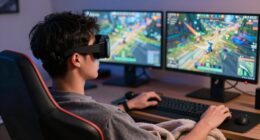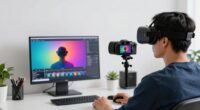
To avoid accidental rude signals in VR, practice making deliberate, controlled gestures rather than quick or jerky movements. Be mindful of your hand positions and use system calibration to improve accuracy. Pay attention to your virtual body language, and use feedback features to confirm your actions. Stay aware of cultural differences and context to prevent misunderstandings. If you keep mindful of your gestures and system cues, you’ll markedly reduce accidental signals and improve your VR experience.
Key Takeaways
- Practice deliberate, controlled gestures to reduce unintentional or ambiguous signals in VR interactions.
- Use calibration and customization features for more accurate gesture recognition tailored to your movements.
- Be aware of cultural differences in gestures to avoid accidentally offending others in multiplayer or social VR settings.
- Utilize system feedback and confirmation prompts to verify actions before executing them fully.
- Maintain awareness of your virtual body language and promptly correct or cancel unintended or potentially rude gestures.
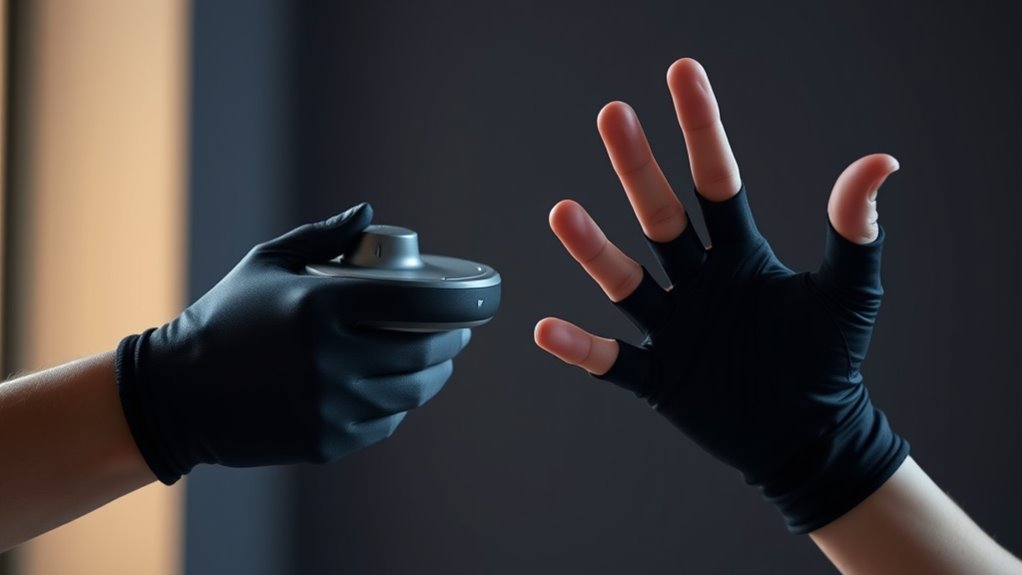
Have you ever wondered how you can interact more naturally within virtual reality environments? One of the key factors is gesture recognition, which enables you to communicate and manipulate digital objects using simple hand movements. When you master this technology, your user experience becomes more intuitive and immersive. However, as convenient as gesture-based controls are, they also come with the risk of accidental signals that could be misinterpreted or seem rude in certain contexts. Being mindful of how your gestures are recognized and ensuring they’re intentional can considerably improve your VR interactions.
Master gesture recognition for more natural, immersive, and respectful VR interactions.
In VR, your hand gestures are detected by sensors or cameras that analyze your movements in real time. These systems are designed to interpret specific gestures, such as pointing, thumbs-up, or grabbing, to trigger corresponding actions within the virtual environment. The challenge is that accidental or ambiguous gestures may be misread, leading to unintended responses. For example, a casual wave might be mistaken for a dismissive gesture, or a quick finger point could be seen as rude or aggressive, disrupting your experience or offending others if you’re in multiplayer settings. That’s why understanding how gesture recognition works and being deliberate with your movements matter so much.
To avoid accidental signals, you should focus on smooth, controlled gestures rather than quick or jerky motions. Practice slow, clear movements that clearly align with the recognized gestures in your VR system. Many headsets and controllers allow you to customize or calibrate gesture recognition settings; taking a moment to do this can improve accuracy and help you avoid misunderstandings. Additionally, being aware of cultural differences in gestures can prevent unintentional rudeness—what’s harmless in one culture might be offensive in another. Always check the context and environment before executing a gesture, especially in multiplayer or social VR applications.
Another tip is to stay aware of your surroundings and your virtual body language. If your system allows, you can often see a virtual representation of your hands or arms, which helps you gauge whether your gestures are being interpreted correctly. If you notice an unintended or potentially rude gesture being recognized, you can quickly reset or cancel the action. Some VR platforms also have simple ways to confirm or cancel commands, reducing the chance of miscommunication. Remember, the goal is to make your interactions feel natural and seamless, so taking a moment to be intentional with your gestures makes a notable difference.
Additionally, incorporating adaptive feedback into your VR setup can help you better understand how your gestures are being recognized and help you adjust accordingly. Ultimately, improving your gesture recognition skills and understanding how your movements translate into the virtual space will elevate your user experience. By being deliberate and aware of how your gestures are perceived, you can avoid accidental signals and enjoy a more fluid, respectful, and engaging VR experience.

ToF Imagers VL53L5CX 3D Room Mapping Sensors Up to 8×8 Zones Simple Installs for Gesture Recognition & Obstacle Detection
This Innovative module boasts a 64 picture Time of Flight Sensors with a wide 63° Slanting field of…
As an affiliate, we earn on qualifying purchases.
As an affiliate, we earn on qualifying purchases.
Frequently Asked Questions
How Do Different VR Platforms Interpret Hand Gestures?
Different VR platforms interpret hand gestures through their unique gesture recognition systems, which can vary considerably. You’ll find that platform differences affect how gestures are detected and understood, so a gesture on one device might not register the same way on another. To avoid accidental signals, it’s essential to learn each platform’s specific gesture set, practice precise movements, and customize settings where possible for better accuracy.
Can Accidental Gestures Cause In-Game Penalties?
Yes, accidental gestures can cause in-game penalties due to gesture recognition errors. When your hand movements are misinterpreted, you might unintentionally trigger actions that lead to penalties or warnings. To avoid this, be mindful of your gestures, practice precise movements, and understand the platform’s sensitivity settings. Staying aware of gesture recognition limits helps reduce penalty risks and keeps your gameplay smooth and enjoyable.
Are There Standardized Gestures Across VR Applications?
Did you know only about 20% of VR apps use standardized gestures? Most lack gesture consistency, making it tricky to avoid accidental signals. You often rely on user customization to tailor gestures, but this can lead to confusion across platforms. To prevent misunderstandings, familiarize yourself with each app’s specific gestures, and when possible, customize controls to suit your comfort and reduce the chance of unintentional rude signals.
How Can Users Customize or Disable Certain Gestures?
You can personalize or disable certain gestures by exploring your VR application’s settings menu. Look for options related to gesture customization or disabling gestures, which often allow you to turn off specific signals or modify their functions. This way, you avoid accidental rude signals and ensure a more comfortable experience. Be sure to check the user manual or support resources for your specific VR device for detailed instructions.
What Training Is Available to Improve Gesture Control Accuracy?
Ever wonder how to sharpen your gesture control? You can take advantage of dedicated gesture training programs that focus on accuracy improvement. Many VR platforms offer tutorials, practice modes, or calibration exercises designed to refine your movements. Consistent practice helps you become more precise and confident, reducing accidental signals. Investing time in these training options guarantees your gestures are intentional, making your VR experience smoother and more enjoyable.

WIELD VR Gun Stock for Quest 3 | 2 | 3S | Pro – with Tactical Sling – Designed for FPS Accuracy, Stability & Immersion – VR Accessory for Shooting Games – OneStock
Compatibility with Quest 3, Quest 3S, Quest 2, Quest Pro: OneStock is fully compatible with Quest 3, Quest…
As an affiliate, we earn on qualifying purchases.
As an affiliate, we earn on qualifying purchases.
Conclusion
As you navigate the digital domain, remember that your gestures are the brushstrokes painting your digital masterpiece. A careless flick or unintended gesture can turn your masterpiece into a mess, like a sailor misreading the compass. Stay mindful and deliberate with your movements, turning your virtual interactions into a symphony rather than a cacophony. With awareness, you’ll guarantee your signals are as clear as a lighthouse guiding ships safely home, avoiding awkward storms along the way.

Jadery VR Tracker Straps Palm 2 in 1(New Model for 2025), for Vive Tracker,Vive Ultimate Tracker,Tundra Tracker –vr Game Full Body Tracking Belt
Palm specific: More precise positioning and better stability. The new glove style design makes wearing more comfortable and…
As an affiliate, we earn on qualifying purchases.
As an affiliate, we earn on qualifying purchases.

Relohas Extension Grips Accessories for Oculus Quest 2, VR Game Accessories for Meta Quest 2, RGB Lightsaber for Beat Saber, Suitable for Supernatural, Blade & Sorcery, Fruit Ninja
for Oculus Quest 2 Accessories – The VR Game Controller Accessories Designed Specifically for Oculus Quest 2 Controllers,…
As an affiliate, we earn on qualifying purchases.
As an affiliate, we earn on qualifying purchases.