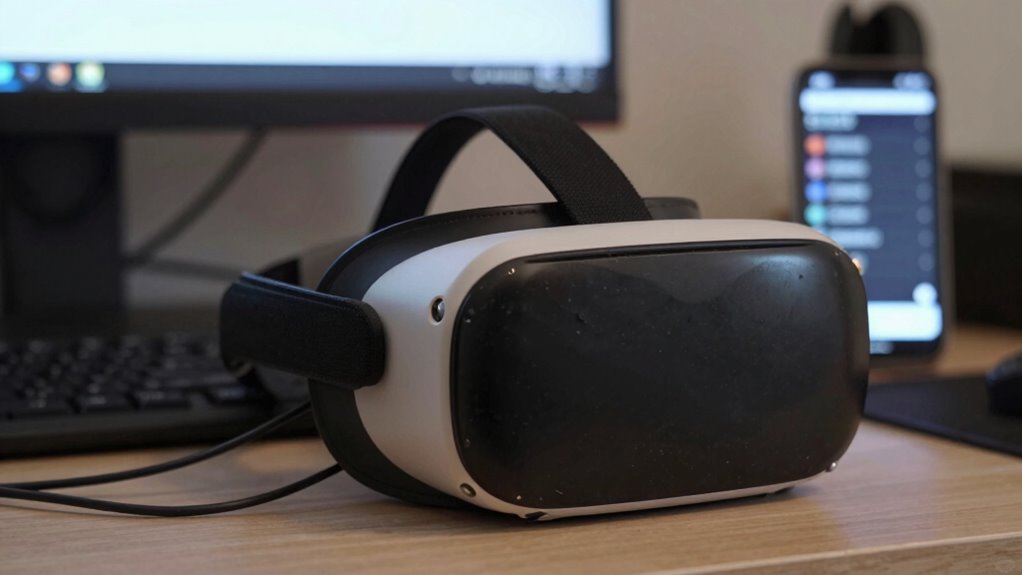

Background apps in VR quietly consume your device’s resources, draining battery life and causing performance issues like lag or stuttering. When multiple apps run in the background, they compete for processing power and memory, leading to shorter session times and potential crashes. To improve your VR experience, close unnecessary apps regularly and manage background processes through your device’s settings. Keep going to uncover simple tips that can help you minimize these hidden costs.
Key Takeaways
- Background apps drain battery and processing resources, reducing VR session duration and performance.
- They cause lag, stuttering, and crashes, negatively affecting immersion and user experience.
- Managing and closing unnecessary apps frees up system resources for smoother VR gameplay.
- Excess background activity accelerates device wear and shortens battery lifespan over time.
- Using system settings to monitor and limit background apps optimizes VR device performance and longevity.

When you run multiple background apps in VR, you might not realize the hidden costs they incur. These apps quietly consume resources, leading to increased battery drain and a noticeable performance impact. While it’s tempting to keep several apps open—perhaps for quick access or multitasking—each one continues to run in the background, steadily draining your device’s power and hogging processing capacity. This means you’ll find yourself charging your headset more often and experiencing sluggish performance during your immersive sessions.
Battery drain is one of the most immediate and tangible consequences of background apps. VR headsets rely heavily on battery power, and when multiple apps are active behind the scenes, they collectively draw more energy. This quickened drain cuts your VR sessions short and forces you to recharge more frequently, interrupting your experience. Not only is this inconvenient, but it also accelerates wear on your device’s battery over time, potentially reducing its lifespan. If you’re on the go or don’t have easy access to charging, these hidden app processes can considerably limit how long you can enjoy your VR without interruption.
Beyond draining your battery, background apps also impact performance. Your VR experience depends on smooth, responsive visuals and sound, which require the headset’s processor and RAM to work efficiently. When multiple apps are running, they compete for these limited resources. This can lead to lag, stuttering, or even crashes, especially if your device isn’t designed to handle multitasking at that level. The performance impact not only diminishes immersion but can also cause frustration, making your VR experience far less enjoyable. In some cases, it might even cause motion sickness or disorientation if visuals become choppy.
Many VR users overlook the importance of managing background apps, assuming they don’t affect the overall experience. However, taking a moment to close unnecessary apps can notably improve battery life and performance. Most VR platforms allow you to view and close background processes easily through system settings or multitasking menus. Doing so reduces unnecessary power consumption and frees up processing power, resulting in longer battery life and smoother performance. It’s a simple step that can make a perceptible difference during your VR sessions. Additionally, understanding the role of hardware technology in your device can help you optimize its performance and longevity.
Frequently Asked Questions
Can Background Apps Affect VR Headset Hardware Longevity?
Yes, background apps can affect your VR headset’s hardware longevity. They increase hardware wear by running unnecessary processes, which can lead to overheating risks. Over time, this excess strain may degrade components faster, reducing the device’s lifespan. To protect your investment, make sure to close unused apps and keep your headset well-ventilated, minimizing overheating and hardware wear, so your VR experience stays smooth and durable.
Do Background Apps Impact VR Content Quality or Resolution?
Sure, background apps secretly sabotage your VR experience—probably sipping virtual champagne while degrading graphics and lowering resolution impact. They steal processing power, causing graphics degradation and making everything look fuzzier. So, if you want crisp visuals and immersive resolution, stop those sneaky background apps. Otherwise, you’ll enjoy a less-than-stunning VR world, all thanks to apps hiding in the shadows, secretly sabotaging your virtual adventure.
Are There Specific Background Apps More Harmful Than Others?
Yes, some background apps are more harmful than others because they consume more app resources and pose higher app security risks. You should watch out for apps that run constantly or access sensitive data, as these can slow your VR performance and increase security vulnerabilities. Regularly review and close unnecessary background apps, especially those known for heavy resource consumption, to guarantee smoother VR experiences and better security.
How Can I Identify Which Apps Are Running in the Background?
To identify which apps are running in the background, start with your device’s task management tools or settings menu. Check active apps and close those you don’t need. Review app permissions to see if any have access to unnecessary functions, like location or camera, which could indicate background activity. Regularly monitoring task management and app permissions helps you keep unwanted background apps in check and optimize your VR experience.
Do Background Apps Consume More Battery Life in Wireless VR Devices?
Your wireless VR device’s power consumption skyrockets when background apps run unchecked. These apps drain battery life faster than a rocket blasting into space, reducing your playtime markedly. To save power, you need to actively manage app usage, closing unnecessary background apps and disabling auto-start options. Proper app management helps conserve battery life, ensuring you get the most out of your VR experience without constantly searching for the nearest power outlet.
Conclusion
So, don’t ignore those background apps—they might seem harmless, but they can seriously drain your VR performance and battery life. You might think closing them is a hassle, but it’s quick and worth it for a smoother experience. By managing these apps, you’ll enjoy longer sessions and better visuals without sacrificing comfort. Trust me, taking a minute to clear them out makes all the difference—your VR experience will thank you.