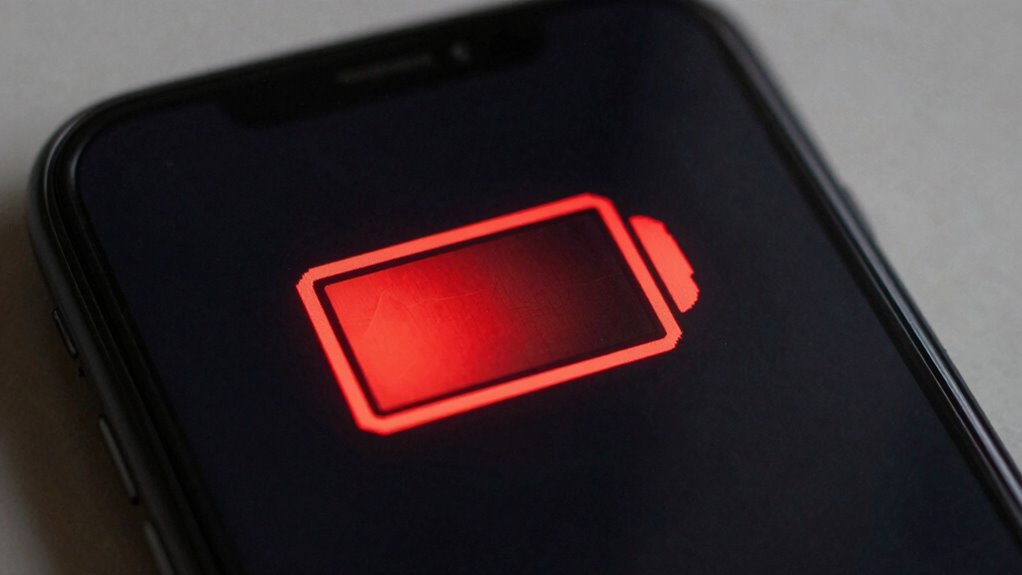

When you see a low battery warning, it means your device’s power is running out, which can slow down performance and lead to unexpected shutdowns. This alert also indicates the battery’s capacity may be inaccurate if not calibrated, affecting how the system manages power. Proper calibration and power management can help your device conserve energy and stay reliable. Keep going to discover more about maintaining ideal performance during low battery situations.

Play games on Amazon Luna for your next adventure, included with Prime
- A rotating selection of games, no download needed
- Play on TV, laptop or phone
- Fast, free delivery for your gear, too
Key Takeaways
- The warning indicates power is low, which may lead to reduced device performance to conserve energy.
- It serves as a reminder to connect the charger, preventing unexpected shutdowns.
- Low battery activates internal power-saving features, temporarily limiting performance.
- Proper calibration ensures the warning accurately reflects remaining capacity, improving reliability.
- Managing power settings proactively can extend device usability during low battery conditions.

When your device displays a low battery warning, it’s a clear signal that power is running out, and performance may soon decline. This alert isn’t just a reminder to plug in your charger; it’s also an indication that your device’s internal components are working harder to conserve remaining energy. To get the most out of your device before it needs a recharge, understanding battery calibration and effective power management is essential. Proper battery calibration ensures your device accurately displays the remaining battery life, preventing unexpected shutdowns or misjudged battery levels. Over time, batteries can develop inaccurate readings because the software’s understanding of the battery’s true capacity becomes skewed. By calibrating your battery—usually by fully charging it to 100%, then letting it drain completely before recharging—you help your device’s system get a precise reading. This process can improve how your device manages power and provide a more reliable low battery warning, giving you better control over your device’s performance. Additionally, recognizing how battery capacity impacts overall device longevity can guide you in maintaining optimal performance over time. Power management plays a crucial role in extending your device’s usable time when the battery is low. Many devices have built-in settings that optimize power usage, such as reducing screen brightness, disabling background apps, or turning off unnecessary services. By actively managing these settings, you can squeeze extra minutes or even hours out of your remaining battery life. It’s a proactive approach that helps you avoid abrupt shutdowns, especially during critical moments. Additionally, some devices offer adaptive power management features that automatically adjust settings based on your usage patterns, further enhancing efficiency. It’s worth exploring these options before your battery hits a critically low level, so your device can intelligently conserve power. Understanding the importance of battery calibration and power management allows you to better handle low battery situations. When you’re aware of how your device’s power management features work, you can make smarter choices—like closing non-essential apps or activating power-saving modes—before the battery becomes too depleted. Regular calibration helps keep the battery’s capacity measurement accurate, so your low battery warnings are trustworthy. In turn, this reduces the uncertainty about how much time you have left before your device powers down. Ultimately, maintaining good battery health through calibration and proper power management not only prolongs your device’s lifespan but also ensures you have reliable performance when you need it most, especially during moments when the battery warning appears.
battery calibration tool for smartphones
As an affiliate, we earn on qualifying purchases.
As an affiliate, we earn on qualifying purchases.
Frequently Asked Questions
Can Low Battery Warnings Occur Due to Software Issues?
Yes, low battery warnings can occur due to software issues. If your device’s battery calibration is off, it might incorrectly report battery levels, triggering warnings prematurely. Power management settings can also influence this, as outdated or misconfigured software may not accurately monitor power consumption. Regularly updating your software and resetting battery calibration can help guarantee accurate readings, reducing false low battery alerts and improving overall device performance.
How Does Low Battery Impact Device Security Features?
When your battery’s running low, it’s like giving your device a gentle nudge to focus on essentials. A low battery can temporarily disable some security features to conserve power, impacting battery calibration and power optimization. This means your device might limit background security scans or updates until you recharge, ensuring core functions stay protected while you’re on the go. Stay charged to keep all security features running smoothly.
Are There Differences in Low Battery Effects Across Device Brands?
You’ll notice that low battery effects vary across device brands due to differences in hardware, software, and power optimization strategies. Some brands prioritize battery calibration, which helps maintain accurate charge readings, while others focus on power optimization to extend usage. This means your device’s performance and warning behaviors can differ, so being aware of each brand’s approach helps you manage low battery situations better and avoid unexpected shutdowns.
Can Low Battery Warnings Affect Data Integrity or Transfer?
Like a sudden storm at sea, a low battery warning signals impending trouble. When your device warns of power loss, it’s at risk of data corruption or transfer errors. If you ignore it, sudden shutdowns can interrupt data processes, risking integrity. Always save your work and plug in your device when the warning appears, ensuring smooth data transfers and protecting your information from potential loss or corruption.
What Long-Term Damages Can Low Battery Levels Cause?
Low battery levels can cause long-term damage if you don’t address them. Repeated power cycling due to frequent shutdowns can wear out your battery faster. Additionally, low batteries can lead to corrosion inside the device, which damages internal components over time. To avoid this, keep your device charged and avoid letting the battery drain completely, as both power cycling and corrosion can considerably reduce your device’s lifespan.
power management settings for laptops
As an affiliate, we earn on qualifying purchases.
As an affiliate, we earn on qualifying purchases.
Conclusion
When the low battery warning flashes, it’s like your device’s last breath before silence. Ignoring it can leave you stranded in a digital desert, parched for power and performance. To keep your device running smoothly, treat that warning as a call to action—refill its energy reservoir before it turns into a ghost of its former self. Stay vigilant, and your device will continue to shine brightly, dancing to your every command without missing a beat.
battery health monitor for tablets
As an affiliate, we earn on qualifying purchases.
As an affiliate, we earn on qualifying purchases.
As an affiliate, we earn on qualifying purchases.
Fall Picks
fall essentials
As an affiliate, we earn on qualifying purchases.