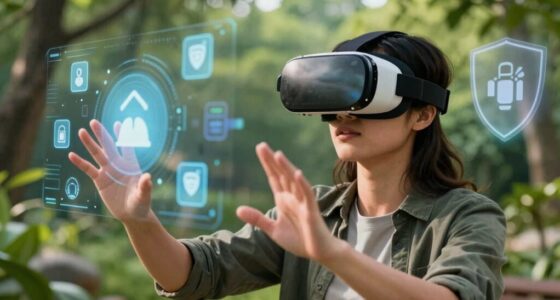
The key habit that protects your neck and eyes during VR is ensuring a proper headset fit combined with correct posture. Make sure your straps are snug yet comfortable, align the lenses to match your eyesight, and position the display at eye level to prevent strain. Regularly take breaks, practice neck and eye exercises, and keep your environment ergonomic. Stick with these practices consistently, and you’ll find ways to enjoy VR comfortably—more tips await to help you stay safe.
Key Takeaways
- Follow the 20-20-20 rule: look 20 feet away for 20 seconds every 20 minutes to reduce eye strain.
- Ensure a proper VR headset fit with snug straps and aligned lenses to minimize muscle effort and discomfort.
- Maintain an ergonomic posture by keeping your head level, shoulders back, and spine aligned during VR use.
- Take regular breaks to stretch, reset posture, and relax neck and eye muscles, preventing long-term strain.
- Adjust your environment and headset settings for optimal comfort, including proper height, lens alignment, and cord management.
The Importance of Proper Headset Fit

A proper headset fit is essential to prevent strain on your neck and eyes during VR sessions. If the headset is too tight, it can cause discomfort and restrict blood flow, leading to headaches or fatigue. Conversely, if it’s too loose, your view may shift, forcing you to constantly readjust and strain your eyes. Make sure the straps are snug but comfortable, evenly distributing weight across your head. Adjust the lenses to match your eyesight for a clear picture without eye strain. Proper alignment ensures the display sits directly in front of your eyes, reducing the need for eye muscles to work harder. Ensuring ergonomic design in your setup can further improve comfort and reduce fatigue. Taking these steps helps you enjoy immersive VR without unnecessary discomfort or health issues. Incorporating simple room-by-room adjustments can further enhance your comfort and setup efficiency. Additionally, choosing a headset with adjustable ventilation features can help prevent overheating and maintain comfort during extended use. Regularly cleaning the headset and maintaining proper fit adjustments can also prolong your device’s lifespan and ensure continued comfort, especially considering smart home integration for maintaining optimal environment conditions.
Maintaining Correct Posture During VR Sessions

To keep your neck and eyes safe during VR, focus on maintaining proper head alignment and using your adjustable strap correctly. Make sure your headset fits well and feels comfortable, so you don’t strain your neck. Remember to take regular breaks to prevent fatigue and maintain good posture throughout your session. Incorporating ergonomic principles can further help in reducing strain and ensuring a comfortable experience. Additionally, adjusting the visual display to the correct interpupillary distance (IPD) can minimize eye strain and improve clarity. Ensuring your headset fit is properly adjusted can also prevent unnecessary pressure and discomfort during extended use. Practicing correct posture techniques can enhance comfort and prevent long-term musculoskeletal issues. Paying attention to posture awareness during VR sessions is essential for long-term health and comfort.
Proper Head Alignment
Maintaining proper head alignment during VR sessions is essential to prevent neck strain and eye fatigue. Keep your head level, avoiding tilting forward, backward, or sideways. This reduces unnecessary tension and keeps your view comfortable. To help, consider the following tips:
| Tip | Benefit |
|---|---|
| Position the headset evenly | Distributes weight, preventing neck strain |
| Look straight ahead | Minimizes eye strain and promotes posture |
| Take breaks regularly | Refreshes muscles and prevents fatigue |
| Adjust the fit properly | Ensures optimal comfort and reduces strain proper fit |
Additionally, being aware of ergonomic principles from European cloud innovation can inspire you to adopt better practices for overall well-being. Proper head posture is also vital in supporting spinal health during extended VR use. Incorporating ergonomic guidelines can further enhance comfort and prevent long-term issues.
Adjustable Strap Usage
When using an adjustable strap, ensuring it fits snugly but comfortably is key to maintaining proper posture during your VR sessions. A well-fitted strap keeps the headset secure without squeezing too tightly, helping you avoid unnecessary strain on your neck and shoulders. If the strap is too loose, the headset may shift, causing you to crane your neck or adopt awkward positions. Conversely, if it’s too tight, it can lead to discomfort and restrict circulation. Regularly adjust the strap before starting your session, making sure the device sits evenly across your head. This balance helps distribute the weight properly, reducing fatigue and encouraging a more natural head position. Proper strap adjustment is a simple yet essential step for preserving your neck and eye health during extended VR use. Additionally, choosing the right style of strap can enhance comfort and support during long sessions, and considering ventilation options can help prevent overheating and sweating.
Take Regular Breaks
Adjusting your strap properly helps keep the headset stable and comfortable, but staying in the same position for too long can still cause strain. To prevent discomfort and eye fatigue, take regular breaks during your VR sessions. Every 20-30 minutes, look away from the screen and focus on a distant object for at least 20 seconds. Stand up, stretch your neck, shoulders, and back to relieve tension. Use alarms or timers to remind yourself to pause. These breaks help reduce eye strain, improve circulation, and prevent neck stiffness. Incorporating movement and break frequency into your routine can further enhance your comfort and safety. Remember, consistent movement and rest are key to maintaining good posture and avoiding long-term discomfort. Incorporating these habits ensures you enjoy VR safely and comfortably without risking strain or injury. Good posture awareness is essential for long-term comfort and health during extended VR use. Additionally, maintaining correct ergonomic setup can further enhance your comfort and reduce fatigue, supporting overall long-term health.
Taking Regular Breaks to Rest Your Eyes and Neck

Taking regular breaks while using VR is essential to prevent strain on your eyes and neck. During your break, focus on resting your muscles and relaxing your eyes. Follow the 20-20-20 rule: every 20 minutes, look at something 20 feet away for 20 seconds. This helps reduce eye fatigue and neck tension. Use a timer to remind yourself to take these short pauses. Here’s a quick guide:
| Break Duration | Activities | Benefits |
|---|---|---|
| 30 seconds | Look around, blink | Relieves eye dryness |
| 1-2 minutes | Stretch neck and shoulders | Eases muscle tension |
| 5 minutes | Walk around, hydrate | Prevents stiffness and fatigue |
Regular breaks keep you comfortable and safe during extended VR sessions. Incorporating ergonomic habits can further enhance your comfort and prevent discomfort during your virtual adventures. Remember, practicing proper posture during virtual activities can significantly reduce the risk of strain and long-term injury. Additionally, adjusting your VR headset fit correctly can help minimize unnecessary pressure and discomfort. Paying attention to home ergonomics can also improve your overall comfort and reduce the likelihood of discomfort over time.
Adjusting Your VR Environment for Comfort

Creating a comfortable VR environment is key to reducing physical strain and enhancing your experience. Start by adjusting the headset straps so they fit snugly but aren’t too tight. Make sure the display aligns properly with your eyes to avoid eye strain; most headsets have adjustable lenses or interpupillary distance (IPD) settings. Position the headset at a comfortable height to prevent neck fatigue. Ensure your play area is well-lit but free of glare that can cause eye discomfort. Keep cords organized to avoid tangling or pulling, which can strain your neck or shoulders. Use adjustable stands or mounts for controllers to reduce unnecessary reaching. Taking a few moments to customize your environment guarantees a more comfortable, immersive VR experience that minimizes physical discomfort.
Strengthening Muscles to Support Your Neck

Building neck strength is key to supporting your head during VR use. Incorporate simple neck muscle exercises and focus on maintaining good posture. These small changes can make a big difference in reducing strain and preventing discomfort.
Neck Muscle Exercises
Strengthening the muscles around your neck can considerably reduce strain and improve posture during extended VR sessions. Start with simple neck tilts: gently tilt your head forward, backward, and side to side, holding each position for a few seconds. Resistance exercises like pressing your hand against your forehead and resisting the movement build muscle strength. Similarly, place your hand on the side of your head and push gently while resisting with your neck muscles. Perform these exercises daily to develop support muscles that keep your neck aligned and reduce fatigue. Avoid overextending or forcing movements to prevent injury. Consistent practice not only enhances muscle endurance but also helps maintain better posture, making VR experiences more comfortable and less taxing on your neck.
Posture Optimization Tips
To support your neck effectively during VR sessions, focusing on posture optimization is essential. Start by keeping your head aligned with your spine, avoiding forward or downward tilts. Engage your shoulder blades gently back and down to open your chest and reduce slouching. Strengthen muscles like your upper back, shoulders, and core to provide better support for your neck. Incorporate exercises such as scapular squeezes, shoulder blade retractions, and planks into your routine. Take frequent breaks to reset your posture and stretch tight muscles. Proper positioning of your VR headset also helps; ensure it’s snug but not too tight, and keep your screen at eye level. Consistently applying these tips minimizes strain, preventing discomfort and supporting your neck during prolonged VR use.
Tips for Incorporating the Habit Into Your Routine

Integrating the habit into your daily routine is easier when you set clear reminders and establish consistent times to practice. Consistency helps make this habit second nature, reducing the risk of forgetting. To stay on track, consider using alarms or app notifications as cues. Choose specific times, like during breaks or after work, to reinforce the habit. Additionally, create a dedicated space for your VR sessions to signal your brain it’s time to practice. Incorporate the habit gradually, so it becomes a seamless part of your day. Remember, small daily efforts lead to long-term benefits. By making it a routine, you’ll protect your neck and eyes more effectively without feeling overwhelmed.
Set daily reminders and create routines to make VR habits effortless and long-lasting.
- Schedule daily reminders on your phone or calendar
- Link the habit to existing routines, like stretching or breaks
- Prepare your VR space in advance for quick access
- Track your progress to stay motivated
Frequently Asked Questions
How Often Should I Perform Neck Stretches During VR Use?
You should perform neck stretches every 20 to 30 minutes during VR use. Take a moment to gently tilt your head forward, backward, and side to side, holding each stretch for about 10 seconds. This helps prevent stiffness and reduces strain caused by prolonged headset wear. Staying mindful of your neck’s comfort guarantees you enjoy your VR experience safely and comfortably, without risking long-term discomfort.
Are There Specific Exercises to Prevent Eye Strain From VR?
Think of your eyes as a camera lens that needs regular focusing and cleaning. To prevent strain, try the 20-20-20 rule: every 20 minutes, look at something 20 feet away for at least 20 seconds. Blink frequently to keep your eyes moist, and perform gentle eye circles to relax muscles. These simple exercises act like a soothing breeze, easing tension and keeping your vision sharp during VR adventures.
Can Poor Lighting in My Room Affect VR Comfort?
Yes, poor lighting in your room can affect your VR comfort. Insufficient or harsh lighting can cause glare and reflections on your headset lenses, making it harder to see clearly and adding strain to your eyes. It can also reduce your ability to accurately gauge your surroundings, increasing the risk of discomfort or accidents. To improve comfort, use soft, even lighting that minimizes glare and reduces eye fatigue during VR sessions.
What Signs Indicate I Need a Headset Adjustment?
If you notice persistent eye strain, headaches, or blurred vision, it’s a sign you need to adjust your headset. Also, if you experience discomfort around your neck or notice your visuals seem blurry or off-center, these are cues to recalibrate. Research suggests proper fit reduces strain, so taking the time to fine-tune your headset can improve comfort and prevent fatigue. Trust these signals to keep your VR experience enjoyable and safe.
Is There a Recommended Duration for Daily VR Sessions to Prevent Discomfort?
You should limit your daily VR sessions to about 30 to 60 minutes to prevent discomfort. Take regular breaks every 15 to 20 minutes to rest your eyes and neck. Pay attention to how you feel; if you notice eye strain, headaches, or neck pain, cut back on your sessions. Staying within these limits helps you enjoy VR without risking fatigue or strain.
Conclusion
By making this simple VR habit a daily routine, you’ll protect your neck and eyes like a shield guarding a treasure. Think of it as watering a delicate plant—consistent care keeps it healthy and thriving. So, stay mindful, listen to your body, and let this habit be your secret weapon for comfortable, safe virtual adventures. Embrace it now, and enjoy the immersive worlds without sacrificing your well-being. Your future self will thank you for it.