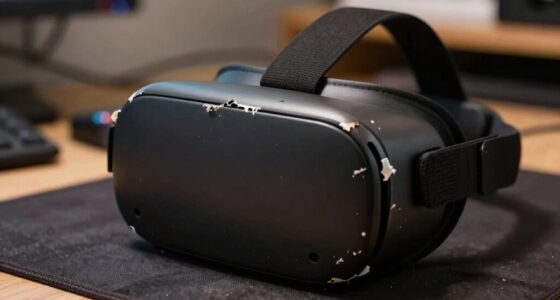
To keep your personal info private in social VR, be cautious about what you share in chats or profiles, avoiding details like your real name or address. Use a username or avatar that doesn’t link to your offline identity and adjust privacy settings to control who contacts or views your activity. Familiarize yourself with platform features to block or report misconduct. Staying informed about safety tips helps you enjoy social VR securely—if you want to learn more, keep exploring how to protect yourself effectively.
Key Takeaways
- Use a pseudonymous username and avoid sharing personal details in profiles or chat.
- Adjust privacy settings to restrict who can contact or view your activity.
- Block or report users who behave inappropriately or make you uncomfortable.
- Keep your VR software and device updated to protect against security vulnerabilities.
- Stay aware of potential virtual threats and practice safe interactions to maintain privacy.

As social VR becomes increasingly popular, protecting your safety in virtual environments is more important than ever. When you step into these digital worlds, you’re creating a virtual identity that reflects who you are. Guarding this identity is essential because it’s often linked to your personal information. If you’re not cautious, others might access details you didn’t intend to share, making you vulnerable to privacy breaches or identity theft. To keep your virtual identity secure, start by being mindful of what you reveal. Avoid sharing sensitive data like your real name, address, phone number, or financial details in chat conversations or profile sections. Instead, use a username or avatar that doesn’t connect directly to your offline life. This simple step can greatly reduce the risk of someone using your information maliciously.
Another important aspect of social VR safety is harassment prevention. Unfortunately, virtual environments can sometimes become spaces where harassment or unwelcome behavior occurs. To combat this, familiarize yourself with the platform’s safety features. Most social VR apps offer tools to block or report users who behave inappropriately. Don’t hesitate to use these features if someone makes you uncomfortable. It’s better to act quickly than to suffer silently. Additionally, adjust your privacy settings to control who can contact you or see your activity. Limiting interactions to friends or trusted users can further reduce exposure to potential harassment. Remember, your safety is a priority, and most platforms are designed with tools to help you maintain a respectful and secure environment.
Practicing harassment prevention also means being aware of your surroundings and how you interact with others. Be cautious about engaging in conversations or activities that make you uncomfortable. If something feels off, disconnect or leave the environment. Keep your virtual interactions positive and respectful, and set clear boundaries if needed. Maintaining awareness of your virtual presence helps you stay in control and avoid situations that could compromise your safety or privacy.
Finally, stay informed about the latest safety features and best practices offered by your social VR platform. Regularly update your app and device software to protect against security vulnerabilities. Educate yourself about common virtual threats and how to recognize them. Additionally, understanding color accuracy and how it impacts visual quality can help you better evaluate the platforms you use, ensuring a more immersive and safe experience. By actively managing your virtual identity and practicing harassment prevention, you take control of your experience. This proactive approach not only shields your personal information but also ensures that your time in social VR remains enjoyable and secure. Remember, your safety depends on your vigilance—stay alert and empowered as you explore these exciting digital worlds.
As an affiliate, we earn on qualifying purchases.
Frequently Asked Questions
How Can I Verify the Identity of Other Users in Social VR?
You can verify other users’ identities in social VR through avatar verification and identity confirmation. Ask them to perform specific actions or share unique details that only they would know, helping confirm their authenticity. Use platform features like verified badges or official profiles when available. Always stay cautious, and if something feels off, trust your instincts and consider further verification methods before sharing personal info or engaging deeply.
What Are the Best Tools to Block or Report Harmful Users?
To stay safe, use user blocking features available in most social VR platforms to prevent harmful users from contacting you again. Report mechanisms are essential for alerting moderators about abuse or harassment. Always familiarize yourself with these tools, so you can quickly block or report anyone exhibiting inappropriate behavior. These steps help maintain a safer, more enjoyable VR environment and protect your personal safety and privacy.
How Do I Manage Privacy Settings Across Different Social VR Platforms?
Think of your privacy settings as a shield protecting your digital self. You should navigate to each platform’s privacy controls, adjusting who can see your info and interact with you. Review and set account permissions carefully—limit access to personal details, friends, and communications. Regularly update these settings, like tuning a musical instrument, ensuring your privacy remains harmonious and secure across all social VR platforms.
Can My Personal Info Be Accessed by Third-Party Apps?
Yes, third-party apps can access your personal info if you’re not careful. To protect yourself, guarantee the platform uses data encryption and strict user verification processes. Always review app permissions before granting access, and limit the info you share. Regularly update your privacy settings and be cautious about third-party apps requesting more data than necessary. This way, you keep your personal info secure while enjoying social VR experiences.
What Steps Should I Take if I Suspect My Data Has Been Compromised?
If you suspect a data breach, act quickly by changing your passwords and enabling two-factor authentication. Contact the platform’s support team for assistance with account recovery. Monitor your accounts for suspicious activity and consider placing a fraud alert on your credit report. Reporting the breach helps prevent further damage and guarantees your data is secured. Stay vigilant to protect your personal info and recover your account effectively.
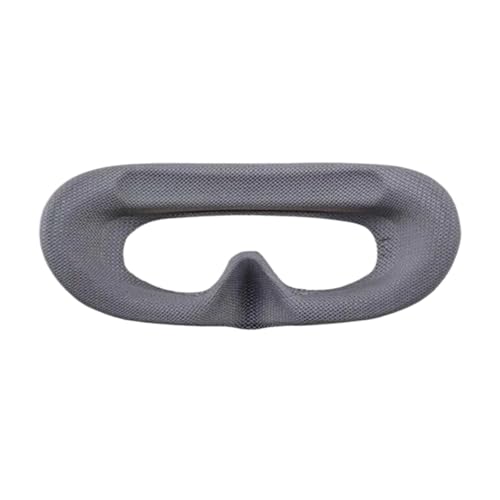
Compatible for DJI AVATA 2 Goggles 3 – Foam Pad Sponge Eye Mask, Comfortable Light Resistant Drone Accessories(Gray eye mask)
- Compatible Model: Fits DJI AVATA 2 Goggles 3
- Light-Resistant Design: Blocks external light and glare
- Comfortable Material: Soft sponge for extended wear
As an affiliate, we earn on qualifying purchases.
As an affiliate, we earn on qualifying purchases.
Conclusion
Think of your personal info in Social VR as a delicate lighthouse, guiding others safely without revealing your hidden depths. Guard it like a beacon against shadows lurking in the digital fog. Just as a lighthouse warns ships away from rocks, your privacy shields you from unseen dangers. Stay vigilant, set firm boundaries, and navigate these virtual waters with confidence. In this domain, your safety is the steady light that keeps your journey secure and your identity intact.

for Quest Pro Full Light Blocker,Silicone Facial Interface Magnetically attaches for VR Quest Pro Accessories
- Designed for Quest Pro: Full light blocker for VR immersion
- Enhanced VR Experience: Blocks light and glare for vibrant visuals
- Comfortable Material: Made of eco-friendly, soft silicone
As an affiliate, we earn on qualifying purchases.
As an affiliate, we earn on qualifying purchases.
As an affiliate, we earn on qualifying purchases.