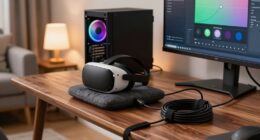
To quickly fix most VR problems, start by properly placing your sensors or cameras so they face each other at the right height and have a clear line of sight to your headset and controllers. Keep them well-lit and free of obstructions. Adjust your headset for a snug but comfortable fit, and make sure your system is calibrated before each use. Small tweaks like these can dramatically improve tracking and comfort—you’ll discover even more tips if you look further.

Play games on Amazon Luna for your next adventure, included with Prime
- A rotating selection of games, no download needed
- Play on TV, laptop or phone
- Fast, free delivery for your gear, too
Key Takeaways
- Properly position sensors and cameras to ensure clear, unobstructed line of sight to the headset and controllers.
- Always calibrate the system’s sensors, height, and controllers before each session for better tracking accuracy.
- Keep sensors well-lit and free of dust or damage to prevent tracking issues.
- Take regular breaks and adjust headset fit to improve user comfort and reduce motion sickness.
- Ensure a well-ventilated environment to prevent overheating and improve overall VR experience.

If you’re new to virtual reality and running into problems, don’t worry—many issues have simple solutions. One of the most overlooked fixes is paying attention to your VR hardware setup and optimizing user comfort. Often, the root of common problems like motion sickness, tracking glitches, or discomfort stems from how your equipment is arranged or how you’re feeling during use. By making straightforward adjustments, you can drastically improve your VR experience.
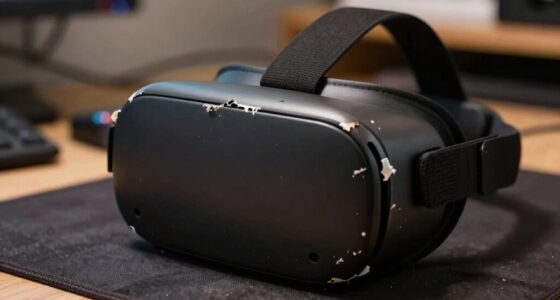
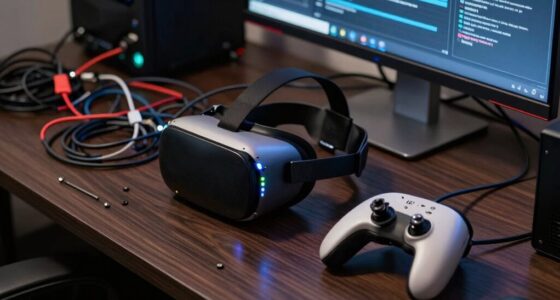
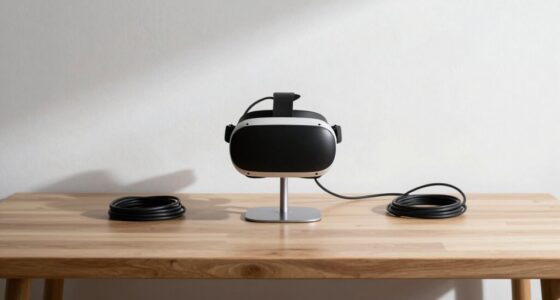
First, check your VR hardware placement. Ensure your sensors or cameras are positioned correctly, with a clear line of sight to your headset and controllers. Obstructions or poor positioning can cause tracking issues, resulting in jittery movements or lost signals. Adjust the sensors to face each other, ideally at a height that captures your entire play area. Keep your play space well-lit but avoid direct sunlight, which can interfere with sensors. Also, ensure your headset is snug but comfortable, not too tight or loose, so it stays stable during movement. Proper hardware setup minimizes tracking errors and creates a more immersive experience. Additionally, regularly inspecting your hardware for dust or damage can prevent unexpected malfunctions.
Ensure sensors face each other at the right height and keep your play area well-lit for optimal tracking.
Next, prioritize user comfort, because discomfort can quickly turn VR from fun to frustrating. Take breaks regularly—sitting down for a few minutes every 20-30 minutes helps prevent fatigue and reduces the risk of motion sickness. Adjust the fit of your headset so it’s secure but not pressing too hard on your face. If you experience pressure points, try different face padding or straps if available. Make sure your VR environment is well-ventilated; overheating can worsen discomfort and nausea. Also, consider the fit of your controllers—ensure batteries are fresh and buttons are responsive, so you’re not fighting the equipment during gameplay. Small tweaks like these keep you comfortable and focused, preventing many common problems. Paying attention to ergonomic design can also enhance your overall experience and reduce physical strain. Additionally, understanding sensor accuracy can help you identify and correct issues that may not be immediately obvious.
Another key aspect is calibration. Many VR systems have calibration settings for position, height, and controllers. Take a moment to calibrate your system before each session. Proper calibration ensures your movements are accurately tracked and reduces errors that can cause disorienting experiences. If you’re still experiencing issues, revisit these settings and fine-tune them. Sometimes, simply recalibrating can solve persistent tracking or comfort problems. Moreover, using proper calibration techniques specific to your device can further optimize tracking precision and comfort. Additionally, accurate sensor placement can greatly improve tracking reliability and overall immersion.
Finally, listen to your body and adjust your VR sessions accordingly. If you start feeling queasy or dizzy, remove your headset and take a break. Staying aware of your physical state helps prevent discomfort from escalating into more serious issues.
In essence, the simplest fix often involves a combination of optimizing VR hardware placement and ensuring user comfort. These adjustments are quick to implement and can resolve a surprising number of problems, making your VR experience smoother, more enjoyable, and less frustrating from the start.
Products Worth Considering

Kindle Paperwhite Signature Edition 32GB (2024) – Auto-adjusting front light, wireless charging, weeks of battery life – Metallic Black

Kindle Paperwhite 16GB (2024) – 7 Glare-Free Display, Weeks Battery Life – Black

Sonos Era 100 SL Compact Microphone-Free Speaker, Black
As an affiliate, we earn on qualifying purchases.
Frequently Asked Questions
Can This Fix Improve VR Performance on Low-End PCS?
Yes, this fix can improve VR performance on low-end PCs. It enhances hardware compatibility, making your system better suited to handle VR demands. Plus, it boosts software stability, reducing crashes and lag. By optimizing these aspects, you’ll experience smoother gameplay and less latency, even with limited hardware. Just follow the steps carefully, and you’ll notice a significant difference in your VR sessions without needing high-end upgrades.
Does This Solution Work With All VR Headsets?
Yes, this solution works with most VR headsets, but you should check your VR hardware’s specific requirements for software compatibility. While it’s broadly compatible, some headsets may need additional tweaks or updates. You’ll want to verify your VR hardware supports the fix and that your software is up-to-date. If you encounter issues, consult your headset’s support resources to confirm compatibility and guarantee everything runs smoothly.
Will This Fix Affect VR Tracking Accuracy?
Tracking tweaks typically won’t tarnish tracking calibration or hardware compatibility. You’ll find that fixing one flaw often fine-tunes your fidelity, boosting tracking accuracy rather than blunting it. Be cautious, though—if you tinker with settings beyond recommended ranges, hardware compatibility could be compromised. Stick to safe, simple solutions, and your VR experience remains precise, providing perfect positioning without sacrificing tracking calibration or compatibility.
How Long Does It Take to Implement This Fix?
Implementing this fix usually takes just a few minutes, depending on your hardware compatibility and the speed of your software updates. You’ll need to verify your VR headset and PC are compatible with the latest updates, then follow straightforward steps to apply the fix. Once done, restart your system, and you should see improvements. The process is quick, making it a convenient first step for resolving many VR issues.
Are There Any Risks or Downsides to Trying This Fix?
They say “forewarned is forearmed,” so it’s good you’re asking. Usually, this fix is safe, but you should check hardware compatibility to prevent issues. There’s a small risk of device malfunction or affecting user safety if you don’t follow instructions carefully. Always back up settings, and test gradually. If you’re cautious, you minimize risks, making sure your VR experience stays smooth and secure.
Conclusion
By embracing this simple fix, you open the door to a smoother VR experience, gently steering around common pitfalls. Sometimes, the most straightforward adjustments can elegantly resolve issues that seem complex at first glance. With patience and a willingness to explore these small tweaks, you’ll find your virtual adventures become more immersive and enjoyable. Remember, often the key to a seamless journey lies in the subtle art of fine-tuning—quietly transforming your gameplay for the better.