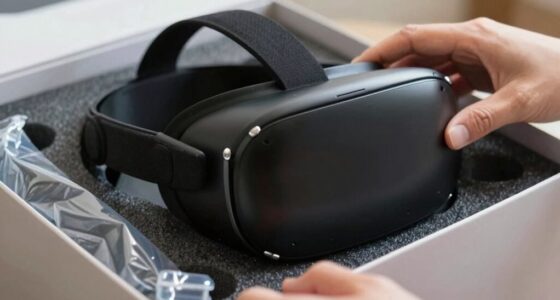
VR setup advice often sounds more complicated because technical details and step-by-step instructions can seem overwhelming at first. You might worry about compatibility, calibration, or software updates, but most of these steps are simple when approached with a clear plan. Focusing on core steps like checking hardware and following manufacturer instructions makes the process easier. Keep going, and you’ll find that setting up VR becomes straightforward and accessible sooner than you think.

Play games on Amazon Luna for your next adventure, included with Prime
- A rotating selection of games, no download needed
- Play on TV, laptop or phone
- Fast, free delivery for your gear, too
Key Takeaways
- Technical details are often emphasized, but core setup steps are straightforward and manageable.
- Manufacturers provide clear, step-by-step instructions that simplify the process.
- Perceived complexity arises from unfamiliar jargon and detailed troubleshooting advice.
- Hardware compatibility checks are simple when following system requirements, reducing confusion.
- Adjusting comfort settings and starting with short sessions minimize motion sickness concerns.

Setting up a virtual reality system can seem intimidating at first, but with the right approach, you’ll have your headset ready in no time. Many people hesitate because the setup instructions and advice often sound more complicated than they actually are. The key is understanding that most of the perceived complexity comes from technical details that are easier to manage than they seem. For example, concerns about hardware compatibility are common, but if you check the system requirements beforehand, you’ll find that most modern PCs or gaming consoles are already compatible. You don’t need the latest, most expensive gear—simply ensuring your hardware meets the manufacturer’s specifications makes setup straightforward.
Another frequent worry is motion sickness, which can deter people from diving into VR experiences. However, most issues related to motion sickness are manageable with simple adjustments. Many VR headsets and applications include settings to reduce motion discomfort, such as adjusting the field of view or enabling comfort modes. These tweaks are often quick and easy, and once you familiarize yourself with these options, you’ll find that motion sickness is rarely a barrier. It’s also worth noting that starting with shorter sessions and gradually increasing your exposure can help your body adapt, making longer VR experiences more comfortable.
A common misconception is that setting up VR requires a lot of technical expertise. In reality, manufacturers design their systems to be user-friendly, with step-by-step instructions that guide you through connecting sensors, calibrating the headset, and installing necessary software. Most setups involve just a few cables, some software downloads, and a quick calibration process. If you’re patient and follow the instructions carefully, the process becomes almost automatic. The most challenging part might be physically positioning sensors or cameras correctly, but even that is usually straightforward with the included guidelines. Additionally, understanding hardware compatibility and checking your system specifications beforehand can save you a lot of troubleshooting time. It’s also helpful to know that software setup has been simplified in recent versions, making the overall process even easier for newcomers. To further simplify the process, many users find that drivers update and ensuring your drivers are up to date significantly reduce potential issues.
Many advice articles make VR setup sound more complicated by emphasizing every possible technical detail, but you can ignore most of that if you stick to the core steps. Focus on verifying hardware compatibility first, then follow the manufacturer’s instructions for connecting and calibrating your devices. Don’t let the fear of motion sickness hold you back—adjust settings early on and take breaks. Once you get past the initial setup, you’ll see that VR is accessible and enjoyable, not the intimidating ordeal it sometimes appears to be. The process is designed to be as simple as possible, so trust the instructions, keep things organized, and you’ll be immersed in virtual worlds before you know it.
Frequently Asked Questions
Do I Need a Powerful Gaming PC for VR?
No, you don’t need a super powerful gaming PC for VR. Most headsets have specific hardware requirements that are manageable with mid-range systems. Make sure your PC meets the hardware requirements and is compatible with the VR software you want to use. Check the manufacturer’s recommendations for software compatibility, and you should be good to go. A decent setup can deliver a smooth, immersive VR experience without breaking the bank.
How Much Space Do I Need for VR?
You’ll need about 6.5 by 6.5 feet of clear space, but larger is better for safety and movement. Make sure to measure your room dimensions carefully, removing any obstacles or furniture. Use safety precautions like padding sharp edges and securing cables. This way, you can enjoy immersive VR experiences comfortably and safely without worrying about bumping into furniture or tripping.
Can I Use VR With My Existing Console?
Yes, you can use VR with your existing console, but Virtual Compatibility varies. For instance, PlayStation VR works seamlessly with PlayStation consoles, offering smooth Console Integration. However, most other VR headsets are designed for PCs, so check if your console supports the specific headset. Did you know, over 70% of VR users prefer console-compatible setups for easier access? Make certain your console meets the required specs for a hassle-free experience.
Is VR Setup Suitable for Beginners?
Yes, VR setup is suitable for beginners. You’ll find it easy to start, especially with comfort accessories like padded straps and adjustable headsets, which enhance comfort and reduce motion sickness. Take your time to adjust the fit and settings, and start with shorter sessions. Most systems guide you step-by-step, making the process straightforward. Once you get familiar, VR can become an enjoyable, immersive experience for everyone.
How Long Does the VR Calibration Process Take?
Imagine your first gust of fresh air; that’s how quick VR calibration feels. Usually, calibration duration takes about 10 to 15 minutes, depending on your setup’s complexity. You’ll find the process straightforward—aligning sensors, adjusting headset fit, and confirming tracking. While setup complexity varies with your equipment, the actual calibration is a simple, swift step, helping you jump into immersive worlds without delay.
Conclusion
Remember, setting up your VR isn’t a quest from a fantasy novel; it’s more like assembling a simple puzzle. The advice that sounds complex often just mirrors the labyrinthine tales of Daedalus, but in reality, it’s straightforward if you approach it step by step. Don’t let the myth of difficulty deter you—just trust the process, and soon you’ll be exploring worlds as effortlessly as Theseus found his way out of the labyrinth.
Halloween Picks
halloween
As an affiliate, we earn on qualifying purchases.