
To keep your VR routine simple, focus on comfortable, well-set-up hardware and stick to a few favorite activities to avoid overwhelm. Set clear session limits, like 30 minutes to an hour, and take regular breaks to prevent fatigue. Establish a dedicated, clutter-free space and maintain a consistent schedule to build a relaxed routine. If you want practical tips on simplifying your VR experience, you’ll find easy methods to make it enjoyable and sustainable as you go along.

Play games on Amazon Luna for your next adventure, included with Prime
- A rotating selection of games, no download needed
- Play on TV, laptop or phone
- Fast, free delivery for your gear, too
Key Takeaways
- Focus on a few favorite activities to avoid feeling overwhelmed by options.
- Set and stick to specific session durations to prevent overexertion.
- Create a dedicated, clutter-free space to simplify setup and enhance safety.
- Prioritize comfort and ergonomics to make longer sessions more manageable.
- Take regular breaks to maintain physical well-being and prevent fatigue.
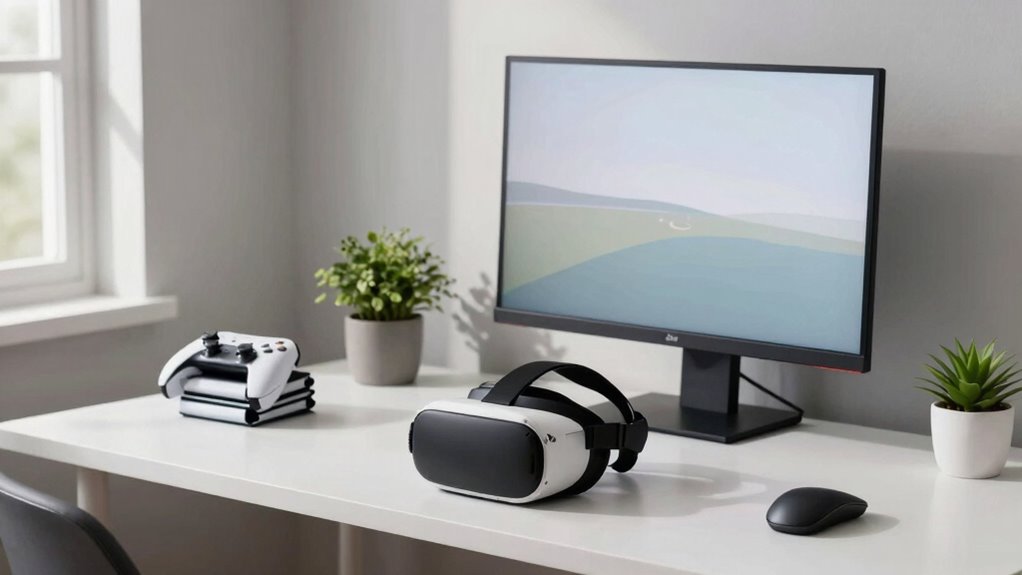
Virtual reality can be incredibly immersive, but maintaining a simple routine helps you avoid feeling overwhelmed or burnt out. When you jump into VR, it’s easy to get caught up in trying out every new game or feature, but that can quickly lead to frustration, especially if your setup isn’t optimized. To keep things enjoyable, focus on the essentials, starting with your VR hardware. Make sure your headset fits comfortably and that all cables and sensors are properly connected. Investing in good VR hardware that prioritizes user comfort makes a huge difference. If your headset is uncomfortable or heavy, you’ll find yourself taking breaks more often, which can disrupt your routine and diminish your overall experience.
Sticking to a straightforward schedule can help you avoid overdoing it. Set a specific time limit for your VR sessions—say, 30 minutes to an hour—and stick to it. This way, you allow yourself time to enjoy the experience without feeling drained. Remember, VR is meant to be fun and immersive, not exhausting. When you keep your sessions manageable, you’re more likely to look forward to each one and avoid burnout. Additionally, being mindful of user comfort and adjusting your setup accordingly can significantly enhance your experience. Moreover, paying attention to ergonomic design can help prevent discomfort during longer sessions. Incorporating proper posture practices can also reduce the risk of strain and fatigue.
Another way to simplify your VR routine is to choose a few favorite activities or games rather than trying to explore everything at once. Focus on what you really enjoy, whether it’s fitness, exploration, or casual gaming. This prevents you from feeling overwhelmed by endless options and helps you develop a consistent routine. Additionally, consider creating a dedicated, clutter-free space for VR. Clear the area of obstacles and distractions, so you can focus solely on your experience without worrying about safety or tripping over objects.
Don’t forget to give your eyes and body regular breaks. Even if you’re deeply engaged, taking a five-minute pause every 20-30 minutes can help maintain your comfort and prevent fatigue. During breaks, stretch gently and hydrate, which keeps your body feeling good and ready for the next session. Recognizing the importance of comfort in VR setups can greatly enhance your overall experience.
Finally, remember that simplicity isn’t about limiting enjoyment—it’s about making VR a sustainable part of your routine. Don’t feel pressured to constantly upgrade or try every new feature. Focus on maintaining a balanced, comfortable, and enjoyable experience. By keeping your VR setup straightforward, your sessions will stay fun and relaxing, and you’ll be more likely to stick with it over the long term.
As an affiliate, we earn on qualifying purchases.
Frequently Asked Questions
What Are Common Signs of VR Routine Overcomplication?
You’ll notice VR overload when you feel mentally exhausted or physically dizzy after sessions, signaling your routine might be overcomplicated. Routine clutter appears when you constantly switch between apps or settings, making your experience chaotic. If you find yourself spending too much time adjusting equipment or feeling overwhelmed by too many options, it’s a sign your VR routine needs simplification to prevent overload and streamline your enjoyment.
How Often Should I Update My VR Equipment?
You should update your VR hardware and software whenever new versions are released, ideally every few months. Regular updates guarantee you get the latest features, improved performance, and security patches. Keep an eye on your VR headset manufacturer’s announcements and software notifications. Staying current prevents compatibility issues and keeps your VR experience smooth. Don’t wait too long between updates—staying up-to-date makes your VR sessions more enjoyable and hassle-free.
Can a Simple VR Routine Improve My Physical Health?
A simple VR routine can indeed boost your physical health, especially when you incorporate VR therapy and fitness integration. You might be surprised how just a few minutes daily can improve your strength, flexibility, and stamina. By keeping it straightforward, you avoid burnout and stay consistent. This subtle shift in your routine could open the door to better health, revealing a new, energized you—if you’re willing to embrace the power of simplicity.
What Safety Measures Should I Follow During VR Use?
To stay safe during VR use, prioritize VR ergonomics by adjusting your headset for comfort and proper fit, reducing strain. Take regular breaks to prevent motion sickness and eye fatigue, especially during longer sessions. Keep your play area clear of obstacles, and use wrist straps to avoid accidental drops. Stay aware of your surroundings to prevent collisions, and listen to your body—if you feel dizzy or uncomfortable, pause and rest.
How to Troubleshoot Basic VR Headset Issues Quickly?
When your VR headset acts like a stubborn mule, start with your VR setup—check all connections and power. Then, make sure your headset calibration is spot-on; sometimes, it’s just a matter of realigning the stars (or the sensors). Restart your device to clear glitches. If issues persist, update firmware or reinstall the app. Quick fixes, and you’re back in virtual paradise—no need for a tech rescue mission!
As an affiliate, we earn on qualifying purchases.
Conclusion
Keeping your VR routine simple is like tending a gentle garden—you nurture it without overwhelming its delicate balance. When you strip away the clutter and focus on what truly sparks joy, your virtual adventures become a seamless dance, flowing naturally. Embrace the ease, let go of the chaos, and watch your world expand effortlessly. In simplicity, you’ll find the magic to keep your VR journey vibrant, inviting, and endlessly rewarding.
As an affiliate, we earn on qualifying purchases.
As an affiliate, we earn on qualifying purchases.
Fall Picks
fall essentials
As an affiliate, we earn on qualifying purchases.