To prevent wrist pain in VR, make sure your straps are snug but not too tight, allowing for comfortable grip and proper control. Keep your wrists in a neutral, straight position by adjusting your grip and stance, avoiding unnecessary bending or twisting. Take regular breaks and incorporate stretching routines to improve flexibility and reduce strain. By following these tips, you’ll find more ways to keep your wrists comfortable and safe during extended VR sessions.
Key Takeaways
- Adjust straps snugly to ensure a comfortable fit without restricting movement or causing discomfort.
- Maintain a neutral wrist position by keeping wrists straight and avoiding excessive bending or twisting.
- Use ergonomic wrist supports and padding to promote proper alignment during VR sessions.
- Incorporate regular wrist stretches and breaks every 20-30 minutes to reduce strain and improve flexibility.
- Focus on proper controller grip to minimize gripping force and prevent unnecessary wrist tension.
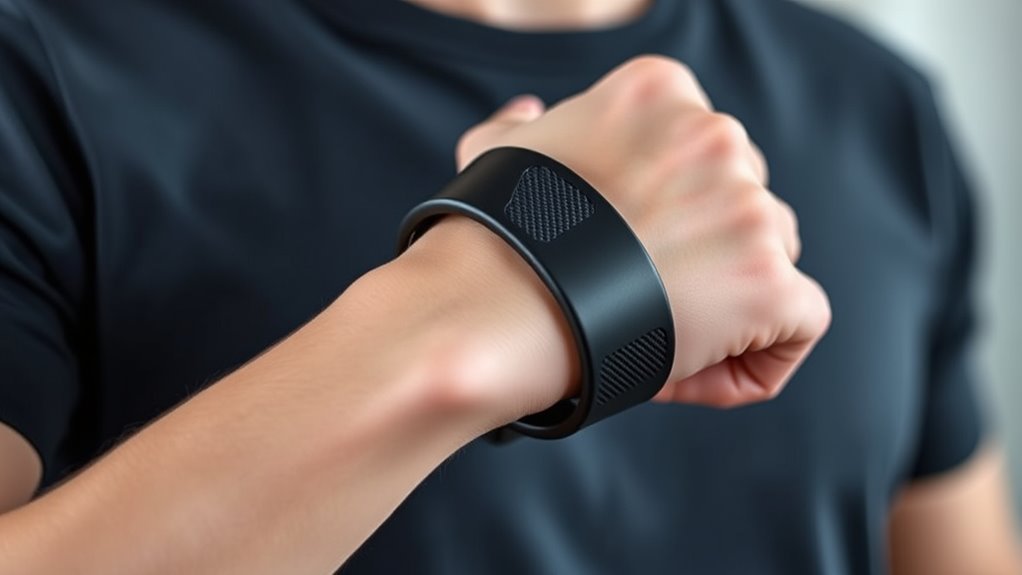
Virtual reality offers immersive experiences, but prolonged or improper use can lead to wrist pain. If you spend hours navigating virtual worlds, it’s essential to pay attention to how you’re holding your controllers and supporting your wrists. One effective way to reduce discomfort is by using ergonomic accessories designed to support your wrist’s natural position. Ergonomic accessories—like wrist straps, padding, or supportive grips—can help keep your wrists aligned and lessen strain during extended sessions. These accessories are built to fit comfortably, providing additional stability and reducing the tendency to tense up or adopt awkward postures. When choosing accessories, look for those that promote a neutral wrist position, preventing excessive bending or twisting that can cause pain over time. Additionally, maintaining awareness of your overall home environment can help you set up your play area to support better posture and wrist health. Wrist stretching is another crucial component of preventing discomfort. Before diving into VR, take a few minutes to stretch your wrists gently. Simple stretches, such as flexing and extending your wrists or rotating them in circles, help increase flexibility and blood flow. Incorporating wrist stretches into your routine can alleviate tension built up during gameplay or training. During longer VR sessions, make a habit of pausing every 20-30 minutes to stretch and shake out your wrists. This not only reduces the risk of pain but also keeps your muscles relaxed and responsive. Proper strap placement on your controllers plays a vital role in wrist safety. Ensure the straps are snug but not too tight, allowing you to grip comfortably without excessive tension. When straps are too loose, you might grip harder to compensate, which increases wrist strain. Conversely, overly tight straps can restrict movement and cause discomfort. Adjust the straps so that your controllers stay securely in your hands without forcing your wrists into unnatural angles. This helps you maintain better control and reduces fatigue. Maintaining good wrist form during VR use means keeping your wrists straight and avoiding excessive bending. Focus on keeping your wrists in a neutral position, aligned with your forearms. If you notice yourself bending or twisting your wrists unnaturally, pause and readjust your grip or position. Small adjustments, like repositioning your controllers or shifting your posture, can make a significant difference in preventing pain. Combining proper strap use, regular wrist stretching, and ergonomic accessories ensures your wrists stay comfortable and healthy, even during extended VR sessions. Paying attention to your wrist form and supporting them with appropriate accessories helps you enjoy immersive experiences without the discomfort or risk of long-term injury.

KCMOSGI Improved Replacement Wrist Straps for Oculus Quest 3 Gen Controller, Straps for Oculus Quest3/Quest 3, Durable & Adjustable Controller Hand, Sturdy Comfy (Wrist Straps)
- Package Includes: 1 Pair VR Wrist Straps for Quest 3
- Reliable Security: Secure controllers during intense VR gaming
- Premium Fabric: Soft, breathable, sweat-resistant polyester
As an affiliate, we earn on qualifying purchases.
As an affiliate, we earn on qualifying purchases.
Frequently Asked Questions
How Often Should I Take Breaks During VR Sessions?
You should take a break every 30 minutes during VR sessions to prevent wrist pain and maintain wrist flexibility. During breaks, stretch your hands and wrists, and focus on maintaining an ergonomic grip. This helps reduce strain and keeps your wrists comfortable. Regular pauses also give your muscles a chance to relax, ensuring you stay engaged without risking discomfort or injury from prolonged use.
Are There Specific Wrist Exercises to Prevent Pain?
Your wrists deserve superhero protection! Try wrist stretches like gentle flexion and extension to keep them limber, and focus on ergonomic positioning to prevent strain. Rotate your wrists, stretch your fingers, and take small breaks to avoid pain. Incorporating these simple yet powerful exercises into your routine helps maintain flexibility, reduces discomfort, and keeps your VR experience fun and pain-free. Your wrists will thank you!
What Signs Indicate Impending Wrist Injury?
You should watch for signs of wrist strain, like persistent soreness, numbness, tingling, or weakness, which serve as early warnings of potential injury. If your wrist feels unusually tight or you experience limited movement, stop immediately. These signals indicate that you might be pushing too hard or maintaining poor form. Paying attention to these early warning signs helps prevent more serious wrist injuries and allows you to adjust your VR habits accordingly.
Can Different VR Controllers Affect Wrist Strain?
Imagine you’re wielding a lightsaber in VR—different controllers definitely impact wrist strain. Controller ergonomics and grip design play vital roles in comfort and injury prevention. Some controllers fit your hand better, reducing strain, while others may cause awkward angles. Choosing a controller that matches your grip style helps keep your wrist relaxed during extended sessions. Always test various options to find the one that minimizes discomfort and supports healthy wrist movement.
Is Wearing Wrist Support Necessary for Prolonged VR Use?
Wearing wrist support isn’t always necessary for prolonged VR use, but it can help reduce strain if you experience discomfort. Focus on strap basics to guarantee your controllers fit snugly without cutting off circulation. Proper wrist positioning and taking regular breaks are vital. If you notice persistent pain, wrist support may provide extra stability and comfort, making your VR sessions safer and more enjoyable.

KBSING Keyboard Wrist Rest Pad and Mouse Wrist Support for Office, Game,Computer, Laptop, Pain Relief Memory Foam Wrist Rest Set (WRT-05)
- Comfortable Materials: Soft memory foam with breathable fabric
- Ideal Size: Fits most keyboards and mice
- Non-Slip Base: Heavy grip rubber prevents sliding
As an affiliate, we earn on qualifying purchases.
As an affiliate, we earn on qualifying purchases.
Conclusion
To keep wrist pain at bay while enjoying VR, make sure your strap fits snugly and your form is correct. Proper support and ergonomics can reduce discomfort and prevent long-term issues. Did you know that over 60% of VR users experience wrist pain after extended sessions? Staying mindful of your wrist position and taking regular breaks can make a huge difference. Protect your wrists, and keep your VR experience fun and pain-free.
KCMOSGI Improved Replacement Wrist Straps for Oculus Quest 3 Gen Controller, Straps for Oculus Quest3/Quest 3, Durable & Adjustable Controller Hand, Sturdy Comfy (Wrist Straps)
- Package Includes: 1 Pair VR Wrist Straps for Quest 3
- Reliable Security: Secure controllers during intense VR gaming
- Premium Fabric: Soft, breathable, sweat-resistant polyester
As an affiliate, we earn on qualifying purchases.
As an affiliate, we earn on qualifying purchases.

AMZDM Controller Grip for Meta Quest 3S Oculus Quest 3 VR Accessories Grips Cover for VR Touch Controllers Straps Silicone Covers Protector with Non-Slip Thumbstick Covers 1Pair Black
- Controller Protection: Secure and protect Oculus Quest 3/3S
- Enhanced Comfort & Control: Ergonomic design with non-slip surface
- Adjustable Knuckle Straps: Vegan leather straps for a secure fit
As an affiliate, we earn on qualifying purchases.
As an affiliate, we earn on qualifying purchases.