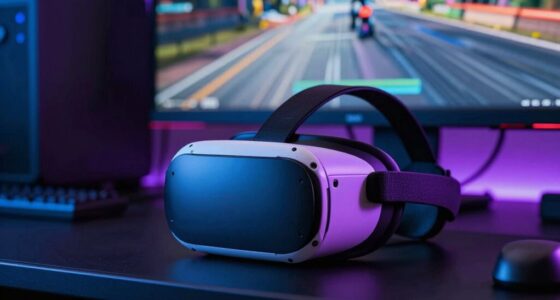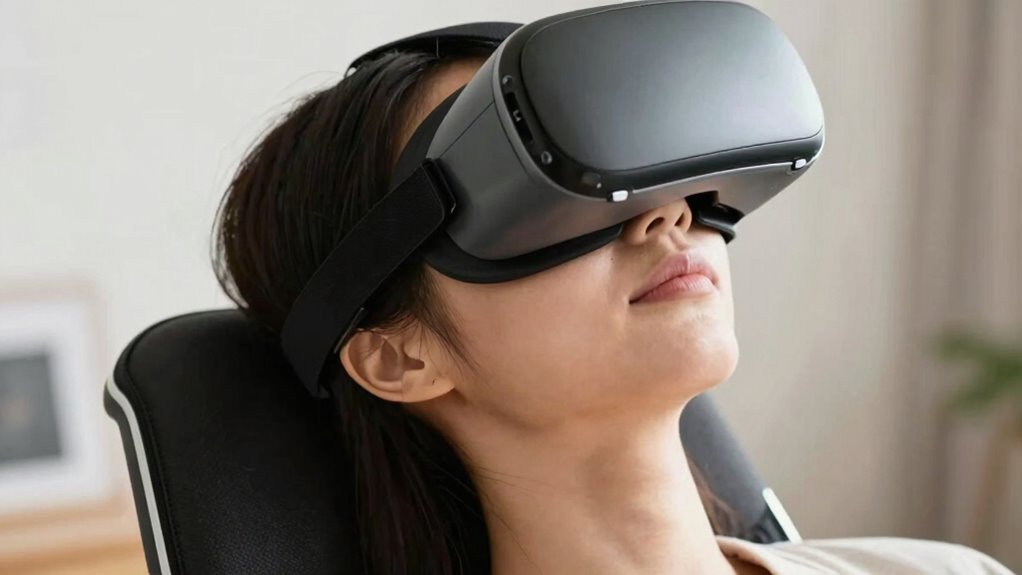

To avoid neck pain when looking up in VR, make sure your headset fits snugly and is adjusted to align with your eyes, minimizing unnecessary head tilt. Position your VR station at a comfortable height and maintain good posture, keeping your shoulders relaxed and back straight. Avoid straining by lifting your chin gently rather than tilting your head backward. Incorporate regular breaks and adjust your virtual environment to reduce extreme upward gaze, enabling you to stay comfortable longer. Keep exploring for more helpful tips.
Key Takeaways
- Adjust your VR headset for a snug, balanced fit to minimize neck strain caused by improper display alignment.
- Position your VR environment to reduce the need for excessive upward head tilting.
- Maintain good posture, keeping shoulders relaxed and lifting your chin gently when looking up.
- Take regular breaks to stretch and reset your posture, preventing muscle fatigue during extended sessions.
- Ensure your physical setup allows natural movement and supports your neck and head comfortably.

Looking up in virtual reality can strain your neck if you’re not careful, but you can prevent discomfort with some simple adjustments. The key is maintaining an ergonomic posture and ensuring your headset fits correctly. When you tilt your head upward, your neck muscles work harder to support your head’s weight, which can lead to soreness and fatigue if you’re not mindful. To avoid this, start by setting up your VR station in a way that promotes proper alignment. Make sure your physical environment allows you to look up comfortably without craning your neck excessively or straining your shoulders. Sitting or standing with a straight back helps distribute the weight evenly and reduces unnecessary pressure on your cervical spine.
Your headset fit plays a vital role in preventing neck pain. A headset that’s too tight can add extra pressure on your face and jaw, forcing you to hold your head at awkward angles. Conversely, a loose fit can cause you to strain your neck as you try to keep the display aligned with your eyes. Adjust the straps so the headset sits snugly but comfortably on your head, with equal pressure around your forehead and the back of your head. The visual display should be aligned with your eyes so that you don’t have to tilt your head excessively to see comfortably. Proper headset fit minimizes the need for awkward neck movements, allowing you to look up naturally without putting undue stress on your muscles. Additionally, incorporating ergonomic principles into your setup can help reduce fatigue and enhance comfort during extended VR sessions.
Practicing good posture during VR sessions is essential. Keep your shoulders relaxed and your chest open, avoiding slouching or leaning forward. When you need to look up, try to do so by gently lifting your chin rather than tilting your entire head backward. If possible, adjust your virtual environment so that the objects you need to look at are within a comfortable vertical range, reducing the need for extreme upward gazes. Take regular breaks to stretch and reset your posture; this prevents fatigue from building up and helps maintain comfort during prolonged use.
Frequently Asked Questions
Can Specific VR Headsets Reduce Neck Strain Better Than Others?
Yes, some VR headsets with ergonomic design and better weight distribution can reduce neck strain. When you choose a headset that balances weight evenly and fits comfortably, you’ll feel less pressure on your neck. Look for models with adjustable straps and lightweight materials. By prioritizing ergonomic features, you’ll find it easier to look up without discomfort, making your VR experience more enjoyable and less taxing on your neck.
Are There Exercises to Strengthen Neck Muscles for VR Use?
Did you know that regular neck strengthening exercises can reduce neck pain by up to 30%? To protect yourself during VR sessions, incorporate neck strengthening routines and practice posture correction. Simple exercises like neck tilts, rotations, and chin tucks strengthen muscles and improve alignment. Make these part of your routine, and you’ll find it easier to maintain good posture, reducing strain and enhancing comfort during extended VR use.
How Long Is Safe to Wear VR Headsets Without Discomfort?
You should limit VR headset use to about 30-60 minutes at a time to prevent discomfort. Take regular breaks and use ergonomic accessories, like adjustable straps or padding, to enhance comfort. Focus on posture correction by keeping your neck aligned and avoiding looking up for prolonged periods. Listening to your body helps prevent strain, so stop if you experience soreness or fatigue. Prioritize your comfort to enjoy VR safely.
Does Adjusting VR Headset Fit Help Prevent Neck Pain?
Think of your VR headset as a puzzle piece—if it doesn’t fit right, discomfort follows. Adjusting the fit helps guarantee proper ergonomics tips and better head positioning, reducing neck strain. When the headset sits snugly and evenly, you avoid unnecessary tension, making your experience smoother. So yes, customizing the fit is a simple yet effective way to prevent neck pain and keep your VR sessions comfortable and enjoyable.
Are There Signs Indicating I Should Stop Using VR to Avoid Injury?
If you notice persistent neck pain, dizziness, headaches, or blurred vision, it’s time to stop using VR. These signs indicate you should pause for injury prevention and avoid further discomfort or injury. Pay attention to how your body feels, and don’t push through pain. Taking regular breaks and listening to these cues helps protect your health while enjoying VR experiences. Always prioritize your well-being over continuing too long.
Conclusion
By taking regular breaks and adjusting your VR headset properly, you can prevent neck pain from turning your virtual adventures into real discomfort. Remember, your neck is like a delicate garden — tending to it carefully keeps your experience enjoyable and pain-free. Don’t let the allure of the virtual world cause lasting aches; stay mindful of your posture, and your neck will thank you for it. Enjoy your VR journeys without the shadow of pain looming overhead.