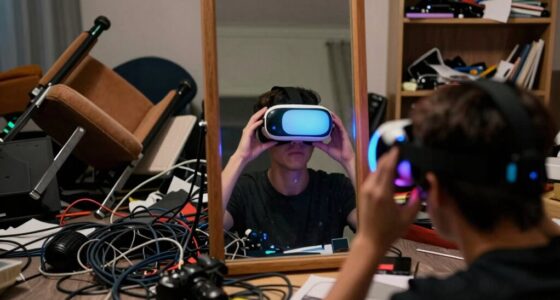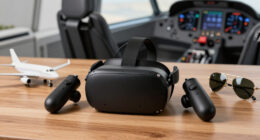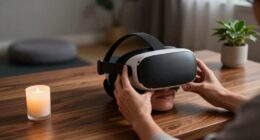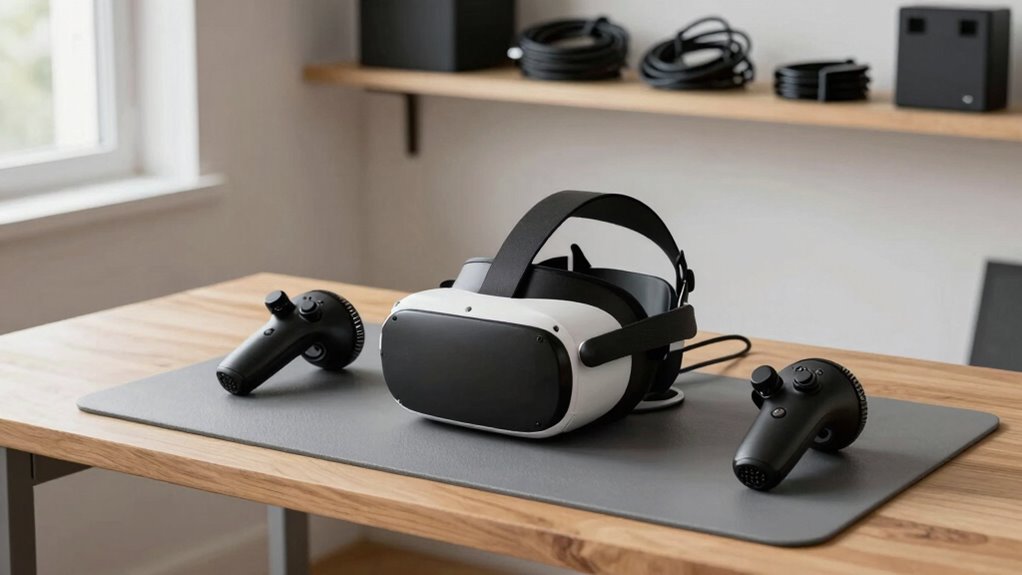

Set up a grab-and-go VR station by designating a dedicated, clutter-free area near power outlets, equipped with wall-mounted shelves or compact storage for accessories. Keep controllers on a charging dock and regularly clean lenses and padding for quick setup. Use cable management to prevent tripping hazards and consider wireless options for added flexibility. Organized, maintained, and accessible, this setup guarantees you can enjoy VR sessions anytime — continue to discover more tips for fast, safe setups.
Key Takeaways
- Designate an easily accessible, clutter-free area near power outlets for quick setup.
- Use wall-mounted shelves and storage bins to organize VR accessories and controllers.
- Implement cable management solutions or switch to wireless equipment to reduce setup time.
- Prepare a maintenance checklist to ensure equipment is clean, updated, and ready for use.
- Create a standardized setup and teardown routine for efficiency during busy weeks.

Ever wondered how to create the perfect virtual reality station at home or in your workspace? Setting up a VR ‘grab-and-go’ station isn’t just about tossing equipment into a corner — it’s about designing a space that’s efficient, easy to access, and ready whenever you are. To do this, start with VR headset maintenance. Regularly cleaning your headset, especially the lenses and foam padding, ensures clear visuals and comfort during every session. Use a microfiber cloth for the lenses and gentle disinfectant wipes for the padding. Keeping your headset in top shape not only prolongs its lifespan but also guarantees a smooth, immersive experience each time you put it on.
Next, focus on space optimization techniques. Since a grab-and-go station needs to be quick and accessible, choose a dedicated spot that’s uncluttered and close to power outlets. Use wall-mounted shelves or a compact storage unit to hold your headset, controllers, and accessories. This minimizes desk clutter and makes everything easy to grab in a hurry. Consider investing in a charging station or dock so your controllers are always ready, eliminating the need for last-minute searches or charging delays. If space is tight, vertical storage solutions can help maximize your area without sacrificing accessibility.
When designing your setup, ensure the space is clear of obstacles to prevent accidents during energetic VR sessions. Mark a designated play area with tape or mats to define boundaries, which helps you stay centered and safe. For space optimization, think about cable management too — use clips or sleeves to keep cords tidy and out of the way. Wireless options are a bonus, reducing trip hazards and making your station more flexible. Additionally, selecting a high-quality projector can enhance your virtual environment, making the experience more immersive and visually impressive.
To keep your VR station ready for busy weeks, develop a routine for quick maintenance and setup. Always disconnect and store your equipment properly after each use, and periodically check for software updates or hardware wear. This proactive approach minimizes downtime and guarantees your VR experience remains seamless. By maintaining your headset regularly and employing smart space optimization techniques, you turn your VR station into a reliable, efficient hub. You’ll find it easier to jump in and out of virtual worlds without fuss, making your VR sessions more enjoyable and stress-free, even during your busiest weeks.
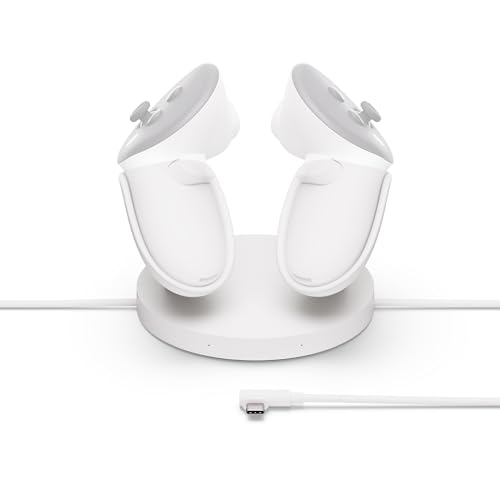
Meta Quest Compact Charging Dock — Works with Meta Quest 3/3S — Extended Headset Charging Cable — Wireless Charging for Touch Plus Controllers
- Device Compatibility: Works with Meta Quest 3/3S and controllers
- Drop-in Charging: Easy charging for controllers with overheating protection
- Extended Charging Cable: Includes longer cable for headset charging
As an affiliate, we earn on qualifying purchases.
As an affiliate, we earn on qualifying purchases.
Frequently Asked Questions
What Safety Precautions Are Recommended for VR Use?
You should prioritize VR ergonomics to guarantee user comfort and safety. Make sure users take regular breaks to prevent eye strain and fatigue. Check that the headset fits properly and isn’t too tight, reducing discomfort. Keep the play area clear of obstacles to prevent accidents. Encourage users to stay aware of their surroundings, and advise them to stop if they experience dizziness or discomfort, safeguarding their overall safety during VR use.
How Can I Manage VR Headset Sanitation?
You can manage VR headset sanitation by following proper sanitization protocols and hygiene practices. After each use, wipe down the headset with alcohol-based wipes or disinfectant sprays, paying attention to straps and surfaces that contact skin. Encourage users to wash their hands before and after use, and consider providing disposable covers or cloths for added cleanliness. Regularly cleaning the equipment helps prevent germs and guarantees a safe, hygienic experience for everyone.
What Are the Best Storage Options for VR Equipment?
You should opt for dedicated storage solutions like stackable bins or wall-mounted racks to keep VR equipment organized. Use labeled compartments for headsets, controllers, and cables, making it easy to find everything quickly. Incorporate organization tips such as cable organizers and foam padding to protect your gear. This setup minimizes clutter and guarantees your VR equipment stays safe, ready for busy weeks when quick access is essential.
How Do I Troubleshoot Common VR Hardware Issues?
When troubleshooting common VR hardware issues, first check hardware compatibility to guarantee all components work together seamlessly. Restart the device and verify that software updates are current, as outdated software can cause performance problems. If issues persist, reconnect cables securely, clean any dust from sensors, and test with different ports or devices. These steps help resolve most issues quickly, keeping your VR station running smoothly during busy weeks.
Are There Recommended VR Applications for Quick Setup?
For quick setup, I recommend using user-friendly VR apps like Oculus Venues. For example, a company set up a station with Venues, allowing employees to join virtual events instantly during busy weeks. To streamline the process, keep the app pre-installed and create simple instructions. These VR app recommendations and quick setup tips help you maximize efficiency, so your station is ready whenever you need it, minimizing downtime and maximizing engagement.

VR Headset Cleaning Kit, VR Lens Cleaner, Cleaner Kit for Meta Oculus Quest 2 3 /Xbox/PS/Wii/Switch, Face Cover Pad Game Controller AR VR Accessories, Gamer Gifts
- Complete Cleaning Kit: Includes cleaner, lens pen, cloths, and tools
- Universal Compatibility: Suitable for Oculus Quest, Xbox, PlayStation, Switch, and more
- Deep Cleaning Power: Removes fingerprints, dust, grease, and debris
As an affiliate, we earn on qualifying purchases.
As an affiliate, we earn on qualifying purchases.
Conclusion
Setting up a VR ‘grab-and-go’ station is like planting a seed that blooms into endless possibilities. With a little prep, you create a gateway for quick, immersive experiences that energize your busy weeks. Just remember, the station is your toolkit—ready to grow and adapt as your needs evolve. Stay attentive and nurture it, and you’ll watch your virtual garden flourish, turning hectic days into moments of discovery and delight.

Meta Quest 3S 128GB | VR Without Wires — Gorilla Tag Cardboard Monkenaut Bundle — Amazon Exclusive —Access to 100+ Games with a 3-Month Trial of Meta Horizon+ Included
- Exclusive Gorilla Tag Bundle: Includes Gorilla Space Suit and 2000 Shiny Rocks
- Wireless VR Experience: Untethered gaming and exploration
- Enhanced Graphics Power: Double processing for faster load times
As an affiliate, we earn on qualifying purchases.
As an affiliate, we earn on qualifying purchases.
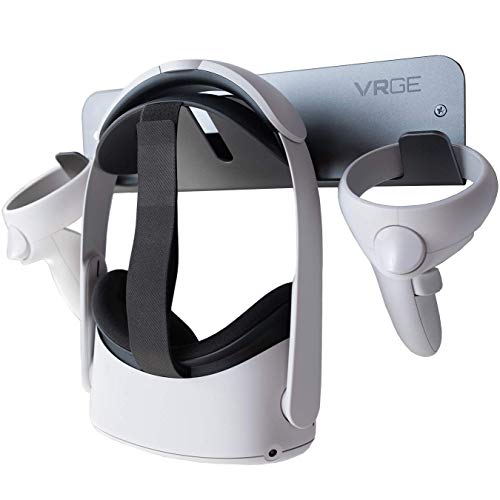
VRGE VR Wall Mount Storage Stand Hook – for Meta/Oculus Quest 3/2 – Rift-S – HTC Vive Pro – PS5 VR2 – Valve Index and Mixed Reality Headsets
- Easy installation: Includes screws and anchors for quick setup
- High-quality material: Made of durable aluminum with gunmetal finish
- Universal headset compatibility: Fits HTC Vive, Oculus, Meta, PSVR2, Valve Index, WMR
As an affiliate, we earn on qualifying purchases.
As an affiliate, we earn on qualifying purchases.