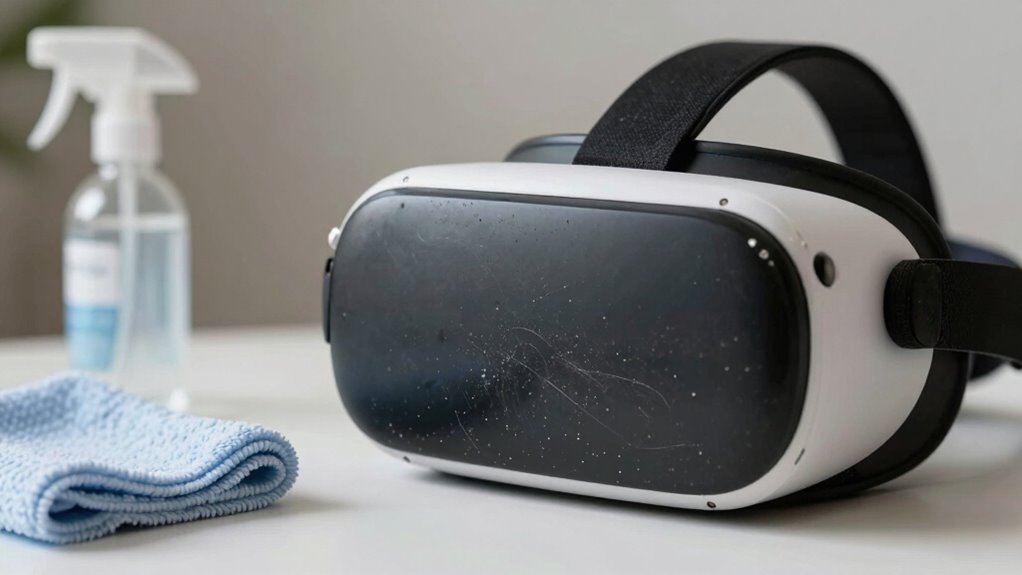

Quick cleaning might seem convenient, but it often leaves germs, dirt, and microbes hidden in hard-to-reach areas like crevices, foam padding, and straps. Superficial wipes won’t kill bacteria or viruses that can survive hours or days on surfaces, risking skin irritation, infections, and device deterioration. Rushing through cleaning overlooks critical spots, allowing microbes to build up and multiply over time. If you want to protect your health and extend your headset’s lifespan, understanding deeper cleaning methods is essential.

Play games on Amazon Luna for your next adventure, included with Prime
- A rotating selection of games, no download needed
- Play on TV, laptop or phone
- Fast, free delivery for your gear, too
Key Takeaways
- Quick cleaning often misses germs in crevices, foam padding, and straps, allowing bacteria to survive and proliferate.
- Superficial methods do not eliminate microbes embedded beneath surfaces, increasing infection risks over time.
- Inadequate cleaning can cause material deterioration and unpleasant odors, reducing the headset’s lifespan.
- Regular quick wipes fail to address microscopic threats, risking skin irritation and microbial transfer.
- Proper, thorough cleaning protocols are essential for effective sanitation and maintaining device hygiene.

While a quick wipe-down of your VR headset might seem sufficient after a session, it often falls short of effectively eliminating germs and dirt. Surface contamination can linger in hard-to-reach areas, creating a breeding ground for germs that can transfer to your skin or other surfaces. You may think a simple microfiber cloth or a quick spritz with disinfectant does the trick, but surface contamination isn’t always that straightforward. Bacteria and viruses can embed into crevices, foam padding, and straps, making superficial cleaning ineffective. Over time, this germ buildup can lead to skin irritation, infections, or even the spread of illnesses to others.
When you skip thorough cleaning, you’re allowing dirt, sweat, oils, and microbes to accumulate. These contaminants not only pose health risks but also degrade the headset’s materials, leading to unpleasant odors and material deterioration. Surface contamination isn’t just about visible dirt; it’s about unseen microbes that can survive on surfaces for hours or even days. A quick wipe might remove visible grime but leaves behind microscopic threats that can multiply quickly, especially with regular use. Your VR headset becomes a hotspot for germs if you don’t clean it properly, especially after shared sessions or prolonged use.
Moreover, many people underestimate the importance of deep cleaning because they believe surface cleaning is enough. In reality, surface contamination often resides beneath the surface, in foam padding and inside crevices, where a quick wipe won’t reach. This neglect can cause bacteria to thrive, making it more difficult to maintain a hygienic device. Regularly using just a damp cloth may remove surface dirt but doesn’t kill germs effectively. Without proper disinfectants or cleaning methods, germs can persist, increasing the risk of infections or skin irritations. It’s not just about cleaning; it’s about doing it thoroughly. Incorporating proper cleaning protocols that target embedded microbes is essential for comprehensive hygiene.
To truly keep your VR headset safe and hygienic, you need to go beyond surface cleaning. Disinfectants designed for electronics, gentle scrubbing of removable parts, and paying attention to hard-to-reach areas are essential. Proper cleaning routines help prevent germ buildup and surface contamination, ensuring your device remains safe and in good condition. Additionally, understanding the importance of effective cleaning techniques can significantly reduce the risk of microbial growth. Using appropriate disinfectants that are compatible with electronics can help eliminate a higher percentage of germs and viruses, providing an added layer of protection. Regularly cleaning with proper disinfectants can also extend the lifespan of your device by preventing material deterioration. Recognizing the limits of quick cleaning and adopting comprehensive methods is crucial for maintaining both your health and your headset’s longevity. Remember, quick cleaning might be convenient, but it doesn’t eliminate the hidden risks lurking beneath the surface. Taking the time to clean thoroughly protects your health and extends your headset’s lifespan.
As an affiliate, we earn on qualifying purchases.
Frequently Asked Questions
How Often Should VR Equipment Be Thoroughly Cleaned?
You should thoroughly clean your VR equipment after every use to maintain good VR hygiene and protect its longevity. Regular deep cleaning prevents germs from spreading and guarantees your headset stays in top condition. Use appropriate disinfectants on all surfaces that contact your skin or hands. By doing this consistently, you’ll keep your VR gear safe, hygienic, and functioning smoothly for a longer time.
Are There Specific Cleaning Products Recommended for VR Headsets?
You should use gentle, alcohol-free cleaning products specifically designed for electronics to follow proper cleaning protocols for your VR headset. Avoid harsh chemicals that can damage sensitive surfaces. If you don’t have dedicated cleaning products, consider product alternatives like microfiber cloths and isopropyl alcohol solutions with at least 70% concentration. Always turn off your device and avoid excess moisture during cleaning to keep your equipment safe and functioning at its best.
Can Quick Cleaning Damage VR Devices Over Time?
Think of your VR headset like a vintage radio—if you’re quick to clean it with harsh methods, you risk damaging sensitive parts over time. Quick cleaning can cause dust accumulation in gaps or scratches, potentially harming device longevity. Using improper cleaning tools or too much force may lead to wear and tear, reducing the lifespan of your device. Regular, gentle cleaning guarantees your VR headset stays in top shape longer.
What Are Signs That VR Gear Needs a Deep Clean?
You’ll notice signs like persistent foggy lenses, lingering odors, or skin irritation after using your VR gear, indicating it’s time for a deep clean. Regular VR hygiene and proper headset maintenance are essential to prevent bacteria buildup and guarantee a comfortable experience. If dirt or sweat accumulates in crevices or the foam padding looks worn, deep cleaning is necessary to keep your device in top shape and maintain peak performance.
Is There a Risk of Health Issues From Inadequate VR Cleaning?
Yes, neglecting thorough VR cleaning can pose health risks like skin irritation, eye infections, or respiratory issues. Inadequate cleaning breaks hygiene protocols and compromises user safety, especially with shared devices. Germ buildup on headsets and controllers can spread bacteria and viruses. To protect yourself, always clean your VR gear properly, following hygiene protocols, and guarantee all surfaces are disinfected thoroughly after each use.
As an affiliate, we earn on qualifying purchases.
Conclusion
So, next time you’re done with your VR session, don’t just wave a quick wipe over the headset. Imagine tiny particles, like whispers of dust and sweat, settling into every nook and cranny, waiting to mingle. A thorough clean is like clearing a path, ensuring your virtual adventures stay fresh and safe. Keep the rhythm steady—deep clean, refresh, and breathe new life into your VR gear. Your eyes—and your health—will thank you.
As an affiliate, we earn on qualifying purchases.
As an affiliate, we earn on qualifying purchases.
Fall Picks
fall essentials
As an affiliate, we earn on qualifying purchases.