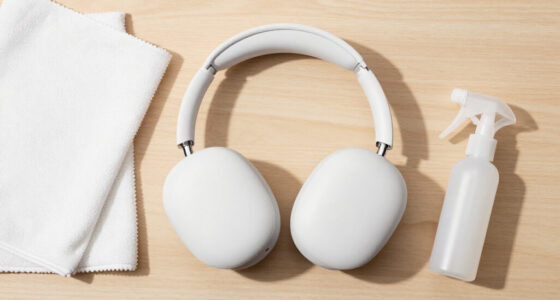
To keep your controller buttons feeling better over time, regularly clean and maintain your device with a soft cloth and isopropyl alcohol to prevent dirt buildup. Use ergonomic grips or accessories to improve comfort, and handle buttons gently to reduce wear. Avoid excessive force and take breaks to prevent fatigue. Proper storage and environmental care also help preserve button responsiveness. Keep these habits in mind, and you’ll discover more tips to extend your controller’s lifespan.

Play games on Amazon Luna for your next adventure, included with Prime
- A rotating selection of games, no download needed
- Play on TV, laptop or phone
- Fast, free delivery for your gear, too
Key Takeaways
- Regularly clean buttons with a soft cloth and isopropyl alcohol to prevent grime buildup and maintain responsiveness.
- Use grip-enhancing accessories or ergonomic controllers to reduce excessive force during presses.
- Practice gentle, deliberate button presses to minimize wear and extend button lifespan.
- Store controllers in a dry, temperature-controlled environment to prevent material degradation.
- Incorporate routine maintenance and avoid harsh cleaning methods to preserve button feel and functionality.
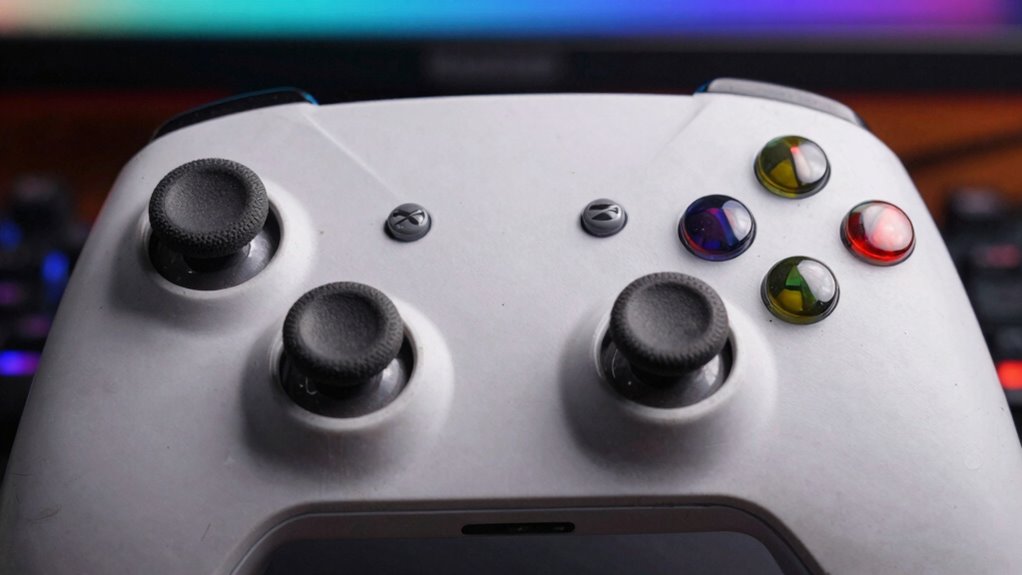
Over time, controller buttons can become sticky, unresponsive, or uncomfortable to press, which can ruin your gaming experience. To keep your controller in top shape, focusing on button durability is essential. Regular use wears down the material, causing buttons to feel less responsive and more prone to sticking. To combat this, you should clean your controller frequently, especially around the buttons. Use a soft cloth slightly dampened with isopropyl alcohol to wipe down the surfaces, removing dirt, oils, and grime that accumulate from your fingers. This simple step prevents buildup that can compromise button performance and helps maintain their durability over time. Additionally, consider using silicone or rubber covers designed for controllers. These not only protect against dirt but also cushion the buttons, extending their lifespan and preventing premature wear. Proper maintenance can also help prevent material wear, which is crucial for preserving button responsiveness over time. Grip comfort is equally important because a comfortable grip reduces excessive force when pressing buttons, which can lead to quicker wear and tear. If your controller feels awkward or causes hand fatigue, your natural response might be to press harder, accelerating deterioration. To improve grip comfort, check if your controller has textured grips or ergonomic designs, and opt for models that fit your hands well. If not, adding grip-enhancing accessories like silicone grips or grip tape can make a significant difference. These additions provide better traction and reduce slipping, so you don’t have to squeeze as tightly to maintain control. When your grip feels comfortable, your finger movements become more precise and less strenuous, which helps preserve button responsiveness and longevity. Also, ergonomic design can contribute to reducing fatigue and ensuring consistent, gentle presses. Incorporating proper controller maintenance routines can further extend the lifespan of your device, saving you money and frustration in the long run. Furthermore, being mindful of your gaming habits, such as avoiding unnecessary button presses, can also significantly impact the longevity of your controller. Another tip to enhance button durability and grip comfort is to avoid excessive force when pressing buttons. Many gamers tend to slam their thumbs down, but gentle, deliberate presses are gentler on the components and extend their lifespan. If you notice yourself pressing harder than necessary, consciously soften your touch. Also, take regular breaks during gaming sessions to prevent fatigue, which can cause you to press buttons harder out of frustration or fatigue. Store your controller in a safe, dry place when not in use, avoiding exposure to extreme temperatures or moisture that can degrade the internal components and affect button performance. Proper cleaning techniques and environmental care are key to maintaining optimal button function over time.
As an affiliate, we earn on qualifying purchases.
Frequently Asked Questions
Can Button Wear Vary Between Different Gaming Controller Brands?
Yes, button wear can vary between gaming controller brands due to differences in controller durability and brand material differences. Some brands use higher-quality materials, making buttons more resistant to wear and tear, while others might have softer or less durable components. You’ll notice that premium brands often last longer and maintain button feel over time. To prolong your controller’s lifespan, consider choosing brands known for their durability and handling wear better.
Are There Specific Cleaning Products to Avoid on Controllers?
You should avoid using harsh controller disinfectants, like bleach or alcohol-based cleaners, as they can damage buttons and plastic. Instead, opt for gentle cleaning solutions and microfiber cloths. Regular cleaning frequency keeps your controller in good shape, but overdoing it can cause wear. Stick to mild products and clean your controller periodically to maintain button feel and prevent buildup, ensuring longer-lasting performance.
How Often Should I Replace My Controller Buttons?
You should replace your controller buttons when they start to feel unresponsive or sticky, which depends on the button material and your usage frequency. If you notice wear or difficulty pressing, it’s time for a replacement. Heavy gamers may need to replace buttons more often, while casual users might go longer. Regular cleaning and gentle use can extend their lifespan, but don’t delay replacing buttons when they no longer function properly.
Do Ergonomic Designs Reduce Button Wear?
Ergonomic designs can help reduce button wear by improving grip and comfort. For example, a gaming controller with textured button material and contoured grip design distributes pressure evenly, minimizing strain on individual buttons. This thoughtful design means your buttons experience less stress during gameplay, which can prolong their lifespan and maintain a better feel over time. So, ergonomic features definitely contribute to less wear and a more comfortable gaming experience.
Can Software Updates Affect Controller Button Performance?
Yes, software updates can affect controller button performance. They often include firmware performance improvements, which optimize how the controller’s hardware interacts with software. Updates can also include controller calibration adjustments, ensuring buttons respond accurately and consistently. Regularly updating your controller’s firmware helps maintain button responsiveness, preventing issues caused by outdated software, and ensuring your gaming experience remains smooth and precise over time.
As an affiliate, we earn on qualifying purchases.
Conclusion
Taking care of your controller buttons isn’t just about comfort—it’s about extending their lifespan too. Regularly cleaning and avoiding excessive force can keep your buttons feeling responsive for months or even years. Did you know that gamers who clean their controllers weekly report 30% fewer button issues? By maintaining your controller, you’ll enjoy smoother gameplay and save money on replacements. Keep up these simple habits, and your buttons will stay fresh and responsive longer.
As an affiliate, we earn on qualifying purchases.
controller button protector covers
As an affiliate, we earn on qualifying purchases.
As an affiliate, we earn on qualifying purchases.
Fall Picks
fall essentials
As an affiliate, we earn on qualifying purchases.