When you’re tired, your eyes, balance, and focus become more sensitive, making VR experiences less comfortable. Fatigue worsens visual discrepancies, increases eye strain, and makes it harder to focus, which can lead to discomfort and dizziness. Your reaction times slow, and your awareness of surroundings diminishes, raising safety concerns. Over time, this creates a feedback loop of discomfort and restlessness. To understand how to better manage this, explore what’s behind this heightened sensitivity and fatigue.
Key Takeaways
- Tired eyes are more sensitive, increasing visual discomfort and eye strain during VR use.
- Fatigue impairs sensory integration, making motion sickness more likely and harder to tolerate.
- Reduced focus and alertness delay reactions and hinder recognizing early discomfort cues.
- Mental fatigue decreases concentration, safety awareness, and the ability to employ comfort strategies.
- Overall tiredness weakens the body’s natural defense against VR discomfort, worsening experiences.
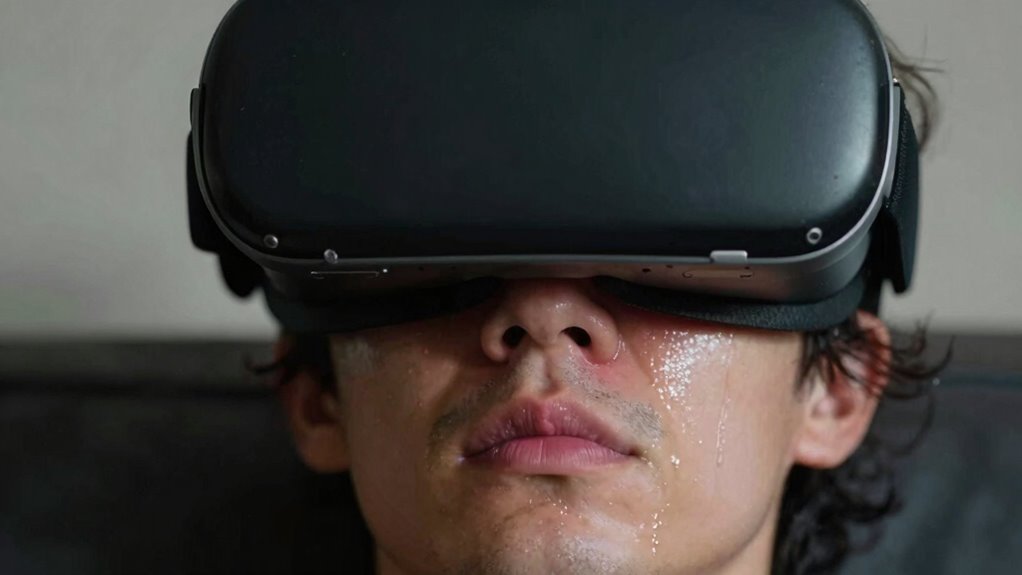
When you’re tired, your sense of comfort in virtual reality tends to decline markedly. Your eyes become more sensitive, and what once felt immersive can now seem overwhelming or uncomfortable. Eye strain is a common issue that worsens when fatigue sets in, as your eyes struggle to focus on the virtual environment. The constant effort to adjust your vision, combined with the bright screens and rapid movements, amplifies discomfort. When you’re exhausted, your blink rate decreases, leading to dryness and irritation. This makes it harder to keep your eyes comfortable during extended VR sessions, and even small visual discrepancies become more pronounced, heightening the feeling of eye fatigue. Additionally, fatigue can impair your ability to focus accurately, further contributing to discomfort.
At the same time, your body’s ability to handle motion sickness diminishes when you’re tired. Virtual reality relies heavily on your inner ear, eyes, and brain working in harmony to keep you oriented. When you’re well-rested, your system can adapt to the VR environment more easily. But fatigue hampers this coordination, making you more susceptible to motion sickness. You might notice that even minor head movements or rapid shifts in the virtual world now trigger nausea, dizziness, or disorientation. Because your alertness is down, your body isn’t as quick to recalibrate, and your tolerance for virtual motion drops significantly. Fatigue can also reduce the effectiveness of your body’s natural sensory integration, further increasing discomfort.
Additionally, when you’re tired, your mental focus wanes. This decreased concentration makes it harder to maintain proper posture or keep track of your surroundings, increasing the risk of discomfort or even accidents. Your reaction time slows, which means you’re less able to adjust or remove the headset if you begin feeling unwell. Fatigue also affects your ability to recognize early signs of discomfort, so you might push through sensations of eye strain or nausea longer than you should, leading to more severe discomfort later. Recognizing these signs early can help prevent escalation of symptoms, especially when your alertness is compromised. Moreover, fatigue can reduce your ability to effectively employ comfort strategies, making it harder to mitigate VR-related discomforts.
Furthermore, tiredness impacts your overall resilience to VR discomforts. You’re less likely to have the stamina to sit still for long periods, and your patience diminishes. This can cause you to rush through experiences or ignore cues signaling that you need a break. The combination of eye strain, motion sickness, and mental fatigue creates a feedback loop: discomfort increases, making you more restless and less tolerant of the experience, which in turn exacerbates your symptoms. A rested mind can better help you recognize when to pause and recover, reducing the likelihood of discomfort.
In essence, when you’re tired, your body’s natural defenses against VR discomfort weaken. Eye strain intensifies, motion sickness becomes more likely, and your overall capacity to enjoy or even tolerate virtual reality diminishes. Recognizing this and taking proper breaks, resting adequately before VR sessions, and staying alert can help maintain a more comfortable and safe experience. Additionally, the sensitivity of your eyes can be heightened by fatigue, further contributing to discomfort during VR use. Being mindful of your fatigue levels and scheduling VR sessions accordingly can significantly improve your comfort and safety.

VR Headset 3D VR Glasses Universal Virtual Reality Goggles Support 360°Panorama Large Screen An-ti Bluelight Adjustable Pupil Distance Eye Protection VR Goggles for Movies Games Gift for Kids Adults
SUPPORT FOR MYOPIA USERS: The reasonable design of the optical lens and the body can pre-vent fatigue and…
As an affiliate, we earn on qualifying purchases.
As an affiliate, we earn on qualifying purchases.
Frequently Asked Questions
Can Taking Breaks Improve VR Comfort When Tired?
Taking breaks can definitely improve VR comfort when you’re tired. When you pause, your eyes and muscles relax, reducing user fatigue. During breaks, focus on ergonomic design elements like adjusting the headset properly and maintaining good posture. This helps prevent discomfort from prolonged use. Regular breaks restore your focus and comfort, making your VR experience more enjoyable, especially when you’re feeling tired. Always listen to your body and take breaks when needed.
Does Hydration Affect VR Comfort During Fatigue?
Did you know that dehydration can decrease cognitive function by up to 13%? Hydration levels considerably influence VR comfort during fatigue, as dehydration worsens fatigue effects, leading to headaches, dizziness, and eye strain. When you’re tired, staying well-hydrated helps your body manage fatigue better, reducing discomfort and maintaining focus. Proper hydration supports your visual and physical endurance, making your VR experience more comfortable even when exhaustion sets in.
Are There Specific VR Headsets Better for Tired Users?
Yes, some VR headsets are better for tired users. Look for lightweight headsets with a comfortable facial fit, as these reduce pressure on your face and neck, making extended use easier. Headset weight directly impacts fatigue, so opt for models designed with lighter materials. Also, adjustable straps and cushioned face pads help distribute pressure evenly, ensuring you stay comfortable even when you’re tired or fatigued during long VR sessions.
How Does Eye Strain Impact VR Discomfort When Tired?
Eye strain and visual fatigue act like a storm cloud over your VR experience when you’re tired. They make your eyes work harder to focus, increasing discomfort and headaches. When you’re exhausted, your eyes can’t adjust as easily, amplifying VR discomfort. This means your visual fatigue worsens, turning immersive worlds into sources of strain. To stay comfortable, take frequent breaks and keep your eyes well-rested before diving into VR.
Can Adjusting VR Settings Reduce Discomfort When Sleepy?
Adjusting VR settings can help reduce discomfort when you’re sleepy, especially by fine-tuning display calibration for clearer visuals and reducing eye strain. You should also consider headset weight—lighter headsets distribute pressure better, easing fatigue. Lowering brightness or adjusting refresh rates may prevent eye fatigue, making your experience more comfortable. Small changes in these settings can make a significant difference, helping you stay more comfortable even when tired.

VZNEK New Face Cover Pad for Oculus Quest 2, Sweatproof PU Leather Facial Interface & Face Cushion Pad – VR Accessories for Meta Quest 2, Ergonomical Design (Q2MZ)
【Tailored for Oculus Quest 2】Designed as alternative for the Oculus Quest 2 original spacer, VZNEK foam face pad…
As an affiliate, we earn on qualifying purchases.
As an affiliate, we earn on qualifying purchases.
Conclusion
So, next time you’re feeling exhausted, remember that your VR experience might not be as smooth as you’d like—it’s no coincidence that tiredness worsens comfort. That late-night gaming session could turn into a headache or nausea just when you’re most enthusiastic to enjoy it. Your body’s signals are telling you to rest, so don’t ignore them. Sometimes, the best way to fully enjoy virtual worlds is to be well-rested—your eyes and mind will thank you.

BOBOVR S3 Pro Battery Strap Accessories,Head Air Cooling System and 10000mah Hot-swappable Battery Pack,Compatible with Meta Quest 3/Quest 3S
Compatible with Meta Quest 3/Quest 3s: Still using BOBOVR’s innovative power swap design, the new battery architecture separates…
As an affiliate, we earn on qualifying purchases.
As an affiliate, we earn on qualifying purchases.
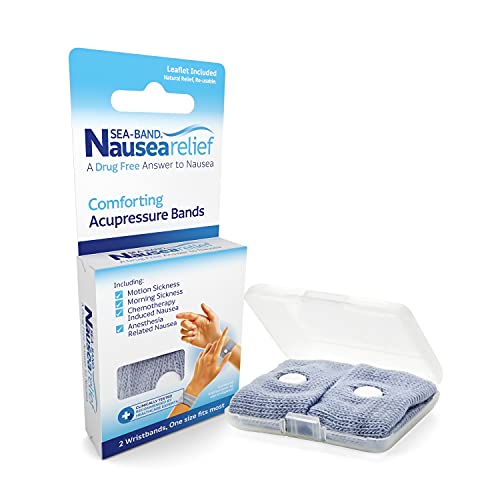
Sea-Band Anti-Nausea Acupressure Wristband for Motion and Morning Sickness — Pressure Point Wristband for Nausea, 1 Pair, Gray
Sea-Band: Sea-Band, motion sickness wristbands, help relieve nausea from morning sickness, chemotherapy, surgery, car sickness, etc; Sea-Band anti-nausea…
As an affiliate, we earn on qualifying purchases.
As an affiliate, we earn on qualifying purchases.