
The ASUS ROG GM700 is my best overall pick among the best gaming PCs because its Ryzen 7 9800X3D and Radeon RX 9070 XT pairing gives it the strongest balance of gaming-first performance, price logic, and long-term relevance. The Skytech Gaming King 95 is the better choice for buyers who want an Nvidia-based high-end build, while the CyberPowerPC Gamer Xtreme makes more sense for beginners who want a simpler entry point. The main tradeoffs are GPU tier, CPU gaming strength, storage and memory headroom, case size, upgrade access, and brand support. I ranked these PCs by how well they turn specs into real buyer value, not by raw component labels alone. Keep reading for the full breakdown of which system fits which kind of player.

Get VR and gaming gear delivered free — and shop member deals
- Fast, free delivery on millions of items
- Access to Prime Big Deal Days deals on October 6–7
- Prime Video, Amazon Music and more included
Key Takeaways
- The ASUS ROG GM700 ranks first because it combines a gaming-specialist CPU with a strong modern GPU without leaning too hard on flashy extras.
- RTX 5070 Ti systems split the premium tier: the Skytech King 95 favors gaming speed, while the Lenovo Legion Tower 5i and MSI Aegis R2 AI lean more toward polished brand ecosystems.
- The CyberPowerPC Gamer Xtreme is the cleanest beginner pick because its Core i5 and RTX 5060 pairing keeps expectations realistic for 1080p and lighter 1440p play.
- Storage claims are not equal to gaming value; the Horizon Autherium Dragon offers huge capacity, but its ranking depends on whether that space matters more than GPU clarity.
- Compact and feature-heavy builds carry tradeoffs: the KOTIN G60B adds WiFi 7 and a smart display, but simpler towers may be easier to service over time.
| ASUS ROG GM700 (2025) Gaming Desktop PC |  | Best Overall AMD Pick | Processor: AMD Ryzen 7 9800X3D | Graphics Card: AMD Radeon RX 9070 XT PRIME OC | RAM: 32GB DDR5 | VIEW LATEST PRICE | See Our Full Breakdown |
| ZOTAC MEK Gaming PC Desktop |  | Best NVIDIA Performance Pick | Graphics Card: NVIDIA GeForce RTX 5070 Ti 16GB GDDR7 | Processor: AMD Ryzen 7 9700X up to 5.5GHz | RAM: 32GB DDR5-6000MHz | VIEW LATEST PRICE | See Our Full Breakdown |
| CyberPowerPC Gamer Master Gaming PC |  | Best Mainstream Gaming Pick | Processor: AMD Ryzen 7 8700F 4.1GHz 8-core | Motherboard: AMD B850 Chipset | RAM: 16GB DDR5, 4800 MT/s | VIEW LATEST PRICE | See Our Full Breakdown |
| Horizon Autherium Dragon RGB i9 RTX Gaming PC |  | Best Storage-Heavy Power Tower | Processor: Intel Core i9 Unlocked OC, up to 5.4GHz | Graphics Card: NVIDIA GeForce RTX 5070 OC 12GB GDDR7 | RAM: 64GB DDR4 | VIEW LATEST PRICE | See Our Full Breakdown |
| Skytech Gaming Azure 3 Gaming PC |  | Best 3D V-Cache Value Pick | Processor: AMD Ryzen 7 7800X3D 4.2GHz, Turbo 5.0GHz | Graphics Card: NVIDIA RTX 5060 Ti 16GB VRAM | RAM: 16GB DDR5 6000 | VIEW LATEST PRICE | See Our Full Breakdown |
| Skytech Gaming King 95 Desktop PC with Ryzen 7 9800X3D and RTX 5070 Ti |  | Best High-FPS 1440p Pick | Processor: AMD Ryzen 7 9800X3D, 4.7GHz, up to 5.2GHz Turbo Boost | Graphics: NVIDIA RTX 5070 Ti 16GB GDDR7 | Memory: 32GB DDR5 5600 RGB | VIEW LATEST PRICE | See Our Full Breakdown |
| KOTIN G60B Prebuilt Gaming PC with GeForce RTX 5070, AMD Ryzen 7 9700X, 32GB DDR5, 1TB SSD, 11.3-inch Smart Display, WiFi 7 |  | Best Built-In Monitoring Display | Processor: AMD Ryzen 7 9700X, up to 5.5GHz | Graphics: GeForce RTX 5070 12GB GDDR7 | Memory: 32GB DDR5 6000MHz | VIEW LATEST PRICE | See Our Full Breakdown |
| Alienware Aurora Gaming Desktop ACT1250 |  | Best Big-Brand RTX 5070 Desktop | Processor: Intel Core Ultra 7 265F | Graphics: NVIDIA GeForce RTX 5070 | Memory: 32GB DDR5 | VIEW LATEST PRICE | See Our Full Breakdown |
| Skytech Gaming Archangel 5 Gaming PC, AMD Ryzen 7 7700, NVIDIA RTX 5060, 32GB DDR5 RAM, 1TB NVMe SSD, Windows 11 |  | Best 1080p Ultra Value | Processor: AMD Ryzen 7 7700, 3.8GHz, up to 5.3GHz Turbo | Graphics: NVIDIA GeForce RTX 5060 8GB GDDR7 | Memory: 32GB DDR5 RAM 6000 | VIEW LATEST PRICE | See Our Full Breakdown |
| iBUYPOWER Element Gaming PC Desktop with AMD Ryzen 9 7900X and NVIDIA GeForce RTX 5070 |  | Best Creator-Gaming Hybrid | Processor: AMD Ryzen 9 7900X | Graphics: NVIDIA GeForce RTX 5070 12GB | Memory: 32GB DDR5 5200MHz | VIEW LATEST PRICE | See Our Full Breakdown |
| MSI Aegis R2 AI Gaming Desktop with Intel Core Ultra 9 285 and GeForce RTX 5070 Ti |  | Best High-End Performance Pick | Processor: Intel Core Ultra 9 285 | Graphics: NVIDIA GeForce RTX 5070 Ti | Memory: 32GB DDR5 | VIEW LATEST PRICE | See Our Full Breakdown |
| Thermaltake LCGS Quartz i1460 Gaming Desktop |  | Best Value 1080p Gaming PC | Processor: Intel Core i5-14400F | Motherboard: Intel B760 chipset | Memory: 16GB DDR4 3600MHz RGB | VIEW LATEST PRICE | See Our Full Breakdown |
| CyberPowerPC Gamer Xtreme Gaming PC with Intel Core i5-14400F and GeForce RTX 5060 |  | Best Beginner-Friendly Bundle | Processor: Intel Core i5-14400F, 10 cores, 2.5GHz | Motherboard: Intel B760 chipset | Memory: 16GB DDR5, 4800 MT/s | VIEW LATEST PRICE | See Our Full Breakdown |
| Lenovo Legion Tower 5i – AI-Powered Gaming PC with Intel Core Ultra 7 265F and NVIDIA GeForce RTX 5070 Ti |  | Best Upgrade-Friendly Premium Tower | Processor: Intel Core Ultra 7 265F | Graphics: NVIDIA GeForce RTX 5070 Ti | Memory: 32GB DDR5, expandable to 128GB | VIEW LATEST PRICE | See Our Full Breakdown |
| MSI Codex Z2 Gaming Desktop with AMD Ryzen 7 8700F and GeForce RTX 5070 |  | Best Midrange Storage Pick | Processor: AMD Ryzen 7 8700F | Graphics: NVIDIA GeForce RTX 5070 | Memory: 32GB DDR5 | VIEW LATEST PRICE | See Our Full Breakdown |
More Details on Our Top Picks
ASUS ROG GM700 (2025) Gaming Desktop PC
ASUS ROG GM700 earns my top slot in this batch because it pairs a Ryzen 7 9800X3D with a Radeon RX 9070 XT and a roomy 2TB Gen 4 SSD. Compared with the ZOTAC MEK, it leans harder into an all-AMD setup and gives more built-in storage, which matters for players juggling large game libraries. The 32GB DDR5 RAM also gives it more headroom than the Skytech Azure 3 or CyberPowerPC Gamer Master. The tradeoff is value: this kind of CPU and GPU pairing will likely sit high on price, and the desktop may be bulky. I would rank it above the midrange RTX 5060 Ti systems, but buyers who want NVIDIA-specific features may prefer the ZOTAC.
Pros:- Ryzen 7 9800X3D is a strong gaming-focused processor
- Radeon RX 9070 XT PRIME OC targets high-frame-rate play
- 2TB PCIe Gen 4 SSD gives more room than most 1TB rivals
- 32GB DDR5 RAM supports gaming, streaming, and creative apps
Cons:- Likely expensive beside RTX 5060 Ti-based systems
- May be large and heavy for smaller rooms or shared spaces
- NVIDIA-focused players may miss DLSS-oriented appeal
Best for: PC gamers who want a high-end AMD desktop for demanding games, multitasking, and a large installed library
Not ideal for: Buyers who specifically want NVIDIA graphics features or a smaller tower for a tight desk setup
- Processor:AMD Ryzen 7 9800X3D
- Graphics Card:AMD Radeon RX 9070 XT PRIME OC
- RAM:32GB DDR5
- Storage:2TB PCIe Gen 4 SSD
- Operating System:Windows 11 Home
- Primary Use:Gaming, multitasking, and creative workloads
Bottom line: This is the AMD-first gaming PC I would put near the top for buyers who want speed, storage, and fewer early upgrade needs.
ZOTAC MEK Gaming PC Desktop
I would choose the ZOTAC MEK for players who want a strong NVIDIA build without stepping into the larger storage-heavy profile of the ASUS ROG GM700. Its RTX 5070 Ti 16GB GDDR7 is the main draw, especially for buyers who care about ray tracing, high-resolution gaming, and creator apps that favor NVIDIA hardware. Compared with the Horizon Autherium Dragon, ZOTAC uses faster DDR5 memory and a newer Ryzen 7 9700X, but it gives only 1TB of storage. The 360mm AIO cooler and 750W Gold PSU are reassuring for a performance build, while Windows 11 Pro adds work-friendly appeal. The weaker points are the short system warranty and the tower’s space demands.
Pros:- RTX 5070 Ti 16GB GDDR7 is well matched for demanding modern games
- Ryzen 7 9700X and DDR5-6000 RAM give strong system responsiveness
- 360mm AIO liquid cooler suits sustained gaming loads
- Windows 11 Pro and no bloatware make it cleaner for mixed work and play
Cons:- 1TB SSD is smaller than the ASUS ROG GM700 and Horizon Autherium Dragon
- Complete system warranty is limited to 1 year
- Vertical tempered-glass chassis may not fit compact desks
Best for: Gamers and streamers who want a strong NVIDIA GPU, DDR5 memory, and Windows 11 Pro in one ready-made tower
Not ideal for: Players with huge local libraries who do not want to add storage soon after purchase
- Graphics Card:NVIDIA GeForce RTX 5070 Ti 16GB GDDR7
- Processor:AMD Ryzen 7 9700X up to 5.5GHz
- RAM:32GB DDR5-6000MHz
- Storage:1TB NVMe M.2 SSD
- Power Supply:750W 80+ Gold
- Cooling:360mm AIO Liquid Cooler
- Connectivity:WiFi 6E, Bluetooth 5.3, HDMI 2.1b, DisplayPort 2.1b, USB 3.2 Gen 2
- Operating System:Windows 11 Pro
Bottom line: This is my NVIDIA-leaning pick for buyers who care more about GPU features and fast memory than maximum built-in storage.
CyberPowerPC Gamer Master Gaming PC
CyberPowerPC Gamer Master sits in the practical middle of this lineup. It is not as powerful as the ZOTAC MEK or ASUS ROG GM700, but its Ryzen 7 8700F, RTX 5060 Ti, and 1TB PCIe 4.0 SSD make sense for gamers who want smooth mainstream performance without paying for a higher-tier GPU. Compared with the Skytech Azure 3, it has half the listed graphics memory and slower DDR5, but it counters with WiFi 6, Bluetooth 5.3, and a newer B850 chipset. The 16GB RAM is fine for many games, though I would see it as an eventual upgrade point. This pick works best when balanced specs matter more than chasing ultra settings at 4K.
Pros:- Ryzen 7 8700F gives enough CPU power for gaming and daily multitasking
- RTX 5060 Ti supports modern gaming features at a more approachable tier
- 1TB PCIe 4.0 NVMe SSD keeps game loads quick
- WiFi 6 and Bluetooth 5.3 are stronger than the Skytech Azure 3’s Wi-Fi 5
Cons:- 16GB RAM leaves less headroom than 32GB systems in this roundup
- RTX 5060 Ti 8GB is less future-facing than higher-VRAM alternatives
- Upgrade details are limited in the product data
Best for: Mainstream PC gamers moving up from an older desktop who want current connectivity and solid 1080p or 1440p play
Not ideal for: 4K-focused players or heavy multitaskers who want 32GB RAM and a stronger GPU from day one
- Processor:AMD Ryzen 7 8700F 4.1GHz 8-core
- Motherboard:AMD B850 Chipset
- RAM:16GB DDR5, 4800 MT/s
- Storage:1TB PCIe 4.0 NVMe SSD
- Graphics Card:NVIDIA GeForce RTX 5060 Ti 8GB GDDR7
- Connectivity:WiFi 6, Bluetooth 5.3, Ethernet LAN
- Operating System:Windows 11 Home
- Case Features:Tempered side panel and RGB lighting
Bottom line: This is the sensible middle pick for buyers who want a current gaming desktop without paying for flagship-class parts.
Horizon Autherium Dragon RGB i9 RTX Gaming PC
The Horizon Autherium Dragon is the pick I would point to for buyers who want excess capacity and an aggressive cooling setup. Its 64GB RAM and 5TB total storage make it very different from the ZOTAC MEK and CyberPowerPC Gamer Master, both of which ship with 1TB SSDs. The RTX 5070 OC is strong, though the ZOTAC MEK still has the higher-tier RTX 5070 Ti and faster DDR5 memory. Horizon answers with an overclocked i9, 360mm liquid cooling, 11 fans, and a 850W Gold PSU, which suits gaming plus heavy background work. The cost is physical and practical: at 35 pounds, this is not a casual desk PC, and beginners may find the build more complex than friendlier prebuilts.
Pros:- 64GB RAM gives far more multitasking headroom than the other reviewed systems
- 5TB total storage is ideal for large game and media libraries
- 360mm liquid cooling with 11 fans suits sustained heavy workloads
- 850W 80+ Gold PSU gives the build stronger power overhead
Cons:- Large 17 x 18 x 18 inch chassis needs real desk or floor space
- 35-pound weight makes moving or repositioning inconvenient
- DDR4 memory is less current than the DDR5 used by ASUS, ZOTAC, and Skytech
Best for: Gamers who also store large media libraries, install many big titles, or run memory-heavy creative workloads
Not ideal for: First-time PC buyers or small-space setups that need a lighter, simpler tower
- Processor:Intel Core i9 Unlocked OC, up to 5.4GHz
- Graphics Card:NVIDIA GeForce RTX 5070 OC 12GB GDDR7
- RAM:64GB DDR4
- Storage:5TB total: 1TB NVMe SSD + 4TB HDD
- Cooling:360mm liquid cooling with 11 fans
- Power Supply:850W 80+ Gold
- Operating System:Windows 11 Pro
- Dimensions and Weight:17 x 18 x 18 inches, 35 pounds
Bottom line: This is the big-capacity choice for buyers who want storage and memory headroom more than a tidy, beginner-friendly setup.
Skytech Gaming Azure 3 Gaming PC
Skytech Gaming Azure 3 stands out because it brings AMD’s gaming-friendly Ryzen 7 7800X3D into a more restrained RTX 5060 Ti build. Compared with the CyberPowerPC Gamer Master, it has faster DDR5-6000 memory, a 16GB version of the RTX 5060 Ti, and a 360mm AIO cooler, so it looks better suited to high-refresh 1440p play. It cannot match the ASUS ROG GM700 for GPU class or storage, and its Wi-Fi 5 is behind CyberPowerPC’s WiFi 6. The unspecified motherboard and variable graphics card brand also make it less transparent for buyers who care about exact components. Still, I like its role: strong gaming CPU, generous GPU memory, and cooling that fits long sessions.
Pros:- Ryzen 7 7800X3D is a proven gaming-focused CPU design
- RTX 5060 Ti with 16GB VRAM gives more graphics memory than the CyberPowerPC Gamer Master
- DDR5-6000 RAM is faster than many mainstream prebuilts
- 360mm ARGB AIO liquid cooler supports longer gaming sessions
Cons:- Wi-Fi 5 lags behind newer WiFi 6 and WiFi 6E systems
- Graphics card brand may vary, which reduces parts transparency
- 1TB SSD may fill quickly with modern game installs
Best for: High-refresh 1080p and 1440p gamers who want an X3D processor and 16GB GPU memory without moving to RTX 5070 Ti pricing
Not ideal for: Buyers who need the latest wireless standard, exact component branding, or more than 1TB of storage out of the box
- Processor:AMD Ryzen 7 7800X3D 4.2GHz, Turbo 5.0GHz
- Graphics Card:NVIDIA RTX 5060 Ti 16GB VRAM
- RAM:16GB DDR5 6000
- Storage:1TB Gen4 NVMe SSD
- Cooling:360mm ARGB AIO liquid cooler
- Power Supply:650W Gold PSU
- Wi-Fi:Wi-Fi 5 802.11ac
- Operating System:Windows 11 Home
- Warranty:1 year on parts and labor
Bottom line: This is the value-minded X3D pick for gamers who want strong CPU-led frame rates and can accept a few component unknowns.
Skytech Gaming King 95 Desktop PC with Ryzen 7 9800X3D and RTX 5070 Ti
I rank the Skytech Gaming King 95 as the performance-first choice in this group because its Ryzen 7 9800X3D is the strongest gaming CPU listed here, and pairing it with an RTX 5070 Ti 16GB gives it more 1440p headroom than the KOTIN G60B or Alienware Aurora RTX 5070 builds. Compared with the iBUYPOWER Element, this is less about extra creator cores and more about high frame rates, fast response, and keeping demanding games smooth with a 360mm ARGB AIO. The tradeoff is value: buyers pay for a premium GPU tier, an 850W Gold PSU, and the showier white case. The 1TB SSD is also merely standard at this price, and GPU brand variation makes exact thermals harder to predict.
Pros:- Ryzen 7 9800X3D is excellent for high-frame-rate gaming
- RTX 5070 Ti 16GB offers stronger 1440p margin than RTX 5070 systems
- 360mm ARGB AIO supports sustained gaming loads
- 32GB DDR5 and Gen4 NVMe storage keep multitasking and load times snappy
Cons:- Likely pricey versus RTX 5060 and RTX 5070 builds
- 1TB storage may fill quickly with large game libraries
- Exact GPU board partner can vary
Best for: High-refresh 1440p players who want the strongest gaming CPU in this batch and enough GPU memory for heavier texture settings.
Not ideal for: Budget-focused 1080p players, since the Skytech Archangel 5 covers that target with less expensive hardware.
- Processor:AMD Ryzen 7 9800X3D, 4.7GHz, up to 5.2GHz Turbo Boost
- Graphics:NVIDIA RTX 5070 Ti 16GB GDDR7
- Memory:32GB DDR5 5600 RGB
- Storage:1TB Gen4 NVMe SSD
- Cooling:360mm ARGB AIO liquid cooler
- Power Supply:850W Gold ATX 3.0
- Operating System:Windows 11 Home 64-bit
- Connectivity:Wi-Fi 802.11 AC
Bottom line: I would choose this when frame rate matters more than bundle extras or the lower cost of the Archangel 5.
KOTIN G60B Prebuilt Gaming PC with GeForce RTX 5070, AMD Ryzen 7 9700X, 32GB DDR5, 1TB SSD, 11.3-inch Smart Display, WiFi 7
The KOTIN G60B earns its spot by pairing an RTX 5070-class gaming core with a built-in 11.3-inch smart display, which gives streamers and hardware-watchers a cleaner way to keep an eye on temperatures and usage than the Alienware Aurora or iBUYPOWER Element. Its Ryzen 7 9700X, 32GB of 6000MHz DDR5, and PCIe 4.0 SSD make it well matched to 1440p play, while Wi-Fi 7 makes sense for buyers without easy Ethernet access. I would still rank the Skytech King 95 higher for raw gaming upside because its RTX 5070 Ti and 9800X3D are stronger. The KOTIN’s 360mm liquid cooling helps the parts fit the brief, but it is heavy, lacks built-in speakers, and may not be as flexible as a carefully chosen custom build.
Pros:- 11.3-inch smart display gives live system visibility
- RTX 5070 12GB is well suited to high-quality 1440p gaming
- 32GB DDR5 6000MHz memory is faster than several rivals here
- Wi-Fi 7 is useful for setups away from the router
Cons:- No built-in speakers, so audio needs HDMI or 3.5mm output
- 30-pound tower is awkward to move
- May offer less upgrade freedom than a custom build
Best for: Streamers and PC tinkerers who want visible system stats on the tower without adding a separate desk display.
Not ideal for: Players who only care about frames per dollar, since the smart display adds cost that does not raise FPS.
- Processor:AMD Ryzen 7 9700X, up to 5.5GHz
- Graphics:GeForce RTX 5070 12GB GDDR7
- Memory:32GB DDR5 6000MHz
- Storage:1TB PCIe 4.0 SSD
- Display:11.3-inch smart display, 7680 x 4320 resolution
- Cooling:360mm liquid cooling
- Power Supply:850W 80 PLUS Gold
- Connectivity:Wi-Fi 7, Bluetooth, Ethernet, HDMI, USB
- Weight:30 pounds
Bottom line: I would pick this for a cleaner monitoring setup, not as the pure speed leader.
Alienware Aurora Gaming Desktop ACT1250
I see the Alienware Aurora ACT1250 as the safest recognizable-brand pick among these RTX 5070 desktops. Compared with the KOTIN G60B, it gives up the smart display and liquid cooler, but it counters with a polished tower design, AlienFX lighting, and a beefy 1000W Platinum PSU that leaves more power margin than the typical 850W builds here. The Intel Core Ultra 7 265F and 32GB of DDR5 fit gaming, streaming, and everyday creation, though pure gaming buyers may get more speed from the Skytech King 95’s 9800X3D and RTX 5070 Ti pairing. The drawbacks are physical and practical: it is large, close to 34 pounds, air cooled, and often priced higher than similarly specced boutique-style towers.
Pros:- Recognizable Alienware design with customizable AlienFX lighting
- 1000W Platinum PSU gives more power margin than many competitors
- Core Ultra 7 265F and RTX 5070 suit gaming plus daily creative work
- 32GB DDR5 memory supports streaming and multitasking
Cons:- Large and heavy at 33.89 pounds
- Air cooling is less aggressive than liquid-cooled rivals
- Often carries a brand premium versus similar RTX 5070 builds
Best for: Buyers who value a known gaming brand, polished case design, and power-supply headroom over the lowest possible RTX 5070 price.
Not ideal for: Small-desk setups or buyers chasing maximum gaming speed per dollar, since the Skytech King 95 and Lenovo Legion Tower 5i offer stronger GPU tiers in this roundup.
- Processor:Intel Core Ultra 7 265F
- Graphics:NVIDIA GeForce RTX 5070
- Memory:32GB DDR5
- Storage:1TB SSD
- Power Supply:1000W Platinum Rated PSU
- Cooling:Air cooled
- Operating System:Windows 11 Home
- Dimensions:18.05 x 7.76 x 16.46 inches
- Weight:33.89 pounds
Bottom line: I would choose this for brand polish and power headroom, while speed-first buyers should compare it closely with the Skytech King 95.
Skytech Gaming Archangel 5 Gaming PC, AMD Ryzen 7 7700, NVIDIA RTX 5060, 32GB DDR5 RAM, 1TB NVMe SSD, Windows 11
The Skytech Gaming Archangel 5 is the sensible value pick for players focused on 1080p Ultra rather than chasing every frame at 1440p. Its Ryzen 7 7700 is still a strong gaming CPU, and 32GB of 6000MHz DDR5 gives it more breathing room than many entry prebuilts. Compared with the Skytech King 95, the Archangel 5’s RTX 5060 8GB is the clear limiter, so this is a step down for ray tracing, high-refresh 1440p, and heavier texture packs. Against the iBUYPOWER Element, though, it avoids paying for a Ryzen 9 chip many game-first buyers will not fully use. The 1TB NVMe SSD keeps load times quick, but storage expansion and GPU brand variation remain real watch points.
Pros:- Ryzen 7 7700 gives strong gaming and everyday speed
- 32GB DDR5 6000 memory is generous for this performance tier
- RTX 5060 targets smooth 1080p Ultra gaming
- 1TB NVMe M.2 SSD keeps boot and game load times quick
Cons:- RTX 5060 8GB is weaker for 1440p and heavy ray tracing
- Graphics card brand may vary
- 1TB storage can feel tight after several large installs
Best for: 1080p players who want modern DDR5 specs and a Ryzen 7 CPU without paying for RTX 5070-class hardware.
Not ideal for: 4K gamers, ray tracing fans, and players with large game libraries, since the 8GB GPU and 1TB SSD are the limiting factors.
- Processor:AMD Ryzen 7 7700, 3.8GHz, up to 5.3GHz Turbo
- Graphics:NVIDIA GeForce RTX 5060 8GB GDDR7
- Memory:32GB DDR5 RAM 6000
- Storage:1TB NVMe M.2 SSD
- Operating System:Windows 11 Home 64-bit
- Case:Skytech Archangel 5, White
- Wireless:802.11AC
- Cooling:ARGB fans for airflow
Bottom line: I would buy this for strong 1080p gaming value, not for chasing the higher ceiling of RTX 5070 and 5070 Ti systems.
iBUYPOWER Element Gaming PC Desktop with AMD Ryzen 9 7900X and NVIDIA GeForce RTX 5070
The iBUYPOWER Element makes the most sense for buyers splitting time between gaming, streaming, and heavier creative work. Its Ryzen 9 7900X brings more CPU muscle than the KOTIN G60B’s Ryzen 7 9700X or the Skytech Archangel 5’s Ryzen 7 7700, which helps when games run alongside capture software, browser tabs, and editing apps. The RTX 5070 12GB keeps it competitive for 1440p gaming, though the Skytech King 95 has the faster gaming-focused CPU/GPU pair. I also like that the bundle includes a keyboard and mouse, making setup simpler than the Alienware Aurora. Still, the 240mm liquid cooler is less aggressive than the 360mm units in the Skytech and KOTIN systems, and the 36-pound case is not desk-friendly for frequent moves.
Pros:- Ryzen 9 7900X is strong for streaming and creator workloads
- RTX 5070 12GB keeps 1440p gaming well within reach
- Includes gaming keyboard and mouse for a faster starter setup
- Tempered glass RGB case fits buyers who want a showpiece tower
Cons:- Heavy 36-pound case is hard to move often
- 240mm liquid cooler has less thermal capacity than 360mm AIO competitors
- DDR5 5200 memory is slower than KOTIN’s 6000MHz RAM
Best for: Players who also stream, edit video, or run creator apps and want included peripherals for a quicker setup.
Not ideal for: Pure FPS shoppers, since the Skytech King 95 puts more of the budget toward gaming-specific CPU and GPU speed.
- Processor:AMD Ryzen 9 7900X
- Graphics:NVIDIA GeForce RTX 5070 12GB
- Memory:32GB DDR5 5200MHz
- Storage:1TB NVMe SSD
- Cooling:240mm liquid CPU cooler
- Operating System:Windows 11 Home
- Connectivity:Wi-Fi Ready, Ethernet 10/100/1000
- Dimensions:20 x 9.1 x 17.4 inches
- Weight:36 pounds
Bottom line: I would choose this for a gaming PC that also leans into streaming and creation, not as the leanest frame-rate buy.
MSI Aegis R2 AI Gaming Desktop with Intel Core Ultra 9 285 and GeForce RTX 5070 Ti
I would rank the MSI Aegis R2 AI near the top for players who want a stronger ceiling than the midrange RTX 5060 systems. Its Core Ultra 9 285, RTX 5070 Ti, 32GB of DDR5 memory, and 2TB SSD give it more room for high-refresh 1440p gaming, VR, and heavy multitasking than the Thermaltake LCGS Quartz i1460 or CyberPowerPC Gamer Xtreme. Compared with the Lenovo Legion Tower 5i, it offers more storage out of the box, which matters if I want several large games installed at once. The tradeoff is refinement: the multi-fan air-cooling setup may run louder under load, and Windows 11 Home may feel limiting for buyers who want Pro features. It is powerful, but not the quietest or most business-friendly choice.
Pros:- RTX 5070 Ti gives it stronger gaming headroom than RTX 5060 desktops
- Core Ultra 9 285 is well matched for gaming, streaming, and multitasking
- 32GB DDR5 memory helps with background apps and creator workloads
- 2TB NVMe SSD offers more room than many 1TB rivals
Cons:- Multiple fans may become noticeable during demanding games
- Windows 11 Home may not suit buyers who need Pro-level management features
- Air cooling is less premium than liquid-cooled high-end builds
Best for: Players who want a high-end RTX 5070 Ti desktop with extra storage for a large game library and VR setup.
Not ideal for: Noise-sensitive desk setups or buyers who need Windows 11 Pro features for work alongside gaming.
- Processor:Intel Core Ultra 9 285
- Graphics:NVIDIA GeForce RTX 5070 Ti
- Memory:32GB DDR5
- Storage:2TB M.2 NVMe SSD
- Cooling:Air cooling with RGB CPU cooler and four system fans
- Operating System:Windows 11 Home
- Connectivity:USB Type-C
- Features:VR-ready, RGB lighting
Bottom line: This is the pick I would choose for high-end performance and storage before moving into pricier boutique builds.
Thermaltake LCGS Quartz i1460 Gaming Desktop
The Thermaltake LCGS Quartz i1460 makes the most sense as a value-focused gaming PC when I care more about solid 1080p performance than chasing the highest settings at 1440p. Its Core i5-14400F and RTX 5060 sit below the MSI Aegis R2 AI and Lenovo Legion Tower 5i, but that lower tier can be the right call for esports, mainstream games, and a cleaner price target. Compared with the CyberPowerPC Gamer Xtreme, the Quartz uses DDR4 rather than DDR5, so it feels a bit less forward-looking, though the RGB memory and tempered-glass case give it more visual flair. The main risk is long-term flexibility, since upgrade paths are not clearly described. I would treat it as a capable starter tower, not a forever machine.
Pros:- Core i5-14400F and RTX 5060 are a practical match for 1080p gaming
- 1TB NVMe SSD keeps boot and game load times quick
- Tempered-glass side panel and RGB memory give it a polished desktop look
- WiFi and Windows 11 Home are included out of the box
Cons:- DDR4 memory is less future-facing than DDR5 systems in this group
- Upgrade and expansion details are not clearly stated
- ARGB air cooling may get loud when the GPU and CPU are under load
Best for: Budget-minded players building a 1080p setup for esports, multiplayer games, and everyday PC use.
Not ideal for: Buyers planning frequent upgrades or 1440p ultra gaming, since the RTX 5060 and vague expansion details limit its long-term appeal.
- Processor:Intel Core i5-14400F
- Motherboard:Intel B760 chipset
- Memory:16GB DDR4 3600MHz RGB
- Storage:1TB NVMe M.2 SSD
- Graphics:NVIDIA GeForce RTX 5060
- Operating System:Windows 11 Home
- Connectivity:WiFi
- Case:3mm tempered-glass side panel with full-length PSU cover
Bottom line: This is the value pick I would shortlist for 1080p gaming if price matters more than long-term expansion.
CyberPowerPC Gamer Xtreme Gaming PC with Intel Core i5-14400F and GeForce RTX 5060
I would place the CyberPowerPC Gamer Xtreme above the Thermaltake Quartz for beginners who want a more complete setup with fewer add-ons to buy. Both use an Intel Core i5-14400F and RTX 5060, but this model adds DDR5 memory, WiFi 6, Bluetooth 5.3, Ethernet, and included keyboard and mouse support. That makes it easier to drop into a first gaming desk than the Thermaltake, even if the raw graphics class is similar. It cannot match the MSI Codex Z2 or Lenovo Legion Tower 5i for GPU strength, so demanding 1440p games may require settings cuts. The biggest tradeoff is price versus entry-level performance: it feels polished and connected, but buyers paying extra should value the bundle and support, not expect flagship frame rates.
Pros:- DDR5 memory gives it a more current platform than DDR4 entry systems
- WiFi 6, Bluetooth 5.3, and Ethernet cover modern connection needs
- Keyboard and mouse are included for a faster first setup
- Lifetime tech support adds reassurance for new PC owners
Cons:- RTX 5060 performance is modest beside RTX 5070 and RTX 5070 Ti desktops
- Upgrade and expansion details are not clearly listed
- May cost more than some entry buyers expect for this GPU tier
Best for: First-time PC gamers who need the tower, basic peripherals, modern wireless, and support in one package.
Not ideal for: Performance-first buyers with a 1440p high-refresh monitor, since the RTX 5060 sits behind the RTX 5070 and RTX 5070 Ti systems.
- Processor:Intel Core i5-14400F, 10 cores, 2.5GHz
- Motherboard:Intel B760 chipset
- Memory:16GB DDR5, 4800 MT/s
- Storage:1TB PCIe 4.0 NVMe SSD
- Graphics:NVIDIA GeForce RTX 5060 8GB
- Connectivity:WiFi 6, Bluetooth 5.3, Ethernet LAN
- Video Outputs:HDMI, DisplayPort
- Included Peripherals:Keyboard and mouse
- Warranty:1 year parts and labor, lifetime tech support
Bottom line: This is the beginner pick I would choose when ease of setup and support matter as much as frame rates.
Lenovo Legion Tower 5i – AI-Powered Gaming PC with Intel Core Ultra 7 265F and NVIDIA GeForce RTX 5070 Ti
The Lenovo Legion Tower 5i earns its place for buyers who want premium gaming power without treating the PC like a sealed appliance. Its RTX 5070 Ti puts it in the same performance class as the MSI Aegis R2 AI, but Lenovo leans harder into tool-less upgrades, expandable memory up to 128GB, 2.5G Ethernet, and WiFi 6E. That makes it better suited to someone who may add RAM or storage later. The catch is that it ships with only a 1TB SSD, while the MSI Aegis R2 AI and MSI Codex Z2 both provide 2TB. It is also a large, premium-priced tower. I would rank it above the MSI for long-term ownership, but below it for out-of-box storage value.
Pros:- RTX 5070 Ti is strong enough for high-refresh 1440p gaming
- Tool-less upgrade design makes future changes easier
- 32GB DDR5 memory is expandable up to 128GB
- WiFi 6E and 2.5G Ethernet suit fast home networks
Cons:- 1TB SSD feels tight beside several 2TB competitors
- Premium pricing may stretch buyers who only need 1080p performance
- Large tower size can be awkward in compact rooms
Best for: Players who want RTX 5070 Ti performance now and a tower they can upgrade as games and workloads grow.
Not ideal for: Small desks or buyers who want maximum built-in storage without paying for an immediate SSD upgrade.
- Processor:Intel Core Ultra 7 265F
- Graphics:NVIDIA GeForce RTX 5070 Ti
- Memory:32GB DDR5, expandable to 128GB
- Storage:1TB SSD
- Cooling:Legion Coldfront cooling system
- Connectivity:WiFi 6E, Bluetooth 5.2, 2.5G Ethernet
- Lighting:Customizable RGB
- Included Software:3 months Xbox Game Pass and EA Play
Bottom line: This is the premium pick I would buy for strong gaming now and a cleaner upgrade path later.
MSI Codex Z2 Gaming Desktop with AMD Ryzen 7 8700F and GeForce RTX 5070
The MSI Codex Z2 is the lineup’s sweet spot for buyers who want more than an RTX 5060 tower but do not need the cost of an RTX 5070 Ti system. Its Ryzen 7 8700F, RTX 5070, 32GB of DDR5 memory, and 2TB NVMe SSD make it more capable and roomier than the CyberPowerPC Gamer Xtreme or Thermaltake LCGS Quartz i1460. Compared with the Lenovo Legion Tower 5i, it gives up some GPU headroom and documented upgrade ease, but it doubles the listed storage. That makes it better for players with a rotating library of large games. The drawbacks are physical size, unclear expansion details, and Windows 11 Home. I would pick it when storage and balanced performance matter more than the highest frame-rate ceiling.
Pros:- RTX 5070 offers a clear step up from RTX 5060 desktops
- 2TB NVMe SSD is generous for large game installs
- 32GB DDR5 memory helps with gaming, streaming, and multitasking
- USB Type-C, HDMI, DisplayPort, and Ethernet cover common setup needs
Cons:- RTX 5070 trails the RTX 5070 Ti systems in this roundup
- Upgrade and expansion options are not clearly described
- Bulky 16 x 8.38 x 19 inch case may crowd smaller desks
Best for: Gamers who want a roomy 2TB SSD, 32GB memory, and strong 1440p-friendly performance without jumping to RTX 5070 Ti pricing.
Not ideal for: Compact gaming corners or buyers who want clearly documented upgrade paths before purchase.
- Processor:AMD Ryzen 7 8700F
- Graphics:NVIDIA GeForce RTX 5070
- Memory:32GB DDR5
- Storage:2TB NVMe SSD
- Operating System:Windows 11 Home
- Cooling:Air cooling with ARGB fans
- Connectivity:USB Type-C, HDMI, DisplayPort, Ethernet
- Dimensions:16 x 8.38 x 19 inches
- Weight:21.3 pounds
Bottom line: This is the balanced pick I would choose for strong performance and storage without paying for the highest GPU tier.
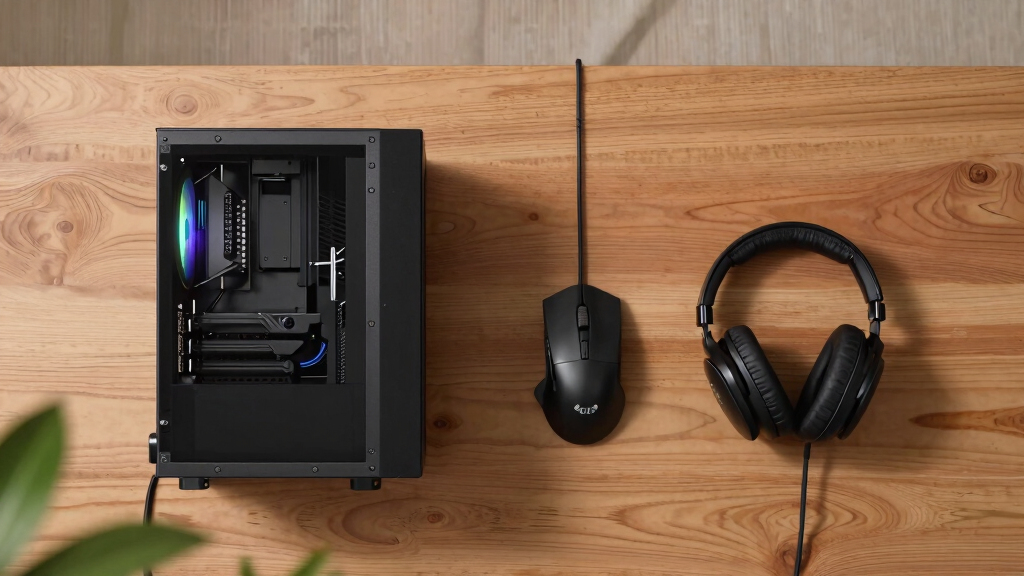
How We Picked
I ranked these systems by asking which one I would recommend for a specific buyer, then checking whether the components, price posture, upgrade path, and support story matched that role. Gaming performance came first, with extra weight given to GPU class, CPU fit for modern games, memory amount, SSD capacity, cooling expectations, and whether the power supply leaves room for future upgrades. I gave stronger placement to PCs that make sense as complete gaming machines rather than spec sheets that only look good in one area.
After that, I separated similar systems by buyer fit. A 9800X3D build beats many rivals for pure gaming logic, while an RTX 5070 Ti system may be more appealing to players who value ray tracing, DLSS support, or creator workloads. Entry-level systems moved up when they offered a clear, honest path for 1080p gaming, and down when they risked feeling mismatched or harder to upgrade. That is why the list favors balanced builds near the top, specialized premium picks in the middle, and narrower-use systems where their tradeoffs become harder to ignore.
Factors to Consider When Choosing Best Gaming PCs
Choosing among the best gaming PCs is less about chasing the biggest number and more about matching the build to the way you actually play. I would start with monitor resolution, game type, noise tolerance, desk space, and how long you expect to keep the machine before upgrading.
Match The GPU To Your Monitor
The graphics card should be the anchor of the buying decision because it sets the practical ceiling for resolution, frame rate, ray tracing, and visual settings. For 1080p gaming, an RTX 5060 system such as the CyberPowerPC Gamer Xtreme can be sensible if the price is right. For 1440p, I would look harder at the RTX 5070, RTX 5070 Ti, or Radeon RX 9070 XT builds because they leave more breathing room for newer games. Buyers with high-refresh 1440p monitors should give the ASUS ROG GM700 and Skytech King 95 more attention than the lower-tier systems. A common mistake is buying a powerful tower for a basic 60Hz display, then paying for frames that the screen cannot show. The reverse problem is worse: pairing a demanding 1440p or ultrawide monitor with a GPU that will force settings cuts sooner than expected.
Do Not Overbuy The CPU
A strong CPU matters, but gaming PCs can become poor values when the processor outpaces the graphics card by too much. The Ryzen 7 9800X3D is especially attractive for gaming because its cache design helps in many CPU-sensitive titles, which is why the ASUS ROG GM700 and Skytech King 95 sit high in my ranking. By contrast, a chip like the Ryzen 9 7900X in the iBUYPOWER Element can be better for mixed gaming and productivity than for a buyer who only wants frame rates. Intel Core Ultra systems, including the Alienware Aurora and Lenovo Legion Tower 5i, may appeal to buyers who want newer platform features and brand polish. For most players, I would rather spend more on the GPU than chase a higher CPU tier that does not raise game performance by much. The best CPU choice is the one that keeps minimum frame rates steady without stealing budget from the graphics card.
Check Memory And Storage Quality
Most of these systems land at 32GB of DDR5 memory, which is a strong sweet spot for modern gaming, background apps, and light creator work. I would treat 16GB as entry level in 2026, while 64GB only becomes persuasive if you edit video, run heavy mods, stream, or keep large workloads open while gaming. Storage is more nuanced than the headline number suggests. The Horizon Autherium Dragon advertises massive capacity, which is useful for players with huge libraries, but SSD speed, drive layout, and upgrade access still matter. A fast 1TB NVMe SSD can feel better than a larger mixed-storage setup if the operating system and main games live on the faster drive. Before paying extra for storage, I would check how easy it is to add another SSD later.
Think About Case Design And Maintenance
Case design affects more than looks; it changes airflow, noise, cleaning, cable access, and upgrade comfort. Larger towers such as the Skytech King 95 or iBUYPOWER Element usually give buyers more room to work, while sleeker branded systems like the Alienware Aurora can be more controlled and less flexible. The KOTIN G60B adds a smart display and modern wireless features, which makes it stand out, but extra front-panel hardware can add another point of dependency. RGB-heavy builds can be fun, yet I would not let lighting outrank cooling layout or standard parts. Buyers who plan to upgrade the GPU later should pay close attention to power supply wattage, case clearance, and motherboard access. A PC that is easy to open and clean often ages better than one that only photographs well.
Decide How Much Brand Support Matters
Prebuilt gaming PCs are not just component bundles; the warranty, support process, BIOS updates, and parts standardization all shape ownership. Alienware, Lenovo, MSI, and ASUS may appeal to buyers who want a more established support path and less guesswork. Boutique-style prebuilts from Skytech, CyberPowerPC, iBUYPOWER, and others can deliver aggressive component value, though the support experience and exact part brands may vary by configuration. Beginners should give extra weight to clear warranty terms, easy driver updates, and a clean Windows setup. Experienced buyers may accept more variability if the GPU, CPU, cooling, and power supply value is stronger. I would pay more for brand support when the buyer does not want to troubleshoot hardware issues alone.
Frequently Asked Questions
Which Gaming PC Is The Best Overall In This Roundup?
My best overall pick is the ASUS ROG GM700 because it pairs the Ryzen 7 9800X3D with the Radeon RX 9070 XT in a way that makes sense for serious gaming. It is not only about peak specs; the CPU choice is especially well matched to high-frame-rate play. Compared with the Skytech King 95, it trades Nvidia-specific features for a strong all-around gaming value. Buyers who care most about DLSS or Nvidia ray tracing may still prefer an RTX 5070 Ti system. For most players comparing the whole field, the ASUS has the cleanest balance.
Should I Choose An RTX 5070 Ti PC Or A Radeon RX 9070 XT PC?
I would choose an RTX 5070 Ti PC if ray tracing, DLSS, streaming tools, or Nvidia-friendly creator apps matter a lot. That points buyers toward systems like the Skytech Gaming King 95, Lenovo Legion Tower 5i, or MSI Aegis R2 AI. I would lean toward the Radeon RX 9070 XT in the ASUS ROG GM700 if the goal is strong traditional gaming performance and a balanced build. The right answer depends on the games played and the features used, not the brand name alone. Nvidia has the broader feature appeal, while the ASUS configuration has a very persuasive gaming-first setup.
Which Pick Makes The Most Sense For A First Gaming PC?
The CyberPowerPC Gamer Xtreme is my beginner-friendly choice because its Core i5-14400F and RTX 5060 pairing sets realistic expectations. It is better suited to 1080p gaming than to maxed-out 1440p play, but that clarity is part of its appeal. Compared with premium systems such as the MSI Aegis R2 AI or Skytech King 95, it avoids pushing new buyers into hardware they may not fully use. I would still check upgrade space, warranty terms, and memory configuration before buying. For a first tower, simplicity and price discipline matter as much as raw speed.
Is It Worth Paying More For A Premium Prebuilt Gaming PC?
Paying more makes sense when the premium system adds performance you will actually see, stronger cooling, better support, or a longer useful life. The Skytech Gaming King 95 earns its premium role through the Ryzen 7 9800X3D and RTX 5070 Ti, a pairing that targets high-end gaming directly. The Lenovo Legion Tower 5i and MSI Aegis R2 AI may suit buyers who value brand polish and platform features. I would not pay premium prices just for RGB, oversized storage, or a high CPU tier paired with a weaker gaming payoff. The upgrade is worth it when the monitor, games, and ownership expectations can use the added headroom.
How Much RAM And Storage Should A Gaming PC Have In 2026?
For most buyers, 32GB of DDR5 RAM and a 1TB NVMe SSD is the practical baseline I would want in a new gaming PC. That amount handles modern games, launchers, voice chat, browser tabs, and light streaming without feeling thin. A 2TB SSD is a smart upgrade for players who keep many large games installed, while 5TB-style configurations make sense only for huge libraries or media work. Systems with 64GB RAM, such as the Horizon Autherium Dragon, are more attractive for multitasking and creator workloads than for gaming alone. I would rather buy a balanced 32GB system with a stronger GPU than overspend on memory that does not raise frame rates.
Conclusion
If I had to make the decision cleanly, I would choose the ASUS ROG GM700 as the best overall gaming PC because it has the strongest gaming-first balance in the lineup. The CyberPowerPC Gamer Xtreme is my best beginner pick, while the CyberPowerPC Gamer Master is the value-minded step up for buyers who want a stronger 5060 Ti build. For premium Nvidia performance, I would point buyers to the Skytech Gaming King 95; for a polished big-brand alternative, I would shortlist the Lenovo Legion Tower 5i. The KOTIN G60B fits buyers who want newer connectivity and a distinctive smart-display design, while the Horizon Autherium Dragon is best for players who care more about RAM and storage capacity than pure ranking position. The right choice comes down to monitor resolution, feature preference, upgrade comfort, and how much support you want after the purchase.
Halloween Picks
halloween
As an affiliate, we earn on qualifying purchases.