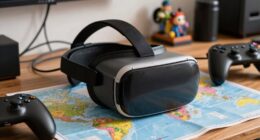
Small adjustments to your VR setup can often make a bigger difference than expensive hardware upgrades because they improve comfort, accuracy, and immersion without breaking the bank. Tuning haptic feedback, ensuring a proper fit, or organizing your play space can enhance your experience markedly. These tweaks are easy to implement and customize to your preferences, providing immediate benefits. If you want to make the most of your VR sessions, exploring these simple fixes can be surprisingly effective.

Play games on Amazon Luna for your next adventure, included with Prime
- A rotating selection of games, no download needed
- Play on TV, laptop or phone
- Fast, free delivery for your gear, too
Key Takeaways
- Small adjustments can directly improve comfort, fit, and calibration, leading to immediate performance gains without costly hardware changes.
- They are quick and cost-effective, often resolving issues that expensive upgrades may not address efficiently.
- Fine-tuning software settings and haptic feedback enhances immersion more effectively than hardware replacements.
- Proper environment setup and calibration prevent discomfort and tracking errors, which expensive hardware cannot fix alone.
- Incremental tweaks maximize existing equipment’s potential, providing noticeable improvements at a fraction of the cost of new hardware.

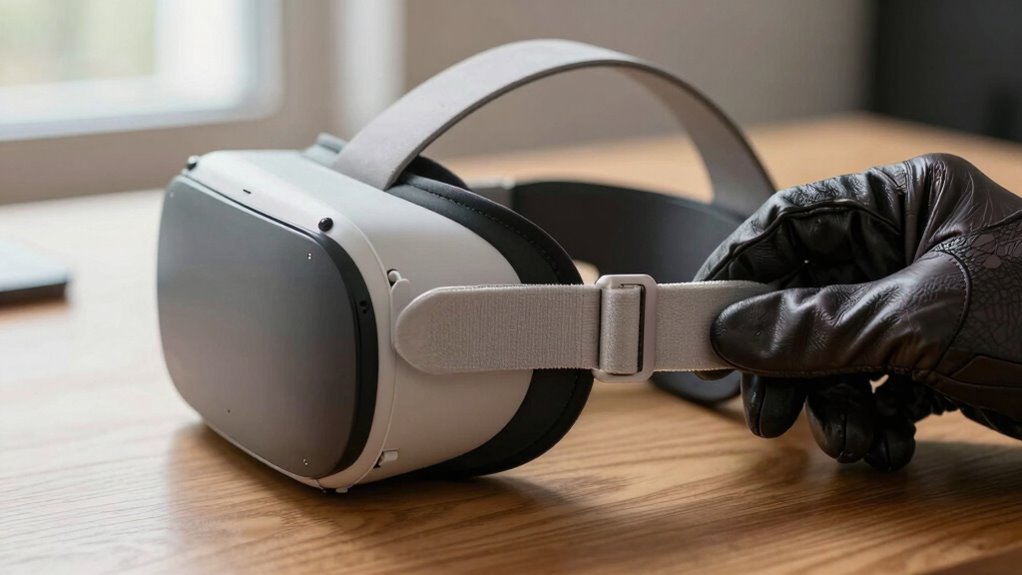
While virtual reality has become increasingly immersive, small adjustments can considerably enhance your experience. Often, the difference between a good session and a great one isn’t a costly upgrade but simple tweaks that optimize comfort and immersion. One of the most overlooked yet impactful modifications involves fine-tuning haptic feedback. Instead of investing in expensive, high-end controllers, you can calibrate your existing devices to deliver more precise and realistic sensations. Adjusting haptic feedback intensity helps you feel more connected to the virtual environment, making interactions feel natural rather than disconnected. Small tweaks, like reducing or increasing vibration strength, can improve your sense of presence without the need for costly hardware changes. Additionally, paying attention to the importance of user comfort** can significantly influence your overall VR experience. User comfort is another critical factor that often gets overlooked in the race for cutting-edge VR gear. Rather than rushing to buy the latest headset or accessories, start by making simple adjustments to what you already have. For example, ensuring your headset fits snugly but comfortably can prevent discomfort and fatigue during longer sessions. Adjusting straps or padding can make a notably difference, allowing you to focus on the experience rather than discomfort. Proper positioning of sensors and controllers can also reduce motion sickness and improve tracking accuracy, enhancing overall user comfort. Recognizing the role of hardware calibration is essential in achieving optimal device performance and a smoother experience. The goal is to create a seamless, comfortable experience that encourages longer and more enjoyable VR sessions. Small adjustments extend beyond hardware to how you set up your play area. Clearing clutter and ensuring a safe, unobstructed space minimizes accidental bumps and distractions. You might also experiment with different play angles or heights to see which position offers maximum comfort and immersion, especially when considering hardware calibration for optimal tracking. These simple changes eliminate the need for costly environmental modifications while drastically improving your experience. Additionally, customizing software settings like field of view, movement sensitivity, and comfort options can tailor the VR experience to your preferences, making each session more engaging and less fatiguing. It’s also beneficial to understand the impact of hardware calibration** to ensure your devices are functioning optimally. Ultimately, the value of small adjustments lies in their accessibility and effectiveness. They’re low-cost, easy to implement, and often more impactful than expensive upgrades. By focusing on fine-tuning haptic feedback, optimizing user comfort, and perfecting your setup, you can substantially enhance your VR experiences. These tweaks help you feel more connected, comfortable, and engaged, proving that sometimes, the simplest fixes deliver the most substantial improvements. Instead of chasing after the latest hardware, turn your attention to making smart, small adjustments—your VR journey will become more immersive, comfortable, and enjoyable as a result.
As an affiliate, we earn on qualifying purchases.
Frequently Asked Questions
How Do Small Adjustments Impact Long-Term VR Comfort?
Small adjustments greatly improve your long-term VR comfort by enhancing ergonomic benefits and visual clarity. When you tweak strap tightness or reposition the headset, you reduce strain on your neck and eyes, preventing discomfort over extended periods. These simple changes guarantee your VR experience stays comfortable and immersive, avoiding fatigue and headaches. Focusing on minor tweaks helps you maintain ideal ergonomics and sharp visuals, making long sessions more enjoyable and sustainable.
Can Small Tweaks Improve VR Immersion Without Costly Equipment?
Imagine your VR setup as a finely tuned orchestra. Small tweaks like adjusting hardware calibration and optimizing software can harmonize your experience without costly instruments. These subtle changes sharpen visuals and reduce discomfort, immersing you deeper into the virtual world. You don’t need high-end gear—just attentive adjustments. By fine-tuning what you already have, you create a smoother, more engaging experience that feels just right, all without breaking the bank.
Are Small Adjustments Effective for All Types of VR Headsets?
Small adjustments can be effective across various VR headsets, but their success depends on hardware compatibility and software calibration. If your headset supports minor tweaks and allows for precise calibration, you’ll likely notice improved immersion. However, some devices with limited customization options might not benefit as much. In these cases, checking compatibility and adjusting settings carefully can make a significant difference, even without expensive upgrades.
How Often Should Users Make Small Adjustments During Extended Sessions?
During extended VR sessions, you should make small adjustments as needed, especially if you notice discomfort or tracking issues. Incorporate calibration routines regularly to guarantee peak performance, and customize your headset settings for comfort. Don’t wait until problems become noticeable—frequent minor tweaks help maintain a smooth experience. Listening to your body and adjusting accordingly ensures your VR session remains enjoyable and immersive, avoiding the need for costly repairs or replacements.
Do Small Adjustments Require Special Tools or Skills?
Small adjustments usually don’t require specialized tools or advanced technical skills. You can often make tweaks using basic tools like screwdrivers or your hands, depending on the device. Most adjustments are straightforward, so you don’t need extensive technical skills. Just follow the manufacturer’s instructions carefully, and you’ll be able to fine-tune your VR setup easily, ensuring a more comfortable experience without costly repairs or complex procedures.
haptic feedback calibration controllers
As an affiliate, we earn on qualifying purchases.
As an affiliate, we earn on qualifying purchases.
Conclusion
So, next time your VR experience feels off, ask yourself: why spend a fortune on big fixes when small tweaks can do the trick? Sometimes, the tiniest adjustments—like calibrating your headset or fine-tuning your sensors—make a huge difference. Isn’t it better to optimize what you already have rather than overspend? Small, smart changes often lead to the best results, making your VR sessions smoother and more immersive without breaking the bank.
As an affiliate, we earn on qualifying purchases.
As an affiliate, we earn on qualifying purchases.
Halloween Picks
halloween
As an affiliate, we earn on qualifying purchases.