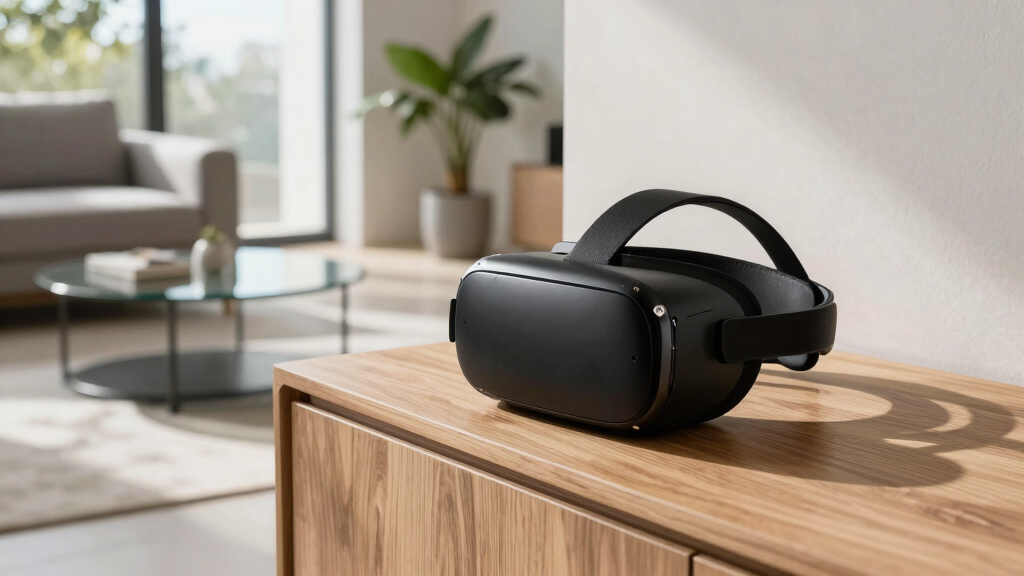

The best VR headset stands make a headset easier to store, charge, and grab without turning a desk or TV console into cable clutter. My best overall pick is the VR Headset Charging Dock for Meta Quest 3/Quest 2 because it balances charging convenience, headset storage, and controller organization better than most options here. The AMVR VR Headset Stand Holder is the better universal pick for buyers with mixed headsets, while the Spigen Stand makes the most sense for a cleaner premium display setup. The main tradeoff is simple: charging docks are more useful for daily Quest players, while passive stands are often cheaper, cleaner-looking, and more flexible across headset brands. Keep reading for the full breakdown by setup type, budget, device fit, and long-term usability.

Get VR and gaming gear delivered free — and shop member deals
- Fast, free delivery on millions of items
- Access to Prime Big Deal Days deals on October 6–7
- Prime Video, Amazon Music and more included
Key Takeaways
- Charging docks outrank basic display stands for most Quest owners because they reduce cable clutter and keep controllers in one place.
- Universal compatibility separates the AMVR and Spigen stands from Quest-only docks, making them safer picks for mixed-device households.
- RGB lighting appears often in this lineup, but it rarely matters as much as controller charging, headset stability, and cable routing.
- Vertical docks save space, but wider stands such as the AMVR and Dollox models are usually more forgiving with bulky head straps.
- The best value picks avoid overbuilding: the Nargos and DigiCharge stands work best for buyers who mainly need storage, not a powered charging station.
| VR Headset Charging Dock for Meta Quest 3/Quest 2 |  | Best Quest Headset Charging Stand | Compatibility: Meta Quest 2, Quest 3, Quest 3S | Charging Port: Type-C | Charging Time: 3-5 hours | VIEW LATEST PRICE | See Our Full Breakdown |
| DigiCharge VR Headset Stand for Meta Quest 3S, Quest 3, Quest 2, and Quest Pro |  | Best Simple Meta Stand | Compatibility: Meta Quest 3S, Quest 3, Quest 2, Quest Pro | Primary Function: VR headset storage and display | Charging: Not included | VIEW LATEST PRICE | See Our Full Breakdown |
| AMVR VR Headset Stand Holder Compatible with Quest 3, Quest 2, Vision Pro, PSVR 2, Pico 4, and More |  | Best Universal Organizer | Compatibility: Quest 3, Quest 2, Vision Pro, PSVR 2, Pico 4, Valve Index, HP Reverb G2, and more | Material: ABS plastic | Base: Round base with non-slip silicone gasket | VIEW LATEST PRICE | See Our Full Breakdown |
| Spigen Stand for Apple Vision Pro, Meta Quest 3/3S, Xbox Edition, Samsung Galaxy XR – Silver |  | Best Premium Stand | Compatibility: Apple Vision Pro 2024/2025, Meta Quest 3, Quest 3S, Quest 3S Xbox Edition, Samsung Galaxy XR | Material: TPU, aluminum, silicone | Color: Silver | VIEW LATEST PRICE | See Our Full Breakdown |
| Dollox VR Stand, VR Headset Display Holder and Storage Organizer |  | Best Accessory Storage Stand | Compatibility: Oculus Quest 2, Quest 3, Rift S, Valve Index, HTC Vive, Vive Pro, HP Reverb G2 | Material: ABS plastic | Dimensions: 12 x 12 x 7 inches | VIEW LATEST PRICE | See Our Full Breakdown |
| Lampelc VR Charging Dock for Meta Quest 3S/3/2, Vertical Storage Stand Charging Station with Type C Cable |  | Best Multi-System Charging Stand | Charging Time: 3-5 hours | Primary Compatibility: Meta Quest 3S, Quest 3, Quest 2 | Additional Compatibility: Valve Index, HP Reverb G2, HTC Vive, Oculus Rift S | VIEW LATEST PRICE | See Our Full Breakdown |
| Bioherm RGB Charging Dock for Meta Quest 2/Quest 3/Quest 3S/Quest Pro |  | Best RGB Display Dock | Model Compatibility: Meta Quest 2, Quest 3, Quest 3S, Quest Pro | Dimensions: 11.81 x 7.87 x 3.15 inches | Item Weight: 1.57 pounds | VIEW LATEST PRICE | See Our Full Breakdown |
| Charging Dock for Meta Quest 3S/3 with RGB Light and Rechargeable Batteries |  | Best for Controller Charging | Compatibility: Meta Quest 3S and Quest 3 | Headset Charging Time: About 3 hours | Controller Charging Time: About 4 hours | VIEW LATEST PRICE | See Our Full Breakdown |
| Charging Dock for MetaQuest 3S, Vertical Charging Stand, Compatible with Quest 3S/Quest 3/Quest 2 VR Controllers (White) |  | Best Space-Saving Quest Stand | Compatibility: Quest 3S, Quest 3, Quest 2 | Controller Compatibility: Quest 3S, Quest 3, Quest 2 VR controllers | Lighting Modes: 3 | VIEW LATEST PRICE | See Our Full Breakdown |
| Nargos VR Stand for Meta Quest 2, Quest 3, and Oculus Quest 3S |  | Best Non-Charging Display Stand | Compatibility: Meta Quest 2, Quest 3, Quest 3S, Quest Pro | Additional Compatibility: Rift S, HTC Vive series, Valve Index, Pico Neo 3 Pro, HP Reverb G2 | Material: ABS plastic | VIEW LATEST PRICE | See Our Full Breakdown |
| Meta Quest 3S/Quest 3/Quest 2 Charging Dock with RGB Ambient Lights |  | Best for RGB Desk Setups | Compatible devices: Meta Quest 3S, Quest 3, Quest 2 | Charging support: VR headset only | Connector type: Mini USB | VIEW LATEST PRICE | See Our Full Breakdown |
| TicEaik VR Charging Display Stand for Quest 2 and Quest 3 |  | Best Compact Magnetic Stand | Compatible devices: Quest 2, Quest 3, Quest 3S, Quest Pro | Charging support: VR headset only | Charging method: Magnetic connector and Type-C cable | VIEW LATEST PRICE | See Our Full Breakdown |
| G-STORY Charging Dock for Quest 3/Quest 3S/Quest 2 VR Headset and Controllers |  | Best for Broad Headset Compatibility | Compatible devices: Quest 3, Quest 3S, Quest 2, Oculus Rift, Rift S, PSVR 2, Valve Index, HP Reverb G2 | Charging support: VR headset only based on provided product data | Charging ports: Type-C | VIEW LATEST PRICE | See Our Full Breakdown |
| VR headset stand | Material | Compatibility | Assembly |
|---|---|---|---|
| VR Headset Charging Dock for M | ABS plastic | Meta Quest 2, Quest 3, Quest 3S | Easy assembly and disassembly |
| DigiCharge VR Headset Stand fo | Lightweight, durable construction | Meta Quest 3S, Quest 3, Quest 2, Quest Pro | Tool-free quick setup |
| AMVR VR Headset Stand Holder C | ABS plastic | Quest 3, Quest 2, Vision Pro, PSVR 2, Pico 4, Valve Index, HP Reverb G2, and more | Required |
| Spigen Stand for Apple Vision | TPU, aluminum, silicone | Apple Vision Pro 2024/2025, Meta Quest 3, Quest 3S, Quest 3S Xbox Edition, Samsung Galaxy XR | — |
| Dollox VR Stand | ABS plastic | Oculus Quest 2, Quest 3, Rift S, Valve Index, HTC Vive, Vive Pro, HP Reverb G2 | Tool-free, five steps |
| Lampelc VR Charging Dock for M | — | — | — |
| Bioherm RGB Charging Dock for | — | — | — |
| Charging Dock for Meta Quest 3 | — | Meta Quest 3S and Quest 3 | — |
| Charging Dock for MetaQuest 3S | Plastic | Quest 3S, Quest 3, Quest 2 | — |
| Nargos VR Stand for Meta Quest | ABS plastic | Meta Quest 2, Quest 3, Quest 3S, Quest Pro | Five steps |
| Meta Quest 3S/Quest 3/Quest 2 | — | — | — |
| TicEaik VR Charging Display St | Plastic | — | Tool-free assembly and quick disassembly |
| G-STORY Charging Dock for Ques | ABS plastic with anti-slip silicone | — | Easy assembly and disassembly |
More Details on Our Top Picks
VR Headset Charging Dock for Meta Quest 3/Quest 2
I’d place this near the top for Quest owners because it solves two common desk problems at once: upright headset storage and Type-C headset charging. Compared with the DigiCharge VR Headset Stand, it gives buyers a real charging function instead of acting only as a display dock. It also has a secure base and non-slip pads, which matter if the stand sits near a monitor, console, or busy shared gaming area. The tradeoff is that it is not a full charging station: controllers do not charge here, so anyone wanting one-drop charging for every VR accessory should look at controller-focused docks elsewhere in the roundup. I’d rank it above basic holders for Quest users, but below more complete charging stations for people with rechargeable controller needs.
Pros:- Works with Meta Quest 2, Quest 3, and Quest 3S
- Type-C charging reduces loose cable clutter around the headset
- Stable base with non-slip pads helps keep the headset upright
- Can accommodate headsets with some accessories attached
Cons:- Does not charge VR controllers
- Fastest charging depends on using a compatible 5V-3A, 9V-3A, or 12V-3A power adapter
- Less useful for non-Quest headset owners
Best for: Quest 2, Quest 3, or Quest 3S owners who want a tidy desktop stand that also charges the headset.
Not ideal for: Players who want headset and controller charging in one dock, since this model only charges the headset.
- Compatibility:Meta Quest 2, Quest 3, Quest 3S
- Charging Port:Type-C
- Charging Time:3-5 hours
- Material:ABS plastic
- Power Adapter Requirements:5V-3A, 9V-3A, 12V-3A
- Controller Charging:Not supported
- Base Design:Secure base with non-slip pads
- Assembly:Easy assembly and disassembly
Our verdict“This is the pick I’d choose for Quest owners who want headset charging first and full accessory charging second.”
DigiCharge VR Headset Stand for Meta Quest 3S, Quest 3, Quest 2, and Quest Pro
The DigiCharge VR Headset Stand makes the most sense when the priority is a clean, low-effort place to park a Meta headset, not a powered charging setup. Compared with the VR Headset Charging Dock for Meta Quest 3/Quest 2, it loses charging, but it gains a simpler role: stable storage for more Meta models, including Quest Pro. That makes it a better fit for buyers who already have a preferred charging cable or wall adapter and mainly want the headset off the desk. The tool-free assembly also helps if the stand may be moved between rooms. Its weak point is narrow function. It stores the headset neatly, but buyers with controllers, headphones, battery straps, or cable routing needs will get more utility from the Dollox VR Stand or AMVR holder.
Pros:- Supports Quest 3S, Quest 3, Quest 2, and Quest Pro
- Tool-free setup is quick and beginner-friendly
- Non-slip base helps prevent desk movement
- White space-saving design suits modern gaming setups
Cons:- No charging function for headset or controllers
- Storage-only design has limited value for larger accessory collections
- Compatibility is centered on Meta headsets rather than broader VR brands
Best for: Meta headset owners who want a clean, compact display stand without paying for charging hardware.
Not ideal for: Accessory-heavy setups with controllers, headphones, and charging cables that need a fuller organizer.
- Compatibility:Meta Quest 3S, Quest 3, Quest 2, Quest Pro
- Primary Function:VR headset storage and display
- Charging:Not included
- Material:Lightweight, durable construction
- Assembly:Tool-free quick setup
- Base:Sturdy non-slip base
- Design:Sleek white, space-saving
- Included Headset:Not included
Our verdict“I’d pick this for a neat Meta-only setup where charging is already handled elsewhere.”
AMVR VR Headset Stand Holder Compatible with Quest 3, Quest 2, Vision Pro, PSVR 2, Pico 4, and More
The AMVR VR Headset Stand Holder earns its place by being the broadest storage pick in this group. Where the DigiCharge VR Headset Stand is mainly a Meta display perch, AMVR is built for mixed households with Quest, Vision Pro, PSVR 2, Pico 4, Valve Index, and HP Reverb G2 gear. The round non-slip base and controller holders turn it into a true organizer rather than a single-headset stand, which is useful when VR hardware tends to spread across a desk. Compared with the Dollox VR Stand, it feels more focused on headset-and-controller presentation, while Dollox adds more general accessory space. The tradeoff is assembly: there are more parts, so it is less grab-and-go. It also does not charge anything, which keeps it below powered docks for Quest-only buyers.
Pros:- Wide compatibility across Quest, Vision Pro, PSVR 2, Pico, Valve Index, and HP Reverb G2
- Controller holders keep more VR gear in one place
- Round base with silicone gasket improves stability
- ABS construction gives it a sturdy display-stand feel
Cons:- Assembly has more pieces than simpler stands
- No built-in charging for headsets or controllers
- Less suited to storing headphones or non-VR desk accessories
Best for: Multi-headset households or VR collectors who need one stand for different headset brands and controllers.
Not ideal for: Buyers who want a powered charging dock or the fastest possible setup with minimal assembly.
- Compatibility:Quest 3, Quest 2, Vision Pro, PSVR 2, Pico 4, Valve Index, HP Reverb G2, and more
- Material:ABS plastic
- Base:Round base with non-slip silicone gasket
- Controller Storage:Included controller holder
- Included Parts:Top cover, controller holder, round base, support column, headset tray, hand handle
- Charging:Not included
- Use Case:Headset and controller display storage
- Assembly:Required
Our verdict“This is the stand I’d choose for mixed VR setups where compatibility matters more than charging.”
Spigen Stand for Apple Vision Pro, Meta Quest 3/3S, Xbox Edition, Samsung Galaxy XR – Silver
The Spigen Stand is the premium pick because it leans into materials and finish rather than maximum device coverage. Its aluminum, TPU, and silicone build feels more display-worthy on paper than the ABS-heavy designs used by the AMVR VR Headset Stand Holder and Dollox VR Stand. I’d rank it highest for buyers placing a Vision Pro, Quest 3, or Galaxy XR in a living room or office where the stand will stay visible. The built-in cable management also gives it a cleaner look than basic holders. The compromise is flexibility. It supports a shorter device list, lacks stated height or angle adjustment, and may feel bulky on a small desk. For broad compatibility, AMVR is the smarter buy; for a polished fixed setup, Spigen has the stronger design case.
Pros:- Premium aluminum, TPU, and silicone construction
- Cable management helps keep the setup tidy
- Non-slip silicone grip improves headset stability
- Silver finish suits visible office or entertainment setups
Cons:- Compatible only with the listed headset families
- No stated adjustable height or viewing angle
- Bulkier design may not suit tight desktop spaces
Best for: Vision Pro, Quest 3, Quest 3S, or Galaxy XR owners who want a polished stand for a visible office or media-room setup.
Not ideal for: Small desks or mixed-headset collections, since the footprint may feel bulky and compatibility is more selective.
- Compatibility:Apple Vision Pro 2024/2025, Meta Quest 3, Quest 3S, Quest 3S Xbox Edition, Samsung Galaxy XR
- Material:TPU, aluminum, silicone
- Color:Silver
- Stability Feature:Sliplock technology
- Grip:Non-slip silicone
- Cable Management:Built-in cable management system
- Charging:Not specified
- Adjustability:No stated adjustable height or angle
Our verdict“I’d choose this when the stand needs to look as refined as the headset it holds.”
Dollox VR Stand, VR Headset Display Holder and Storage Organizer
The Dollox VR Stand is the practical organizer pick for buyers who want more than a headset perch. Compared with the DigiCharge VR Headset Stand, it gives room for controllers, headphones, and accessories, which matters if a VR setup includes straps, cables, or audio gear that otherwise ends up scattered. It also covers a wide headset list, including Quest, Rift S, Valve Index, HTC Vive, Vive Pro, and HP Reverb G2. Against the AMVR VR Headset Stand Holder, Dollox feels more like a desktop storage hub, while AMVR is stronger as a universal headset-and-controller display. The tradeoff is size: at 12 x 12 x 7 inches, it needs real desk space, and it is not meant for portable use. It also does not charge devices.
Pros:- Stores headset, controllers, headphones, and accessories
- Broad compatibility with Quest, Rift S, Valve Index, HTC Vive, Vive Pro, and HP Reverb G2
- Tool-free five-step assembly keeps setup simple
- Triangular base adds stability for daily desktop storage
Cons:- Desktop-only design is not portable
- No charging for headset or controllers
- Larger footprint than simple single-headset stands
Best for: Desk-based VR users who need one place for a headset, controllers, headphones, and small accessories.
Not ideal for: Minimal setups or travel bags, because the desktop footprint is too large for portable use.
- Compatibility:Oculus Quest 2, Quest 3, Rift S, Valve Index, HTC Vive, Vive Pro, HP Reverb G2
- Material:ABS plastic
- Dimensions:12 x 12 x 7 inches
- Assembly:Tool-free, five steps
- Base:Sturdy triangular base
- Storage Support:Headsets, controllers, headphones, and accessories
- Charging:Not included
- Use Location:Desktop storage
Our verdict“This is my pick for buyers who need VR gear organized in one desktop zone rather than just displayed.”
Lampelc VR Charging Dock for Meta Quest 3S/3/2, Vertical Storage Stand Charging Station with Type C Cable
I rank the Lampelc VR Charging Dock highest for buyers who want charging plus broader headset support, since it works with Meta Quest 3S/3/2 and can also hold systems like Valve Index, HP Reverb G2, HTC Vive, and Rift S. Compared with the Bioherm RGB Charging Dock, it is less focused on lighting and more focused on storage structure: headset, controllers, headphones, and cables all get a defined place. The lens-safe silicone cradle is useful because it reduces pressure on a part of the headset buyers often overlook. The compromise is size. This is bulkier than the Nargos VR Stand, and its 3-5 hour charging window is practical rather than especially quick.
Pros:- Broad headset compatibility for storage beyond the Meta Quest line
- Built-in charging with red and green LED status indicators
- Silicone cradle helps protect headset lenses while docked
- Accessory storage covers controllers, headphones, and cables
Cons:- Larger footprint than simpler non-charging stands
- Charging can take up to 5 hours
- Fit may be less exact for headsets outside the listed compatibility range
Best for: I’d recommend it to VR owners with several accessories who want one charging-and-storage station for a Quest headset and mixed VR gear.
Not ideal for: I’d skip it for very small desks or buyers who only need a simple display stand without charging hardware.
- Charging Time:3-5 hours
- Primary Compatibility:Meta Quest 3S, Quest 3, Quest 2
- Additional Compatibility:Valve Index, HP Reverb G2, HTC Vive, Oculus Rift S
- LED Indicators:Solid red for charging, green for full charge
- Cable Included:Type-C cable
- Materials:Silicone and plastic
- Base Design:Widened reinforced base with anti-slip feet
- Storage Areas:Headset, controllers, headphones, and cables
Our verdict“I’d choose this when organization matters as much as charging and desk space is not tight.”
Bioherm RGB Charging Dock for Meta Quest 2/Quest 3/Quest 3S/Quest Pro
The Bioherm RGB Charging Dock makes the most sense when the stand is part of the gaming setup, not just a storage tool. Its 14 lighting effects give it more visual personality than the Lampelc VR Charging Dock, and the brightness control helps keep the glow from becoming too loud on a desk or media shelf. I’d place it above the simpler MetaQuest 3S Vertical Charging Stand for buyers who want a dock that feels more like a display piece. The tradeoff is narrower usefulness: it is built around Meta Quest devices, so owners of Vive, Index, or Reverb hardware should look at Lampelc or Nargos instead. The lights also add appeal but not core function.
Pros:- 14 RGB light effects with adjustable brightness
- Supports Quest 2, Quest 3, Quest 3S, and Quest Pro
- Combines charging with organized display storage
- Compact enough for a desk compared with bulkier accessory stations
Cons:- Only suits Meta Quest devices
- Lighting may feel unnecessary for a minimal setup
- Does not list included rechargeable controller batteries
Best for: I’d point style-conscious Meta Quest owners toward this if they want charging, storage, and ambient lighting in one dock.
Not ideal for: I’d skip it for mixed-headset households or buyers who dislike RGB lighting and want the lowest-profile stand possible.
- Model Compatibility:Meta Quest 2, Quest 3, Quest 3S, Quest Pro
- Dimensions:11.81 x 7.87 x 3.15 inches
- Item Weight:1.57 pounds
- Lighting Effects:14 effects
- Brightness Control:Adjustable
- Charging Port:Type-C
- Main Function:Charging dock and accessory organizer
- Device Focus:Meta Quest series only
Our verdict“I’d buy this for a Meta Quest setup where the stand should look intentional on display.”
Charging Dock for Meta Quest 3S/3 with RGB Light and Rechargeable Batteries
I’d put this Charging Dock for Meta Quest 3S/3 ahead of the Bioherm RGB Charging Dock for buyers who care less about lighting variety and more about charging the full kit. It charges the headset and controllers at the same time, and the included rechargeable batteries make it more complete out of the box than docks that only park the controllers. Compared with the MetaQuest 3S Vertical Charging Stand, the difference is practical: this model cuts down on disposable batteries and loose cables. The drawback is fussiness. It asks for a recommended 18W adapter, correct battery placement, and reliable pin contact. For Quest 2 or Quest Pro owners, Bioherm has wider Meta coverage.
Pros:- Charges headset and controllers at the same time
- Includes rechargeable batteries and controller covers
- Magnetic USB-C connector can reduce wear from repeated plugging
- RGB lighting helps show charging status at a glance
Cons:- Needs a recommended 18W adapter for best charging performance
- Controller charging can fail if batteries or pins are misaligned
- Compatibility is limited to Quest 3S and Quest 3
Best for: I’d recommend it to Quest 3 or Quest 3S owners who want controller charging built into the stand and fewer loose battery swaps.
Not ideal for: I’d skip it for Quest 2, Quest Pro, or non-Meta users, since compatibility is tighter than several other stands here.
- Compatibility:Meta Quest 3S and Quest 3
- Headset Charging Time:About 3 hours
- Controller Charging Time:About 4 hours
- Lighting:RGB ambient light with color options
- Included Batteries:2 rechargeable batteries
- Included Covers:2 controller covers
- Connector Type:Magnetic headset connectors
- Cable Included:USB-C cable
- Power Source:Recommended 18W adapter
Our verdict“I’d choose this for a Quest 3 family setup where controller charging is the main reason to buy a stand.”
Charging Dock for MetaQuest 3S, Vertical Charging Stand, Compatible with Quest 3S/Quest 3/Quest 2 VR Controllers (White)
The MetaQuest 3S Vertical Charging Stand earns its place as the cleaner, simpler choice for a desk where footprint matters. It stores a Quest headset and controllers in a tall layout, so it takes up less horizontal space than the Lampelc VR Charging Dock. Compared with the Quest 3S/3 dock with rechargeable batteries, though, it is much less capable because it does not charge controllers. The three lighting modes add a little polish, but this is really a storage-first pick. I’d treat it as a stand with headset charging and display value, not a full charging system. Buyers who want every device powered from one base should move up to a controller-charging model.
Pros:- Vertical shape saves desk or shelf space
- Works with Quest 3S, Quest 3, and Quest 2
- Keeps headset and controllers in one easy-access spot
- Three lighting modes add a customizable display touch
Cons:- Does not charge VR controllers
- Less versatile than stands that support non-Meta headsets
- Plastic build is more basic than premium display stands
Best for: I’d recommend it to Quest 2, Quest 3, or Quest 3S owners with limited shelf space who mainly need neat vertical storage.
Not ideal for: I’d skip it for heavy VR players who want controller charging included, since the controllers are stored but not powered.
- Compatibility:Quest 3S, Quest 3, Quest 2
- Controller Compatibility:Quest 3S, Quest 3, Quest 2 VR controllers
- Lighting Modes:3
- Controller Charging:Not supported
- Material:Plastic
- Color:White
- Design:Vertical space-saving stand
- Primary Use:Headset and controller organization
Our verdict“I’d pick this when tidy storage matters more than charging every part of the VR kit.”
Nargos VR Stand for Meta Quest 2, Quest 3, and Oculus Quest 3S
The Nargos VR Stand is the pick I’d choose when charging is secondary and display matters most. Its robot-like design gives it more character than the plain MetaQuest 3S Vertical Charging Stand, while its headset support is broader than Bioherm’s Meta-only dock. It can hold Meta Quest models, Rift S, Vive, Valve Index, Pico Neo 3 Pro, and HP Reverb G2, which makes it a better fit for buyers who may change headsets later. The triangular base and ABS plastic build aim for stability without much setup work. The clear tradeoff is that it is storage only: no headset charging, no controller batteries, no status lights. Compared with Lampelc, it is simpler, cheaper in spirit, and less functional.
Pros:- Wide compatibility across Meta, Vive, Valve Index, Pico, and HP headsets
- Distinct robot-like design works well for display setups
- Triangular base gives the stand a stable footprint
- Five-step assembly keeps setup simple
Cons:- No charging for headset or controllers
- Does not include the headset or controllers shown in use
- Decorative shape may not suit minimalist workspaces
Best for: I’d recommend it to collectors, shared VR rooms, or mixed-headset owners who want a stable display stand rather than a charging dock.
Not ideal for: I’d skip it for buyers who want their headset or controllers charged while stored, because this stand has no power function.
- Compatibility:Meta Quest 2, Quest 3, Quest 3S, Quest Pro
- Additional Compatibility:Rift S, HTC Vive series, Valve Index, Pico Neo 3 Pro, HP Reverb G2
- Material:ABS plastic
- Assembly:Five steps
- Base:Triangular stable design
- Charging:Not supported
- Storage Support:Headset, controllers, and accessories
- Design Style:Robot-like display stand
Our verdict“I’d buy this as a display-first VR stand for mixed hardware, not as a charging upgrade.”
Meta Quest 3S/Quest 3/Quest 2 Charging Dock with RGB Ambient Lights
I rank the Meta Quest 3S/Quest 3/Quest 2 Charging Dock with RGB Ambient Lights highest for buyers who want their stand to feel like part of a gaming station, not just a storage perch. Compared with the TicEaik VR Charging Display Stand, this one leans harder into mood lighting, with adjustable RGB that can make a Quest setup look more intentional on a desk or shelf. The tradeoff is that it is still a headset-only charger, so controller charging has to happen elsewhere. It also asks for a steady surface; the lighting and vertical display style make less sense in a cramped corner. I would choose it over the G-STORY dock for visual flair, but not for broad headset support or a low-distraction room.
Pros:- Works with Quest 3S, Quest 3, and Quest 2
- Adjustable RGB lighting gives the stand more desk presence
- Charges and displays the headset in one place
- Helps keep the headset and accessories from spreading across a desk
Cons:- Does not charge controllers
- RGB lighting may be unnecessary or distracting for minimalist setups
- Needs a stable flat surface to feel secure
Best for: Meta Quest owners building a visible gaming desk setup who want headset charging plus adjustable RGB lighting.
Not ideal for: Buyers who need controller charging or a quiet bedroom setup where RGB lighting may feel distracting.
- Compatible devices:Meta Quest 3S, Quest 3, Quest 2
- Charging support:VR headset only
- Connector type:Mini USB
- Wired charging connector:USB 2.0 Micro B
- USB ports:1
- Output voltage:5V
- Power source:DC
- Plug type:Type A, 2-pin North American
- Lighting:Adjustable RGB ambient lights
Our verdict“This is the pick I would use for a Quest-focused gaming desk where style matters as much as basic headset charging.”
TicEaik VR Charging Display Stand for Quest 2 and Quest 3
The TicEaik VR Charging Display Stand earns its place as the most convenient compact pick because the magnetic connector reduces fiddling when setting the headset down. Compared with the Meta Quest RGB dock, this model feels more practical than decorative: the round base, LED status lights, and tool-free assembly are aimed at saving desk space rather than creating a showpiece. It also supports Quest Pro, which gives it a wider Meta-focused range than the RGB dock. The main catch is the same one that limits many charging stands here: it is a headset-only solution. Against the G-STORY dock, TicEaik is cleaner for small desks, but less compelling for buyers with mixed headset brands or anyone who wants heavier anti-slip construction.
Pros:- Magnetic charging connector makes daily docking easier
- Compact round base suits smaller desks and shelves
- LED indicators show charging status at a glance
- Tool-free assembly makes it easy to move or pack away
Cons:- Cannot charge VR controllers
- Charging depends on a Type-C cable setup
- Plastic build may feel less substantial than weighted stands
Best for: Quest 2, Quest 3, Quest 3S, or Quest Pro owners who want a compact charging display stand for a crowded desk.
Not ideal for: Households with multiple VR controllers to charge, since this stand only handles the headset.
- Compatible devices:Quest 2, Quest 3, Quest 3S, Quest Pro
- Charging support:VR headset only
- Charging method:Magnetic connector and Type-C cable
- Lighting:LED indicator lights
- Material:Plastic
- Base:Stable round base
- Assembly:Tool-free assembly and quick disassembly
- Design:Space-saving display stand
Our verdict“This is the stand I would pick for a neat Quest desk setup where easy headset docking matters more than controller charging.”
G-STORY Charging Dock for Quest 3/Quest 3S/Quest 2 VR Headset and Controllers
I would place the G-STORY Charging Dock below the more Quest-specific picks for pure simplicity, but it stands out when compatibility and charging safeguards matter most. Unlike the TicEaik stand, which is mainly a compact Quest desk option, G-STORY lists support for Quest, Oculus Rift, PSVR 2, Valve Index, and HP Reverb G2 headsets with Type-C charging. Its widened weighted base and anti-slip silicone also make it the sturdier choice compared with the Meta Quest RGB dock. The tradeoff is clarity: despite the product title mentioning controllers, the provided data points to headset-only charging, so I would not buy it as a controller power station. The LED indicators are useful, but in a dark play space they may be more visible than some buyers want.
Pros:- Broad headset compatibility across Quest, Oculus, PSVR 2, Valve Index, and HP Reverb G2
- Built-in protection against overcharge, overheating, overvoltage, overcurrent, and short circuits
- Widened weighted base improves stability
- Anti-slip silicone helps keep the dock planted
Cons:- Provided data indicates headset charging only, despite controller wording in the title
- LED lights may distract in dark rooms
- Less compact than simpler desk stands
Best for: VR users with more than one headset ecosystem who want a stable Type-C headset charging stand with safety protections.
Not ideal for: Quest-only buyers who want the smallest stand or anyone expecting built-in controller charging.
- Compatible devices:Quest 3, Quest 3S, Quest 2, Oculus Rift, Rift S, PSVR 2, Valve Index, HP Reverb G2
- Charging support:VR headset only based on provided product data
- Charging ports:Type-C
- Protection features:Overcharge, overheating, overvoltage, overcurrent, and short-circuit protection
- Material:ABS plastic with anti-slip silicone
- Base:Widened and weighted for stability
- Lighting:LED indicator lights
- Assembly:Easy assembly and disassembly
Our verdict“This is the option I would choose for a mixed-VR setup where stability and protection beat RGB styling or the smallest footprint.”
How We Picked
I ranked these VR headset stands by how well they solve the real storage problem: keeping the headset safe, visible, charged when possible, and easy to pick up without cable mess. Charging performance, controller storage, headset balance, device compatibility, build quality, footprint, and value carried the most weight. A stand moved higher when it worked for daily use rather than just looking neat in a product photo.
The order favors complete desk and console setups over single-purpose display pieces, which is why charging docks for Meta Quest users land near the top. Passive stands still earn strong roles when they offer broader compatibility or cleaner design, especially for buyers using Apple Vision Pro, PSVR 2, Pico, or mixed headsets. I treated RGB lighting, decorative styling, and bundled extras as tie-breakers, not core reasons to buy.
| VR headset stand | Material | Assembly |
|---|---|---|
| VR Headset Charging Dock for M | ABS plastic | Easy assembly and disassembly |
| DigiCharge VR Headset Stand fo | Lightweight, durable construction | Tool-free quick setup |
| AMVR VR Headset Stand Holder C | ABS plastic | Required |
| Spigen Stand for Apple Vision | TPU, aluminum, silicone | — |
| Dollox VR Stand | ABS plastic | Tool-free, five steps |
| Lampelc VR Charging Dock for M | — | — |
| Bioherm RGB Charging Dock for | — | — |
| Charging Dock for Meta Quest 3 | — | — |
| Charging Dock for MetaQuest 3S | Plastic | — |
| Nargos VR Stand for Meta Quest | ABS plastic | Five steps |
| Meta Quest 3S/Quest 3/Quest 2 | — | — |
| TicEaik VR Charging Display St | Plastic | Tool-free assembly and quick disassembly |
| G-STORY Charging Dock for Ques | ABS plastic with anti-slip silicone | Easy assembly and disassembly |
Factors to Consider When Choosing VR Headset Stands
Choosing between VR headset stands is less about finding the flashiest dock and more about matching the stand to how the headset actually gets used. I look at charging habits, available surface space, headset compatibility, controller storage, and how much visual clutter the stand adds to a room.
Charging Dock Or Passive Stand
A charging dock makes the most sense if the headset is used several times a week and battery anxiety is part of the routine. It reduces the chance of leaving controllers on a side table or running a cable across the floor. A passive stand, by contrast, is better when the headset already has a reliable charging spot or when multiple headsets rotate through the same storage area. Quest owners usually get more from docks like the VR Headset Charging Dock, Lampelc, Bioherm, and G-STORY options. Buyers with Apple Vision Pro, PSVR 2, or Pico headsets should be more cautious with powered docks because many are shaped around Quest hardware. If charging is not a daily pain point, a simple stand may be the cleaner and longer-lasting buy.
Check Headset And Strap Fit
Compatibility claims can be broad, but head strap shape often decides whether a stand feels tidy or awkward. A headset with an elite battery strap, halo-style strap, or thick facial interface may sit poorly on a narrow dock. Universal stands like the AMVR VR Headset Stand Holder and Spigen Stand are usually safer for mixed hardware because they are less dependent on exact controller contact points. Quest-specific charging docks need closer attention because controller battery doors, rechargeable inserts, and magnetic pins may vary by model. If the headset has many accessories attached, I would favor a wider cradle over a compact vertical tower. The best stand is the one that fits the real headset, not the headset in its factory box.
Controller Storage Matters More Than It Looks
Controller storage is where many cheaper stands show their limits. A headset alone is easy to display, but loose controllers are what usually make a VR setup look messy. Docks with dedicated controller bays help keep the full kit together, which is especially useful for shared living rooms and family setups. That said, controller charging adds another layer of compatibility, since rechargeable batteries and contact points may not suit every controller version. Passive stands like the Nargos or Dollox options can still work well if the controller slots are stable and easy to reach. I would pay more for a dock only when it improves the whole routine, not just the headset parking spot.
Footprint And Room Placement
A tall vertical stand saves surface area, but it can feel less stable if the base is light or the headset is front-heavy. Wider stands take up more desk space, yet they often give controllers and upgraded straps more breathing room. For a gaming desk, I prefer a compact vertical charging dock because the headset stays ready without taking over the workspace. For a media console or shelf, a display-style stand can look more intentional and less like a charging accessory. Buyers with pets, kids, or narrow shelves should favor weight, base width, and cable routing over lighting effects. A stand that tips, slides, or snags a cable will feel worse every week, no matter how polished it looks at first glance.
When Paying More Makes Sense
Paying more is easier to justify when the stand improves charging reliability, material feel, or compatibility across several headsets. The Spigen Stand is a good example of a premium-leaning pick because design and finish matter more for buyers displaying expensive hardware. A budget stand can still be the smarter choice if it only needs to hold a Quest headset between sessions. RGB lighting, extra glow modes, and decorative bases should not add much to the price unless the stand already handles storage well. I would spend more for better stability before spending more for lighting. The sweet spot is a stand that removes friction from daily use without adding features that only look good in a listing photo.
Frequently Asked Questions
Do I Need A Charging Dock Or Is A Basic VR Stand Enough?
A basic VR stand is enough if the headset already charges in a fixed spot and the main problem is storage. A charging dock is worth more when the headset is used often, especially for Meta Quest owners who also want controller organization. The downside is that charging docks are usually less universal and can depend on exact controller batteries or contact layouts. Passive stands are simpler, cheaper, and easier to keep using after a headset upgrade. I would choose a dock for daily play and a passive stand for display, shelf storage, or mixed headsets.
Which VR Headset Stand Is Best For Meta Quest 3 Or Quest 3S?
For Meta Quest 3 or Quest 3S, the VR Headset Charging Dock for Meta Quest 3/Quest 2 is my best overall direction because it covers the most useful needs: headset storage, charging, and controller placement. The Lampelc, Bioherm, and G-STORY docks are also strong fits if RGB lighting or a vertical layout matters to the setup. Buyers should still check whether the dock supports the exact controller version and any rechargeable battery system included. If the headset uses a bulky battery strap, a wider passive stand may be easier to live with. Quest buyers get the most benefit from powered stands, but only when fit and charging contacts match correctly.
Are Universal VR Headset Stands Better Than Quest-Specific Docks?
Universal stands are better for buyers who own more than one headset or plan to upgrade soon. The AMVR stand is the clearest fit for that role because it supports a wider range of headsets than most Quest-focused charging docks. Quest-specific docks are better for routine charging, but they become less useful if the next headset has different controller shapes or charging needs. A universal stand also avoids the hassle of swapping inserts, battery covers, or magnetic adapters. I would pick universal storage for flexibility and a Quest dock for daily convenience.
Do RGB VR Headset Stands Offer Any Practical Benefit?
RGB lighting can make a setup easier to spot in a dim room, but it should be treated as a style feature rather than a reason to rank a stand higher. In this roundup, several docks include RGB lights, including Bioherm, Meta Quest charging dock variants, and other Quest-focused models. The better ones pair lighting with useful charging and storage, while weaker options lean too much on glow effects. Buyers who keep a headset in a bedroom may also prefer a stand with lighting controls or a less bright design. I would only choose RGB when the underlying stand already meets the practical needs.
Will A VR Headset Stand Work With An Elite Strap Or Battery Strap?
Some stands work well with upgraded straps, but not all of them leave enough room for extra rear weight or a larger headband shape. Battery straps can shift the headset’s center of gravity, which makes a narrow vertical dock feel less secure. Passive cradle-style stands, especially wider ones, tend to be more forgiving than tightly shaped charging docks. The tradeoff is that passive stands may not charge controllers or the headset while stored. If the headset has a large accessory stack, I would prioritize a stable base and open support shape over a compact dock design.
Conclusion
For most buyers, I would start with the VR Headset Charging Dock for Meta Quest 3/Quest 2 as the best overall pick because it gives Quest owners the cleanest mix of charging, storage, and daily convenience. The DigiCharge VR Headset Stand and Nargos VR Stand make the most sense as best value choices for buyers who mainly need a tidy place to park a headset. The Spigen Stand is my best premium recommendation for buyers who care about display quality and a cleaner look for higher-end hardware. For beginners, I would choose the AMVR VR Headset Stand Holder because its broad compatibility lowers the risk of buying the wrong stand. For RGB-heavy gaming setups, the Bioherm, Lampelc, and similar charging docks are the better fit, while buyers with accessory-heavy headsets should lean toward wider, more forgiving stands like AMVR or Dollox.
Halloween Picks
halloween
As an affiliate, we earn on qualifying purchases.