TL;DR

Get VR and gaming gear delivered free — and shop member deals
- Fast, free delivery on millions of items
- Access to Prime Big Deal Days deals on October 6–7
- Prime Video, Amazon Music and more included
VR horror game accessories can sharpen spatial audio, improve headset comfort, or add haptic sensations, but most games work with a compatible headset and its standard controllers. Start with headphones or fit adjustments that address a clear annoyance, then check game support, platform compatibility, and safety before buying specialized gear.
A creak behind you can feel scarier than a monster in front of you—especially when your headphones make it sound like it came from the dark corner of your room. That’s the appeal of VR horror game accessories: a few well-chosen extras can make sound clearer, a headset steadier, or a game’s effects more physical.
But accessories don’t magically improve every game. Your headset and standard controllers already give you the basics, while extra gear can bring compatibility headaches, heat, cost, and setup. The smartest upgrade solves a problem you actually have, rather than adding another box to your gaming shelf.
Here, you’ll see what different accessories do, what to buy first, how to check whether a device works with your headset and games, and how to keep a tense session from turning into a collision with your coffee table. Think of your setup as seasoning: add just enough to bring out the game, not so much that you can’t taste anything else.
Start with the headset and controllers you own; most VR horror games do not require special accessories.
Try your headset’s built-in audio before buying headphones, then check comfort, connection, and room awareness.
Choose straps, facial interfaces, or counterweights only when you can name the fit problem they address.
Confirm a haptic accessory’s exact headset, game, software, and platform support before ordering.
Clear your play area, begin with low haptic intensity, and stop if you feel pain, dizziness, or distress.
What VR horror accessories actually change in a game
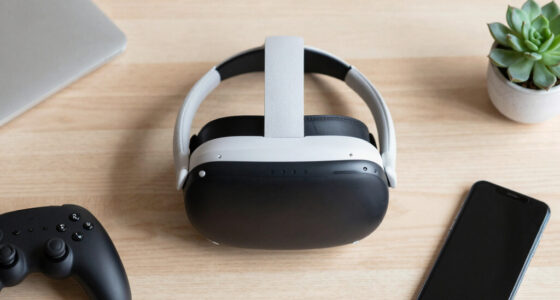
VR horror game accessories are optional add-ons that change how a game feels or how you interact with it, rather than equipment most players need to start playing. They include headphones, replacement straps and facial interfaces, haptic wearables, and room or cable-management gear. Their effects vary: clearer sound can help you notice a footstep, while a vest may add a pulse when something hits your character.
That difference matters. Accessories can strengthen a game’s existing tricks, but they can’t create good pacing or make a dull scene frightening. If a game uses silence well, a comfortable headset and headphones may help you catch a faint scrape; if the game doesn’t support a wearable, an expensive vest may do very little beyond vibrate through a separate mode.
Most players can begin with the headset and controllers they already own. For example, if you play for 20 minutes and the headset slips whenever you turn quickly, a better-fitting strap may improve the experience more than a new effect device. The useful question is not “What looks most immersive?” but “What annoyance—or missing sensation—am I trying to fix?”
Accessories amplify a game’s design; they don’t replace it. Start with the game and the problem you want your setup to solve.
As an affiliate, we earn on qualifying purchases.
Why headphones can make a dark hallway feel closer
Headphones are often the most noticeable first upgrade because spatial audio helps you track sounds around your character. A door creaking to your left or footsteps seeming to approach from behind can turn a quiet hallway into a warning. A comfortable, well-fitting pair can make those cues easier to hear, though the game’s audio design and your headset’s built-in sound matter too.
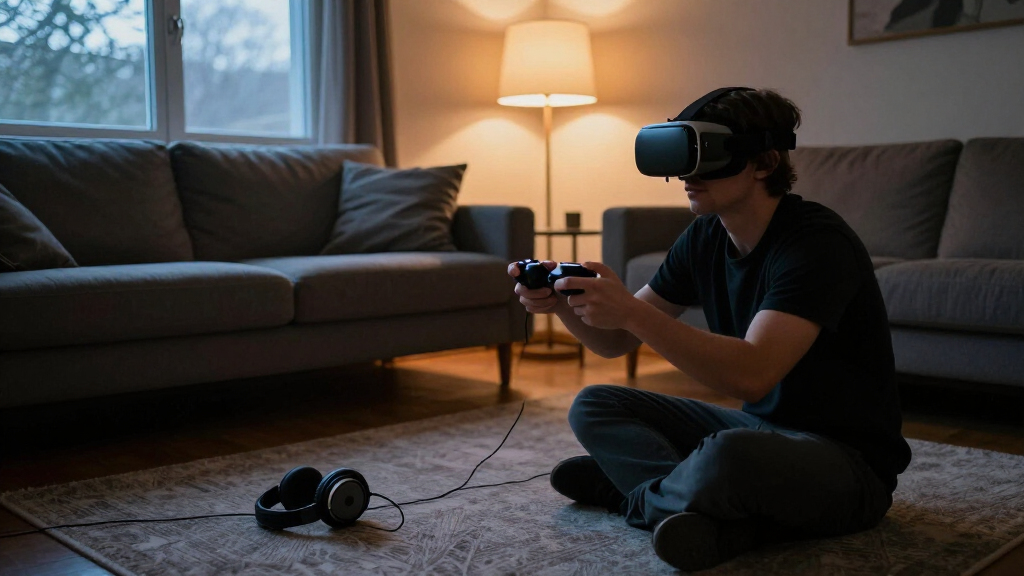
Before buying anything, test the audio you already have in a scene with distinct directional effects. If you can tell a whisper is behind you without cranking the volume, your headset’s speakers may be enough. If the sound feels thin, leaks into a noisy room, or gets lost when a fan is running, headphones could help. Picture playing at night while someone else watches TV in the next room: isolation may improve immersion, but it also makes you less aware of your surroundings.
Use this quick check before you spend:
- Check fit and weight. A bulky pair can press against the headset or become hot during a long session.
- Check the connection. Confirm whether your headset supports the headphone plug, wireless connection, or adapter you plan to use.
- Check volume and awareness. Keep sound comfortable, and make sure you can still pause or hear someone nearby if needed.
For instance, a player who already likes their headset’s open speakers may gain little from heavy over-ear headphones. The best choice depends on your device, room, comfort, and whether stronger isolation is worth losing some awareness.
As an affiliate, we earn on qualifying purchases.
Which comfort upgrades help you play longer
Comfort accessories help most when they fix a specific fit problem, such as forehead pressure, a loose headset, sweat, or a facial interface that irritates your skin. Replacement straps, facial interfaces, and counterweights all address different issues, so there isn’t one best upgrade for every face or headset. A ten-minute fit adjustment can sometimes help more than a new purchase.
Think of a headset like a backpack: the weight may be manageable, but a poor fit turns every step into a reminder that it’s there. If your headset slides when you look down, a different strap might steady it. If the foam gets damp during a tense session, a different facial interface may feel easier to clean. Yet a counterweight adds weight too; it can balance pressure for one player and make another’s neck tire faster.
| Accessory | May help with | Check before buying |
|---|---|---|
| Replacement head strap | Slipping or uneven pressure | Headset model, adjustment range, added weight |
| Facial interface | Fit, sweat, or cleaning | Face shape, glasses clearance, headset compatibility |
| Counterweight | Front-heavy pressure | Extra weight and how it balances your headset |
| Headphones | Audio clarity or room noise | Fit, heat, connection, and headset speakers |
Say you wear glasses and feel the headset pressing on the frames. Don’t assume a thicker cushion will solve it: check the headset maker’s glasses guidance and the accessory’s clearance. A secure fit should feel snug, not painful, and lenses should not press against each other.
VR haptic vest compatible with Oculus Quest
As an affiliate, we earn on qualifying purchases.
As an affiliate, we earn on qualifying purchases.
When a haptic vest adds more than another vibration
Haptic wearables add sensations beyond the vibration in standard VR controllers, but their usefulness depends on game support and your comfort with extra stimulation. A vest may produce localized pulses for impacts or nearby events; a controller’s built-in rumble, by comparison, stays in your hands. The extra layer can feel startling in a horror scene, but only if the setup behaves as expected.
Support differs by accessory and title. Some products use native game integration, while others rely on community-made profiles or audio-to-haptics software that turns sound into vibration. Those approaches are not interchangeable: a native feature may map a hit to a clear pulse, while audio-based feedback could react to a loud door slam in a way the game never intended. Before buying, look up the exact title, headset platform, required app, and current manufacturer documentation.
Imagine a creature banging on a door in a game. A supported vest might add a quick thump at the right moment, making the scene feel more immediate; a poorly matched setting might buzz through every sharp sound and become distracting. Start at a low intensity, test in a calm scene, and stop if you feel pain, dizziness, or distress.
- Potential benefit: body-level feedback can add another cue to supported scenes.
- Tradeoff: cost, heat, charging, fit, and extra setup.
- Reality check: compatibility and effects vary by game, software, and platform.
A haptic vest is a specialist purchase, not a requirement for a good horror session. If you mainly want to notice an enemy approaching, clearer audio or a comfortable headset may be a better first step.
As an affiliate, we earn on qualifying purchases.
How to check compatibility before you order
Check the exact headset, connection, game, and software before ordering an accessory, because VR compatibility is fragmented across platforms and product generations. A device that works with one headset may not fit another, and a wearable supported in one game may need a separate profile or app in another. Product names that sound universal are not proof of universal support.
For example, an accessory designed around one headset’s strap or port may not attach cleanly to another model. A wireless device can also require software that runs only on a particular platform. Listings change, and game support can shift after updates, so verify current details rather than relying on an old review or a forum post from years ago.
- Match the model. Confirm the exact headset version, not just the brand family.
- Check how it connects. Look for the required plug, wireless method, app, or PC software.
- Search for your game. Confirm native support, a community profile, or audio-based operation.
- Read the fit notes. Check glasses clearance, strap attachment, weight, and facial-interface shape.
- Confirm current documentation. Use the maker’s latest compatibility list and the game’s supported-device information.
If you can’t find a clear answer for your headset and favorite game, treat the accessory as unverified—not as a guaranteed upgrade. That pause can save you from an expensive gadget that looks sleek in the product photo but sits unused in a drawer.
How to stay safe when the game tries to startle you
Make your play area safe before you add intense audio or haptics, because a jump scare can make you move before you remember where the furniture is. VR blocks much of your view of the real room, and a cable, low table, or chair arm can become a collision hazard when you twist quickly. Accessories may increase immersion while also reducing your awareness of what’s around you.
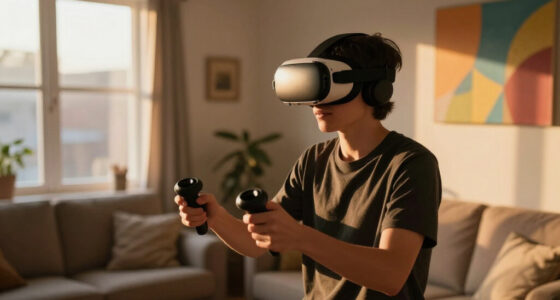
Start with a clear boundary and enough room to stretch your arms in every direction. If your room is small, use seated or stationary play when the game allows it; move the coffee table instead of trusting yourself to remember it in a dark scene. Secure cables so they cannot catch your feet, and use wrist straps where appropriate so a startled hand movement doesn’t send a controller flying.
Keep haptic settings conservative at first and take breaks if you feel uncomfortable. Horror games can combine darkness, sudden movement, loud sounds, and startling effects; some players may feel motion sickness, panic, or distress. If a scene feels wrong, pause or stop. You don’t need to prove anything to a headset.
- Clear the floor of toys, cables, pets, and anything you might kick.
- Use a seated mode if you have limited space or feel unsteady.
- Test settings gently before playing with strong haptics or high volume.
- Stop for symptoms such as pain, dizziness, or distress.
Imagine flinching backward when a monster roars. A play boundary helps, but clear space and conservative settings give you a better safety net than software alone.
What to buy first—and what you can skip
Buy the accessory that fixes your biggest real annoyance first, and skip specialized gear until you know you want its specific effect. For many players, that means adjusting the headset, improving audio, or replacing an uncomfortable interface before considering a haptic wearable. There’s no universal shopping order because your headset, face shape, play space, and favorite games all matter.
Try one change at a time. If you replace the strap, facial interface, and headphones in one weekend, you may not know which upgrade helped—or which one made the headset too heavy. A player who plays one short session each month may not get much value from premium wearables; someone who plays several nights a week and loves supported haptics may feel differently.
- Fix fit first. Adjust the headset and identify any pressure, slipping, or hygiene issue.
- Test existing audio. Decide whether built-in speakers meet your needs before buying headphones.
- Check the game list. Buy haptics only when your regular games support the feature you want.
- Compare the cost with the benefit. Ask whether the accessory improves comfort or play often enough to justify its price.
Accessories are optional enhancements, not tickets into the experience. Many players get a tense, satisfying session with a headset and controllers alone. If your current setup already feels comfortable and lets you hear the game clearly, keeping your money is a perfectly good upgrade plan.
Frequently Asked Questions
Do VR horror games need special accessories?
No. A compatible headset and its standard controllers are enough for most VR horror games. Headphones, comfort upgrades, and haptic devices are optional extras.
What accessory makes VR horror scarier?
Headphones with convincing spatial audio can make footsteps and sounds behind you easier to notice. Haptics may add another sensation, but their impact depends on game support and personal preference.
Do haptic vests work with every horror game?
No. Support varies by product and game; some use native integration, community profiles, or audio-based modes. Check the current compatibility information for your exact setup before buying.
What should I buy first for VR horror?
Start by fixing a real problem: headset slipping, facial discomfort, or audio that is hard to hear. Check whether your headset already handles that need before paying for an accessory.
How can I play safely in a small room?
Clear nearby furniture and cables, set your play boundary carefully, and use seated or stationary mode when available. Keep haptics and volume comfortable, and pause if you feel unsteady or distressed.
Conclusion
Choose VR horror accessories by the problem they solve, not by how intense they look in an ad. Get your fit and audio right first, check exact compatibility before buying haptics, and give yourself a clear play area before the lights go out.
The best setup is the one that lets you forget the gear—and hear that quiet footstep before it reaches the door.
Fall Picks
fall essentials
As an affiliate, we earn on qualifying purchases.