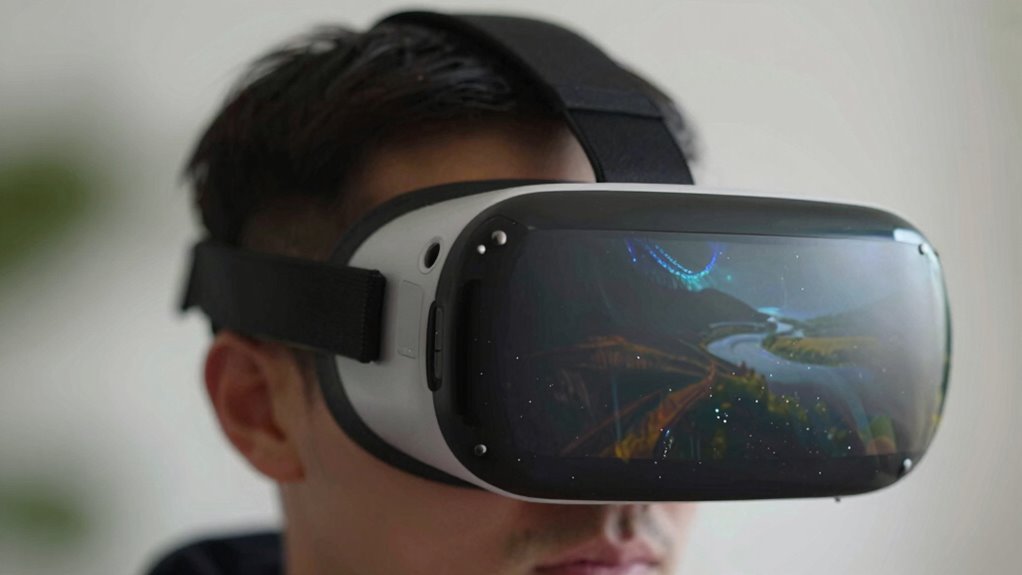
Reprojection and motion smoothing help keep your VR visuals smooth and responsive by adjusting images based on head movements and filling gaps when frames drop. However, if frame timing isn’t precise or latency isn’t minimized, these techniques can cause your view to look “wobbly,” with ghosting or lagging effects. Understanding how these processes work and their limitations can help you improve your VR experience—stay with us to discover more.
Key Takeaways
- Wobbliness occurs when frame timing is inconsistent, causing jitter and perceived instability in VR visuals.
- Reprojection relies on accurate head-tracking data; delays or errors can introduce ghosting or wobble.
- Motion smoothing interpolates frames, which can add slight delays or ghost images, contributing to a wobbly feel.
- Poor synchronization between rendering and display refresh rates can disrupt smooth motion, leading to wobbliness.
- Hardware limitations and miscalibrated settings reduce reprojection effectiveness, resulting in less stable, “wobbly” visuals.

Reprojection and motion smoothing are crucial techniques that enhance your virtual reality experience by guaranteeing smooth, responsive visuals even when your hardware struggles to keep up. When you’re immersed in VR, maintaining a consistent and fluid image is vital for comfort and realism. If your headset’s GPU can’t render frames fast enough, you might notice judder, blurriness, or a distracting “wobbly” effect that breaks the illusion. This is where frame timing and latency reduction come into play. Frame timing refers to how well your system can produce frames at regular intervals, aligning each frame with your head’s movements. When frame timing gets off, frames arrive too late or too early, causing jitter or lag. Latency reduction aims to minimize the delay between your physical movements and what you see on the screen. The less latency there is, the more natural your experience feels.
Reprojection works by analyzing the latest head-tracking data and then generating new frames based on the last fully rendered image. Instead of waiting for the GPU to produce a brand-new frame, the system adjusts the existing image to match your current head position, filling in the gaps quickly. This process reduces perceived latency and smooths out motion, but it relies heavily on accurate frame timing. If frame timing isn’t consistent, the reprojection can introduce artifacts or jitter, making the visuals look less stable. That’s why modern VR headsets and software focus on optimizing frame timing and reducing latency—so reprojection can work effectively.
Reprojection adjusts images based on head movement, but relies on consistent frame timing to avoid artifacts and jitter.
Motion smoothing, on the other hand, takes a different approach. When your system drops frames or can’t keep up with real-time rendering, motion smoothing guesses what the next frames should look like based on previous frames and your head movements. It essentially interpolates between existing frames, creating a fluid transition even when actual frames are missing. This technique ensures your visuals stay smooth, reducing the “wobbly” feeling that can occur during rapid movements or hardware limitations. However, if motion smoothing isn’t properly calibrated, it can introduce ghosting or a slight delay, which might be noticeable and distracting.
Both reprojection and motion smoothing aim to improve the overall experience by tackling the root issues of frame timing and latency. They act as safety nets to keep your VR visuals stable and responsive, even when your hardware isn’t at peak performance. By understanding and leveraging these techniques, you can enjoy a much more immersive and comfortable virtual reality experience, free from the unsettling wobbliness that often stems from inconsistent frame delivery.
Frequently Asked Questions
How Does Reprojection Affect VR Latency?
Reprojection helps reduce VR latency by adjusting frames in real-time, making motion appear smoother. It uses frame interpolation to predict your head movements and quickly updates the display, minimizing delays. This process effectively shortens perceived latency, improving your experience. However, if reprojection isn’t precise, it can introduce artifacts or wobbliness. Overall, it plays a vital role in maintaining low latency and enhancing visual stability during your VR sessions.
Can Motion Smoothing Cause VR Motion Sickness?
Yes, motion smoothing can cause VR motion sickness for some users. You might think it helps make virtual reality smoother, but it can also create a disconnect between what your eyes see and your inner ear feels, leading to discomfort. If you experience nausea or dizziness, try turning off motion smoothing to improve your user comfort. Everyone’s response varies, so find what works best for your VR experience.
Are Some VR Headsets Better at Handling Reprojection?
Yes, some VR headsets handle reprojection better than others. You’ll notice improved visual accuracy and smoother visuals on headsets with advanced tracking and higher refresh rates. Compatibility plays a big role, so check if the headset supports your system’s reprojection features. Higher-quality headsets minimize wobbliness, providing a more stable experience. To enjoy seamless VR, choose one with optimized reprojection capabilities suited to your setup.
Does Motion Smoothing Reduce Visual Clarity?
You might notice that motion smoothing can slightly reduce visual clarity and image sharpness, especially during fast movements. It works by guessing what the next frame will be, which can cause the image to appear a bit softer or less detailed. While it makes motion smoother and reduces judder, it’s a trade-off—your visuals might not be as crisp, but overall, it helps create a more comfortable and immersive VR experience.
How Do Developers Optimize Reprojection Performance?
To optimize reprojection performance, you should focus on maintaining consistent frame pacing, ensuring smooth visual updates. Developers reduce artifacts by fine-tuning algorithms to accurately predict head movements and minimize errors. They also implement adaptive techniques that respond dynamically to system load, preventing stutters. This combination helps create a more seamless experience, reducing wobbliness and keeping the virtual environment stable and immersive for you.
Conclusion
Think of VR like a delicate dance where every step needs perfect timing. Reprojection and motion smoothing are your dance partners, helping to keep the performance smooth and steady. When they falter, the experience feels like a wobbling mirror—disorienting and jarring. By understanding how these techniques work and their limitations, you can better navigate the virtual world, ensuring your journey remains seamless, immersive, and as fluid as a well-choreographed dance.