
TL;DR

Play games on Amazon Luna for your next adventure, included with Prime
- A rotating selection of games, no download needed
- Play on TV, laptop or phone
- Fast, free delivery for your gear, too
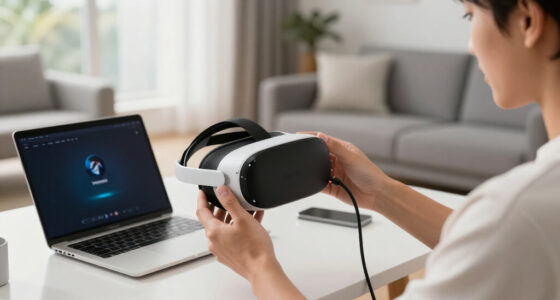
Several Meta Quest 3 users have discovered that the device’s bootloader has been unlocked, which blocks access to the Oculus Store. This article details the confirmed steps to fix the issue and what remains uncertain.
Meta Quest 3 users are experiencing a significant issue after discovering that the device’s bootloader has been unlocked, which prevents access to the Oculus Store and library. This development has raised concerns about device security and usability, with affected users seeking solutions to restore store access.
Multiple reports from the r/OculusQuest community indicate that the bootloader of the Meta Quest 3 has been unlocked, either intentionally or through exploits, leading to the inability to access the Oculus Store. Users have confirmed that their devices no longer load the store app, and some are unable to update or install new apps.
Some users have attempted to fix the issue by re-locking the bootloader or performing factory resets, but success varies. You can find more about VR troubleshooting. The official stance from Meta remains unconfirmed; the company has not publicly acknowledged the problem or provided an official fix.
Technical experts and community members suggest that unlocking the bootloader may have been caused by a security vulnerability or a deliberate modding attempt, but the exact cause and scope are still under investigation.
Meta Quest 3 · Troubleshooting Brief
Bootloader unlocked: how do you restore Store access?
Some Quest 3 owners report that an unlocked or modified boot state prevents the Meta Quest Store and app library from loading. Relocking or reinstalling firmware may help in some cases, but no universal community fix—or confirmed official response—is established in the supplied reports.
Work from reversible checks to supported recovery.
Store failure alone does not prove that the bootloader is unlocked. Network, account, firmware, service, and device-integrity problems can produce similar symptoms.
A factory reset removes local configuration and unsynced data. It may not repair a modified boot chain or restore device certification.
Confirm the symptom
Restart once, test Wi-Fi, check the mobile app, and note whether both Store and Library fail.
Capture device state
Photograph boot warnings and record firmware, account, serial, errors, and previous modifications.
Stop further changes
Do not flash unknown images, repeat exploit tools, or follow device-mismatched relocking commands.
Use supported options
Install normal updates if available, then consider an official factory reset after protecting data.
Contact Meta Support
Provide the captured evidence and request device-integrity, entitlement, and warranty guidance.
Three causes can look nearly identical.
The supplied community reports do not establish whether affected devices share one exploit, one firmware release, or one modification history.
Boot integrity changed
A deliberate unlock, exploit, or incomplete relock may cause integrity checks to fail and prevent official services from trusting the headset.
Update or partition issue
A failed update or corrupted system component could affect Store services without proving that a user intentionally unlocked anything.
Entitlement sync failure
Account authentication, device certification, network filtering, or a Meta service disruption may make the library appear unavailable.
Choose the least risky action that fits the evidence.
A reported fix is not the same as a verified procedure. Bootloader commands and firmware packages must match the exact hardware and software state.
| Action | When it helps | Store-access certainty | Risk level | Recommendation |
|---|---|---|---|---|
| Restart + network/account check | Temporary service, authentication, or connectivity failure | ~Possible | Low | Start here |
| Normal official update | A supported update is offered and the headset remains operational | ~Possible | Low to moderate | Use official channel only |
| Factory reset | Configuration or account state is corrupted | ~Variable | Data loss | Back up evidence first |
| Relock bootloader | The device was knowingly unlocked and its system state is compatible | ?Unconfirmed | High if mismatched | Seek model-specific expert help |
| Unofficial firmware flash | Specialist recovery scenarios only | ×Not assured | Very high | Do not improvise |
| Meta Support repair | Integrity warnings persist or supported recovery fails | ✓Best supported path | Lowest technical risk | Preferred escalation |
Why repeated DIY attempts can make recovery harder.
An unlocked bootloader can weaken platform security, alter certification state, affect warranty decisions, and expose the headset to untrusted software.
“My Quest 3’s store just stopped working after I unlocked the bootloader. Tried relocking, but no luck.”Community report · r/OculusQuest · anecdotal evidence
How the reported issue connects to Store failure.
This is a plausible diagnostic chain, not proof that every inaccessible Store is caused by an unlocked bootloader.
Boot state changes
Unlock, exploit, incomplete relock, or corrupted system state.
Integrity check differs
The device may no longer match the expected trusted configuration.
Certification is questioned
Official services may reject or limit the device session.
Entitlements fail to sync
Owned apps, updates, and Store listings may not load correctly.
Recovery is required
Supported update, reset, repair, or verified state restoration.
What affected owners need to know.
The supplied source is community discussion. Meta’s official position, the affected firmware range, and a universal restoration method remain unconfirmed.
Can I fix it myself?
Possibly, if the problem is account, network, or configuration related. Relocking or firmware work is device-state dependent and can make recovery harder when performed incorrectly.
Will a factory reset fix it?
It may resolve configuration problems, but it is not guaranteed to repair boot integrity. Expect local data and settings to be erased.
Is the headset permanently damaged?
Not necessarily. A software-state problem may be recoverable, but persistent integrity or boot failures can require official service or replacement.
Is the warranty still valid?
That depends on the device history, region, warranty terms, and whether unauthorized modification contributed to the failure. Meta Support must assess the case.
Has Meta confirmed a fix?
Not in the supplied material. Monitor official Meta support and release channels rather than treating community instructions as universally verified.
What should I avoid?
Avoid unknown firmware packages, commands copied from another device model, repeated exploit attempts, and relocking when system partitions may be modified.
Implications of Bootloader Unlocking on Device Security
This issue is significant because it impacts device security and user access to official content. An unlocked bootloader can expose the device to potential security threats or unauthorized modifications, which may void warranties or lead to further vulnerabilities. For users, losing access to the Oculus Store limits functionality and app updates, reducing the device’s utility and experience.
Products Worth Considering

Apple Watch Ultra 2 GPS + Cellular, 49mm Natural Titanium Case with Natural Titanium Milanese Loop, Large

Kindle Paperwhite Signature Edition 32GB (2024) – Auto-adjusting front light, wireless charging, weeks of battery life – Metallic Black

Jackery HomePower 3600 Plus Portable Power Station, 3584Wh, 3600W
As an affiliate, we earn on qualifying purchases.
Background on Bootloader Security and User Modding
The Meta Quest 3, released in late 2023, employs a secure boot process designed to prevent unauthorized modifications. Historically, earlier Oculus models had limited modding capabilities, but community interest in sideloading and custom software has grown. The unlocking of the bootloader suggests a possible security breach or a user-initiated modding attempt, which is not uncommon in the VR modding community but is typically discouraged by manufacturers.
Until now, Meta has maintained a relatively closed ecosystem, but the recent bootloader unlocking indicates a shift or vulnerability that could have broader implications for device security and user modifications.
“My Quest 3’s store just stopped working after I unlocked the bootloader. Tried relocking, but no luck.”
— community member on r/OculusQuest
Unconfirmed Causes and Official Response
It is not yet clear whether the bootloader unlocking was due to a security vulnerability, a deliberate modding process, or an external exploit. Meta has not issued an official statement addressing the issue, leaving the community uncertain about the scope and permanence of the problem.
Furthermore, it remains unconfirmed whether a universal fix exists or if the solution varies depending on the device’s firmware version or user modifications.
Expected Steps for Resolution and Future Updates
Meta is likely to investigate the issue further and may release an official firmware update or security patch to address the bootloader unlocking. Users are advised to monitor official channels for announcements.
Community developers and modders may also work on unofficial methods to relock the bootloader or restore store access, but these carry risks and are not endorsed by Meta.
In the coming weeks, more details should emerge about the cause of the unlocking and the best methods to restore full device functionality.
Key Questions
Can I fix the bootloader unlocking myself?
Some users report success with re-locking the bootloader or reinstalling firmware, but success is not guaranteed. Proceed with caution, as unofficial methods may void warranties or cause further issues.
Will Meta release an official fix?
Meta has not yet issued an official statement. It is expected that they may release a firmware update or security patch in response to the issue.
Does unlocking the bootloader damage my device permanently?
Not necessarily, but it can expose the device to security risks or prevent access to the store until properly relocked or repaired. Always follow verified procedures or seek expert advice.
Is my device still under warranty?
This depends on whether the device has been officially modified or tampered with. Unlocking the bootloader may void the warranty, especially if it violates terms of service.
What should I do if I can’t access the store anymore?
Monitor official updates from Meta, try re-locking the bootloader if possible, or seek advice from trusted community sources. Avoid unofficial or risky fixes that could cause further damage.
Source: r/OculusQuest