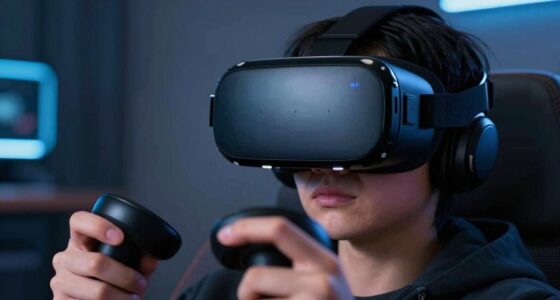
When unboxing your VR headset, keep the packaging that holds your accessories—like controllers, cables, face cushions, and calibration tools—intact. This box is essential for setup, ensuring you have all the components needed for a smooth, comfortable experience. Losing or discarding it could cause delays or frustration later on. Want to make sure you get everything right? Continue exploring to learn key tips for a hassle-free VR setup.
Key Takeaways
- The packaging often contains essential accessories like controllers, cables, and calibration tools crucial for setup.
- Keep the packaging intact until you confirm all accessories are present and properly installed.
- Properly stored packaging helps prevent losing vital components during initial setup.
- It contains important items listed in the manual, aiding in troubleshooting and calibration.
- Retaining the packaging ensures easy access for future maintenance, updates, or troubleshooting needs.

Unboxing a VR headset is an exciting experience that sets the stage for immersive gaming and virtual adventures. As you peel back the packaging, you’re probably eager to start exploring the virtual worlds. But before diving in, there’s one piece of packaging you shouldn’t toss away: the small, often overlooked box or bag that contains essential VR accessories. This component is pivotal for the setup process and guaranteeing your VR experience is comfortable, safe, and smooth.
This packaging typically holds important accessories like the controllers, cables, face cushions, or even calibration tools. These items are easy to overlook amid the excitement but are indispensable for proper setup. Keep this piece intact until you’ve successfully installed and tested everything. It might seem minor, but losing or misplacing these accessories can cause delays or frustration later on. When you’re ready to set up, start by carefully unpacking everything from this package. Check for all items listed in the included manual or quick-start guide to confirm you have everything.
Once you’ve gathered your accessories, it’s time to consider some setup tips to get the most out of your VR experience. First, ensure your play space is clear of obstacles and has enough room for movement. Proper positioning of sensors or base stations, if your headset requires them, is also essential. Follow the manufacturer’s instructions precisely, especially when connecting cables or mounting sensors. Proper cable management prevents tripping hazards and keeps your setup neat.
Ensure your play area is obstacle-free with proper sensor placement and cable management for a safe, immersive VR experience.
Next, focus on adjusting the fit of your headset. Use the VR accessories like face cushions or padding to customize comfort. If your headset has adjustable straps, take the time to get a snug but comfortable fit. This improves tracking accuracy and reduces fatigue during extended play sessions. Don’t forget to set up your controllers properly; some headsets have specific grip or calibration procedures that enhance responsiveness and tracking.
As you move through the setup, regularly refer to your VR accessories and the setup tips provided in the manual. These guidance points help you troubleshoot common issues like tracking errors or discomfort. Also, remember that many VR headsets have companion apps or software updates that can improve functionality and add new features. Installing these updates early guarantees you’re getting the best possible experience from your device. Additionally, understanding the importance of European cloud innovation can help you stay informed about advancements that may influence future VR technology.
Frequently Asked Questions
How Should I Clean the VR Headset After Use?
To clean your VR headset, start with gentle cleaning tips like wiping the lenses with a microfiber cloth and using alcohol wipes for the face padding. Follow a maintenance checklist regularly, including cleaning the straps and vents. Avoid harsh chemicals and don’t submerge the device. By maintaining your headset properly, you guarantee clear visuals and comfort, extending its lifespan for many more immersive experiences.
Can I Recycle the Packaging Materials?
Yes, you can recycle the packaging materials. Think of your packaging as a treasure chest waiting for a new adventure—recycling tips help you give it a second life. Carefully disassemble and check if it’s recyclable, then follow local packaging disposal guidelines. By doing so, you’re not just tossing waste; you’re turning packaging into a resource, reducing landfill clutter, and helping the environment stay vibrant and healthy.
What Is the Warranty Period for the Headset?
The warranty coverage for your VR headset typically lasts one year from the purchase date. If you experience issues, you’ll need to follow the warranty process outlined by the manufacturer, which often includes providing proof of purchase and contacting customer support. Make sure to keep your receipt handy, and check the warranty details in your user manual or on the company’s website to understand what’s covered.
Are There Any Accessories Included in the Package?
Yes, the package includes essential accessories like the charging cable, controllers, and an extra set of face cushions. The packaging design thoughtfully features designated accessory storage compartments, keeping everything organized and easy to find. Don’t toss out the packaging right away; it’s designed to protect your accessories and makes storage simple. Keep all pieces safe and in one place, ensuring you’re ready for setup and future use.
How Do I Troubleshoot Connectivity Issues?
Think of your VR headset as a dance partner, needing perfect harmony. To fix pairing issues, make sure both devices are close and Bluetooth is enabled. Restart your headset and device, then try re-pairing. Check for firmware updates, like tuning the instrument, to improve connection stability. If problems persist, reset your headset’s network settings. With patience, you’ll get back to your immersive virtual dance floor smoothly.
Conclusion
Remember, that tiny piece of packaging isn’t just trash — it’s your safeguard against damage, much like a knight’s shield. Don’t toss it out prematurely; think of it as your secret weapon in the quest to keep your VR headset pristine. As you plunge into your virtual adventures, keep this little piece safe, and you’ll avoid any mishaps that even a wise old owl would warn you about. Don’t be a Luddite—embrace the packaging!