
To prevent VR from feeling like a chore, set enjoyable boundaries, like limiting sessions to 20-30 minutes and taking regular breaks. Diversify your activities by switching between gaming, meditation, or virtual tours, and stay mindful of your comfort and limits. Keep your equipment well-maintained to guarantee smooth experiences. Creating a cozy environment and focusing on fun rather than obligations also help. Stick with these tips to keep VR fun and immersive—there’s more to discover, so keep exploring.

Play games on Amazon Luna for your next adventure, included with Prime
- A rotating selection of games, no download needed
- Play on TV, laptop or phone
- Fast, free delivery for your gear, too
Key Takeaways
- Set specific, enjoyable goals to keep VR sessions engaging and meaningful.
- Limit session lengths and take regular breaks to prevent fatigue.
- Diversify activities to maintain interest and avoid monotony.
- Maintain equipment properly for seamless, stress-free experiences.
- Create a comfortable, safe environment that encourages relaxation and fun.
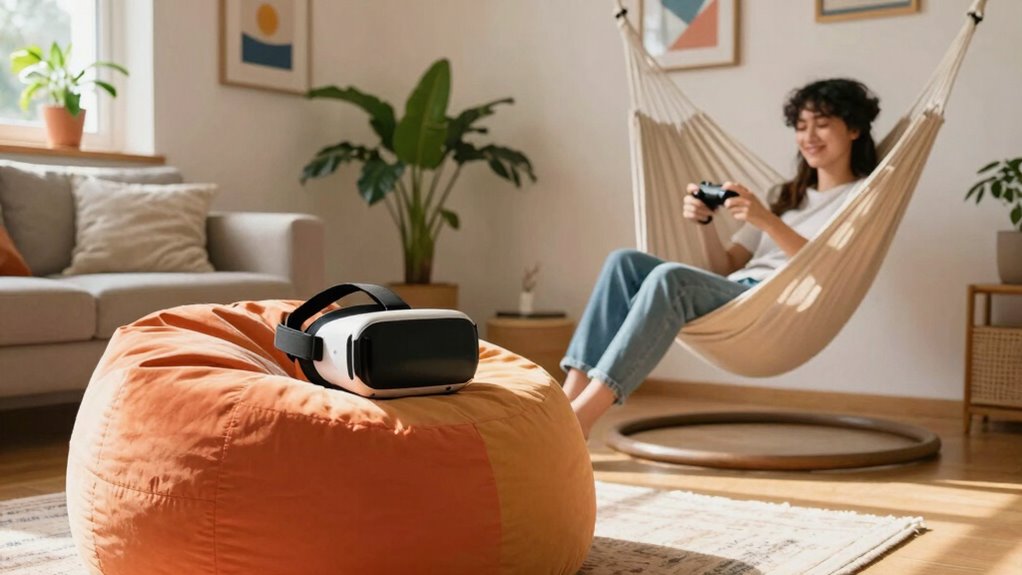
Virtual reality has the potential to be an immersive and exciting experience, but it can quickly feel like a chore if you approach it the wrong way. To keep your VR sessions enjoyable, you need to be mindful of how you use the technology and avoid common pitfalls like virtual fatigue. Virtual fatigue happens when you spend too long in VR, causing dizziness, eye strain, or discomfort. To prevent this, set clear time limits for each session—start with 20 to 30 minutes and take breaks in between. Use a timer if necessary, so you’re not tempted to push yourself beyond comfortable limits. Remember, VR is supposed to be fun, not exhausting.
Set time limits and take breaks to prevent virtual fatigue and keep VR fun and comfortable.
Another key to avoiding turning VR into a chore is staying on top of equipment maintenance. VR headsets and controllers require regular cleaning and calibration to work smoothly. Dirty lenses or sticky controllers can diminish the experience and lead to frustration. Keep your equipment clean by wiping down lenses with a microfiber cloth after each session and storing devices properly to avoid damage. Also, periodically check for software updates, as these often improve performance and fix bugs that could cause glitches or crashes. If your equipment isn’t functioning properly, it can turn a fun activity into a frustrating task, so maintaining it keeps your sessions seamless and enjoyable. Additionally, proper equipment maintenance can extend the lifespan of your devices, ensuring consistent performance over time. Regularly inspecting and caring for your gear is an essential part of sustainable living practices in the realm of technology. Incorporating preventative care into your routine can help catch issues early before they disrupt your experience.
It’s also important to approach VR with a sense of balance. Don’t feel pressured to finish every game or experience in one sitting. Instead, plan shorter sessions and diversify your activities. Switch between different types of experiences—like gaming, meditation, or virtual tours—to keep things fresh and prevent boredom. Incorporating variety of experiences can help sustain your interest and prevent fatigue. Incorporate physical movement into your routine, too, to counteract the sedentary feel of many VR experiences. Standing up, stretching, or even doing light exercises can keep you engaged and reduce the risk of virtual fatigue.
Finally, remember to create a comfortable environment for your VR sessions. Clear enough space to move freely, ensure good lighting, and sit in a comfortable chair if needed. This not only prevents accidents but also makes the experience more relaxing. When you approach VR with a mindful attitude—controlling your session length, maintaining your equipment, and diversifying your activities—you’ll find it’s an exciting adventure rather than a chore. Your enjoyment depends on how well you manage these aspects, so stay proactive, and VR will stay fun.
As an affiliate, we earn on qualifying purchases.
Frequently Asked Questions
How Can I Stay Motivated to Use VR Regularly?
To stay motivated to use VR regularly, you should focus on effective time management and keep your gaming variety fresh. Set specific, achievable goals for each session, so you feel accomplished. Mix up your experiences—try new games or explore different genres—to keep things exciting. Regularly scheduling VR time helps establish a routine, making it feel less like a chore and more like a rewarding escape.
What Are Some Quick VR Activities for Busy Schedules?
For quick VR activities, you can focus on VR fitness routines, quick exploration, or brief gaming sessions. These options fit well into busy schedules, offering fast, engaging experiences that boost your energy and curiosity. You might do a 10-minute workout, explore a new virtual world, or play a short game. These activities keep VR exciting without feeling like a chore, helping you stay motivated and refreshed.
How Do I Prevent VR From Causing Motion Sickness?
To prevent VR from causing motion sickness, start with sensory adaptation by gradually increasing your playtime, allowing your body to adjust. Make certain your hardware is properly calibrated to guarantee smooth visuals and reduce disorienting movements. Take regular breaks, avoid rapid head movements, and sit down if needed. These steps help your brain adapt comfortably to VR, minimizing discomfort and making your experience more enjoyable and less likely to cause nausea.
Can VR Improve Mental Health or Relaxation?
VR can definitely improve mental health and relaxation through virtual mindfulness and immersive therapy. You can use calming virtual environments to practice meditation or deep breathing, helping reduce stress. Immersive therapy sessions target anxiety or trauma, giving you a safe space to confront emotions. By integrating these experiences into your routine, you’ll find VR becomes a helpful tool for mental well-being rather than a chore, promoting relaxation and emotional resilience.
What Are the Best Ways to Share VR Experiences With Friends?
You can share VR experiences with friends through virtual meetups, where everyone logs into the same platform and explores together. To make it more engaging, plan shared adventures like virtual travel or multiplayer games. Encourage open communication and take turns leading activities, ensuring everyone feels involved. Using social apps alongside VR can also enhance connection, making your shared experiences memorable and fun without turning VR into a chore.
As an affiliate, we earn on qualifying purchases.
Conclusion
So, next time you put on your VR headset, remember it’s all about fun, not obligation. Keep your sessions light and engaging, and don’t push yourself too hard. After all, isn’t the point to escape into new worlds, not drown in chores? When you approach VR with curiosity and a playful spirit, it remains a thrilling adventure rather than a tedious task. Why not make every virtual journey a joy, not a chore?
VR headset stand with charging dock
As an affiliate, we earn on qualifying purchases.
As an affiliate, we earn on qualifying purchases.
As an affiliate, we earn on qualifying purchases.
Fall Picks
fall essentials
As an affiliate, we earn on qualifying purchases.