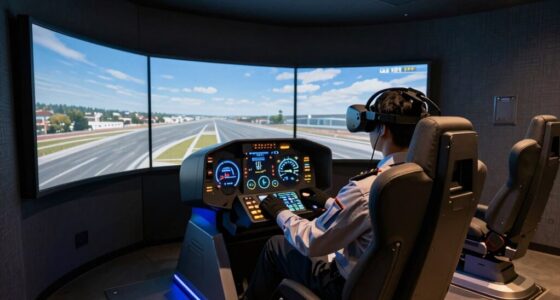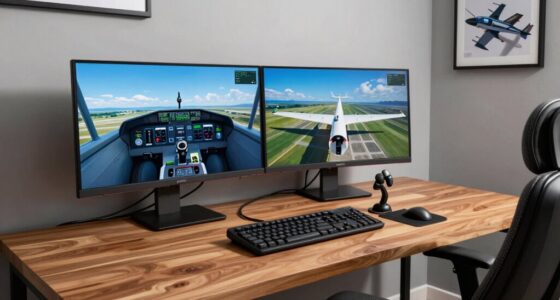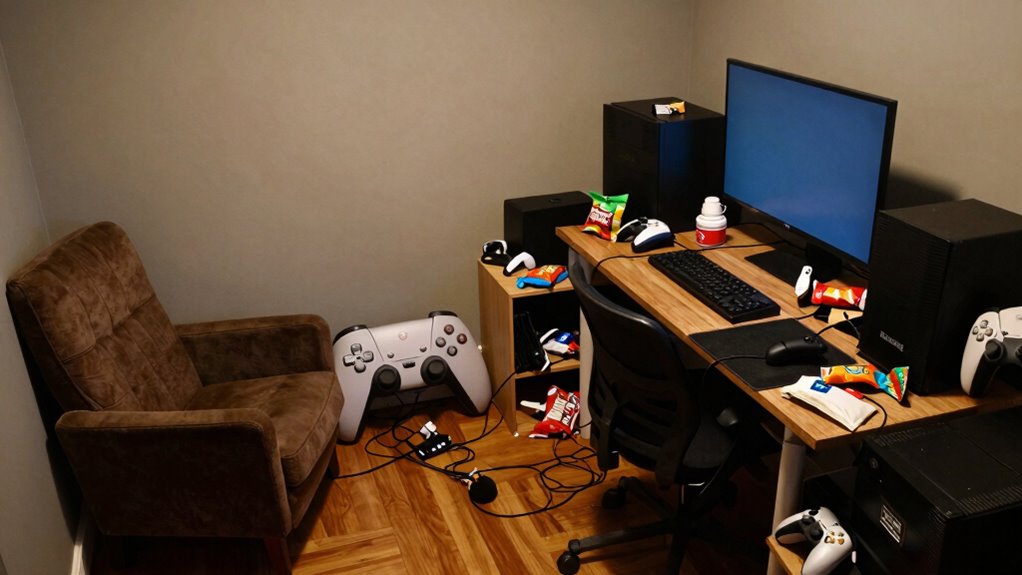

Poor room planning can cause your sim setup to fail by increasing distractions, discomfort, and technical problems. Small issues like inadequate lighting, poor soundproofing, or cramped space quickly turn into bigger frustrations that ruin immersion. External noises and reflections interfere with audio and visuals, while uncomfortable lighting strains your eyes. These problems make it harder to focus and enjoy your experience. Keep going to discover how proper setup can transform your sim environment for better performance and fun.

Play games on Amazon Luna for your next adventure, included with Prime
- A rotating selection of games, no download needed
- Play on TV, laptop or phone
- Fast, free delivery for your gear, too
Key Takeaways
- Poor room planning causes discomfort and distractions, reducing immersion and enjoyment during simulation sessions.
- Inadequate soundproofing allows external noise and echoes to interfere with audio cues and concentration.
- Improper lighting creates glare, shadows, and eye strain, making it difficult to focus and see screens clearly.
- Lack of strategic space arrangement results in cramped setups, limiting movement and accessibility.
- Overlooking room acoustics and lighting leads to technical issues and decreased simulation realism.

A poorly planned room can turn even the best sim setup into a frustrating experience. When your space isn’t carefully thought out, small issues quickly snowball into major barriers to enjoying your simulation. Two common problems you might face are soundproofing issues and lighting challenges, both of which can ruin immersion and distract you during critical moments.
Soundproofing issues are a typical headache in rooms that haven’t been designed with audio in mind. If your space isn’t properly insulated or if there are gaps around doors and windows, external noise can intrude on your gaming experience. It can be as simple as the hum of traffic outside or the chatter from other rooms in your house. This noise interferes with audio cues, making it harder to locate sounds accurately or enjoy immersive sound effects. Furthermore, inadequate soundproofing can allow your voice commands or microphone chatter to bleed into the room’s acoustics, creating echo or background noise that hampers communication with teammates. Proper planning involves sealing gaps, adding sound-absorbing panels, or using carpets and curtains to dampen echoes. Ignoring these details means your setup remains noisy and distracting, pulling you out of the gaming zone. Paying attention to room acoustics can significantly improve your overall experience. Additionally, understanding soundproofing techniques can help you effectively reduce unwanted noise. An unanticipated consequence of neglecting soundproofing is that it can also impact your mental focus during intense gameplay sessions. Ensuring your room has the right sound environment can make a notable difference in your comfort and concentration.
Proper soundproofing prevents external noise and echoes, ensuring immersive, distraction-free gaming experiences.
Lighting challenges are another obstacle that stems from poor room planning. If your space has harsh, uneven, or inadequate lighting, it affects both your visibility and comfort. Glare from windows or overly bright overhead lights can create reflections on screens, making it difficult to see details clearly. Conversely, dim or poorly placed lighting can cause eye strain and fatigue, especially during long gaming sessions. Without strategic lighting, you might find yourself constantly adjusting your blinds or lights, breaking your focus. A well-planned room considers natural light, with options to control it, and incorporates layered lighting—ambient, task, and accent—to create a balanced environment. This setup ensures your screens are easily visible, reduces eye strain, and enhances immersion. Proper lighting planning also helps prevent shadows and glare that can interfere with your view, which is crucial for an optimal sim experience.
When you overlook these essential aspects—soundproofing and lighting—you risk diminishing your overall experience. Frustration grows as you deal with distractions, discomfort, and technical limitations that could have been easily avoided with proper planning. To prevent your sim setup from becoming a source of annoyance, take the time to analyze your room’s acoustics and lighting. Small investments, like acoustic panels or adjustable lighting fixtures, go a long way in creating an environment that supports your gaming needs. Ultimately, a well-designed room not only enhances performance but also makes your sim experience more enjoyable and immersive.
Products Worth Considering

Samsung 27 Odyssey OLED G5 (G50SF) QHD Gaming Monitor

Samsung 32-inch Odyssey OLED G8 (G80SH) 4K QD-OLED Gaming Monitor

LG UltraGear 34GX90SA-W 34-inch WQHD Curved OLED Gaming Monitor
As an affiliate, we earn on qualifying purchases.
Frequently Asked Questions
How Can I Improve Room Acoustics for Better Sim Setup Sound?
To improve room acoustics for better sim setup sound, focus on soundproofing techniques like adding acoustic panels or bass traps to reduce echo and outside noise. Proper speaker placement is essential; position your speakers at ear level and form an ideal triangle with your seating area. These adjustments enhance sound quality, create a more immersive experience, and prevent sound distortions caused by poor room acoustics.
What Lighting Considerations Are Best for a Sim Racing Room?
For ideal lighting in your sim racing room, choose adjustable lighting options to reduce glare and eye strain. Use a balanced mix of ambient, task, and accent lighting, considering your color schemes to create a comfortable atmosphere. Proper furniture placement ensures light doesn’t reflect off screens or consoles, so position lights thoughtfully to avoid distractions. This setup enhances immersion and reduces fatigue, making your racing experience more enjoyable and focused.
How Do I Choose the Right Space for My Sim Setup?
Choosing the perfect space for your sim setup is like finding a hidden treasure! You need a room with enough space to comfortably place your decor without clutter and wall color that won’t distract or cause glare. Opt for a quiet, dedicated area with good airflow and natural light control. Think about how decor placement flows seamlessly around your equipment, creating an immersive experience rather than a chaotic chaos zone.
What Safety Measures Should I Consider in a Sim Room?
You should prioritize safety equipment like fire extinguishers and smoke detectors, ensuring they’re easily accessible. Keep the area clear of clutter to prevent tripping hazards and use fire prevention measures, such as avoiding overloaded power strips or flammable materials near electronic equipment. Regularly check your safety gear, and establish clear emergency protocols. These steps help create a secure environment, letting you enjoy your sim setup without unnecessary risks.
How Can I Optimize Cable Management in Limited Space?
To optimize cable management in limited space, focus on effective wire routing by planning your cable paths carefully. Use cable accessories like clips, ties, and sleeves to keep wires organized and prevent tangles. Mount cables along walls or under desks to free up surface area, and label them for easy identification. Regularly check and adjust your setup to maintain a clean, safe, and functional environment, maximizing your limited space efficiently.
Conclusion
Without proper planning, your sim setup can quickly fall flat, leaving you frustrated and far from the fun. Think ahead, measure, and map out your space to prevent pitfalls and preserve your passion. When you prioritize precision and position, your setup soars, creating a seamless sanctuary for simulations. A well-woven workspace welcomes your wonder, while neglecting planning pushes progress into pointless pitfalls. Prepare properly, and your sim space will shine, showcasing skill and sparking satisfaction.