
Choosing between yokes and sticks changes your VR flight experience because each offers different control feels, feedback, and comfort. Yokes mimic real airplane wheels, providing stability and resistance, which enhances realism but can be bulkier and less agile. Sticks are smaller and more precise, allowing quick movements and agility. Your comfort and control style influence immersion, making the choice essential for a more authentic or dynamic flight. Keep exploring to discover how each device impacts your flying adventure in detail.

Play games on Amazon Luna for your next adventure, included with Prime
- A rotating selection of games, no download needed
- Play on TV, laptop or phone
- Fast, free delivery for your gear, too
Key Takeaways
- Yokes provide a stable, familiar grip that enhances control accuracy and realism during steady flight maneuvers.
- Sticks offer agile, intuitive movements ideal for complex, rapid inputs and quick adjustments.
- Force feedback in yokes simulates air resistance and turbulence, increasing tactile realism, while sticks deliver precise, subtle haptic cues.
- Ergonomic design influences comfort and fatigue, affecting immersion during extended VR flight sessions.
- Control shape and size impact responsiveness, affecting handling in tight turns and challenging flight scenarios.
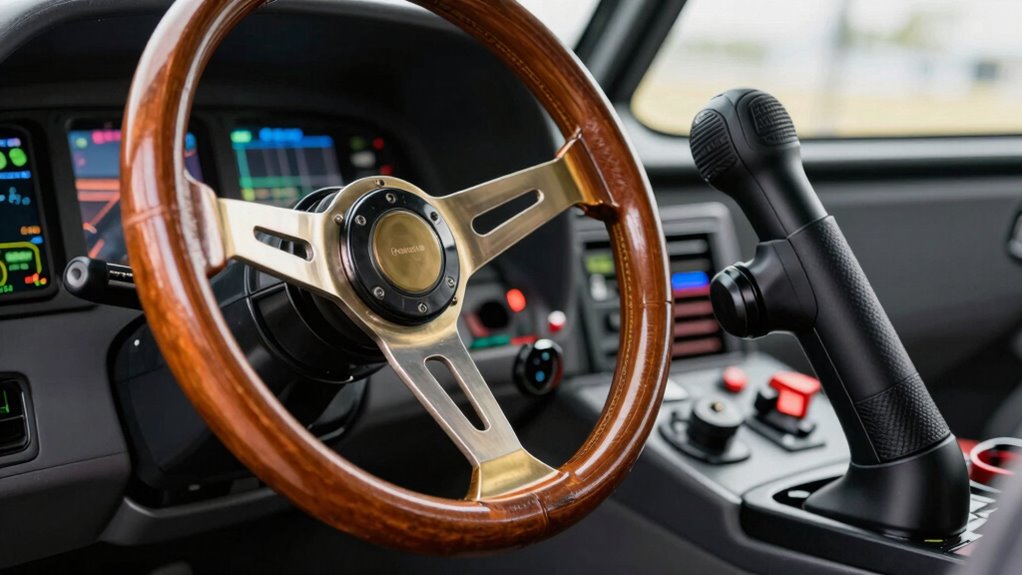
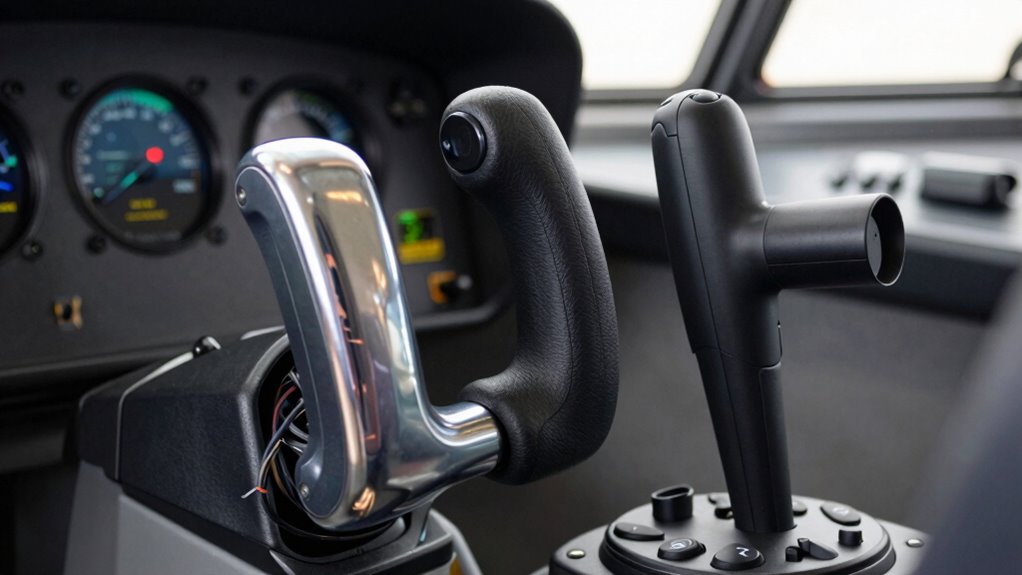
When it comes to virtual reality flight simulations, the choice between a yoke and a stick can considerably impact your experience. Your control device shapes how immersively you feel connected to the aircraft, influencing both your comfort and the realism of your flight. Yokes tend to mimic the traditional airplane control wheels, offering a broad, familiar grip that emphasizes stability and precise control. Sticks, on the other hand, are more compact and often provide a more agile, intuitive feel. This difference isn’t just about appearance; it affects how you interact with the virtual cockpit and how your body responds during flight.
Choosing between a yoke and a stick shapes your VR flight experience—stability versus agility and immersive control.
Haptic feedback plays a vital role in distinguishing these controls. With a yoke, the sensation of resistance and force feedback can simulate the feel of actual airplane controls, giving you tactile cues during maneuvers. The feedback can mimic air resistance, turbulence, or the tension from banking into a turn, making your VR experience more realistic. Sticks also offer haptic feedback, but its implementation is often more precise and direct, allowing for quick, subtle adjustments that translate into immediate physical sensations. This tactile response helps you gauge control inputs without relying solely on visual cues, heightening your sense of immersion. Incorporating haptic feedback capabilities into your setup can significantly enhance the realism of your flight experience. Additionally, the type of feedback can influence how naturally you respond to in-flight challenges, making the experience more engaging.
Ergonomic design is another critical factor that influences how you perceive and enjoy each control type. Yokes are generally larger and designed to fit larger hands comfortably, reducing fatigue during extended flights. Their shape often encourages a two-handed grip, which can be beneficial for maintaining stability and control. Sticks tend to be smaller, lighter, and more ergonomic for quick, precise movements. They’re easier to maneuver in tight turns or rapid inputs, which can be advantageous in complex flight scenarios. The ergonomic considerations also affect your comfort during long VR sessions. If a control feels awkward or causes strain, your immersion diminishes, and the overall experience suffers. Choosing a device with an ergonomic design suited to your hand size and style can make a noticeable difference during extended flights.
As an affiliate, we earn on qualifying purchases.
Frequently Asked Questions
How Do Flight Yokes Impact VR Immersion Compared to Sticks?
Flight yokes enhance your VR immersion by offering better ergonomic comfort, making extended sessions more comfortable. They also provide smoother, more natural control with consistent controller sensitivity, helping you feel more connected to the aircraft. In contrast, sticks can be more precise but may lack the same ergonomic benefits. Overall, yokes make your VR flying experience more realistic and comfortable, boosting immersion and control.
Are There Specific Aircraft Types Better Suited for Yokes or Sticks in VR?
For the most authentic cockpit realism and precise control, yokes excel with large aircraft like airliners, making you feel like a real pilot. Sticks are better suited for fighters and smaller planes, where agility and quick responses matter. You’ll find yokes provide a more immersive experience in commercial jets, while sticks deliver the sharp control needed for aerobatic maneuvers or military aircraft. Choose based on the aircraft type for the ultimate VR realism.
What Safety Considerations Exist When Using Yokes or Sticks in VR?
When using yokes or sticks in VR, you should prioritize safety by ensuring good ergonomics and comfort to prevent strain or fatigue. Adjust your equipment for proper posture, taking frequent breaks to avoid discomfort. Make sure your setup is stable, and clear your environment of obstacles to prevent accidents. Always listen to your body and stop if you feel any pain or discomfort, maintaining safe and enjoyable VR flight sessions.
How Does Haptic Feedback Differ Between Yokes and Sticks?
You’ll notice that force feedback in yokes delivers more consistent tactile sensations, mimicking the resistance of real aircraft controls, while sticks often provide sharper, more localized vibrations. About 80% of pilots say yokes enhance immersion through realistic force feedback, making you feel every turbulence or turn. This difference shapes your experience, with yokes offering a broader sense of resistance and tactile sensations, and sticks focusing on precise, tactile cues during flight.
Can Customization Options Enhance VR Experiences With Yokes or Sticks?
Yes, customization options can considerably enhance your VR experience with yokes or sticks. By tailoring ergonomic comfort, you reduce fatigue during long sessions, making gameplay more enjoyable. Aesthetic customization allows you to personalize your setup, creating a more immersive environment. These options enable you to craft a more comfortable and visually appealing experience, enhancing your overall engagement and satisfaction with VR flight simulations.
VR flight stick with haptic feedback
As an affiliate, we earn on qualifying purchases.
As an affiliate, we earn on qualifying purchases.
Conclusion
In the end, choosing between yokes and sticks shapes your VR flight experience like selecting your own trusty sidekick. Yokes offer that classic, almost steampunk feel, making you feel like you’re piloting a vintage aircraft. Sticks, on the other hand, give you precision and agility, perfect for modern jets. So, whether you’re channeling an ancient aviator or a modern ace, the right control makes all the difference—no DeLorean needed to feel like you’re truly flying.
airplane yoke for VR flight simulation
As an affiliate, we earn on qualifying purchases.
As an affiliate, we earn on qualifying purchases.
As an affiliate, we earn on qualifying purchases.
Fall Picks
fall essentials
As an affiliate, we earn on qualifying purchases.