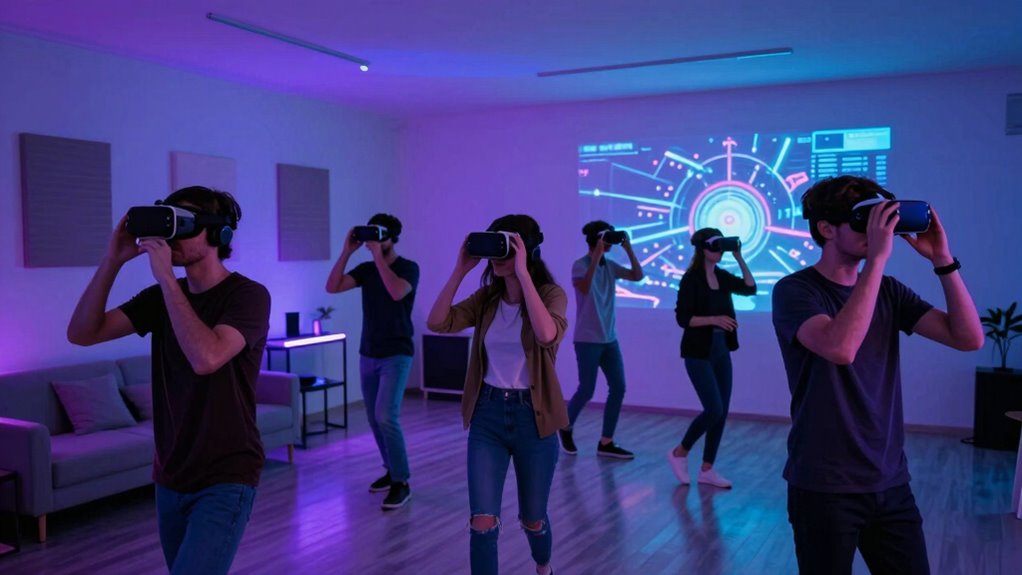

To host a successful VR party, focus on creating a safe, immersive environment by managing lighting, space, and noise carefully. Use soft, indirect lighting to prevent sensor interference, and keep the room quiet with wireless headphones for clear sound. Designate a clutter-free, obstacle-free area that matches your virtual boundaries for safety and ease of movement. Paying attention to these details guarantees a smooth experience—continue exploring to learn how to perfect each aspect for your next event.
Key Takeaways
- Use soft, indirect lighting to prevent sensor interference and reflections that can disrupt VR tracking.
- Designate a spacious, obstacle-free area with clear boundary markings to ensure safe movement.
- Maintain a quiet environment and use wireless headphones to minimize audio distractions during the experience.
- Test all lighting setups and sound systems beforehand to ensure optimal conditions for immersive VR sessions.
- Incorporate physical decor and props aligned with the virtual environment to enhance immersion and create a cohesive atmosphere.

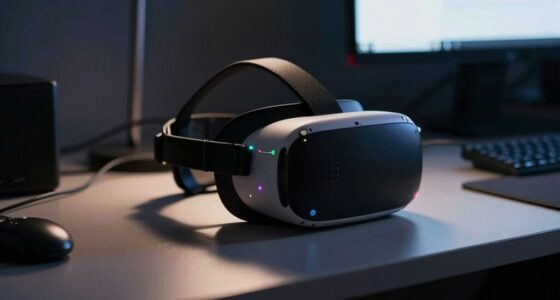
Ever wondered how to throw a memorable party that combines fun and innovation? When planning a VR gathering, your first focus should be on creating an immersive environment that wows your guests from the moment they arrive. Virtual decor plays a pivotal role here. Unlike traditional decorations, virtual decor allows you to transform any space into a fantastical realm, whether it’s a futuristic cityscape or a lush jungle. The key is choosing a theme that excites your crowd and then customizing the virtual elements to match. To do this effectively, you need to guarantee your equipment setup is spot-on. This means investing in high-quality VR headsets, motion trackers, and compatible controllers. Proper equipment setup isn’t just about having the latest gear; it’s about calibrating everything correctly to prevent glitches and disorientation. Before the event, test all devices to confirm they work seamlessly together, and make sure your Wi-Fi connection is robust enough to handle multiple streams without lag. Clear instructions for guests on how to set up and use their equipment can save you a lot of troubleshooting during the party. You’ll want to provide a dedicated space for the VR experience—free of clutter and obstacles—that’s large enough for guests to move comfortably. Mark the boundaries clearly and consider using safety mats or barriers to prevent accidents. When it comes to virtual decor, it’s also wise to incorporate physical elements that complement the digital environment. For instance, themed props, lighting, or even costume accessories can enhance the immersive feel and make your party more memorable. The goal is a seamless blend of real and virtual worlds, so think about how physical decor can reinforce the virtual theme. Additionally, guarantee your setup includes good lighting that doesn’t interfere with VR sensors. Soft, indirect lighting works best, as harsh lights or reflections can disrupt tracking. Noise control is equally important—make sure your space is quiet enough to prevent audio distractions, and use wireless headphones to give each guest clear sound. Remember, the success of your VR party hinges on smooth equipment setup and immersive virtual decor, so don’t overlook these details. Take time to prepare in advance, double-check your gear, and plan your virtual environment carefully. When everything is in place, your guests will be transported into a mesmerizing digital world that keeps them talking long after the party ends. With the right combination of virtual decor, equipment setup, and attention to space and noise, you’ll host a VR event that’s truly unforgettable, without regrets. Additionally, understanding the importance of proper space management can greatly enhance the safety and enjoyment of your virtual experience.
Frequently Asked Questions
How Do I Choose the Right VR Equipment for My Party?
To choose the right VR equipment for your party, focus on VR headset selection that suits your guests’ comfort and experience level. Guarantee the headsets are compatible with the motion controllers you plan to use, so everyone can participate easily. Consider the hardware’s performance, ease of setup, and durability. Picking user-friendly, versatile VR gear will keep your guests engaged and make your party memorable.
What Are the Safety Tips for VR Gaming at Events?
Sure, because nothing says fun like risking a collision or a surprise sneeze in a VR headset. Always sanitize VR headset hygiene before and after use, and remind guests to be aware of their surroundings to avoid accidents. Have emergency protocols in place, like a quick way to disconnect or assist someone if they feel unwell. Keep safety first, even in the most immersive virtual worlds.
How Can I Accommodate Guests With Different VR Experience Levels?
You can accommodate guests with different VR experience levels by offering varied experiences or adjustable difficulty settings. Engage all guests by providing tutorials or guided sessions tailored to their skill levels, boosting their confidence and enjoyment. Use skill level differentiation to create a welcoming environment, ensuring beginners feel comfortable while experienced players stay challenged. This approach fosters guest engagement and makes your event inclusive, keeping everyone entertained regardless of their VR familiarity.
What Are the Best Ways to Prevent VR Motion Sickness?
Imagine your guests are beginning on a journey—so, to prevent VR motion sickness, you should encourage sensory adaptation through gradual exposure. Start with short sessions, allowing their brains to adjust, like easing into a new rhythm. Remind them to take breaks, stay hydrated, and focus on fixed points. These simple steps help their bodies adapt, making the experience more comfortable and enjoyable for everyone.
How Do I Troubleshoot Common VR Setup Issues During the Party?
When troubleshooting common VR setup issues during the party, start by checking hardware compatibility to guarantee all devices work together smoothly. Use calibration techniques like re-centering the headset and adjusting sensors to improve tracking and comfort. Verify cables are secure and update firmware if needed. If issues persist, restart the system, and re-calibrate. This quick troubleshooting keeps the experience seamless and enjoyable for your guests.
Conclusion
Think of your VR party as tending a delicate garden. With the right lighting, ample space, and mindful noise levels, you nurture a vibrant, thriving oasis where everyone can flourish. When you balance these elements, your event blossoms into an unforgettable experience, free of regrets. So, plan with care, like a gardener tending to every detail, and watch your virtual paradise flourish, leaving everyone with memories as beautiful as a well-tended flower bed.