To design a VR corner in a busy home, prioritize creating a functional, clutter-free space with ergonomic furniture that supports movement and comfort. Use adjustable stands and wall mounts for sensors and controllers, and implement smart cable management to prevent tripping hazards. Choose versatile, foldable furniture and maximize vertical storage to save space. Pay attention to lighting and ventilation for comfort, and organize accessories neatly. Keep safety in mind to make your VR setup both practical and enjoyable—discover more tips to optimize your space.

Play games on Amazon Luna for your next adventure, included with Prime
- A rotating selection of games, no download needed
- Play on TV, laptop or phone
- Fast, free delivery for your gear, too
Key Takeaways
- Choose a quiet, low-traffic corner to minimize disturbances and ensure safety during VR sessions.
- Use vertical storage and wall-mounted organizers to maximize limited space and keep accessories tidy.
- Incorporate flexible, foldable furniture to adapt the area for different activities and save space when not in use.
- Implement cable management solutions to prevent tripping hazards and maintain a clutter-free environment.
- Opt for adjustable lighting and proper ventilation to enhance comfort and reduce eye strain during long VR sessions.

Have you ever thought about how to create the perfect VR corner in your space? If you’re juggling a busy home, it might seem challenging to carve out a dedicated area for immersive virtual reality experiences. The key is to design a space that’s both functional and clutter-free, so you can dive into your VR worlds without stress or distraction. To do that, start by choosing ergonomic furniture that offers comfort and support during long gaming or exploration sessions. An adjustable chair or a sturdy, ergonomic desk ensures you maintain good posture, reducing fatigue and discomfort. Since VR involves a lot of movement, your furniture should be versatile, allowing you to switch positions easily and stay comfortable throughout your sessions.
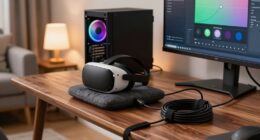
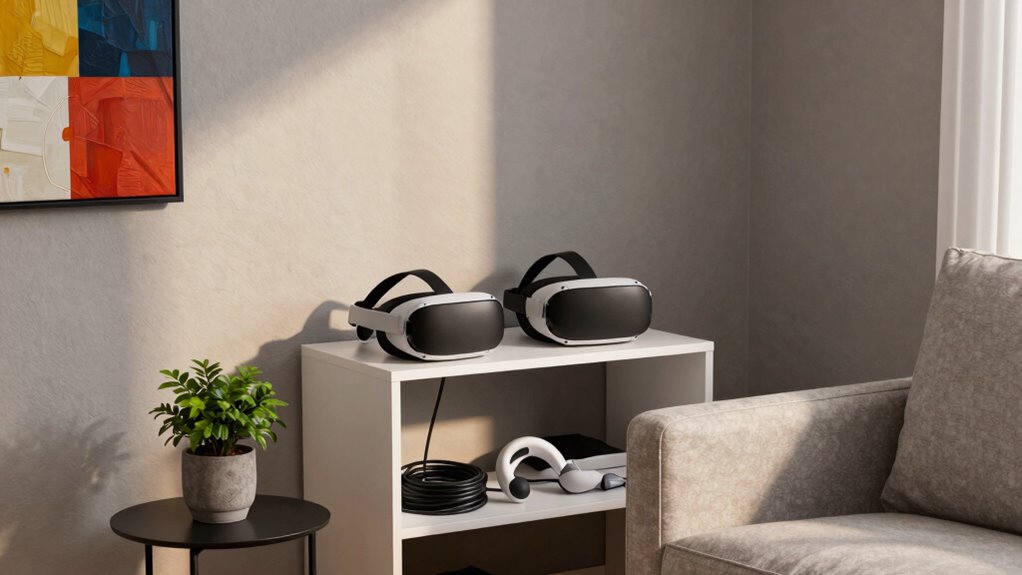
Create a clutter-free VR corner with ergonomic furniture for comfort and versatile setup in your busy home.
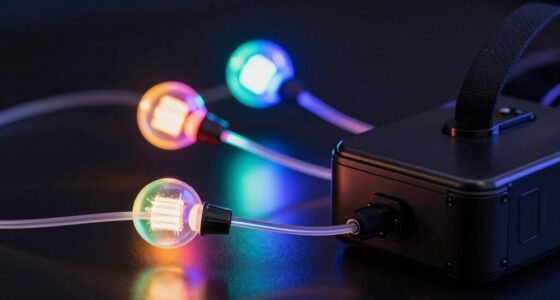
Cable management plays a crucial role in creating a safe, streamlined VR corner. When cables are tangled or sprawled across the floor, they not only pose tripping hazards but also make your space look chaotic. Invest in cable organizers, sleeves, or clips to route cables neatly along walls or behind furniture. This keeps your play area tidy and minimizes the risk of accidental disconnections or damage to your equipment. Consider mounting your sensors and controllers on adjustable stands or wall mounts to keep cables out of the way and ensure accurate tracking. Proper cable management transforms your corner from a cluttered mess into a sleek, efficient setup that’s ready for quick transitions between VR sessions. Additionally, understanding laboratory safety principles can help you implement safe and effective setup practices, especially when dealing with electronic components. Incorporating ergonomic principles can further enhance comfort and reduce strain during extended use. Furthermore, applying space optimization techniques can help you make the most of limited areas without sacrificing comfort or safety. Incorporating proper ventilation can also improve airflow and prevent overheating during intense VR sessions.
In a busy home, space is often limited, so smart layout planning is essential. Choose a corner that’s free from heavy foot traffic, and make sure there’s enough room for you to move freely in all directions. Using vertical space can help; install shelves or wall-mounted storage for controllers, headsets, and other accessories. This keeps everything accessible while maintaining a clean, organized environment. Lighting is another important aspect—opt for adjustable, indirect lighting that minimizes glare on screens and helps prevent eye strain. Keep your VR corner flexible: use foldable or collapsible furniture that you can clear away when not in use, freeing up your living area. Considering lighting design principles can further optimize your setup for comfort and eye health.
Ultimately, designing a VR corner in a busy home requires balancing comfort, safety, and organization. Prioritize ergonomic furniture to keep you comfortable, and implement effective cable management to keep your space safe and tidy. With thoughtful planning, your VR setup becomes a dedicated retreat amidst the hustle, ready whenever you want to escape into new worlds.
Products Worth Considering

Logitech MX Master 4 Ergonomic Wireless Mouse with Haptic Feedback, Graphite

LG UltraGear 32GS60QC-B 32-inch Curved QHD Gaming Monitor (180Hz, 1ms, 1000R, AMD FreeSync, HDR10)

LG UltraGear 32GX850A-B 32-inch 4K UHD Glossy OLED Gaming Monitor
As an affiliate, we earn on qualifying purchases.
Frequently Asked Questions
How Much Space Do I Need for a VR Corner?
You’ll need at least a 4×4-foot space for your VR corner to guarantee comfort and safety. Check your VR headset compatibility for ideal experience, and consider wall mounting options to save space. Make certain the area is clear of obstacles, and use soft padding or mats for added safety. This setup allows you to move freely without feeling cramped, making your VR sessions more immersive and enjoyable.
Can I Use Existing Furniture for My VR Setup?
Yes, you can use existing furniture for your VR setup. Focus on furniture placement to guarantee enough space for safe movement and clear pathways. Choose pieces that won’t interfere with your play area, like a sturdy chair or a low table. Decor customization allows you to personalize your corner, making it inviting yet functional. Just make sure your furniture doesn’t obstruct sensors or tracking devices for peak VR performance.
What Safety Precautions Should I Consider?
Imagine a busy household where you set up your VR corner; safety is key. You should prioritize ergonomic seating to prevent strain during extended sessions. Use cable management solutions to keep wires organized and avoid tripping hazards. For example, securing cables along walls or under rugs minimizes accidents. Always guarantee enough space for movement, and double-check that your area is free of obstacles before starting your VR experience.
How Do I Soundproof a VR Corner?
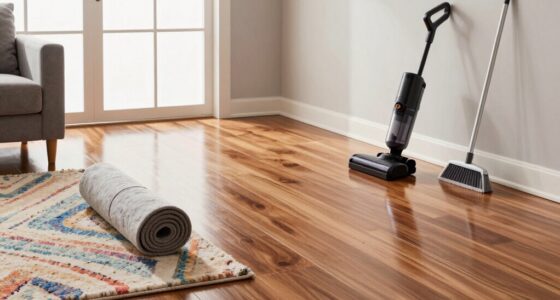
To soundproof your VR corner, start with soundproofing techniques like sealing gaps around doors and windows to prevent noise leakage. Use dense acoustic foam panels or mass-loaded vinyl on walls to absorb sound and reduce echo. Incorporate rugs or carpets on the floor to dampen footsteps and vibrations. Adding a thick curtain or door sweep can further block noise, creating a quieter, more immersive environment for your VR experiences.
Which Lighting Is Best for VR Experiences?
You’ll want ambient lighting with a warm color temperature to keep your VR experience cozy and immersive—no one likes cold, clinical lighting. Bright enough to see but not so harsh that it ruins your virtual escape, this lighting minimizes glare and eye strain. Think soft, diffused lamps or warm LED strips, creating a perfect ambiance that makes you forget you’re in a busy home, even if the chaos is just outside.
Conclusion
Creating a VR corner is like planting a peaceful oasis amid a bustling cityscape. With thoughtful design, you carve out a sanctuary where your imagination can soar freely, undisturbed by chaos. This cozy nook becomes your personal universe, a secret garden of endless adventure. So, embrace the challenge, and transform your busy home into a haven where reality and fantasy intertwine—your perfect escape, just a step away.