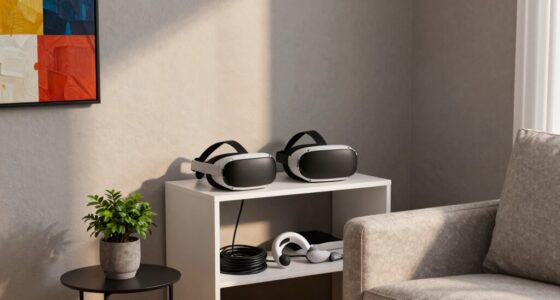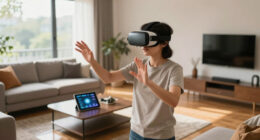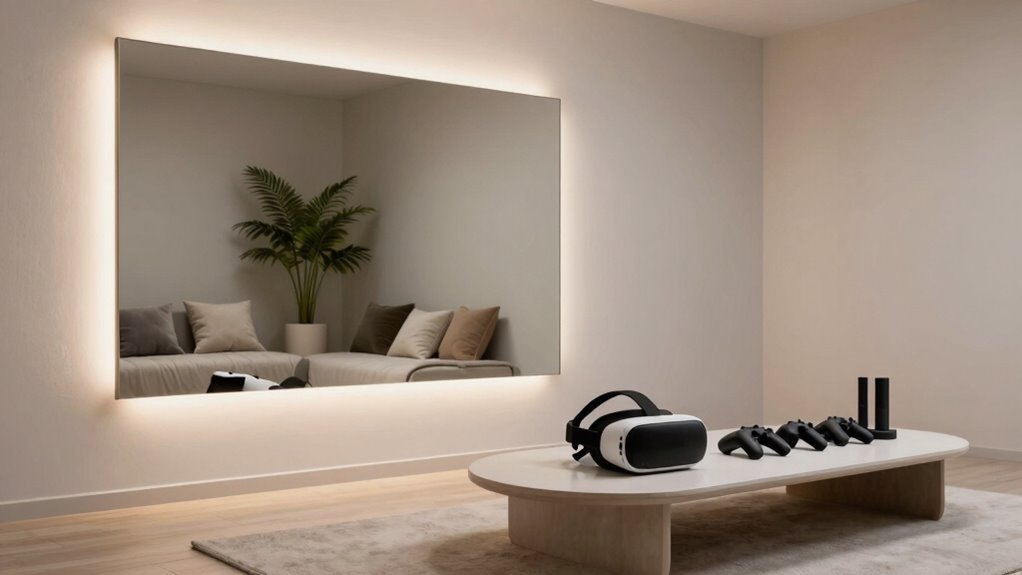
To improve your VR room without renovations, focus on decluttering and organizing your space to prevent accidents. Add ambient lighting or LED strips for better visual comfort, and incorporate soft furnishings like cushions to absorb sound and reduce echo. Use thick curtains or acoustic panels to block noise, and keep cables neatly out of walkways. Regularly check for hazards and optimize the layout for safety and immersion. Keep exploring to discover more tips for creating the perfect VR environment.

Play games on Amazon Luna for your next adventure, included with Prime
- A rotating selection of games, no download needed
- Play on TV, laptop or phone
- Fast, free delivery for your gear, too
Key Takeaways
- Optimize room lighting with ambient LED strips and avoid glare to enhance visual comfort.
- Use soft furnishings like cushions and rugs to improve acoustics and reduce echoes.
- Organize cables neatly and keep walkways clear to prevent tripping hazards.
- Add virtual decor elements to aid spatial awareness and boundary recognition.
- Regularly inspect and remove physical obstacles to maintain a safe and immersive environment.

Ever wondered how to optimize your VR space for the best experience? You don’t need to tear down walls or do major renovations—small adjustments can make a big difference. Start by focusing on virtual decor. While it’s called “virtual,” your physical environment heavily influences your immersion. Clear clutter from your play area, and consider adding elements that enhance spatial awareness, like a few strategically placed rugs or wall hangings. These can help you gauge distances better and prevent accidental bumps. Incorporate a neutral or consistent color palette to avoid visual distractions, making it easier to stay immersed in your virtual worlds. You can also add ambient lighting or LED strips around your space to reduce eye strain and create a more inviting atmosphere. These lighting choices not only improve comfort but also help you establish a dedicated VR zone, mentally reinforcing the boundary between your virtual and real worlds. Additionally, understanding the importance of spatial awareness can help you design a safer and more immersive environment. Paying attention to environmental factors such as lighting, acoustics, and layout can further enhance the overall experience. For example, optimizing your room acoustics can significantly improve sound clarity and immersion. Next, pay attention to soundproofing tips. Sound leakage and external noise can break your immersion and cause frustration. To block out distracting sounds, use heavy curtains or acoustic panels if you’re in a noisy environment. These don’t require renovations—they’re simple, effective, and easy to install. If you’re in an apartment or shared space, consider investing in good-quality headphones with noise-canceling features. They allow you to focus completely on your VR experience without interruptions. Positioning your speakers and cables thoughtfully can also help. Keep wires tucked away to prevent tripping, and place speakers at ear level to create a more realistic audio environment. You might even add soft furnishings like cushions or bean bags to absorb sound reflections, reducing echo and enhancing audio clarity. Incorporating soundproofing methods can significantly improve your overall VR experience. Remember, proper lighting not only enhances visibility but also reduces eye strain and glare on your headset lenses. Finally, think about the overall setup. Make sure your play area is well-lit but not overly bright, to prevent glare on your headset lenses. Keep the space ventilated so you don’t get too hot or sweaty during long sessions. Regularly check your play zone for hazards or obstacles that could cause accidents. And remember, the goal is to create a safe, comfortable, and immersive environment without any structural changes. By carefully choosing virtual decor elements and applying soundproofing tips, you’ll transform your existing space into a more engaging and enjoyable VR room. Small, thoughtful tweaks can dramatically improve your virtual adventures, making every session more realistic, comfortable, and fun.
LED strip lights for gaming room
As an affiliate, we earn on qualifying purchases.
As an affiliate, we earn on qualifying purchases.
Frequently Asked Questions
Can I Improve VR Experience With Just Software Updates?
Yes, you can improve your VR experience with just software updates. Firmware improvements often enhance hardware compatibility, making your VR headset run more smoothly and comfortably. Software updates may also optimize graphics, reduce latency, and fix bugs, resulting in a more immersive experience. Keep your VR system’s firmware and software current to guarantee you’re getting the best possible performance without needing to renovate or upgrade your physical space.
What Are the Best Affordable Accessories for a Better VR Room?
You should consider VR headset upgrades and budget-friendly accessories to enhance your VR experience. Look for affordable options like silicone covers for comfort, grip aids to prevent slipping, and extended cable management for freedom of movement. These accessories improve immersion without breaking the bank. Investing in a quality headset upgrade can also boost visuals and tracking, making your VR sessions more realistic and enjoyable without needing any room renovations.
How Can I Prevent VR Motion Sickness Without Changing My Room?
Think of it as steering clear of choppy waters. To prevent VR motion sickness without changing your room, focus on ergonomic seating that supports your posture and reduces strain. Keep air circulating well to prevent stuffiness, which can worsen nausea. Take regular breaks, stay hydrated, and limit session lengths. These simple steps help your body stay balanced, making your VR experience smoother and more enjoyable without any major room renovations.
Are There Any Safety Tips for Small or Crowded Spaces?
In small or crowded spaces, prioritize safety by adding floor padding to cushion falls and reduce injury risk. Clear obstacles and guarantee ample obstacle clearance around your play area to prevent accidents. Move furniture or other items out of the way, and create a dedicated, open zone for VR experiences. Always stay aware of your surroundings, and consider using boundary markers to remind yourself of space limits during gameplay.
How Do I Optimize Lighting for Better VR Visuals?
To optimize lighting for better VR visuals, focus on ambient lighting that evenly illuminates your space without creating glare. Adjust your color temperature; warmer tones reduce eye strain, while cooler tones enhance clarity. Avoid direct lights pointing at your VR sensors or screens. Use soft, diffuse lighting to minimize reflections and shadows, creating a balanced environment that improves immersion and visual clarity during your VR experiences.
acoustic panels for room soundproofing
As an affiliate, we earn on qualifying purchases.
As an affiliate, we earn on qualifying purchases.
Conclusion
Think of your VR room as a sailing ship. You can’t change the ocean’s vastness, but you can adjust your sails and anchor points to navigate smoothly. By optimizing what’s already there—lighting, space, and accessories—you’re not rebuilding the vessel, just fine-tuning its performance. With a few simple tweaks, you’ll find yourself sailing effortlessly through immersive worlds, proving that sometimes, the best voyage isn’t about building new ships, but mastering the ones you have.
noise-canceling headphones for VR
As an affiliate, we earn on qualifying purchases.
As an affiliate, we earn on qualifying purchases.
cable management clips and sleeves
As an affiliate, we earn on qualifying purchases.
As an affiliate, we earn on qualifying purchases.
Fall Picks
fall essentials
As an affiliate, we earn on qualifying purchases.