
TL;DR

Get VR and gaming gear delivered free — and shop member deals
- Fast, free delivery on millions of items
- Access to Prime Big Deal Days deals on October 6–7
- Prime Video, Amazon Music and more included
Google Wallet has integrated Touchless ID for TSA PreCheck travelers, allowing facial recognition-based security screening without showing physical IDs. This streamlines airport security for eligible travelers, but availability varies by airport and airline.
Google Wallet now supports Touchless ID for TSA PreCheck travelers, allowing them to pass through airport security using facial recognition instead of showing physical IDs or boarding passes, according to Lifehacker. This development simplifies the security process for eligible travelers and marks a significant step toward digital identity verification at airports.
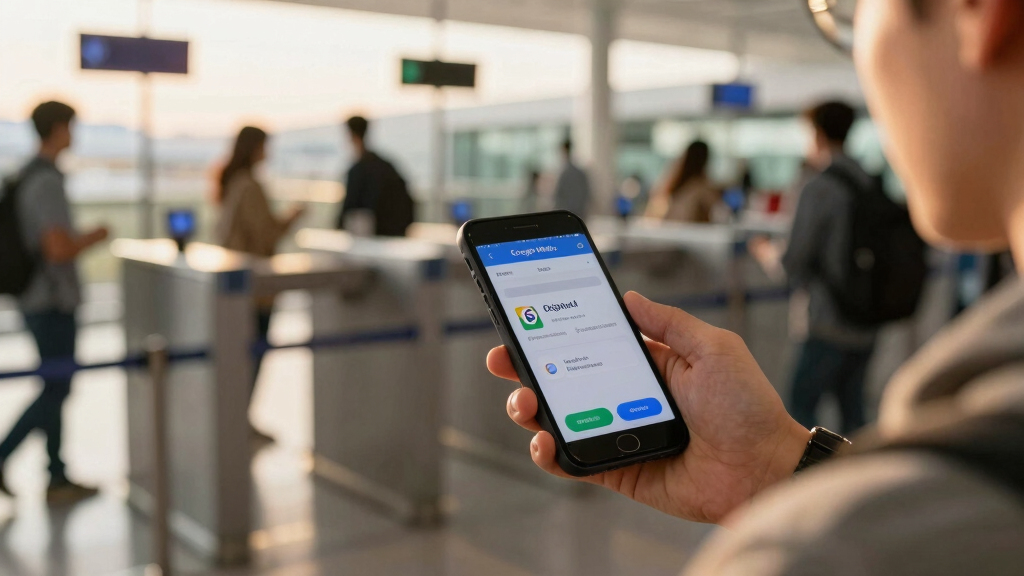
Travelers enrolled in TSA PreCheck can now link their passport and TSA membership to Google Wallet to enable Touchless ID, a facial recognition-based verification method. Once set up, eligible travelers can use a dedicated TSA PreCheck lane where they authenticate their identity with facial recognition, bypassing the need to scan driver’s licenses, passports, or physical boarding passes. The feature is available for Android users with TSA PreCheck and is initially supported at participating airports and airlines, including American Airlines, Alaska Airlines, Delta, Hawaiian Airlines, Southwest, and United.
Setting up Touchless ID involves creating an ID pass within Google Wallet by scanning your passport, recording a facial video for verification, and linking your TSA PreCheck membership. When checking in, travelers can save their digital boarding pass to Google Wallet and activate Touchless ID via the pass, which then guides them to the TSA enrollment page for confirmation. Once enrolled, a Touchless ID icon appears on the boarding pass, indicating eligibility for facial recognition at security checkpoints.
Implications for Airport Security and Travelers
This integration represents a move toward contactless, biometric-based security screening, reducing physical contact and potentially speeding up airport throughput. For travelers, it offers a more seamless, convenient experience, especially in the context of ongoing health safety concerns. However, the feature’s availability depends on airport infrastructure and airline participation, which are still expanding, making it unclear how widespread adoption will become in the near term.
As an affiliate, we earn on qualifying purchases.
Background on TSA PreCheck and Digital ID Initiatives
TSA PreCheck has been an expedited screening program since 2009, allowing pre-approved travelers to use dedicated lanes and skip certain security steps. Until now, identification verification has required physical IDs and boarding passes. The introduction of Touchless ID in Google Wallet builds on ongoing efforts to digitize travel documents and enhance biometric verification, similar to developments in other sectors like banking and healthcare. Prior limited trials of Touchless ID were available through select airlines, but broader integration with Google Wallet simplifies the process for many travelers.
“The integration of Touchless ID into Google Wallet could significantly reduce wait times and physical contact at airport security, especially for frequent travelers.”
— an anonymous researcher
TSA PreCheck facial recognition device
As an affiliate, we earn on qualifying purchases.
As an affiliate, we earn on qualifying purchases.
Extent of Deployment and Airport Compatibility
It is not yet clear how many airports and TSA security lanes will fully support Touchless ID via Google Wallet, or how quickly the rollout will expand nationwide. Additionally, the availability of the feature on iOS devices remains unconfirmed, as the current setup requires Android and specific airline participation. The long-term security and privacy implications of biometric verification at scale are also still being evaluated.
As an affiliate, we earn on qualifying purchases.
Upcoming Expansion and User Enrollment Steps
Travelers should monitor updates from TSA and their airlines regarding the rollout of Touchless ID support at their airports. The next steps involve broader airport infrastructure upgrades and increased airline participation. For users, the immediate action is to set up their ID pass in Google Wallet and link TSA PreCheck credentials, enabling them to use the feature on compatible flights and airports once available.
digital boarding pass for Android
As an affiliate, we earn on qualifying purchases.
As an affiliate, we earn on qualifying purchases.
Key Questions
Is Touchless ID available at all airports now?
No, support is currently limited to select airports and airlines. The rollout is ongoing, and coverage is expected to expand over time.
Do I need a specific phone or app version to use Touchless ID?
Yes, Android users need the latest version of Google Wallet and TSA PreCheck enrollment. Compatibility may vary by device and airport infrastructure.
Can I use Touchless ID if I don’t have TSA PreCheck?
No, Touchless ID requires TSA PreCheck enrollment and a linked digital ID in Google Wallet.
Is biometric verification safe and private?
While biometric data is stored securely, privacy concerns remain, and travelers should review TSA and Google Wallet privacy policies for details on data handling.
Will this replace physical IDs entirely?
It is unlikely to replace physical IDs entirely in the near future, but it offers a contactless alternative for eligible travelers.
Source: Lifehacker
Halloween Picks
halloween
As an affiliate, we earn on qualifying purchases.