In multiplayer VR, motion sickness can hit harder because your senses are overwhelmed by rapid movement, complex environments, and hardware limitations. When multiple players compete or interact, it increases the demand on your hardware and controls, often causing lag or visual disconnects. Poor hardware compatibility and performance issues worsen disorientation and nausea. Proper setup and movement settings help, but understanding why multiplayer adds intensity can help you manage discomfort better. Want to learn more?

Get VR and gaming gear delivered free — and shop member deals
- Fast, free delivery on millions of items
- Access to Prime Big Deal Days deals on October 6–7
- Prime Video, Amazon Music and more included
Key Takeaways
- Multiplayer VR often involves more complex movements and interactions, increasing disorientation and motion sickness risk.
- Inconsistent hardware setups among players can cause tracking issues, leading to greater discomfort during multiplayer sessions.
- Network lag and frame rate drops are more noticeable in multiplayer, amplifying visual disconnects and nausea.
- Variations in user comfort and control preferences can make coordinated movement feel unnatural, heightening sickness susceptibility.
- Extended multiplayer sessions with multiple participants can lead to fatigue, worsening motion sickness symptoms.

Virtual reality has revolutionized multiplayer gaming, but many players still experience motion sickness that can ruin the experience. One of the biggest factors influencing this discomfort is hardware compatibility. If your VR headset isn’t fully compatible with your gaming setup, you might encounter glitches or lag that intensify motion sickness. For example, mismatched frame rates or poor tracking can create a disconnect between what you see and what your body feels, leading to nausea. Making sure your hardware components—such as sensors, controllers, and the headset itself—are compatible and work seamlessly together helps minimize these issues. A well-matched setup provides smoother visuals and more accurate tracking, which are vital for reducing disorientation. Additionally, the horsepower of your VR system plays a crucial role in delivering consistent performance and reducing lag that can contribute to motion sickness. User comfort plays a pivotal role in whether you enjoy multiplayer VR sessions without suffering from motion sickness. When you put on a VR headset, you’re essentially immersing yourself in a different world, and any discomfort can quickly break that immersion. Factors like adjustable straps, padding, and the weight of the headset influence how comfortable it feels during extended play. If your headset is too tight or too heavy, it can cause physical strain and distract you from the game, heightening feelings of nausea. Additionally, the placement of the display and the quality of lenses matter. Clear visuals with minimal latency help your brain process the virtual environment more naturally, reducing the risk of motion sickness. Another key aspect of user comfort involves controlling movement within the game. Rapid or unnatural motions, especially if they don’t align with your physical movements, can trigger nausea. Many VR multiplayer games incorporate comfort settings or movement options—like teleportation or smooth locomotion—that you can customize to suit your tolerance. Using these features can greatly lessen motion sickness by aligning virtual motion with your physical sensations. You should also take regular breaks to prevent fatigue, which can exacerbate discomfort. Ultimately, achieving a comfortable and compatible VR setup requires attention to hardware details and your personal preferences. Investing in high-quality, compatible hardware ensures a smoother, more reliable experience. Meanwhile, prioritizing user comfort—by adjusting headset fit, choosing appropriate movement controls, and taking breaks—can make multiplayer VR gaming much more enjoyable without the unwanted side effect of motion sickness. When these elements come together, you’re more likely to stay immersed and fully enjoy the exciting world of virtual multiplayer gaming.
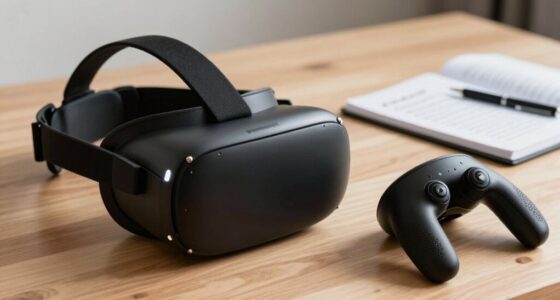
VR headset with adjustable straps
As an affiliate, we earn on qualifying purchases.
As an affiliate, we earn on qualifying purchases.
Frequently Asked Questions
Can Motion Sickness Be Completely Prevented in VR Multiplayer?
Motion sickness can’t be completely prevented in VR multiplayer, but you can reduce its impact. You should regularly calibrate your sensors for accurate tracking and give yourself time to acclimate to new experiences. Taking breaks, adjusting comfort settings, and starting with shorter sessions help your body adapt. While some discomfort might still occur, these steps markedly cut down the chances of severe motion sickness during multiplayer VR sessions.
Do Specific VR Headsets Reduce Multiplayer Motion Sickness?
While no headset can eliminate motion sickness entirely, some VR headsets with superior ergonomics can help you feel more comfortable during multiplayer sessions. Devices designed for better weight distribution and reduced eye strain often lessen discomfort, making it easier to enjoy longer multiplayer experiences. Choosing a headset tailored to your comfort needs encourages longer, more immersive gameplay without as much risk of feeling queasy, so you can focus on the fun.
How Does Multiplayer Latency Influence Nausea?
Multiplayer latency considerably impacts your nausea by causing network lag, which disrupts smooth gameplay. When there’s high latency, your movements aren’t synchronized with other players, leading to a mismatch between what you see and feel. This disorientation can increase motion sickness. To reduce nausea, guarantee a stable internet connection, as low latency improves player synchronization, making the experience more immersive and comfortable, and minimizing the chances of motion sickness hitting harder.
Are There Age Restrictions for Safe Multiplayer VR Use?
Yes, there are age restrictions for safe multiplayer VR use. Safety guidelines generally recommend that children under 12 avoid VR gaming, as their developing eyes and brains are more sensitive to motion sickness and discomfort. For older kids and teenagers, supervision and breaks are advised to prevent nausea or eye strain. Always check the specific VR headset’s age recommendations and follow safety guidelines to guarantee a safe and enjoyable experience.
Can Certain Games Cause More Motion Sickness Than Others?
Certain games definitely cause more motion sickness than others, like wild rollercoasters in your living room. Game design plays a big role in user comfort—fast movements, shaky camera angles, or inconsistent frame rates can make you feel queasy quickly. Opt for games with smooth motion, stable visuals, and gentle pacing. Choosing thoughtfully designed titles helps you enjoy VR without your stomach doing somersaults, keeping your experience fun and comfortable.
VR motion sickness relief accessories
As an affiliate, we earn on qualifying purchases.
As an affiliate, we earn on qualifying purchases.
Conclusion
So, next time you find yourself clutching the controller and feeling queasier than a cat in a bath, remember—your brain’s just throwing a tantrum over your virtual adventures. Multiplayer VR is basically the rollercoaster of the digital age, minus the safety harness. Embrace the dizziness; it’s proof you’re truly immersed. Who knew chasing digital friends could turn your stomach into a spinning top? Happy gaming—and maybe keep a barf bag handy.
As an affiliate, we earn on qualifying purchases.
VR controllers with accurate tracking
As an affiliate, we earn on qualifying purchases.
As an affiliate, we earn on qualifying purchases.
Fall Picks
fall essentials
As an affiliate, we earn on qualifying purchases.