To prevent accidents at your VR demo night, start with thorough equipment safety checks, inspecting headsets, controllers, and sensors for damage or loose connections. Organize and sanitize gear regularly, and keep extra supplies nearby. Manage attendee flow by clear registration, monitoring stations, and designated waiting areas. Set up safety briefings, signage, and barriers to guide movement, while ensuring a clutter-free environment. Following these steps will help create a safe, enjoyable event — and there’s more to uncover as you continue planning.
Key Takeaways
- Conduct thorough equipment safety checks and maintenance before the event to prevent hardware malfunctions and injuries.
- Clearly organize and label all VR gear, ensuring proper setup and sanitation for attendee safety.
- Implement controlled attendee registration, monitoring, and guidance to avoid overcrowding and ensure correct equipment use.
- Use barriers, signage, and designated zones to manage flow and maintain safe distances around VR stations.
- Provide safety briefings, enforce rules, and keep first aid supplies accessible to handle emergencies effectively.
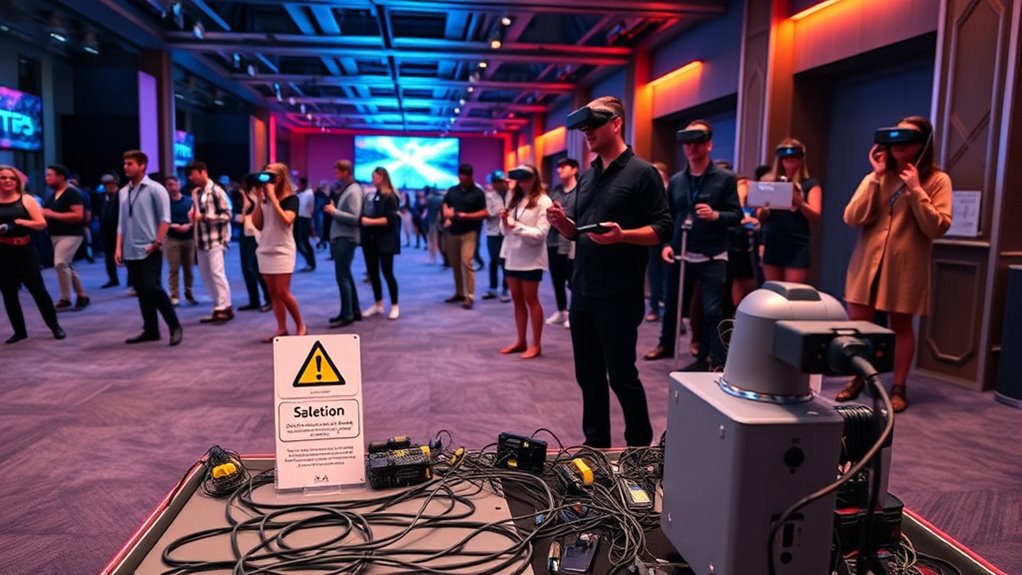
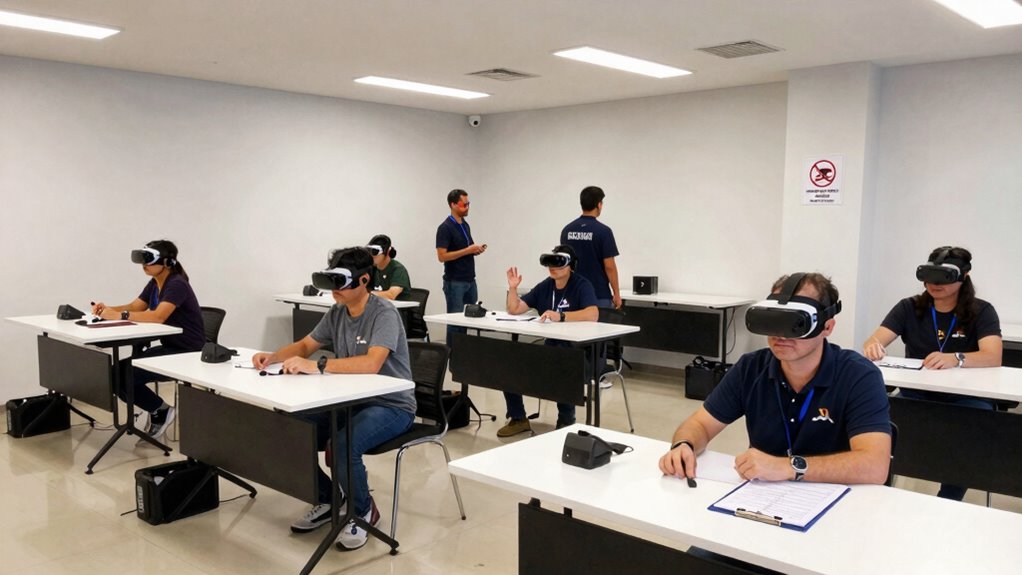
Ever wonder how to create an engaging and memorable VR experience for your community? The key isn’t just about showcasing the latest technology; it’s about guaranteeing everyone’s safety while maintaining smooth attendee management. When planning your VR demo night, paying close attention to equipment safety is essential. You want to make sure all headsets, controllers, and sensors are in excellent condition, properly sanitized, and set up correctly. Conduct a thorough equipment check before guests arrive—inspect for frayed wires, loose connections, or damaged hardware. Clearly label and organize equipment to avoid confusion, and keep extra supplies on hand, like batteries or replacement parts. Ensuring equipment safety isn’t just about preventing accidents; it also helps maintain a professional environment that builds trust with your attendees. Incorporating proper equipment maintenance practices can extend the lifespan of your gear and ensure consistent performance during your event. Attendee management plays a vital role in creating a seamless experience. Start by setting clear registration procedures to know who’s attending and how many to expect. Use sign-in sheets or digital check-ins to track attendance, which helps you plan space and equipment needs accurately. During the event, assign staff or volunteers to monitor the VR stations actively. They can guide newcomers through the setup process, answer questions, and ensure participants follow safety guidelines. Managing the flow of attendees helps prevent overcrowding around VR stations and minimizes the risk of accidents caused by jostling or rushing. Make sure everyone understands the rules—such as no eating or drinking near the equipment and how to properly put on and take off headsets. Clear communication reduces confusion and keeps the environment safe and enjoyable for all.
Additionally, consider implementing a system for managing attendee flow. Use barriers or floor markings to designate waiting areas and prevent crowding at VR stations. Have a designated space for equipment setup and storage, away from high-traffic zones, to avoid trips or falls. Provide safety briefings at the start of the event, emphasizing the importance of following guidelines and respecting others’ personal space. It’s also wise to keep emergency contacts and first aid supplies readily accessible. By proactively managing your attendees and prioritizing equipment safety, you’re creating an environment where everyone can immerse themselves in VR without worry. This preparation not only prevents accidents but also elevates the overall quality of your demo night, leaving a positive impression on your community and encouraging future participation.
Frequently Asked Questions
What Insurance Coverage Is Recommended for a VR Demo Event?
You should get liability insurance to protect yourself from potential claims in case of accidents during your VR demo event. Additionally, having participants sign waivers helps limit your liability by acknowledging risks. Make sure your insurance covers equipment damage and injuries, and keep signed waivers on file. This way, you’re better equipped to handle any incidents and ensure a safe, worry-free experience for everyone involved.
How Do I Handle Medical Emergencies During the Event?
You handle medical emergencies by having a well-stocked medical kit on hand and knowing emergency contacts beforehand. Stay calm, assess the situation quickly, and provide first aid if needed. Call emergency services immediately if injuries are serious. Make sure your staff or volunteers are trained to handle emergencies, and clearly communicate the location of the medical kit and emergency contacts to everyone involved. This preparation guarantees you’re ready to respond effectively.
What Are the Legal Liabilities Associated With VR Demonstrations?
You’re legally liable if you don’t guarantee compliance with safety standards and neglect to obtain liability waivers from participants. Make sure your VR demonstration complies with legal requirements, including safety regulations and data privacy laws. Having participants sign liability waivers can protect you from future legal claims. Always stay informed about local laws and regulations to minimize your legal risks and ensure a safe, compliant event.
How Can I Ensure Accessibility for All Participants?
Oh, sure, making a VR demo accessible is just about flipping a switch, right? In reality, you need to embrace inclusive design and incorporate assistive technology, like screen readers or adjustable controls, to truly welcome everyone. You’ll want to test your setup with diverse users, ensuring their needs are met. This way, your event isn’t just for some — it’s for everyone, creating an inclusive experience that everyone can enjoy.
What Are Best Practices for Post-Event Equipment Sanitization?
After your VR demo night, you should follow strict hygiene protocols by thoroughly sanitizing all equipment. Use disinfectant wipes or spray on headsets, controllers, and surfaces, ensuring no residue remains. Set up sanitation stations with hand sanitizer and wipes for guests to use before and after handling gear. Regularly replace or clean disposable covers, and train staff on proper sanitation procedures to keep everyone safe and healthy.
Conclusion
Hosting a VR demo night can be exciting and rewarding, but safety should always come first. By following a thorough checklist, you minimize risks and guarantee everyone enjoys the experience. Did you know that according to recent studies, over 30% of VR users report motion sickness? Being prepared helps prevent accidents and creates a comfortable environment. Keep safety protocols in mind, and you’ll host a memorable event that’s both fun and secure for all participants.