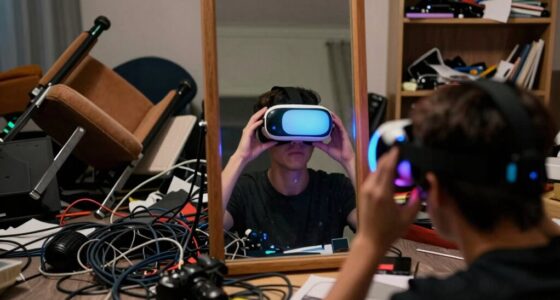
To set up a smooth VR watch party, choose comfortable, lightweight headsets with adjustable straps to prevent fatigue. Use social VR platforms like VRChat or Rec Room with features for shared spaces and voice chat. Coordinate content and test all devices beforehand to avoid technical issues. Assign a host to manage media and assist participants. Communication is key—encourage respectful interaction and clear instructions. If you keep these tips in mind, you’ll discover how to create an immersive, chaos-free experience that everyone enjoys.

Get VR and gaming gear delivered free — and shop member deals
- Fast, free delivery on millions of items
- Access to Prime Big Deal Days deals on October 6–7
- Prime Video, Amazon Music and more included
Key Takeaways
- Choose comfortable, lightweight VR headsets with adjustable straps and soft padding for extended viewing.
- Select user-friendly social VR platforms like VRChat or Rec Room with shared screens and voice chat.
- Pre-test internet, hardware compatibility, and streaming setups; assign a host to manage technical aspects.
- Establish clear communication rules, encourage muting microphones when idle, and promote respectful interaction.
- Design immersive virtual environments and coordinate content to ensure seamless, chaos-free watch party experiences.

Hosting a watch party in virtual reality can make the experience more immersive and engaging for everyone involved. When you’re setting up your VR environment, one of the most important factors is guaranteeing that your VR headset is comfortable enough to wear for an extended period. If your headset isn’t comfortable, it’s easy to become distracted or even experience discomfort that takes you out of the moment. Look for headsets with adjustable straps, soft padding, and lightweight designs to keep everyone comfortable, especially if your party lasts several hours. Comfort isn’t just about physical ease; it also influences how long your friends can stay immersed without feeling fatigue or irritation.
Choose lightweight, adjustable, and padded VR headsets for all-day comfort during your virtual watch party.
Next, choosing the right Social VR platforms is essential. These platforms serve as the virtual space where your friends can gather, watch content together, and interact naturally. Popular options like VRChat, Bigscreen VR, or Rec Room offer a range of features tailored for group viewing, such as shared screens, voice chat, and customizable avatars. When selecting a platform, consider how intuitive it is to set up and navigate, ensuring everyone can join without hassle. Some platforms even allow you to create a virtual living room or theater, enhancing the sense of togetherness. Before your party, explore these platforms to familiarize yourself with their controls and features so that you can troubleshoot quickly if needed.
Once you’ve settled on a platform, coordinate beforehand to decide on the content to watch and ensure everyone has access to the same streaming service or files. This planning helps prevent chaos during the event. You’ll also want to designate a host who can manage the virtual environment, control the media, and assist anyone unfamiliar with the platform. Test your setup in advance—check your internet connection, sync your streaming, and verify that the audio and video work seamlessly across all devices. You don’t want technical issues to spoil the vibe when your friends are ready to enjoy the show.
Finally, fostering a smooth experience involves good communication. Encourage your friends to adjust their VR headsets for comfort and to familiarize themselves with the platform’s controls. Remind everyone to keep their microphones muted when not speaking to reduce background noise, and establish some basic etiquette to keep the virtual space fun and respectful. Incorporating energy-efficient hardware can also help improve the overall experience by reducing lag and ensuring smoother performance during long sessions. With these preparations—comfortable headsets, a suitable Social VR platform, and clear communication—you’ll create an unforgettable watch party atmosphere that’s easy to set up and chaos-free.
Frequently Asked Questions
How Many Participants Can Join a VR Watch Party Simultaneously?
You can typically have up to 50 participants join a VR watch party simultaneously, but group size limitations depend on the platform you’re using. Check the specific participant capacity for your chosen VR app, as some support fewer users to guarantee smooth streaming and interaction. To avoid chaos, keep the group size within these limits and encourage participants to follow guidelines for a seamless, enjoyable experience.
What Are the Best VR Platforms for Hosting Watch Parties?
You’ll want to consider VR platforms like Meta Horizon Worlds, VRChat, or Bigscreen VR for hosting watch parties. These platforms offer strong social features, allowing you to create shared environments where participants can interact easily. Make sure your VR hardware is compatible and provides smooth performance. These options help you foster an engaging, chaos-free watch party, ensuring everyone can enjoy the experience without technical hiccups.
How Do I Troubleshoot Audio Issues During the VR Event?
When audio gremlins disrupt your VR watch party, start with a gentle audio calibration to align sound levels. Check your microphone troubleshooting steps, ensuring it’s properly connected and not muted. Restart the VR app if needed, and verify your device’s audio settings. Sometimes, a quick re-calibration restores harmony, letting you focus on the fun. Stay patient; these issues are often minor and easily resolved with a few simple tweaks.
Can I Customize Avatars for a More Personalized Experience?
Yes, you can customize avatars for a more personalized experience. Many VR platforms offer avatar customization options, allowing you to modify appearance, outfits, and accessories. This enhances your presence in personalized virtual environments, making interactions more engaging. By exploring the avatar customization settings, you can create a unique digital identity that reflects your style and preferences, making your watch party atmosphere feel more immersive and tailored to your personality.
Is There a Way to Record or Stream the VR Watch Party?
You can definitely capture the moment like a filmmaker with VR recording options and VR streaming tools. Many VR platforms offer built-in recording features that let you save your watch party highlights. For streaming, use compatible tools like OBS or dedicated VR streaming apps to broadcast your experience live. This way, you can relive the fun or share it with friends who couldn’t attend, turning your VR watch party into a virtual blockbuster.
Conclusion
Now that you know how to set up your VR watch party smoothly, remember, “A stitch in time saves nine.” By planning ahead and testing your gear, you’ll avoid chaos and enjoy a seamless experience with friends. Keep things simple, communicate clearly, and stay flexible. With a little preparation, your virtual gathering will be fun, immersive, and stress-free. So go ahead—set up, relax, and let the good times roll in your virtual world!
Halloween Picks
halloween
As an affiliate, we earn on qualifying purchases.