
TL;DR

Play games on Amazon Luna for your next adventure, included with Prime
- A rotating selection of games, no download needed
- Play on TV, laptop or phone
- Fast, free delivery for your gear, too
An XDA Developers writer reports that replacing a 4K monitor with a 1440p OLED display made demanding games run better on their RTX 4070 Ti, which had struggled with newer titles at 4K. Their tests showed higher frame rates and lower reported VRAM use in two games, though results reflect one PC and do not establish how long the card will remain suitable.
An XDA Developers writer says moving from a 4K monitor to a 1440p OLED display eased performance and memory pressures on their RTX 4070 Ti, allowing them to keep playing demanding games without replacing the graphics card. The personal account highlights a lower-cost option for PC players whose hardware struggles at 4K, but its results come from one system and are not a guarantee for other setups.
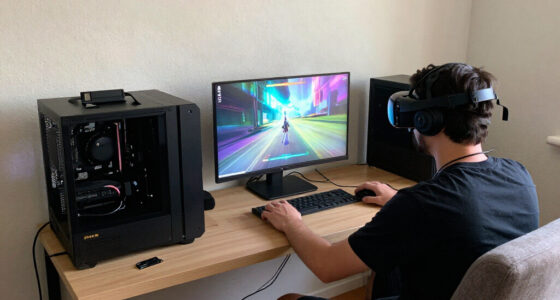
The writer had used an RTX 4070 Ti since its 2023 launch and initially played mostly at 1440p. They later began gaming at 4K, using DLSS upscaling and frame generation, and said the card could generally manage 4K at 60 frames per second. Newer games changed that picture: at high settings, the writer reported frame rates falling into the 50-FPS range and, in some cases, crashes associated with the GPU’s 12GB of VRAM.
Rather than lower visual settings or buy a more expensive graphics card, the writer swapped a Gigabyte M28U 4K 144Hz IPS monitor for an Alienware AW2726DM 1440p 240Hz OLED. In tests on a PC with an RTX 4070 Ti, Ryzen 5 7600X and 32GB of DDR5-6000 memory, the writer reported higher frame rates at 1440p in two games. The tests listed frame generation as disabled; the article says the added headroom later allowed the writer to experiment with multi-frame generation using OptiScaler.
In Forza Horizon 6 at Ultra with ray tracing, the reported result rose from 33 FPS at native 4K to 68 FPS at native 1440p; reported VRAM use fell from 12.5GB to 9GB. With DLSS Quality, the figures were 45 FPS and 11.7GB at 4K, compared with 82 FPS and 8.7GB at 1440p. In Control Resonant at Ultra with high ray tracing, the writer recorded 30 FPS and 12.4GB at native 4K, versus 84 FPS and 11.7GB at native 1440p. These are the article’s results for its test setup, not independent benchmarks.
A Display Change Instead of a GPU
The account offers a practical alternative for players who want to extend the useful life of an existing graphics card: reduce rendering resolution before deciding that a hardware replacement is necessary. Rendering fewer pixels can reduce GPU workload, and the writer’s measurements show substantial frame-rate differences between 4K and 1440p in the two tested games. The lower reported VRAM use in some comparisons also matters for a 12GB card near its memory limit.
The change was not simply a move to a lower-resolution screen. The writer says the OLED panel’s contrast and response improved their experience, while its 240Hz refresh rate offered a higher ceiling for smoother motion. They sold the one-year-old 4K monitor for about $300 and say that paid for the replacement OLED monitor. That account does not establish what other buyers could sell their displays for or whether a similar swap would be cost-neutral.
For readers facing a costly GPU upgrade, the report illustrates a trade-off rather than a universal fix. Resolution, graphics settings, upscaling, game demands and individual visual preferences all affect the result. A 1440p display may be a sensible compromise for some systems, while others may prefer 4K or need a stronger GPU for their workloads.
As an affiliate, we earn on qualifying purchases.
Why 4K Strained This Setup
The writer’s experience changed as they moved from 1440p to 4K and raised graphics settings. They say they value visual features such as ray tracing and path tracing, and did not want to solve poor performance by switching to medium settings or disabling ray tracing. At 4K, they reported that the 4070 Ti reached its VRAM limit in some games, with stuttering or crashes unless they reduced memory use through lower settings.
The article notes that 1440p renders about 3.69 million pixels per frame, compared with about 8.29 million at 4K. That difference helps explain why the same card may have more performance headroom at the lower resolution. The author says native 1440p worked in some modern games, while DLSS Quality was sufficient in others. Their account does not provide a full benchmark suite across games, settings or competing graphics cards.
The writer considered either continuing to use the 4070 Ti at 4K with compromises or buying an RTX 5080, while also mentioning waiting for a future RTX 60-series card. They characterized current GPU upgrade costs and availability as unattractive. Those market concerns are the writer’s assessment; the article does not offer pricing or supply data to quantify them.
“I dropped my resolution, and as it turns out, that’s all it took to add a few more years to my GPU’s life.”
— Samarveer, XDA Developers contributor
As an affiliate, we earn on qualifying purchases.
Limits of One PC’s Results
The reported tests cover two games on one PC, and the source does not provide details such as test duration, repeat counts or broader validation. Performance and VRAM use can vary with game updates, scenes, driver versions, settings and system configuration. The results should not be treated as a prediction for every RTX 4070 Ti owner.
The phrase “a few more years” describes the writer’s expectation, not a verified lifespan estimate. The article does not establish how future games will perform on this card, whether the reported crashes were caused solely by VRAM limits, or whether 1440p will prevent similar issues as game requirements change. The source also gives no general price data for the monitor resale or GPU market.
As an affiliate, we earn on qualifying purchases.
The Card Stays in Use for Now
The writer’s immediate plan is to keep using the RTX 4070 Ti at 1440p rather than replace it with a newer card. The account does not announce a formal follow-up test or a future upgrade date. Readers considering the same approach can compare performance at their own preferred settings and check whether their most-played games fit within their card’s memory and frame-rate limits before changing displays or buying new hardware.
best display for gaming performance
As an affiliate, we earn on qualifying purchases.
As an affiliate, we earn on qualifying purchases.
Key Questions
Did switching to 1440p improve this RTX 4070 Ti’s performance?
According to the XDA writer’s tests, yes. In Forza Horizon 6, the reported native-resolution rate increased from 33 FPS at 4K to 68 FPS at 1440p. In Control Resonant, it rose from 30 FPS to 84 FPS. Those results apply to the writer’s test system and settings.
Did the writer use frame generation in the benchmark results?
No. The article states that frame generation was disabled for every test in the comparison table. The writer says the extra headroom later made it possible to experiment with multi-frame generation using OptiScaler.
Does this prove an RTX 4070 Ti will last several more years?
No. “A few more years” is the writer’s personal expectation after switching to 1440p, not a tested lifespan forecast. Future performance will depend on game demands, settings, software changes and the needs of each player.
Was the monitor swap free?
The writer says they sold a one-year-old Gigabyte M28U for about $300, matching the sale price they paid for an Alienware AW2726DM OLED monitor. That is their reported transaction, not a typical resale value or a guarantee that another buyer can make the same swap without additional cost.
Source: XDA Developers
Halloween Picks
halloween
As an affiliate, we earn on qualifying purchases.