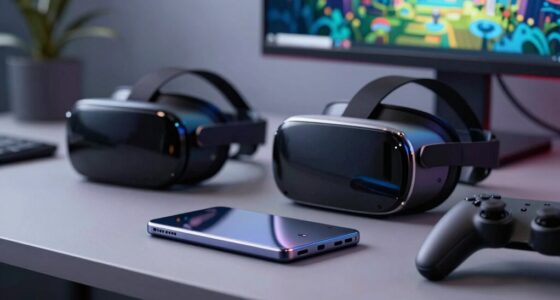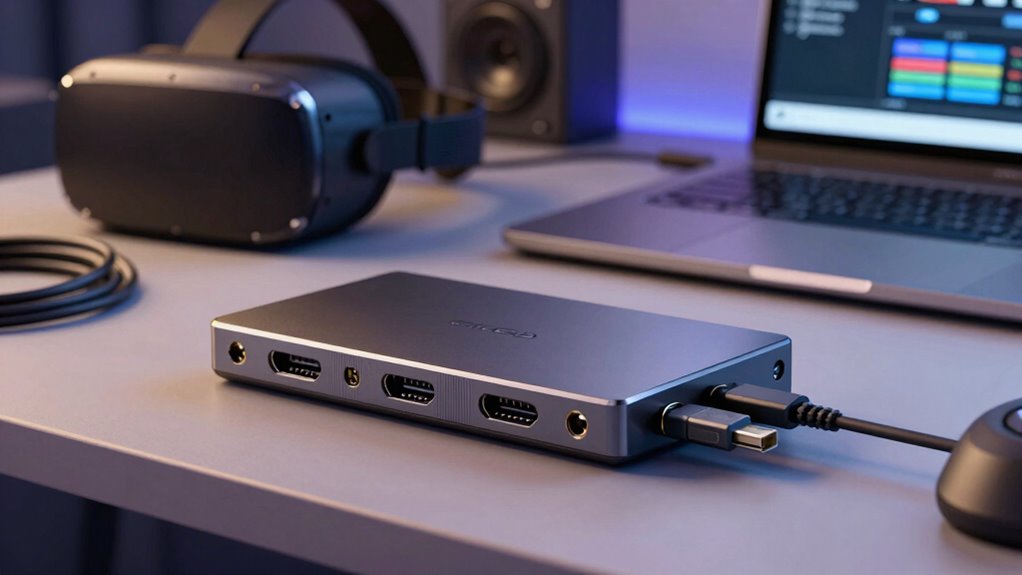

When choosing a capture card for VR streaming, prioritize models that support high data throughput, ideally with HDMI 2.0 or higher for crisp, low-latency streams. Decide between internal PCIe options for better performance or external devices for portability, based on your setup. Look for support at 4K resolution and high frame rates to future-proof your system. Reliable build quality, cooling features, and positive reviews guarantee stability during long streams. Keep exploring to find the best fit for your VR workflow.

Play games on Amazon Luna for your next adventure, included with Prime
- A rotating selection of games, no download needed
- Play on TV, laptop or phone
- Fast, free delivery for your gear, too
Key Takeaways
- Ensure the capture card supports high data transfer rates, preferably HDMI 2.0 or higher, for minimal latency and artifact-free gameplay.
- Choose between internal PCIe cards for performance or external USB-C/Thunderbolt options for portability based on workflow needs.
- Opt for 4K support or high frame rate capabilities to future-proof your setup and maintain high-quality streams.
- Prioritize build quality and cooling features to ensure device reliability during extended streaming sessions.
- Review user feedback and select models with proven performance and additional features like cooling for consistent, professional streams.

Streaming VR gameplay requires a reliable capture card that can handle high data throughput without compromising quality or causing lag. When you’re streaming in VR, every frame counts, and your capture device must keep up with the demanding data streams generated by your VR hardware. A good capture card ensures smooth, high-quality video output, allowing your audience to experience your gameplay as vividly as you do in real time. To achieve this, you need to take into account your VR hardware’s specifications and how well the capture card integrates with your streaming software.
A reliable capture card is essential for smooth, high-quality VR streaming without lag or quality loss.
Your VR hardware, including the headset and sensors, produces a significant amount of data that must be processed quickly. Not all capture cards are built to handle this load, so it’s important to evaluate one that offers high data transfer rates, preferably with HDMI 2.0 or higher support. This ensures your VR gameplay remains crisp, with minimal latency or visual artifacts. The capture card’s compatibility with your streaming software is equally important. Look for models that are widely supported or have dedicated drivers that work seamlessly with popular streaming platforms like OBS, Streamlabs, or XSplit. This compatibility simplifies setup and reduces the risk of technical issues during your stream.
Another critical factor is the type of connection your capture card uses. Internal PCIe cards typically offer higher performance and lower latency, making them ideal for VR streaming. External capture cards, often connected via USB-C or Thunderbolt, provide portability and ease of setup but might have slight performance trade-offs. Whichever you choose, make sure it can handle the data throughput your VR setup demands. Also, consider whether your streaming workflow requires 4K resolution or if 1080p at high frame rates suffices; some capture cards excel at higher resolutions and frame rates, offering future-proofing for your streaming ambitions. Additionally, HDMI 2.0 support is essential for maintaining high-quality, high-resolution streams without lag. Being aware of the device’s build quality can help ensure reliable performance during long streaming sessions. Moreover, selecting a capture card with good cooling can prevent overheating, especially during extended sessions, which is vital for uninterrupted streams.
Furthermore, reading reviews and user feedback** can help identify models that have demonstrated consistent reliability and performance over time. Remember, the goal is a smooth, lag-free streaming experience**, so investing in a high-quality capture card that complements your VR hardware and streaming software setup is paramount. When you prioritize these factors, you’ll be well on your way to delivering professional, engaging VR streams that captivate your viewers.
Products Worth Considering

LG UltraGear 32GS60QC-B 32-inch Curved QHD Gaming Monitor (180Hz, 1ms, 1000R, AMD FreeSync, HDR10)

LG UltraGear 32GX850A-B 32-inch 4K UHD Glossy OLED Gaming Monitor

LG UltraGear 34GX90SA-W 34-inch WQHD Curved OLED Gaming Monitor
As an affiliate, we earn on qualifying purchases.
Frequently Asked Questions
Can I Use a Standard Gaming Capture Card for VR Streaming?
Yes, you can use a standard gaming capture card for VR streaming, but make sure it supports your VR headset compatibility and has enough bandwidth for high-resolution video. Check if your streaming software options are compatible with the capture card. While many gaming capture cards work, high-end VR streaming might benefit from specialized capture cards designed for lower latency and better performance to ensure smooth gameplay and clear visuals.
What Is the Best Resolution for VR Capture Cards?
The best resolution for VR capture cards depends on your needs, but 4K offers sharper visuals, especially if your VR headset supports 4K streaming and you want high-quality recordings. However, 1080p is still sufficient for many users and requires less powerful hardware. Consider VR headset compatibility, as some headsets perform better with certain resolutions. Balance your system’s capabilities and streaming goals to choose the most suitable resolution.
How Does Latency Impact VR Streaming Quality?
Latency heavily impacts your VR streaming quality because delays cause motion smoothing issues, making the experience less smooth and more disorienting. When latency is high, your viewers notice lag, which diminishes immersion. Opt for capture cards with hardware acceleration to reduce latency, guaranteeing real-time streaming. Lower latency ensures your VR content stays synchronized with user movements, providing a seamless experience that keeps viewers engaged and prevents motion sickness.
Are There Specific Brands Recommended for VR Capture Cards?
If you’re choosing a VR capture card, brands like Elgato are popular choices due to their reliability. For example, a streamer using the Elgato 4K60 S+ found it seamlessly compatible with their VR headset and easy to set up with HDMI, offering low latency. When selecting, consider VR headset compatibility and whether an HDMI or USB capture card suits your setup best, ensuring smooth, high-quality streams.
Do I Need a Powerful PC to Run a VR Capture Card?
Yes, you do need a powerful PC to run a VR capture card effectively. Your system’s hardware compatibility, especially the GPU and CPU, must meet the software requirements for smooth streaming and recording. A high-performance PC ensures your VR gameplay stays lag-free, and the capture card functions correctly without bottlenecks. Investing in robust hardware helps deliver a seamless streaming experience and maintains high-quality visuals for your viewers.
Conclusion
So, now that you know what to look for, go ahead and pick that perfect capture card—because nothing screams “professional streamer” like spending a fortune on the latest tech. Remember, it’s not about improving your gameplay; it’s about making sure your viewers can see every glorious, pixelated moment of your VR adventures. Happy streaming! And who knows? Maybe someday, your setup will be so advanced, even your virtual avatar will get jealous.