If your VR experience is plagued by discomfort, pressure points from poorly designed hardware are likely to blame. Ill-fitting headsets, bulky controllers, and uneven weight distribution can cause pain on your face, scalp, or wrists. These discomforts distract you and make longer sessions unbearable. Motion sickness may also worsen pressure points when visual cues mismatch physical sensations. To enjoy VR more fully, understanding how hardware design impacts comfort can help you find solutions for a better experience.

Play games on Amazon Luna for your next adventure, included with Prime
- A rotating selection of games, no download needed
- Play on TV, laptop or phone
- Fast, free delivery for your gear, too
Key Takeaways
- Poorly designed headsets create pressure points on the face, scalp, or forehead, causing discomfort during extended use.
- Excessive or miscalibrated haptic feedback leads to body pain and distracts from VR immersion.
- Improper weight distribution and bulky hardware cause fatigue and strain on hands, wrists, and neck.
- Mismatch between visual cues and physical sensations triggers motion sickness and disorientation.
- Inadequate fit and poorly cushioned contact points increase pressure, leading to discomfort and discouraging prolonged sessions.

Have you ever experienced discomfort during a virtual reality session that suddenly ruins your immersion? It’s frustrating when you’re fully immersed in a game or simulation, only to be pulled out of the experience by an uncomfortable pressure point. One of the main culprits is poorly designed haptic feedback. While haptic technology aims to make interactions feel more real by providing tactile sensations, it can sometimes backfire. Instead of enhancing your experience, excessive or poorly calibrated haptic responses can create pressure points on your body, especially around your waist, shoulders, or wrists. These points can become painful over time, distracting you from the virtual environment and making extended sessions unbearable.
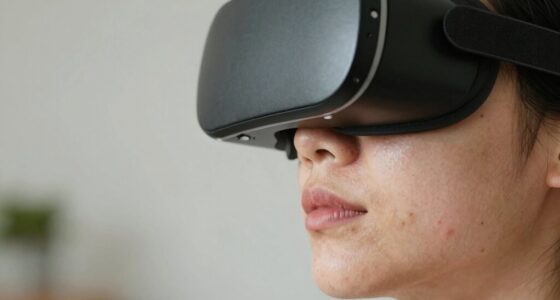
Another common issue that ruins VR experiences is motion sickness, which often interacts with pressure points in uncomfortable ways. When your body perceives a mismatch between visual cues and physical sensations, you start to feel dizzy, nauseous, or disoriented. This dissonance can cause you to involuntarily shift your position, putting added pressure on certain contact points with the headset or controllers. If the headset isn’t properly fitted or if the straps are too tight, it can exert uncomfortable pressure on your face, scalp, or forehead, intensifying the sensation of pressure points. Similarly, if the controllers are bulky or improperly positioned, they can cause strain or pressure on your hands and wrists, further exacerbating discomfort.
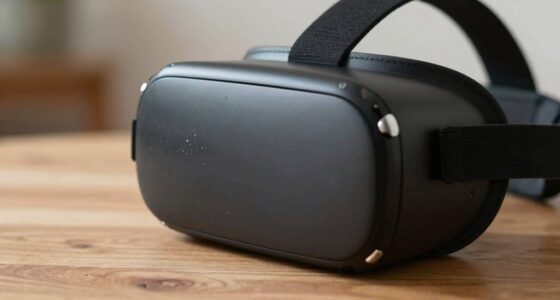
The design of VR hardware also plays a significant role. Many devices still rely on adjustable straps or clasps that don’t always fit every body type comfortably. When these pressure points aren’t properly distributed or cushioned, they lead to pain or fatigue, discouraging long sessions. Additionally, the weight of heavier headsets can press down on specific areas of your head or face, leading to persistent discomfort that pulls you out of the experience. Proper headset fit and ergonomic design are crucial in reducing these issues and enhancing overall comfort during extended use. Improving the distribution of pressure across the device can make a significant difference in user comfort during longer VR sessions. Furthermore, ergonomic design considerations, such as padding and weight distribution, are essential for comfort and prolonged use.
Products Worth Considering

LG UltraGear 32GX850A-B 32-Inch 4K UHD Glossy OLED Gaming Monitor

Samsung 27-Inch Odyssey QD-OLED G8 4K 240Hz Gaming Monitor

Bose QuietComfort Wireless Bluetooth Headphones with Active Noise Cancellation, Mic, USB‑C Charging, Deep Bass, 24‑Hour Battery – White Smok
As an affiliate, we earn on qualifying purchases.
Frequently Asked Questions
How Can I Identify Which Pressure Points Affect My VR Experience?
To identify which pressure points affect your VR experience, pay attention to areas where the headset or controllers cause discomfort. Use pressure mapping, which can reveal hotspots of uneven pressure, and evaluate the ergonomic design of your gear. Adjust straps and fittings to see if discomfort diminishes. Regularly testing different positions and gear configurations helps you find and reduce pressure points, ensuring a more comfortable and immersive VR experience.
Are There Specific VR Headsets More Prone to Pressure Point Issues?
Sure, some VR headsets are more prone to pressure point issues, especially those with poor VR headset fit and uneven pressure distribution. Headsets that lack adjustable straps or have bulky designs tend to press uncomfortably, ruining your immersion faster than a bad joke. If you want comfort and a better experience, choose models with customizable fit and thoughtful pressure distribution. Your face will thank you, and so will your VR adventures.
What Materials Reduce Discomfort Caused by Pressure Points?
To reduce discomfort from pressure points, choose VR headsets with soft foam padding that evenly distributes weight and minimizes pressure. Adjustable straps are essential because they let you customize the fit, preventing tight spots that cause pain. Look for headsets with breathable materials and padding in key contact areas. Combining comfortable foam padding with properly adjusted straps guarantees a snug, yet comfortable, experience, letting you enjoy VR longer without discomfort.
Can Adjusting Strap Tightness Prevent Pressure Point Problems?
Yes, adjusting strap tightness can prevent pressure point problems. You should aim for a custom fit by loosening or tightening straps until they feel secure but not too tight. Adding strap padding helps distribute pressure evenly and increases comfort. Regularly modifying the fit during use ensures your VR headset remains comfortable, preventing discomfort or pain caused by excessive pressure on sensitive areas.
Are There Recommended Exercises to Alleviate Pressure Point Pain?
To alleviate pressure point pain, you can try simple exercises like gently massaging your forehead, cheeks, and temples to release tension. Incorporate ergonomic design principles by adjusting your VR headset’s padding materials and strap tightness for comfort. Regularly shifting your head position and taking breaks also help reduce strain. These efforts, combined with proper padding and ergonomic setup, can markedly decrease discomfort during VR sessions.
Conclusion
If you ignore these pressure points, VR can turn into a battlefield like Pandora’s Pandora’s box—promising wonder but releasing discomfort. Just as a tight grip can shatter a delicate glass, improper fit and pressure can break your immersion and spoil the experience. So, take the time to find the right fit, and let your journey into virtual worlds be smooth sailing. Otherwise, you risk awakening the beast lurking behind those tempting headsets.