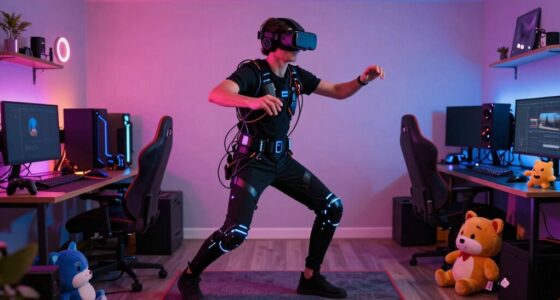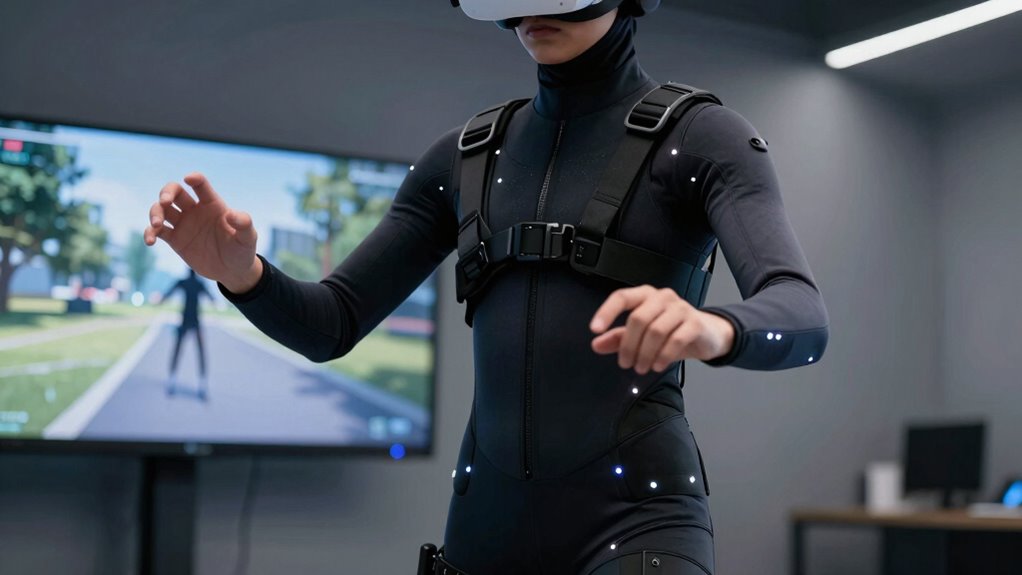

To see if full body tracking fits your VR routine, consider your space and how active you want to be. If you have enough room for comfortable movement and enjoy immersive, realistic experiences, it could be a great match. Be aware that setup can be complex and might cause motion sickness if you’re sensitive. If you’re willing to handle the extra effort and want increased engagement, full body tracking could enhance your sessions—more details await if you keep exploring.

Play games on Amazon Luna for your next adventure, included with Prime
- A rotating selection of games, no download needed
- Play on TV, laptop or phone
- Fast, free delivery for your gear, too
Key Takeaways
- Assess if your VR goals prioritize realism and active movement for better engagement.
- Ensure your available space can safely accommodate full body movements without restrictions.
- Consider your tolerance for potential motion sickness or disorientation during extended sessions.
- Evaluate whether you’re willing to handle the setup complexity and calibration process.
- Determine if your routine involves fitness or immersive experiences that benefit from full body tracking.

Deciding whether full body tracking suits your VR routine depends on understanding how it enhances your experience and whether it aligns with your gaming or fitness goals. Full body tracking can dramatically increase immersion by capturing your movements more precisely, making your virtual environment feel more real. But before jumping in, you should consider potential drawbacks, such as motion sickness and space requirements. Full body tracking involves additional sensors or cameras that monitor your entire body, which means you’ll need enough room to move freely without risking collisions or accidents. Small or cluttered spaces can limit your range of motion and reduce the system’s effectiveness, ultimately diminishing the immersive benefits you’re after.
Full body tracking boosts immersion but requires space and may cause motion sickness—consider your goals carefully.
Motion sickness is another critical factor. If you’re prone to feeling dizzy or nauseous during VR sessions, full body tracking might exacerbate those symptoms. The heightened sense of realism and increased movement can sometimes lead to disorientation, especially if the tracking isn’t perfectly calibrated or if your movements aren’t smoothly translated into the virtual world. Proper calibration techniques are essential to minimize disorientation and enhance comfort during use. Additionally, accurate motion detection plays a vital role in preventing lag or mismatched movements that could contribute to nausea. Ensuring consistent system responsiveness can help mitigate these issues and improve overall comfort. On the other hand, if you’re someone who thrives on physical activity and wants a more active experience, full body tracking could actually help you stay engaged and motivated, as it encourages more natural and dynamic movements. Incorporating adaptive feedback can also improve the overall experience by making adjustments based on your specific movement patterns, further reducing discomfort.
You also need to evaluate whether the added setup complexity aligns with your routine. Full body tracking systems often require more time to set up and calibrate, which might feel cumbersome if you prefer quick, casual VR sessions. If you’re into fitness, the extra effort can be justified, since it allows for more realistic workout simulations. Conversely, if you mainly use VR for casual gaming or relaxation, the extra hardware and setup might not be worth it. Consider how often you plan to use full body tracking: if you’re an everyday user seeking maximum realism, investing in a full tracking system makes sense. But if you only play occasionally or enjoy simple experiences, it might be better to stick with standard tracking options.
Ultimately, whether full body tracking fits your VR routine depends on your available space, your comfort level with potential motion sickness, and your goals for VR use. If you have enough room, are comfortable with setup, and crave high immersion, it could be a game-changer. However, if space is limited or you’re sensitive to motion sickness, you might prefer simpler systems. Weigh these factors carefully to decide if full body tracking aligns with your gaming or fitness ambitions.
As an affiliate, we earn on qualifying purchases.
Frequently Asked Questions
How Much Does Full Body Tracking Cost?
Full body tracking costs vary, typically ranging from around $150 to over $1,000, depending on the system and features. You should consider a cost comparison to find options within your budget considerations, like affordable sensors or full suits. Think about what level of accuracy and immersion you need, and balance that with your spending limits to guarantee you select a setup that fits your VR routine without overspending.
Is Full Body Tracking Compatible With All VR Headsets?
Think of full body tracking as a key that opens new worlds—yet, it’s not compatible with all VR headsets. You must consider motion sensors and calibration challenges, which vary across devices. Some headsets support full body tracking seamlessly, while others require additional accessories or software tweaks. Check your headset’s specifications before investing, so you avoid the frustration of incompatible tech and guarantee your experience is smooth and immersive.
How Difficult Is It to Set up Full Body Tracking?
Setting up full body tracking can vary in difficulty, but generally, it’s manageable. The setup complexity depends on your system and the number of sensors you use. You’ll need to position sensors correctly and complete a calibration process to guarantee accurate tracking. While it might take some time initially, once calibrated, it becomes straightforward to use. Patience during setup ensures better performance and a smoother VR experience.
Does Full Body Tracking Improve VR Experience Significantly?
Full body tracking can considerably enhance your VR experience, with studies showing up to 30% improvement in motion accuracy. This technology makes movements more precise, creating a much more immersive experience. As you incorporate full body tracking, you’ll notice your avatar mimics real-life motions better, boosting realism. If you seek heightened immersion and realistic interactions, full body tracking is a game-changer that can elevate your VR sessions remarkably.
What Are the Common Issues With Full Body Tracking?
You might face issues with full body tracking, like inaccurate sensor readings or poor motion calibration, which can lead to mismatched movements. Sensor accuracy varies depending on the quality of your setup, so you could notice lag or jitter during gameplay. Ensuring proper calibration and using reliable sensors helps reduce these problems. Regularly checking and adjusting your setup can improve overall tracking performance and make your VR experience smoother.
As an affiliate, we earn on qualifying purchases.
Conclusion
Ultimately, deciding if full body tracking suits your VR routine is like fitting the last puzzle piece—you’ll know when everything clicks into place. If you crave a more immersive experience and enjoy moving naturally in virtual worlds, it’s probably your missing link. But if setup feels like trying to tame a wild beast, it might not be worth the headache. Think of it as adding spice to your VR feast—you’ll savor the difference when it’s just right.
As an affiliate, we earn on qualifying purchases.
As an affiliate, we earn on qualifying purchases.
Fall Picks
fall essentials
As an affiliate, we earn on qualifying purchases.